

Leena Start Here Preamble
1. This document provides an overview of setting up Leena, AvidTrak’s AI Voice Agent, including configuration steps, recommended setup journey, and testing guidelines.
START HERE
Setting Up Your Leena AI Voice Agent
This overview explains how Leena works, what information to prepare before setup, how Profiles and Versions differ, and how to use Draft, Test Call, and publishing controls while you fine-tune your AI Voice Agent.
2. About Leena
Leena is AvidTrak’s AI Voice Agent designed to help businesses answer and manage inbound phone calls. You configure Leena with the information, instructions, and call-handling rules that reflect how your business wants callers to be served.
Depending on the features you enable, Leena can:
- Answer common questions using your business information, services, hours, pricing, Knowledge Base, and FAQs.
- Gather caller details and the reason for the call.
- Follow workflows and business-specific instructions.
- Qualify callers by criteria such as service area or caller needs.
- Transfer appropriate calls to a member of your team.
- Send call alerts and acknowledgement SMS messages.
- Support scheduling and booking when the applicable integration is enabled.
Leena works alongside your team
You decide what Leena should know, what she should collect, how she should respond, and when a caller should be handed off to a person.
3. Who Is Leena a Good Fit For?
Leena is well suited for businesses that receive inbound calls for customer inquiries, service requests, lead qualification, appointment requests, after-hours assistance, or general customer support.
Leena can be especially useful when your business wants to:
- Respond consistently to inbound callers.
- Reduce missed calls and missed opportunities.
- Handle routine questions without requiring a staff member to answer every call.
- Capture important lead and caller information.
- Qualify or route callers before involving a team member.
- Provide a consistent caller experience during busy or after-hours periods.
4. Recommended Setup Journey
1B | Configure Business Services and Information | Add services, hours, pricing, service areas, Knowledge Base, and FAQs.
2A | Configure Greeting and Voice | Choose what Leena says when she answers and how she sounds.
3A | Configure Call Handling and Follow-Up | Set up transfers, alerts, and acknowledgement SMS.
3B | Scheduling and Booking | Configure booking when the applicable calendar integration is available.
4 | Review, Test and Publish | Test the Draft, make corrections, and publish when ready.
You do not need to enable every optional feature. Choose the settings that match the way your business wants Leena to handle calls.
5. Leena Profiles versus Leena Versions
A Leena Profile and a Leena Version are different concepts. Understanding the distinction makes it easier to manage multiple agents and safely refine an existing agent over time.
Leena Profile
A Profile is a separate Leena AI Voice Agent configuration. A business may use different Profiles for different businesses, locations, departments, or use cases when its subscription tier allows multiple Profiles.
Leena Version
A Version is a saved state of the same Leena Profile. Versions let you refine or change a Profile while retaining earlier configurations that you may want to return to later.
Subscription distinction:
Starter Leena users are allowed one Leena Profile.
Professional and higher Leena tiers allow multiple Leena Profiles.
Regardless of subscription tier, AvidTrak allows up to three Versions of each Leena Profile.
Example
One Leena Profile might represent your main customer-service agent. You can revise its greeting or instructions and retain earlier Versions of that same Profile without creating a new Profile.
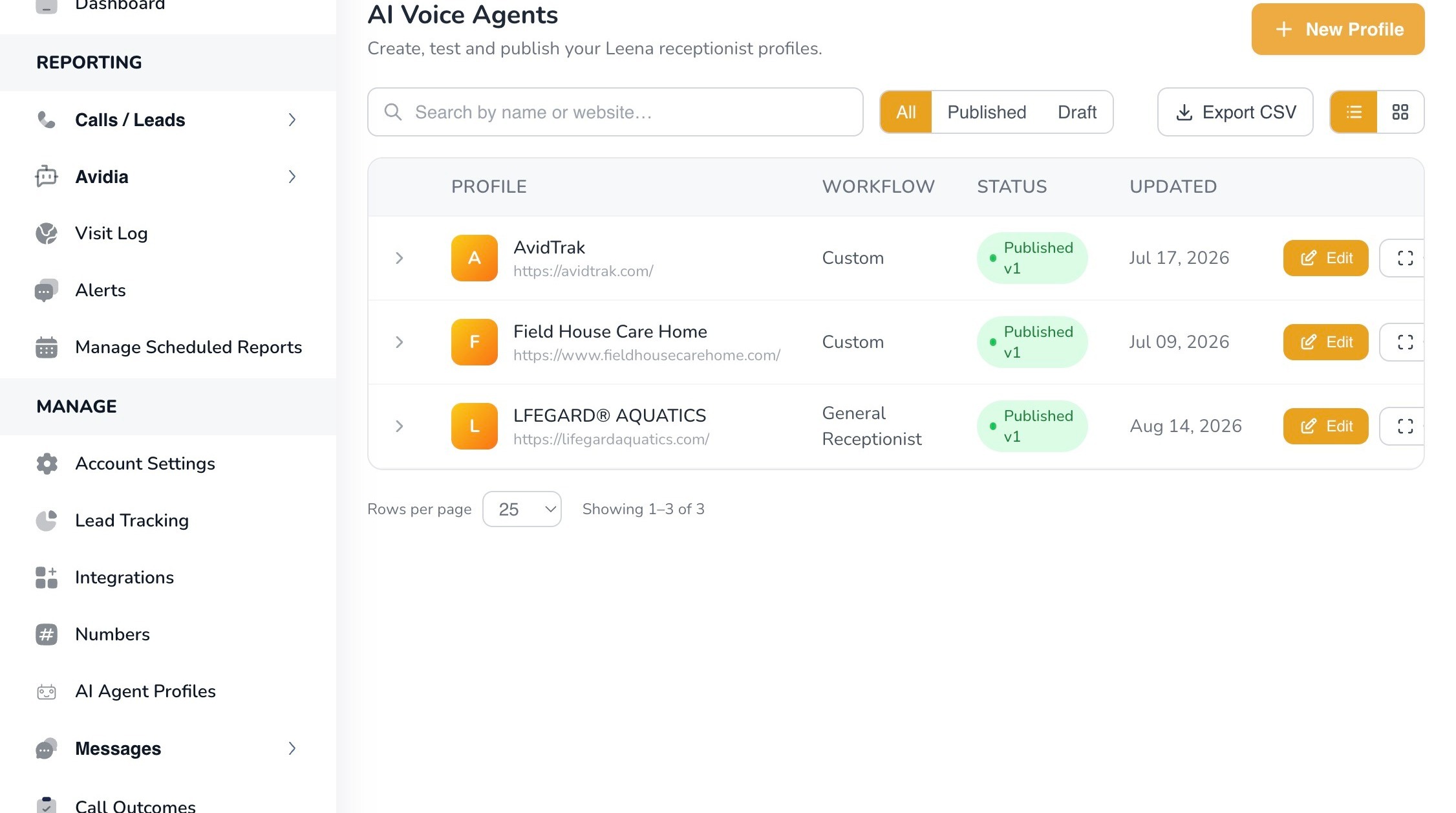
6. The AI Voice Agents page is where users create and manage separate Leena Profiles.
7. How Drafts, Saving, Testing, and Publishing Work
As you configure Leena, changes remain in a Draft until you choose to publish them. This lets you build, refine, and test an updated configuration before live callers interact with it.

8. The top status bar shows Draft status, Versions, and access to Test Call (draft).
9. Draft · unpublished changes | Indicates that the current Profile contains saved changes that have not yet been published for live callers.
Save draft | Saves changes made in the section you are currently working on and keeps you on the same page.
Save & Continue | Saves the current section and advances you to the next configuration page.
Test Call (draft) | Lets you call the saved Draft and experience Leena before publishing the changes.
Publish now | Publishes the current Draft. This is especially useful for experienced users making a small change to an existing Profile.
Versions | Lets you view available Versions of the Profile and return to an earlier configuration when needed.
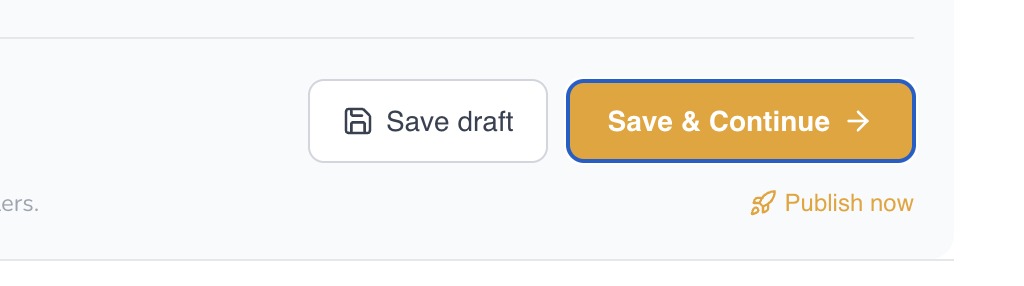
10. Save draft keeps you on the current page; Save & Continue saves the section and moves forward. Publish now makes the current Draft live.
11. First-time setup recommendation
Complete the applicable configuration sections and test the Draft before publishing. Use Publish now mainly when you understand the effect of the change you are making and are ready for that change to become live.
12. Choosing a Voice: Sound Is Only One Part of Performance
AvidTrak offers multiple voices and accents so you can choose a voice that fits your business and caller audience. Voice preference is subjective, however, and the voice that sounds most appealing to you may not always produce the best overall caller experience.
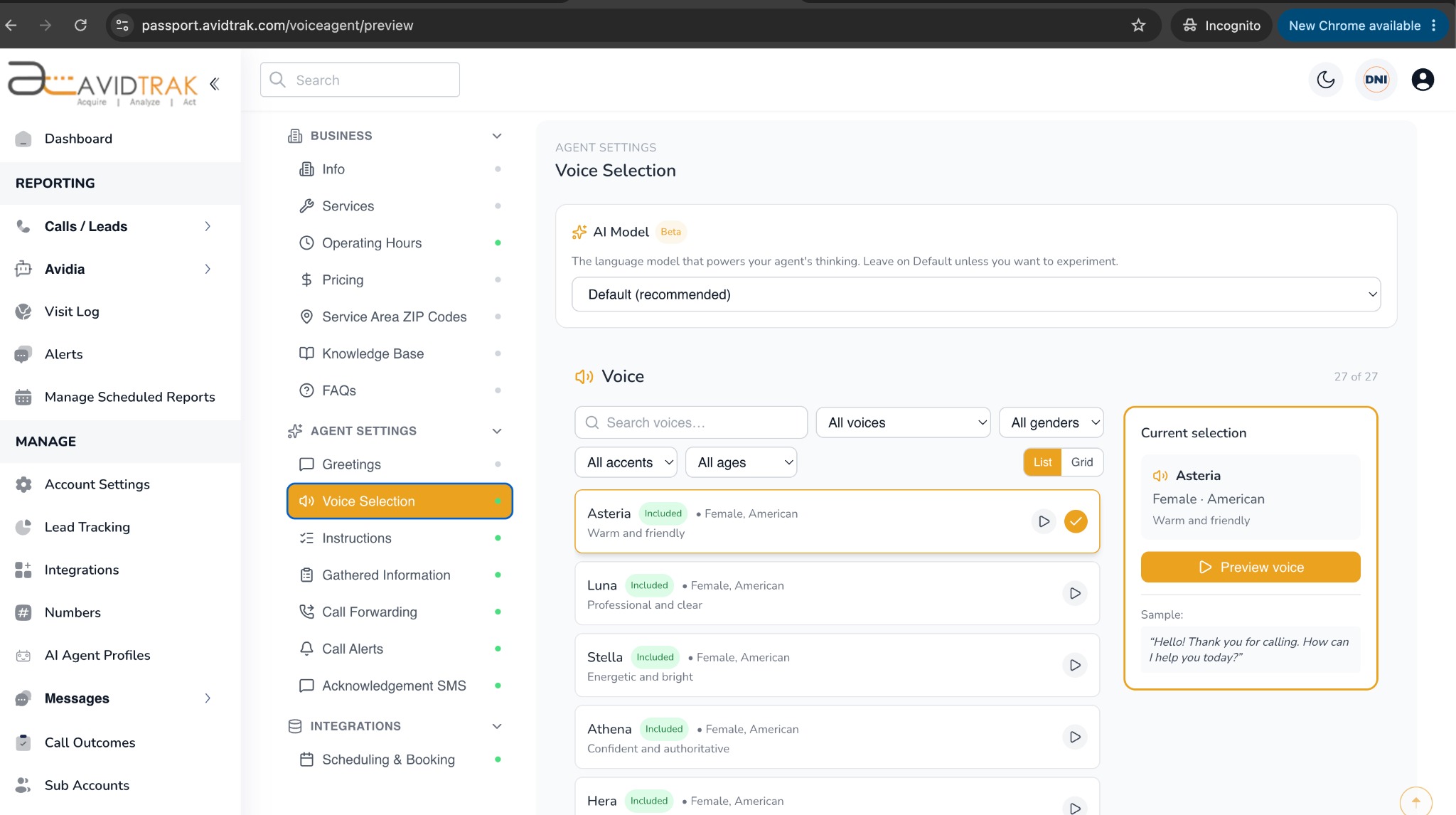
13. Voice Selection lets you preview available voices and filter by characteristics such as gender, accent, and age.
14. Important voice-selection guidance
AvidTrak has observed that some AI voices may perform better in live conversations even when another voice sounds more appealing during a short preview. We do not have visibility into why this occurs. For that reason, do not judge a voice only by personal preference or the quality of a sample. Test the voice in realistic conversations and evaluate the complete caller experience.
When comparing voices, consider more than how the sample sounds. Evaluate whether the voice:
- Understands callers reliably in realistic conversations.
- Responds naturally to interruptions, follow-up questions, and changes in topic.
- Maintains a clear and appropriate tone throughout the call.
- Works well with your specific instructions, terminology, and caller audience.
- Creates a caller experience that feels accurate, efficient, and comfortable.
*A voice that is not your personal favorite can still be the better choice if it consistently produces stronger caller interactions.
15. Use Test Calls to Fine-Tune Leena
Testing is an important part of configuring Leena. Use Test Call to experience the saved Draft as a caller would before publishing your changes.
16. Test-call allowance
AvidTrak provides 20 free test calls while you are fine-tuning your Leena Profile. After the first 20 test calls, additional test calls are billed at $0.02 per test call.
Use the test calls purposefully. A useful test plan should include more than asking one simple question. Try several realistic scenarios:
- Ask a common business question that Leena should answer from your Business Info, Knowledge Base, or FAQs.
- Ask about a service, price, business hour, or service area.
- Provide incomplete or unexpected information and see how Leena responds.
- Ask to speak with a person and verify the transfer behavior.
- Test required and optional caller-information collection.
- Try an urgent or unusual request that should follow one of your special instructions.
- Where enabled, test acknowledgement SMS, alerts, or booking behavior.
17. Before You Begin
It is helpful to have the following information ready before you start the tutorials:
- Business name, address, phone number, email address, and website.
- Current services or products, operating hours, pricing, and service areas.
- Policies, warranty information, FAQs, and other business knowledge Leena should know.
- The phone number that should receive transferred calls.
- The caller information Leena should collect.
- Email addresses that should receive call alerts.
- An A2P 10DLC-enabled AvidTrak number if you plan to send acknowledgement SMS messages.
- A few realistic call scenarios you can use to test the finished Draft.
18. Ready to begin?
Start with Tutorial 1A – Create Your Leena AI Voice Agent Profile, then work through the applicable tutorials in sequence. Test your final Draft thoroughly before publishing it for live callers.
If you have any difficulty implementing the instructions in this manual, please contact AvidTrak Support at support@avidtrak.com.

