

2B – Configure Leena’s Call Instructions and Caller Information
1. This document provides a step-by-step guide on configuring Leena’s Call Instructions and Caller Information to customize the AI Voice Agent’s behavior and data collection during calls.
Leena’s Call Instructions define how the AI Voice Agent should behave during conversations, while Gathered Information determines what caller details Leena should collect. Together, these settings turn a general AI voice experience into an agent that follows the workflow of your business.
In this tutorial, you will select a starting workflow, review and customize Leena’s instructions, use AI-generated instruction suggestions where helpful, and define required versus optional caller information.
2. Decide what you want Leena to accomplish on a typical call. Examples include answering general questions, taking messages, handling support requests, qualifying callers by ZIP code, booking appointments, or following a custom workflow. Also decide which caller details are essential and which are merely useful when naturally provided.
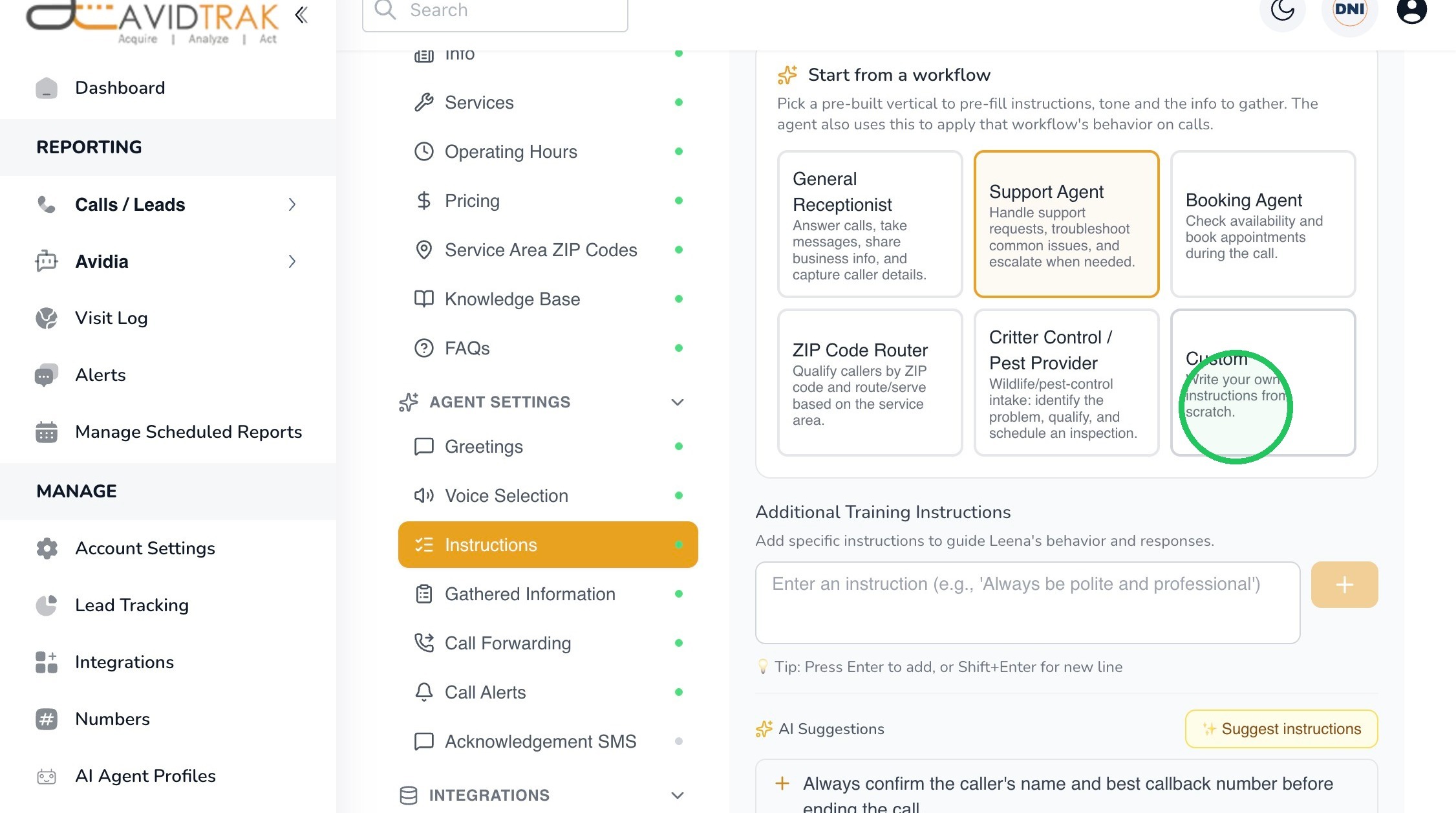
3. Select Instructions from Agent Settings. The Start from a workflow section provides pre-built starting points that can pre-fill instructions, tone, and information to gather.
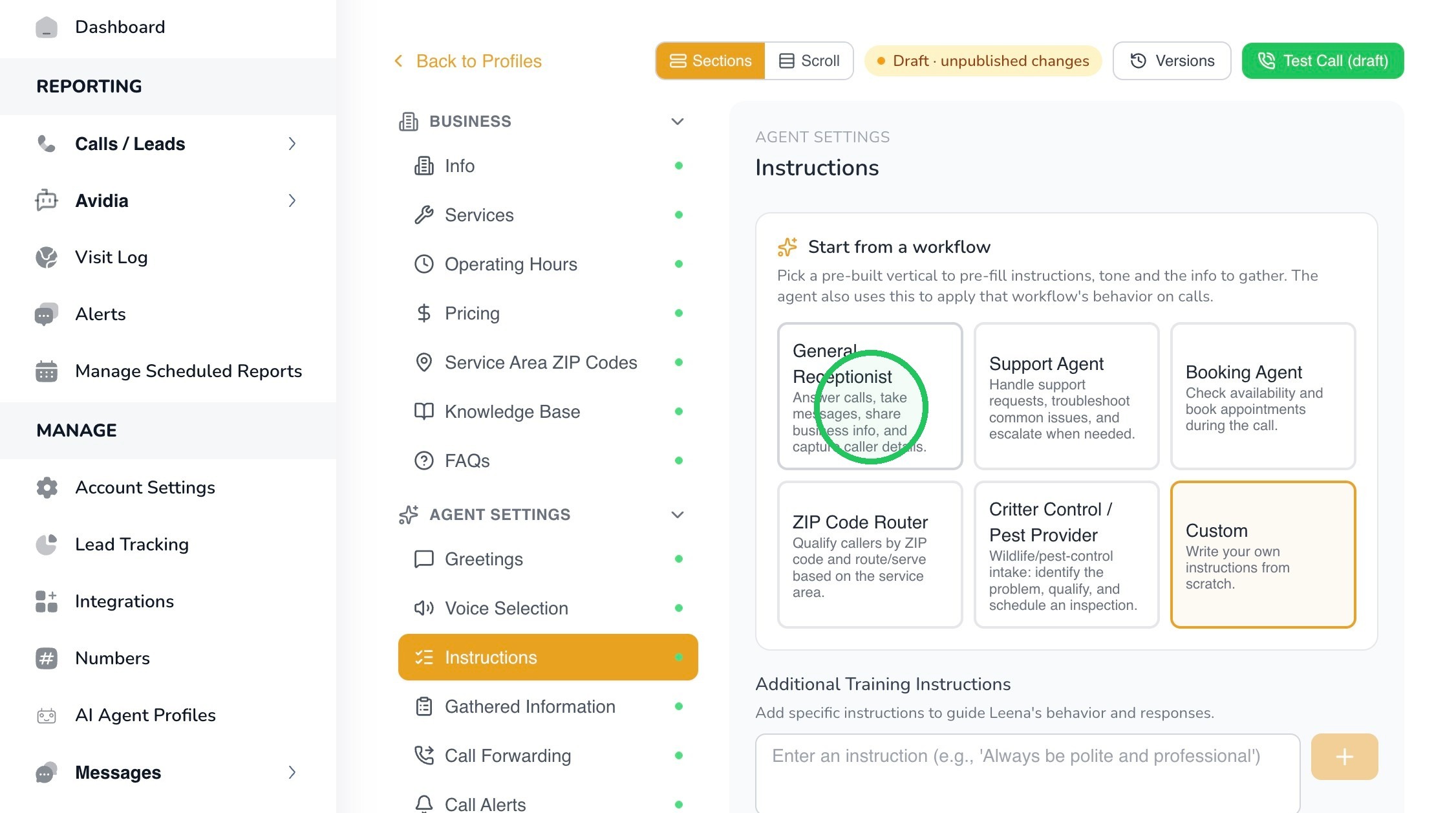
4. Available workflow choices shown in the interface include:
- General Receptionist – answer calls, take messages, share business information, and capture caller details.
- Support Agent – handle support requests, troubleshoot common issues, and escalate when needed.
- Booking Agent – check availability and book appointments during the call.
- ZIP Code Router – qualify callers by ZIP code and route or serve them based on the configured service area.
- Animal Control / Pest Control Provider – use a workflow designed around pest-control intake, qualification, and inspection scheduling.
- Custom – write your own instructions from scratch.
Tip: Choose the workflow that most closely matches the primary job you want Leena to perform. You can then refine the instructions to fit your business.
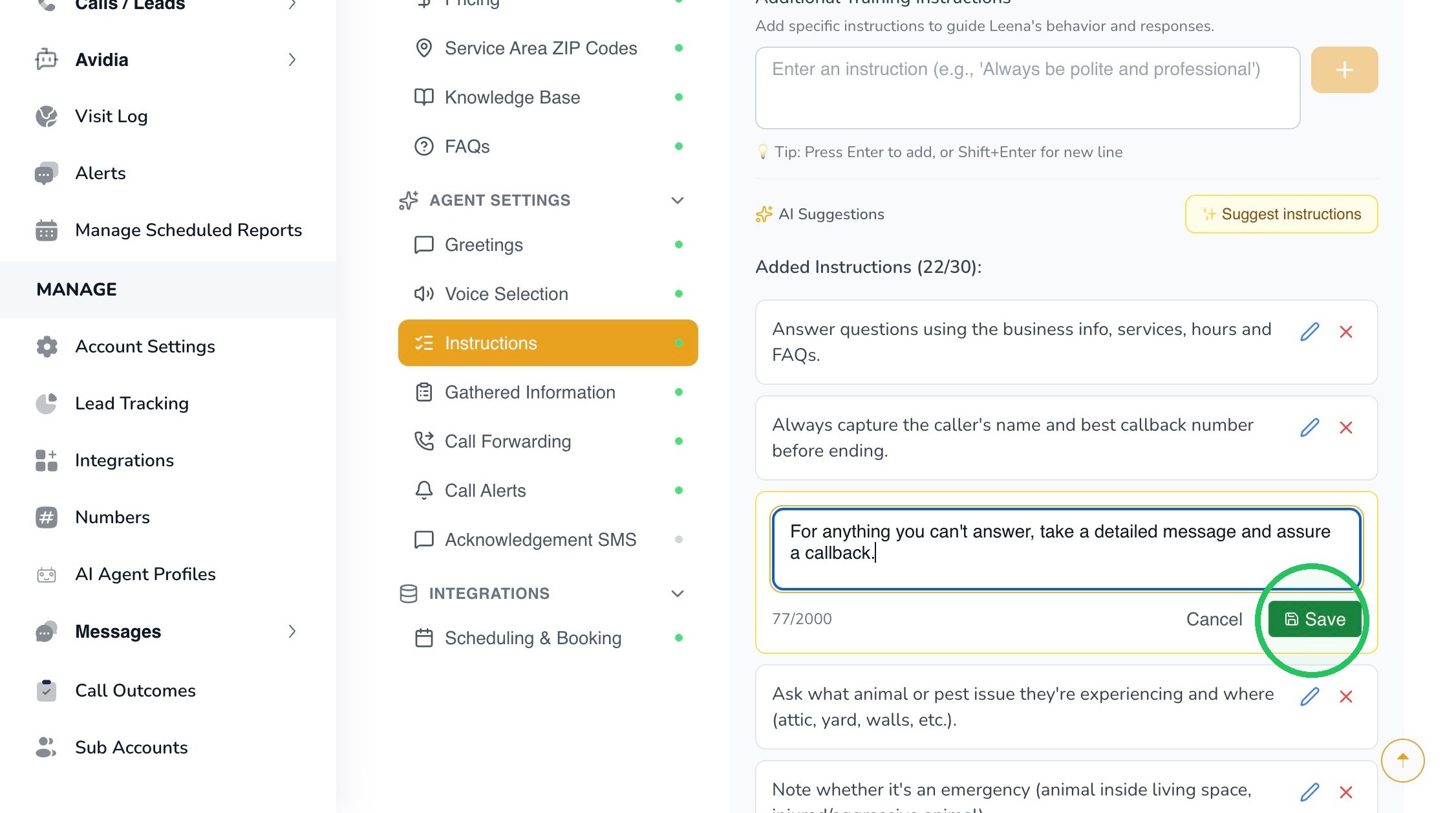
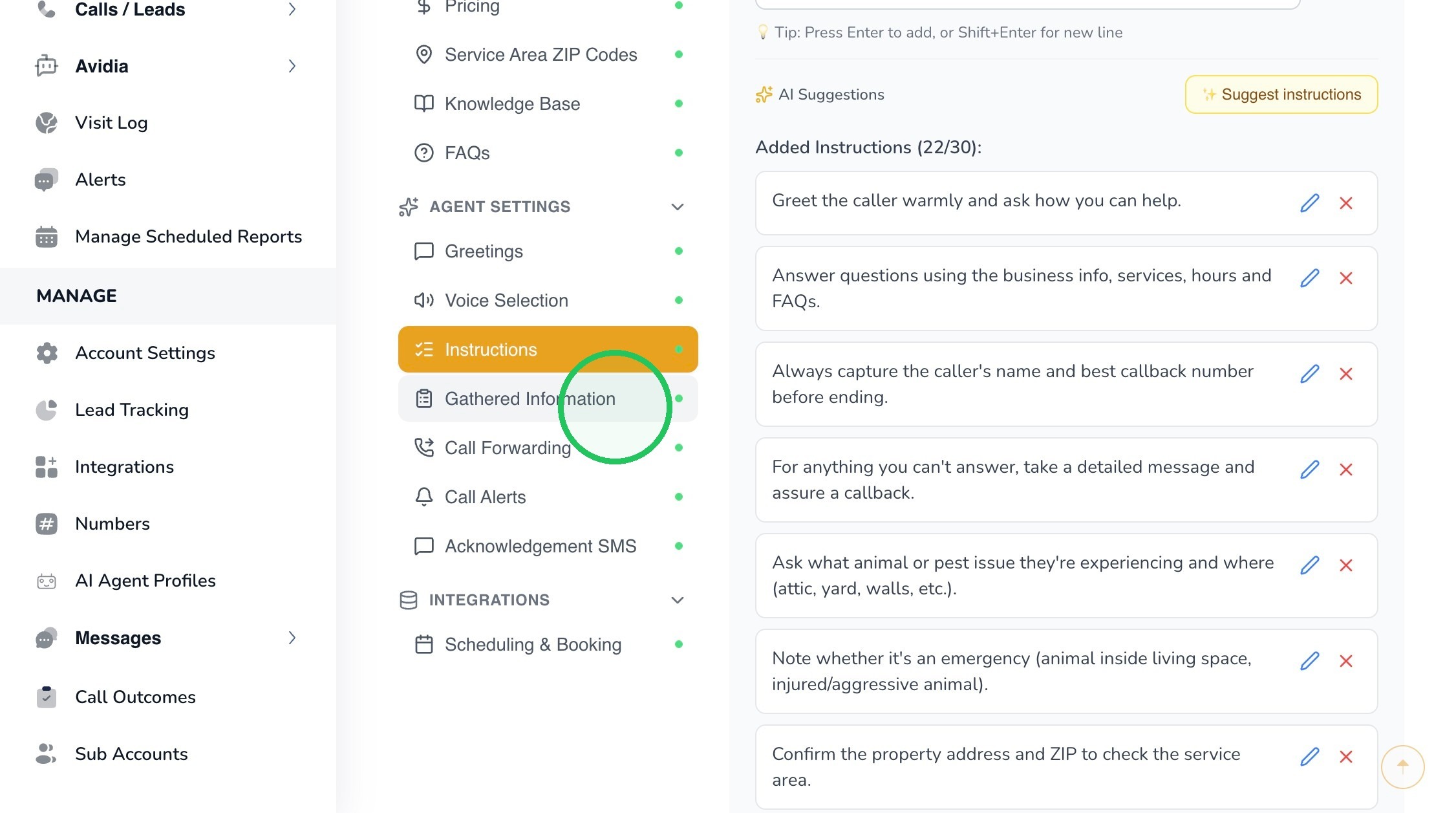
5. The Added Instructions section contains the individual rules Leena follows during calls. Use the edit icon beside an instruction when you want to revise its wording.
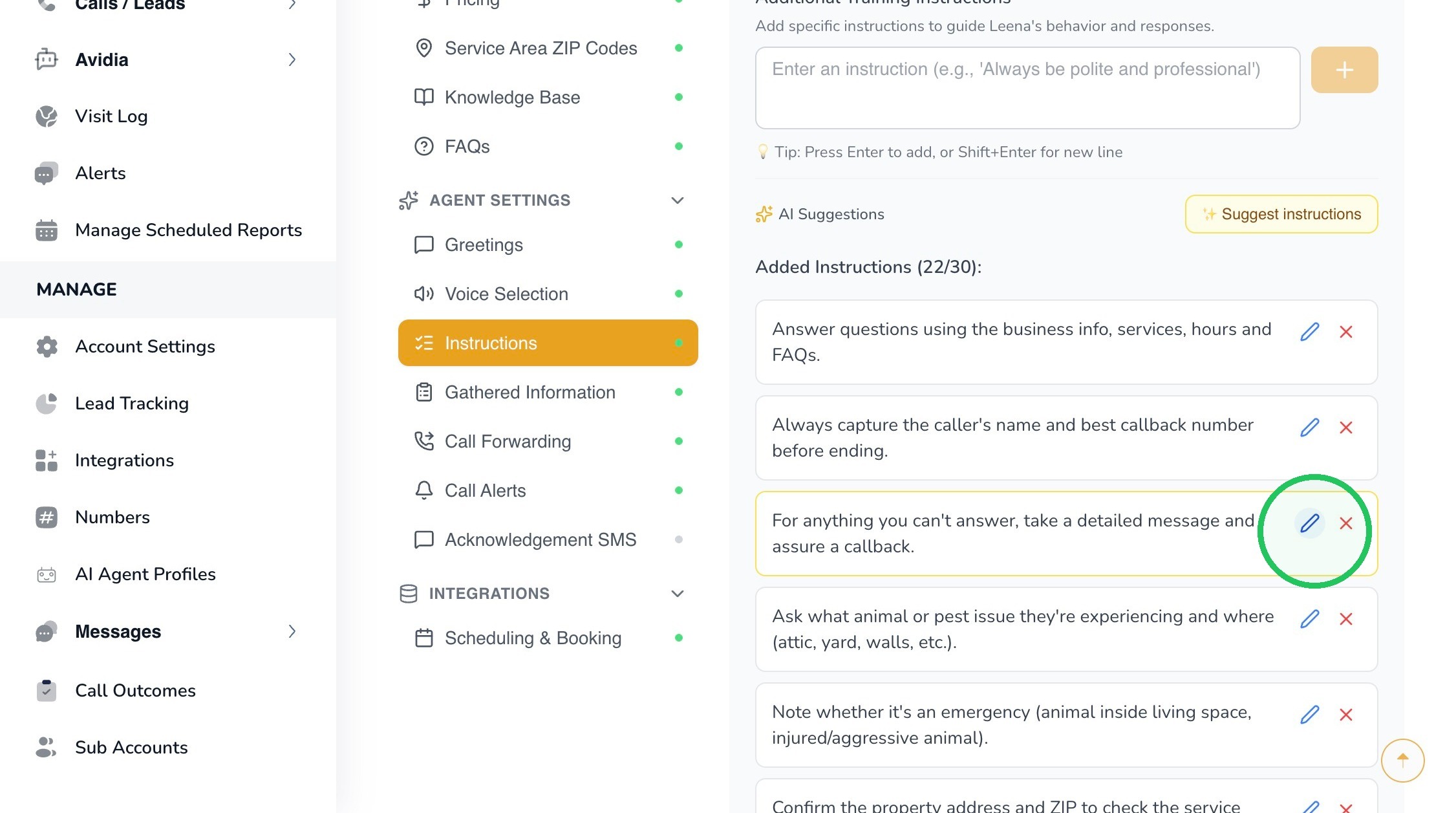
6. Make the instruction specific and outcome-oriented. For example:
For anything you can’t answer, take a detailed message and assure the caller that someone will return the call.
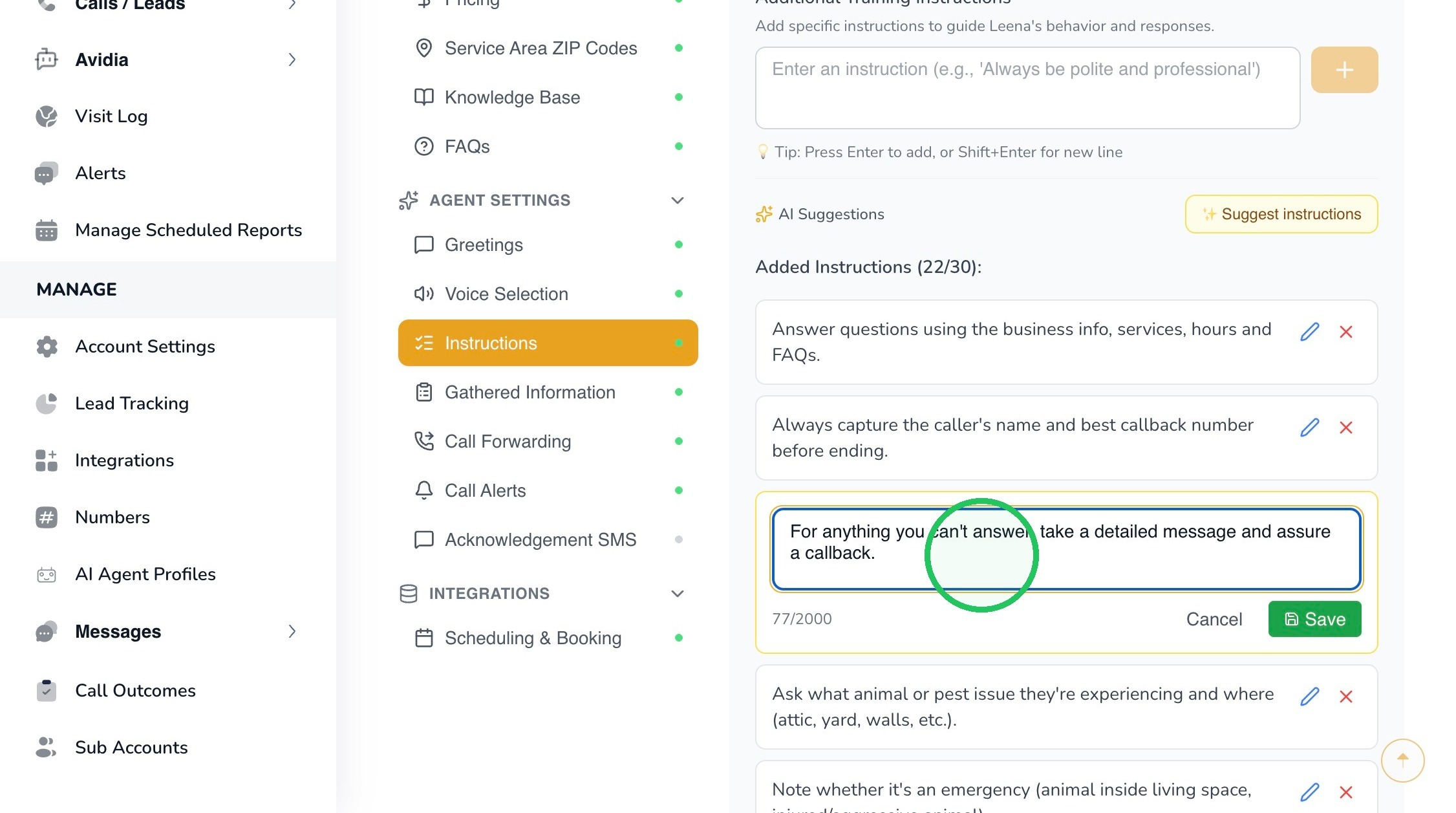
7. Click Save after editing the instruction.
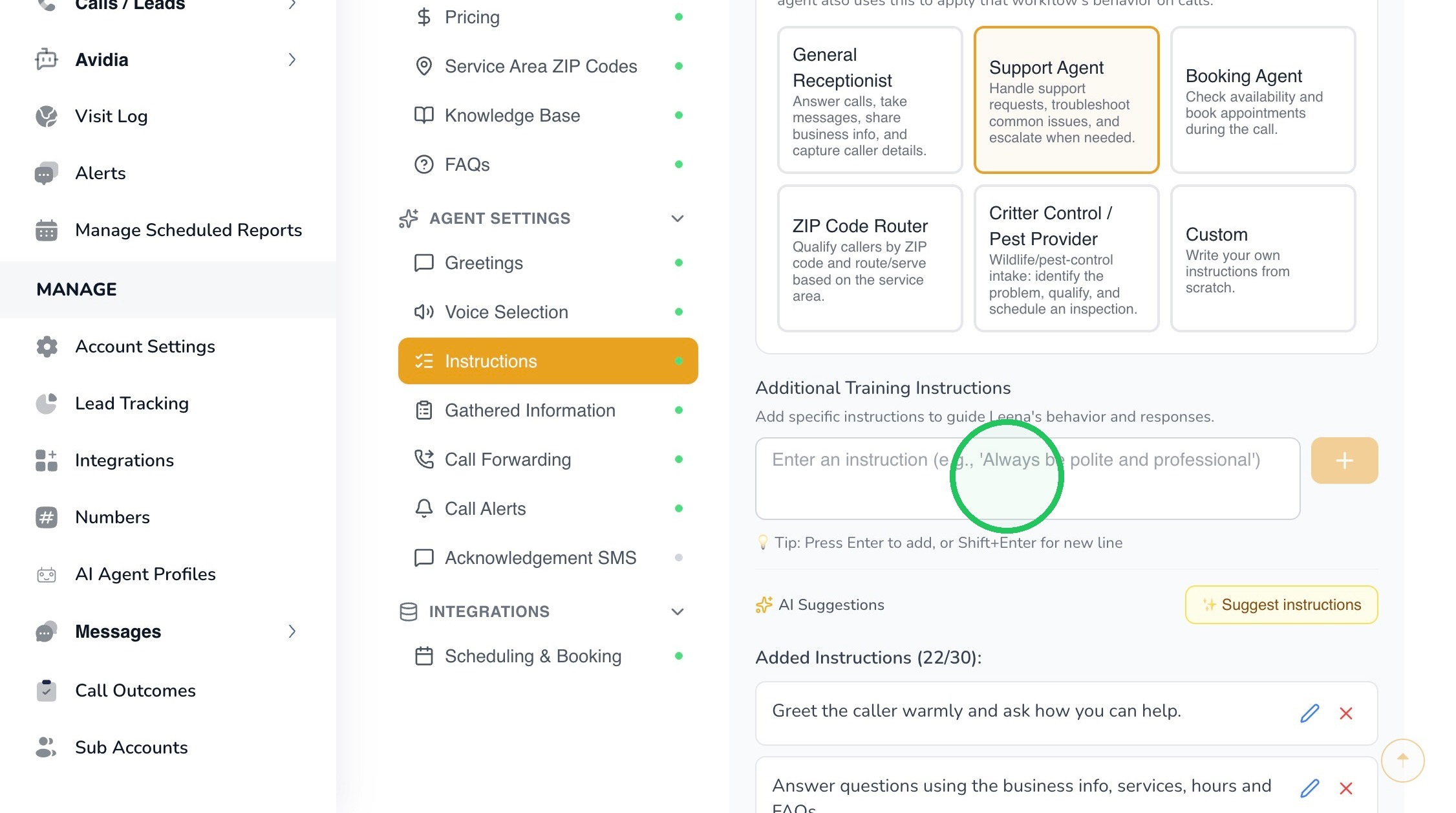
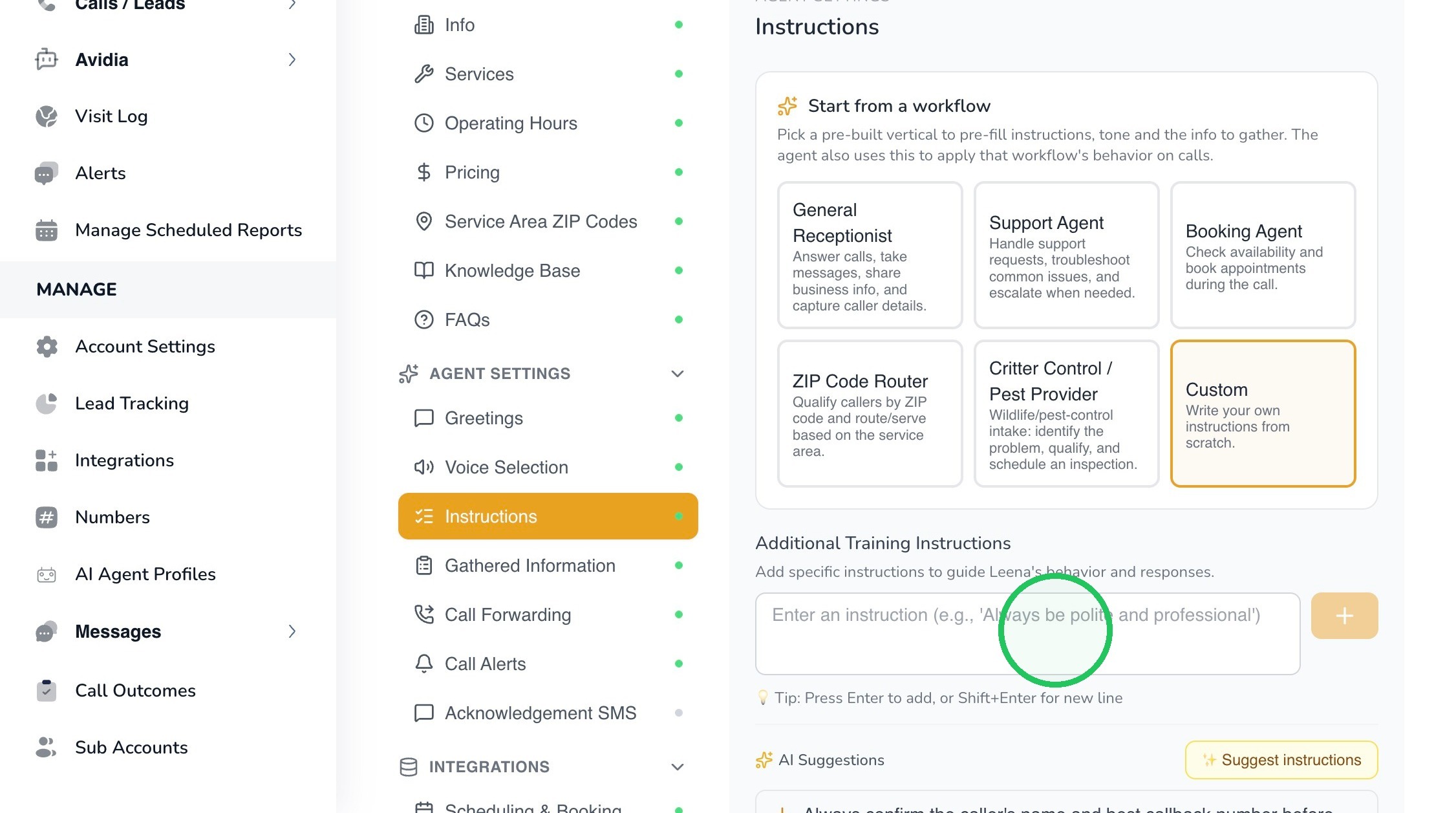
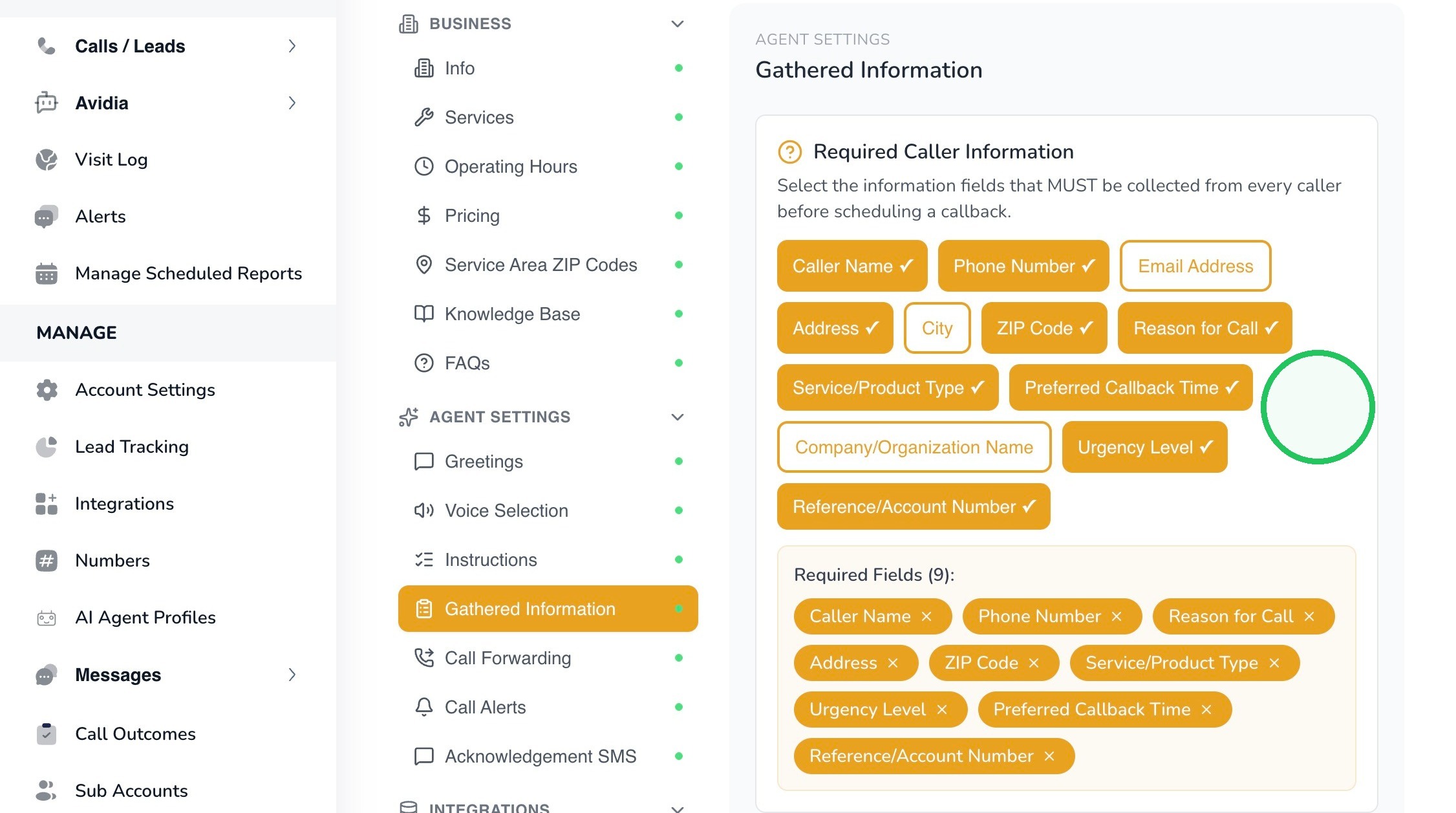
8. Use Additional Training Instructions to add business-specific rules that are not already covered by the selected workflow.
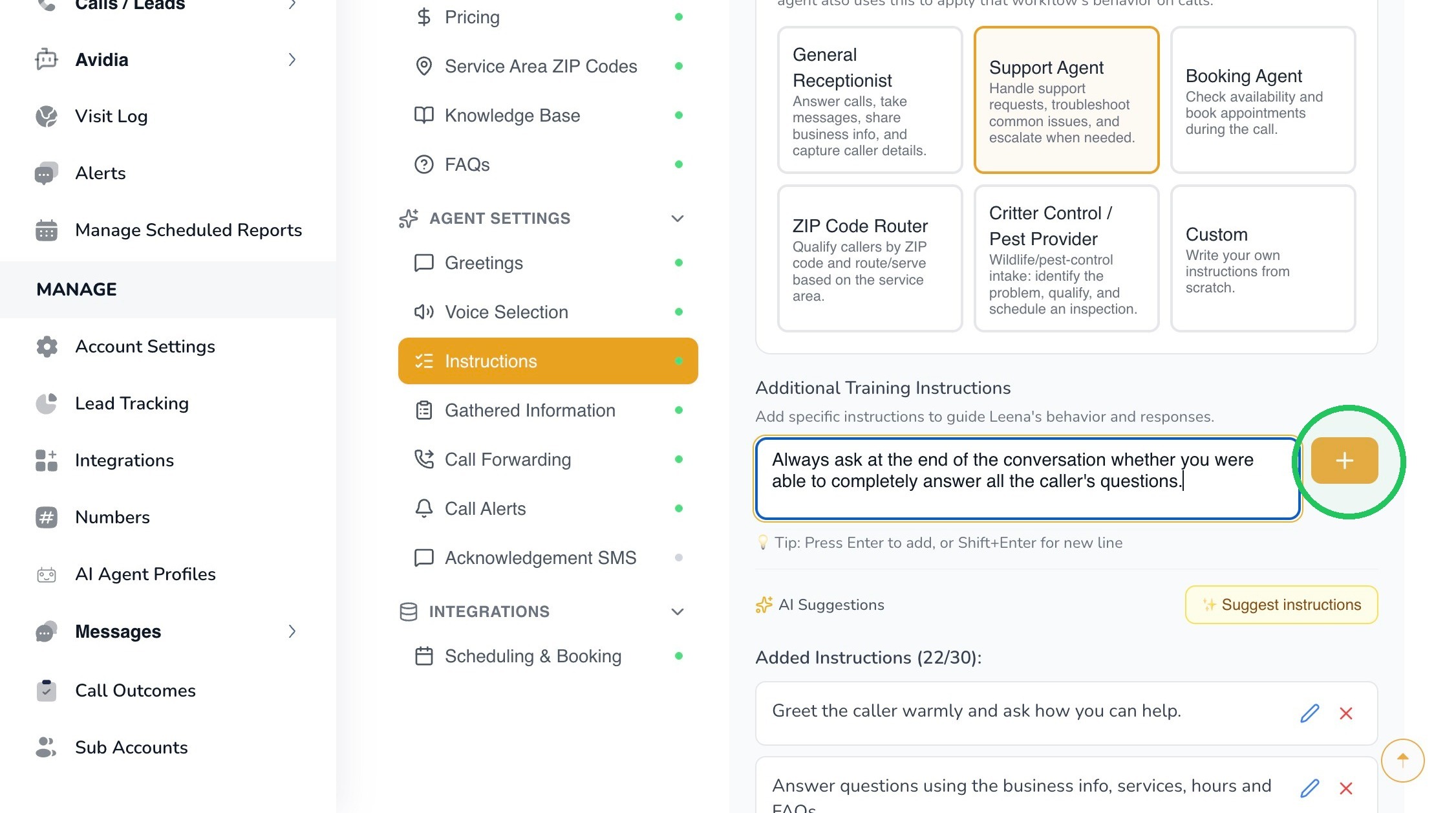
9. In this example, the added instruction is:
Always ask at the end of the conversation whether you were able to completely answer all the caller’s questions.
Use the + control to add the instruction to Leena’s active instruction list.
10. Best Practice: Use one clear instruction per behavior instead of writing a long paragraph containing many rules. Short, explicit instructions are easier to review, edit, and troubleshoot later.
11. Select Suggest instructions to have AvidTrak propose additional instructions that may be useful for the selected workflow and business context.
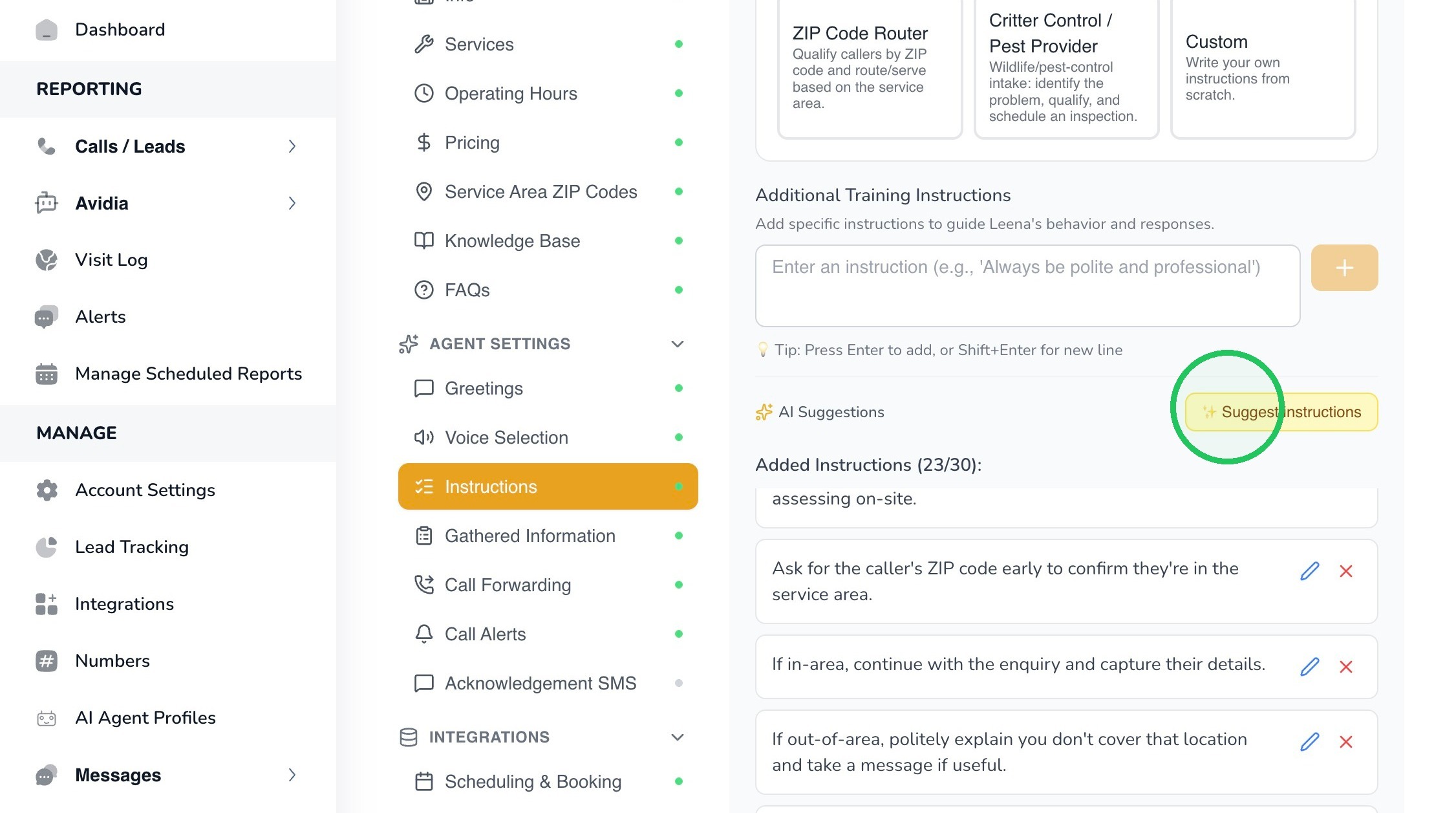
12. Review each suggestion before adding it. In this example, one suggested instruction is:
For urgent or emergency requests, treat them as a priority and gather the essential details calmly.
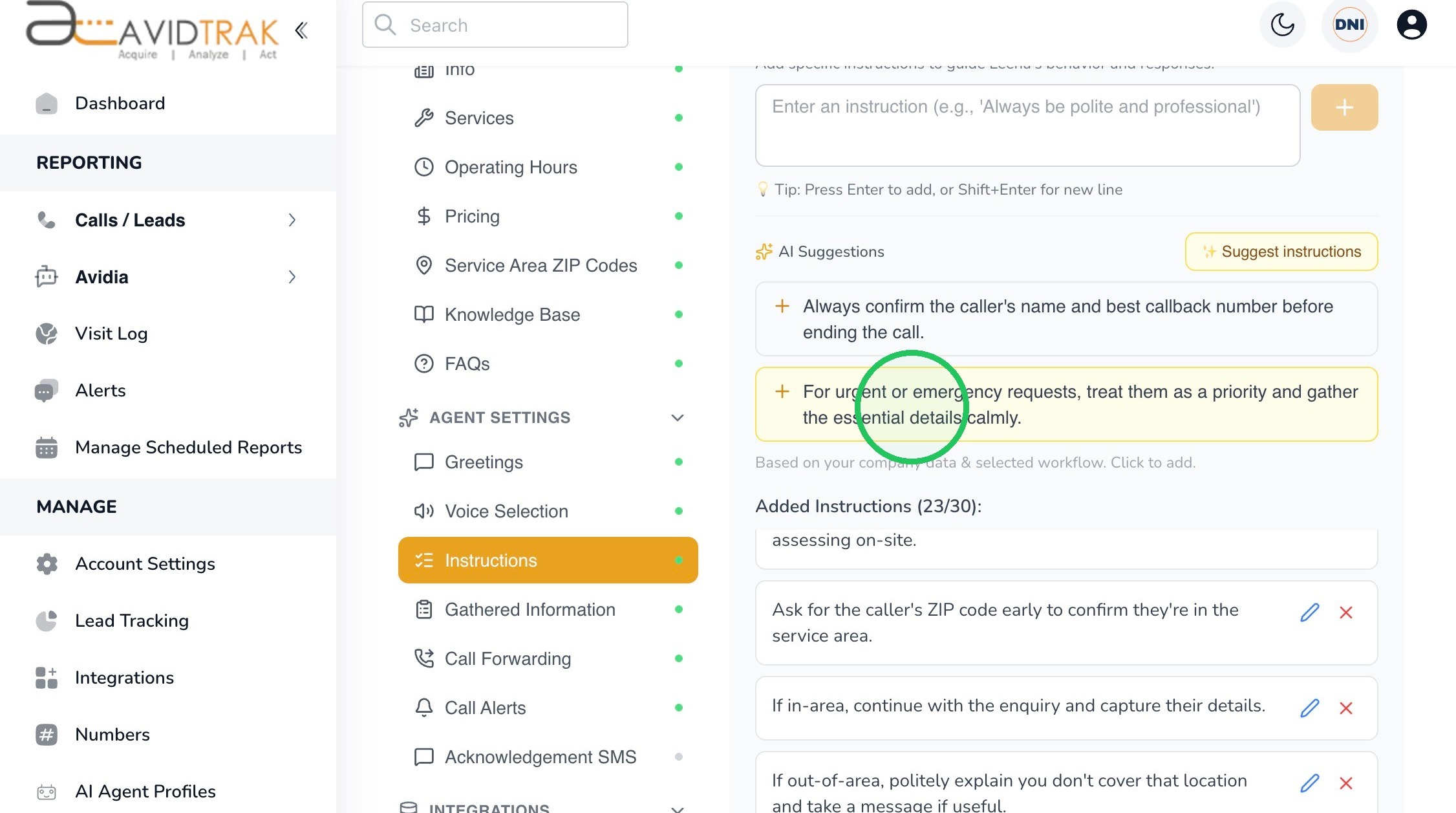
13. Important: AI suggestions are starting points. Only add an instruction if it accurately reflects how you want Leena to handle real callers.
14. Select Custom when none of the pre-built workflows accurately represents your business process and you prefer to write the instructions from scratch.
15. Enter each custom instruction in the Additional Training Instructions field and add it to the instruction list.
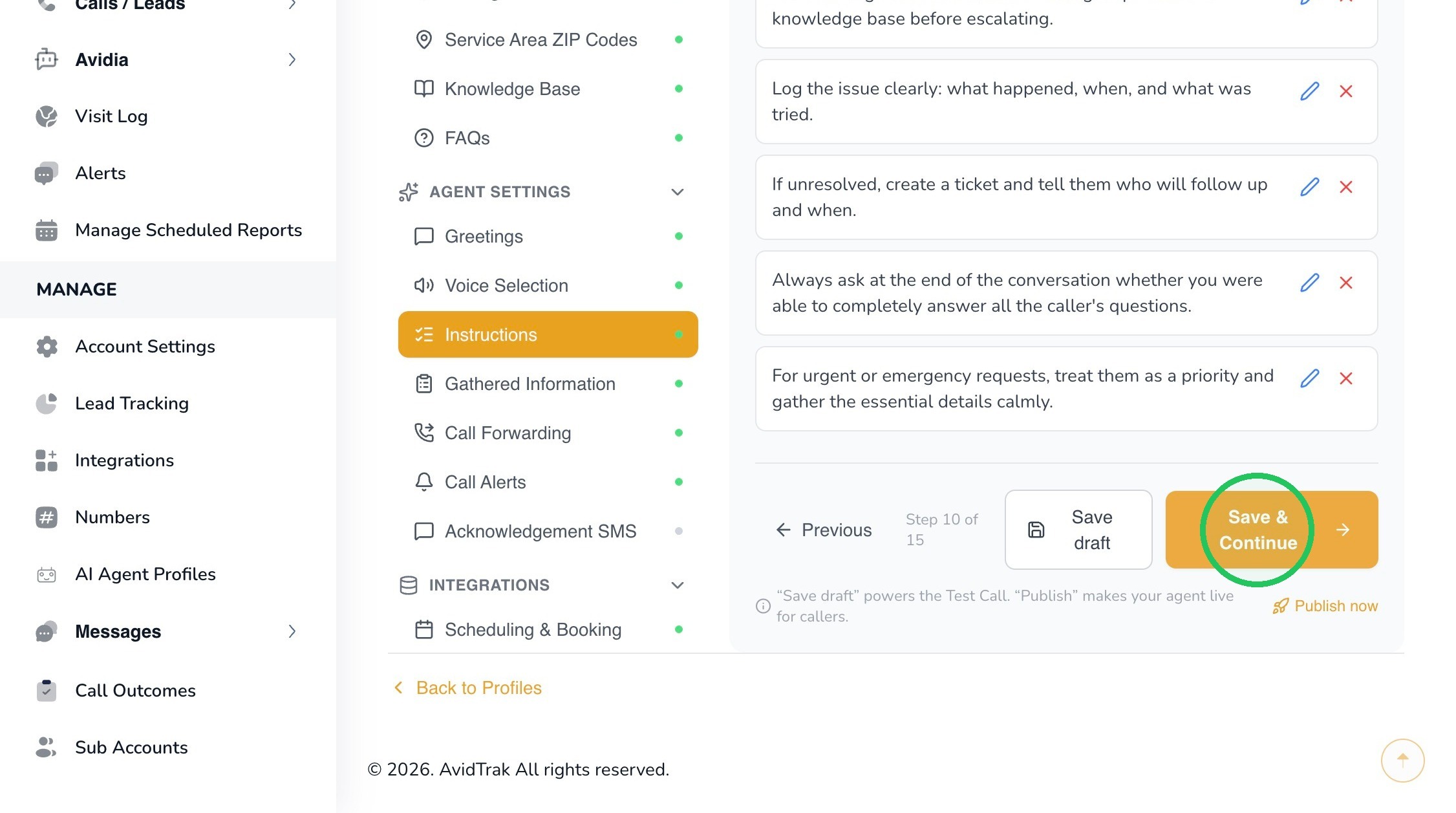
16. After reviewing the workflow and instructions, click Save & Continue. Your changes are saved as a draft so you can continue configuring and testing before publishing.
17. Select Gathered Information. This section controls the caller details Leena should collect during the conversation.
18. The page separates caller information into two categories:
- Required Caller Information – fields Leena must collect from the caller before the applicable callback or follow-up workflow is completed.
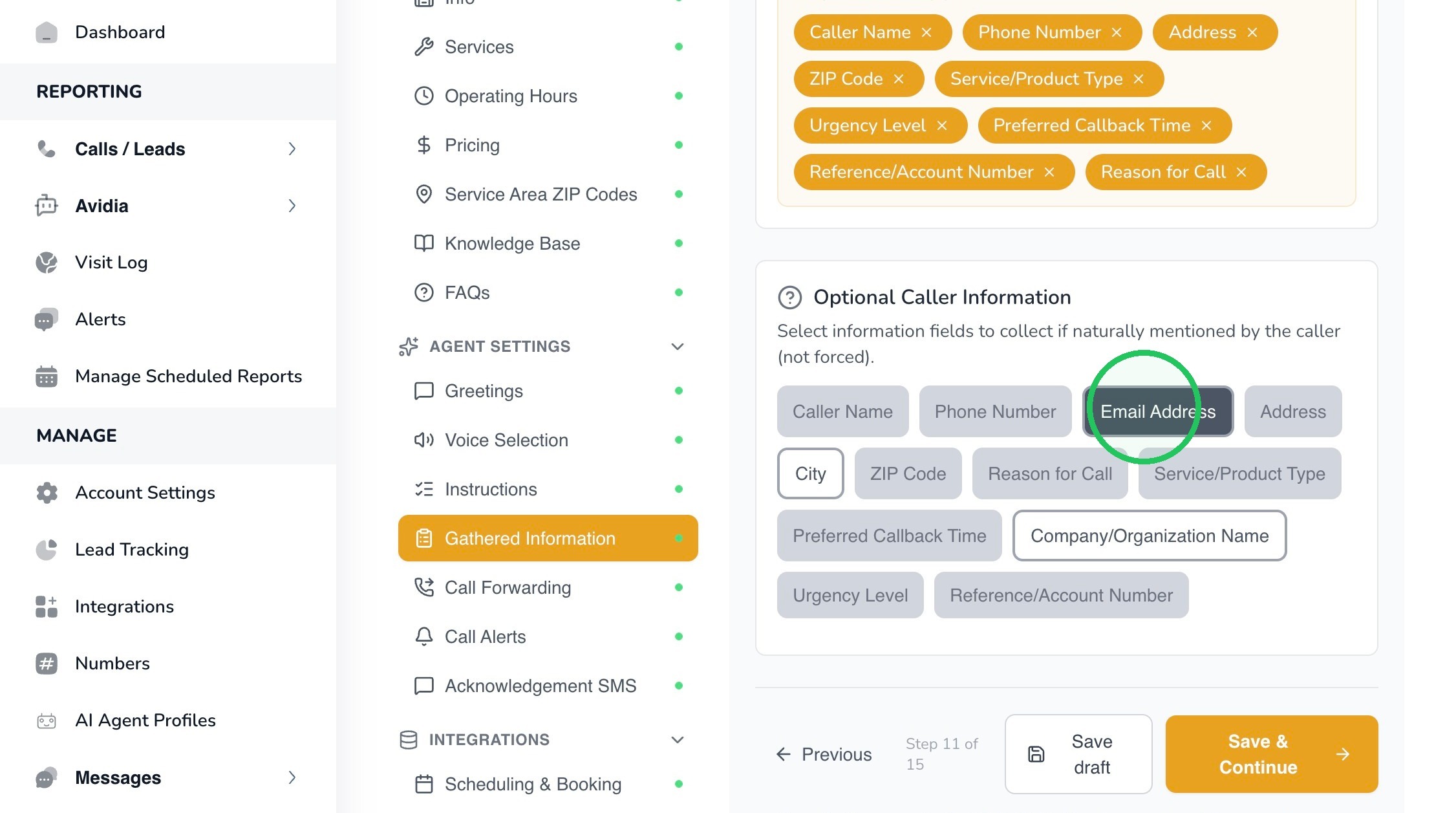
- Optional Caller Information – information Leena may capture if it is naturally mentioned by the caller, without forcing the caller to provide it.
19. Best Practice: Do not make every available field required unless the business process truly depends on it. Too many required questions can make a natural conversation feel like a form or interrogation.
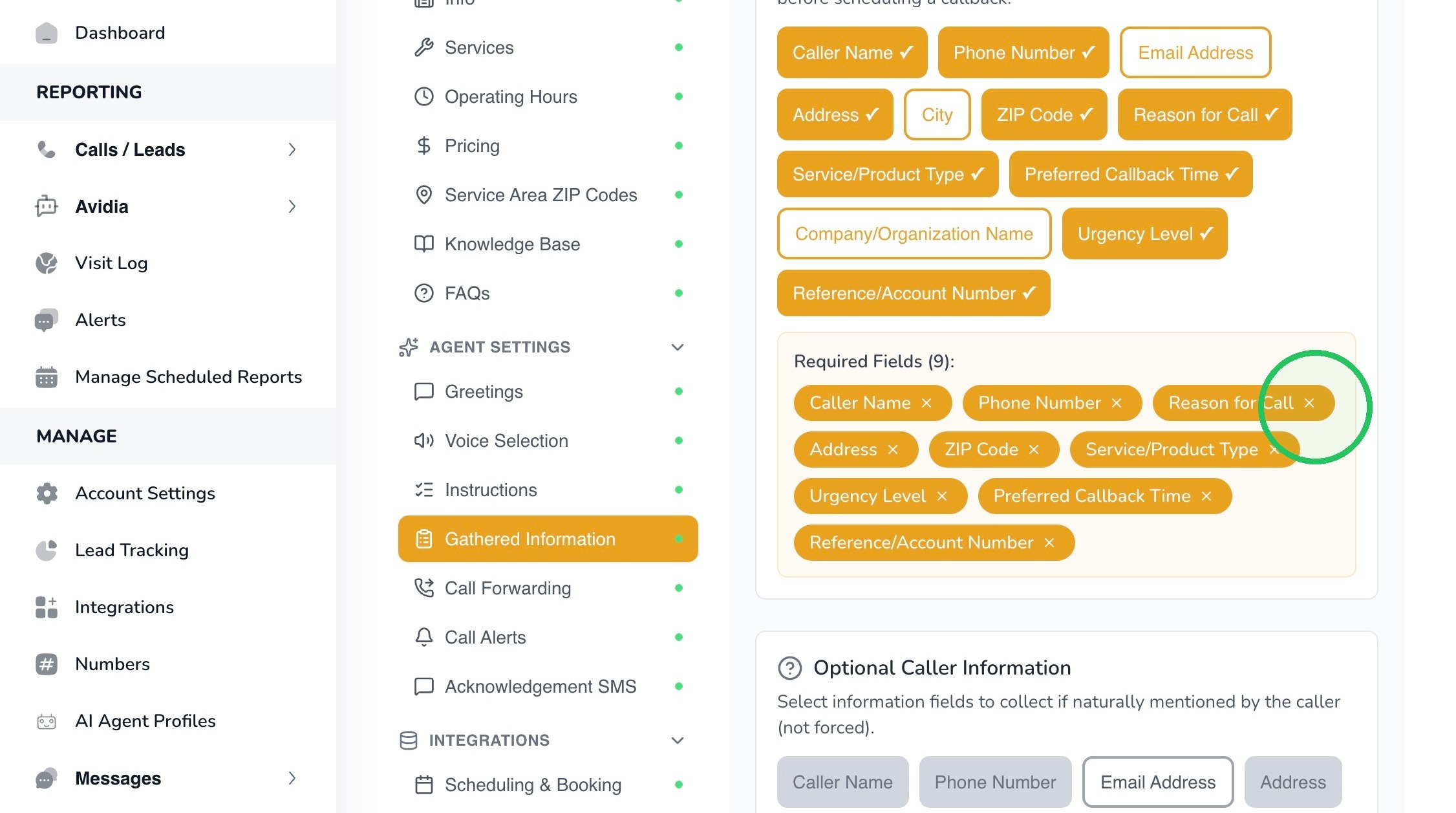
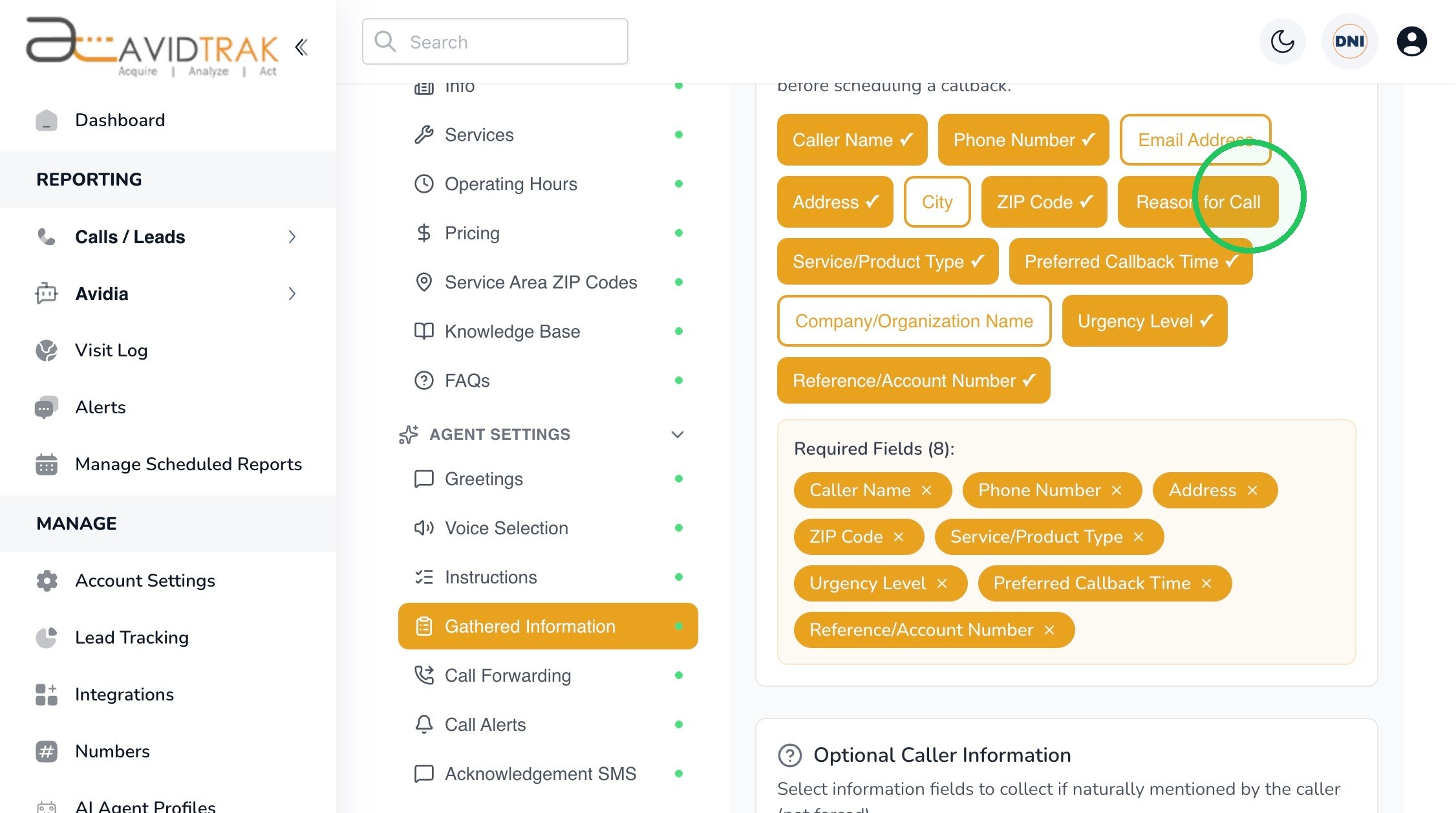
20. Select only the fields Leena must obtain for your workflow. Examples available in the interface include Caller Name, Phone Number, Email Address, Address, City, ZIP Code, Reason for Call, Service/Product Type, Preferred Callback Time, Company/Organization Name, Urgency Level, and Reference/Account Number.
The screenshots demonstrate adding and removing fields. Your final selections should reflect your own business requirements rather than the example configuration.
21.
22. Use Optional Caller Information for details that are useful but should not be forced. In this example, Email Address is added as optional information.
23.
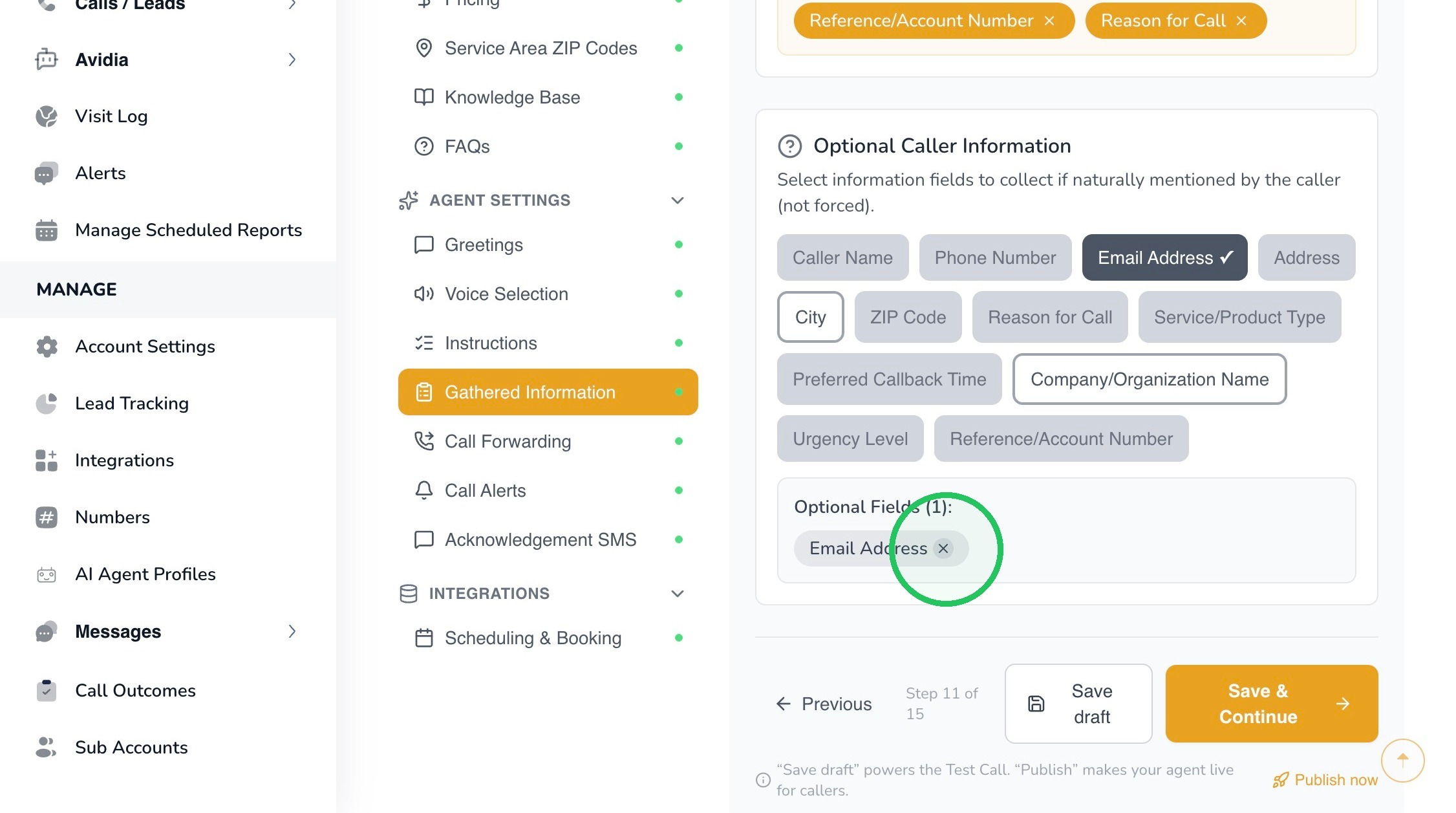
24. Example: A service business might require Caller Name, Phone Number, and Reason for Call, while treating Email Address or Company Name as optional. The right balance depends on what your team needs to follow up successfully.
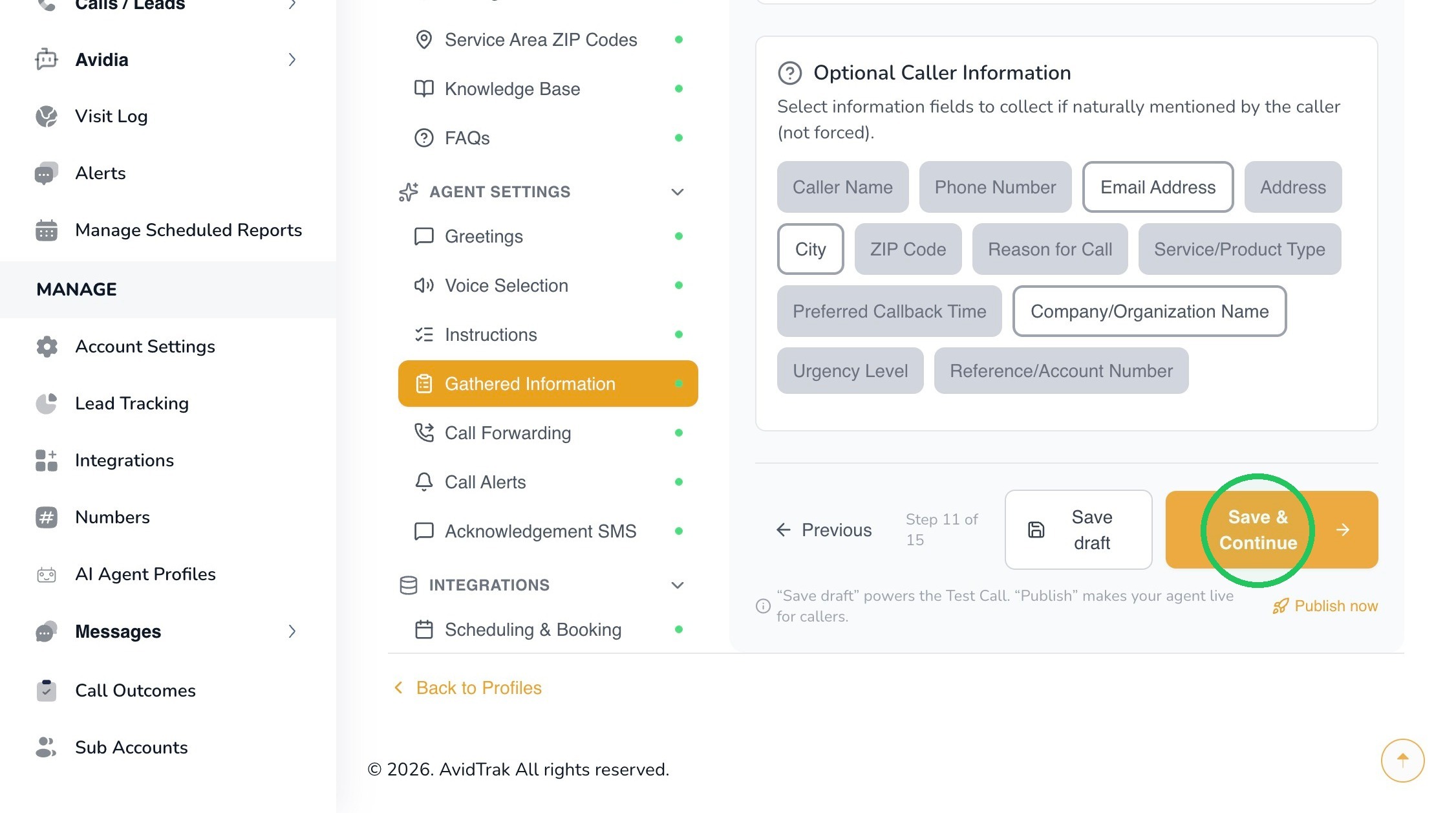
25. When the caller-information rules are correct, click Save & Continue. AvidTrak will confirm that the changes have been saved as a draft.
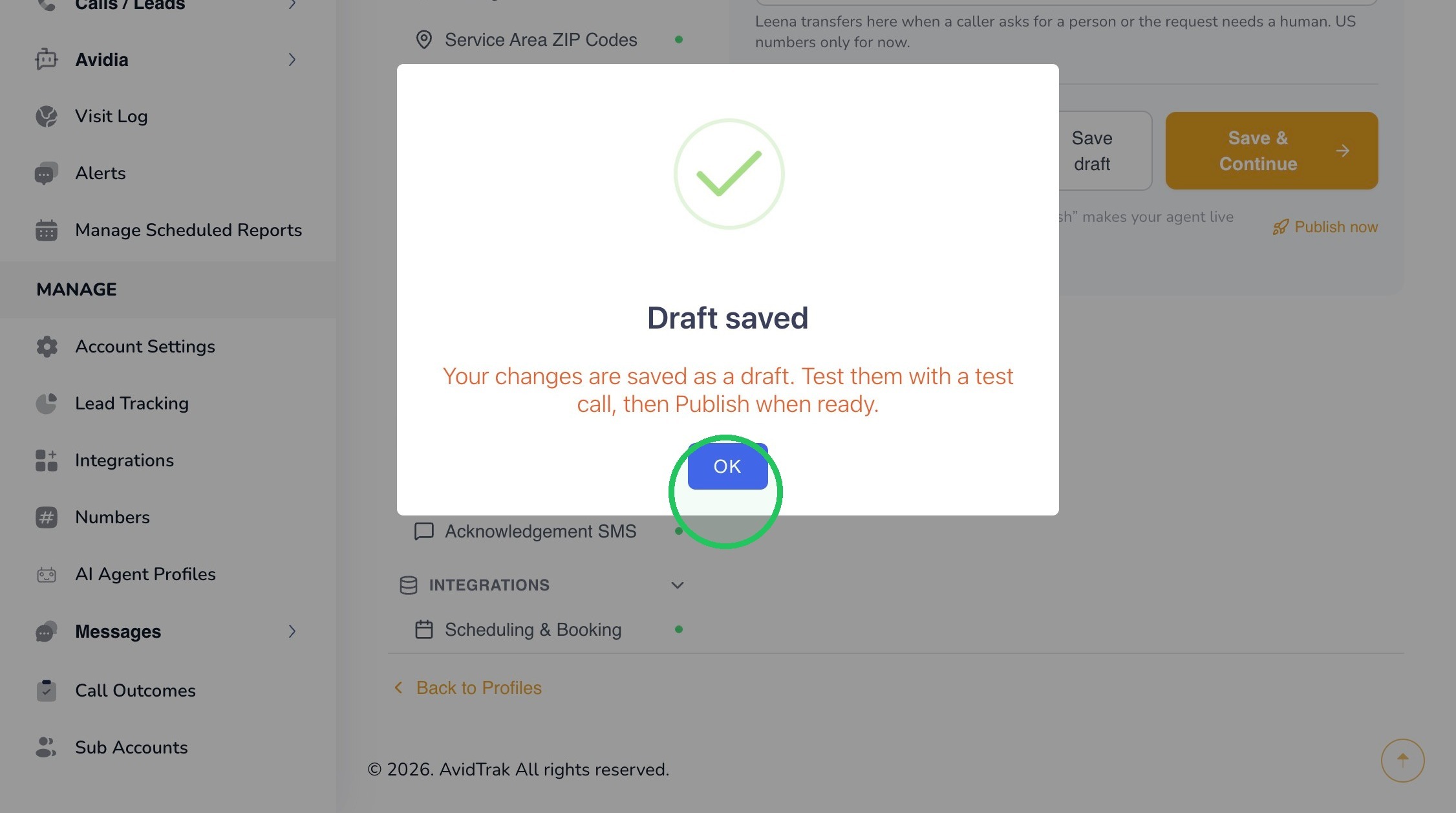
26. Click OK to continue. Test Leena later with realistic call scenarios to make sure required fields are collected naturally and optional fields are not being unnecessarily forced.
27. This completes the tutorial for configuring Leena’s Call Instructions and Caller Information.
If you have any difficulty implementing these instructions or have questions about your configuration, please do not hesitate to contact AvidTrak Support at support@avidtrak.com.

