

How to Add a New Client to an AvidTrak Agency
1. In this tutorial you will learn How to Add a New Client to an AvidTrak Agency.

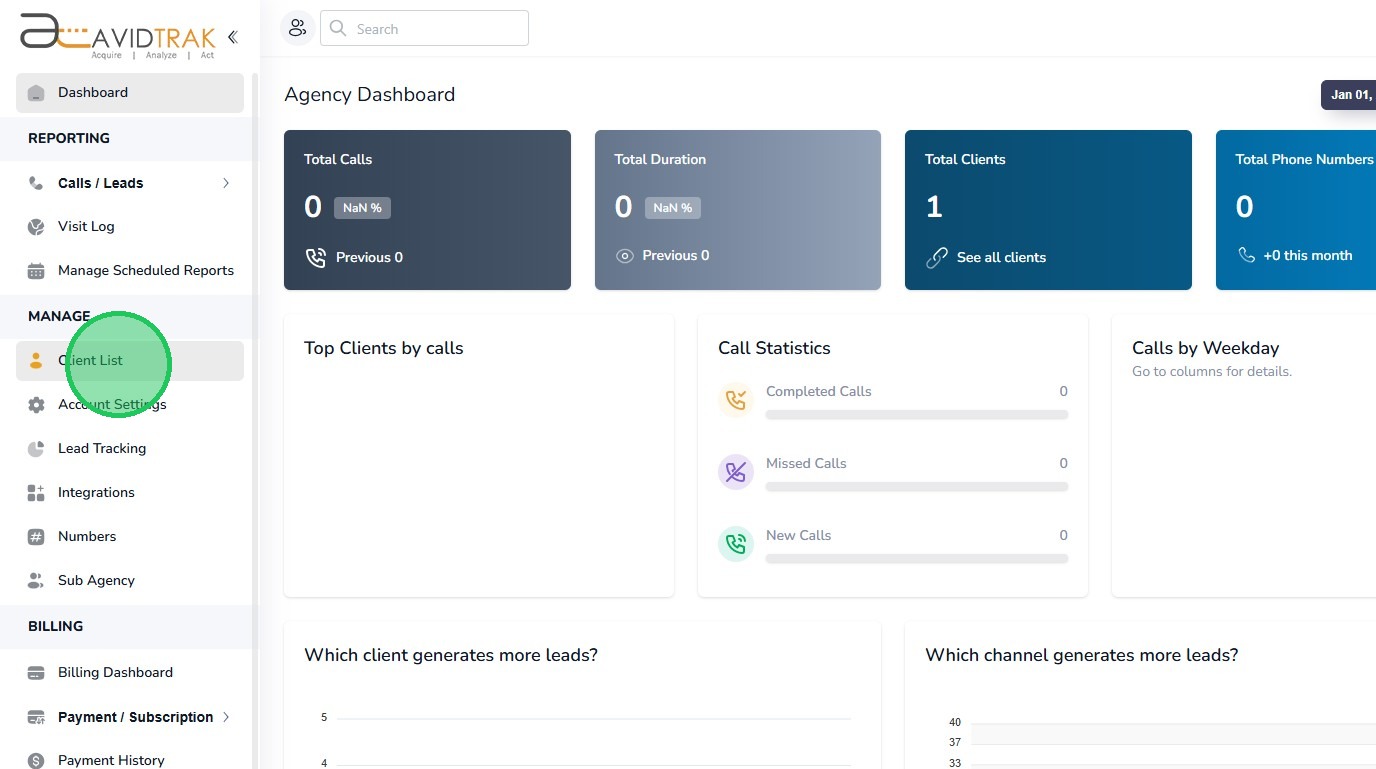
2. After you have successfully logged into your Agency account as an Administrator, navigate to the left navigation area, and find and click the Client List link that appears under the Manage menu section.
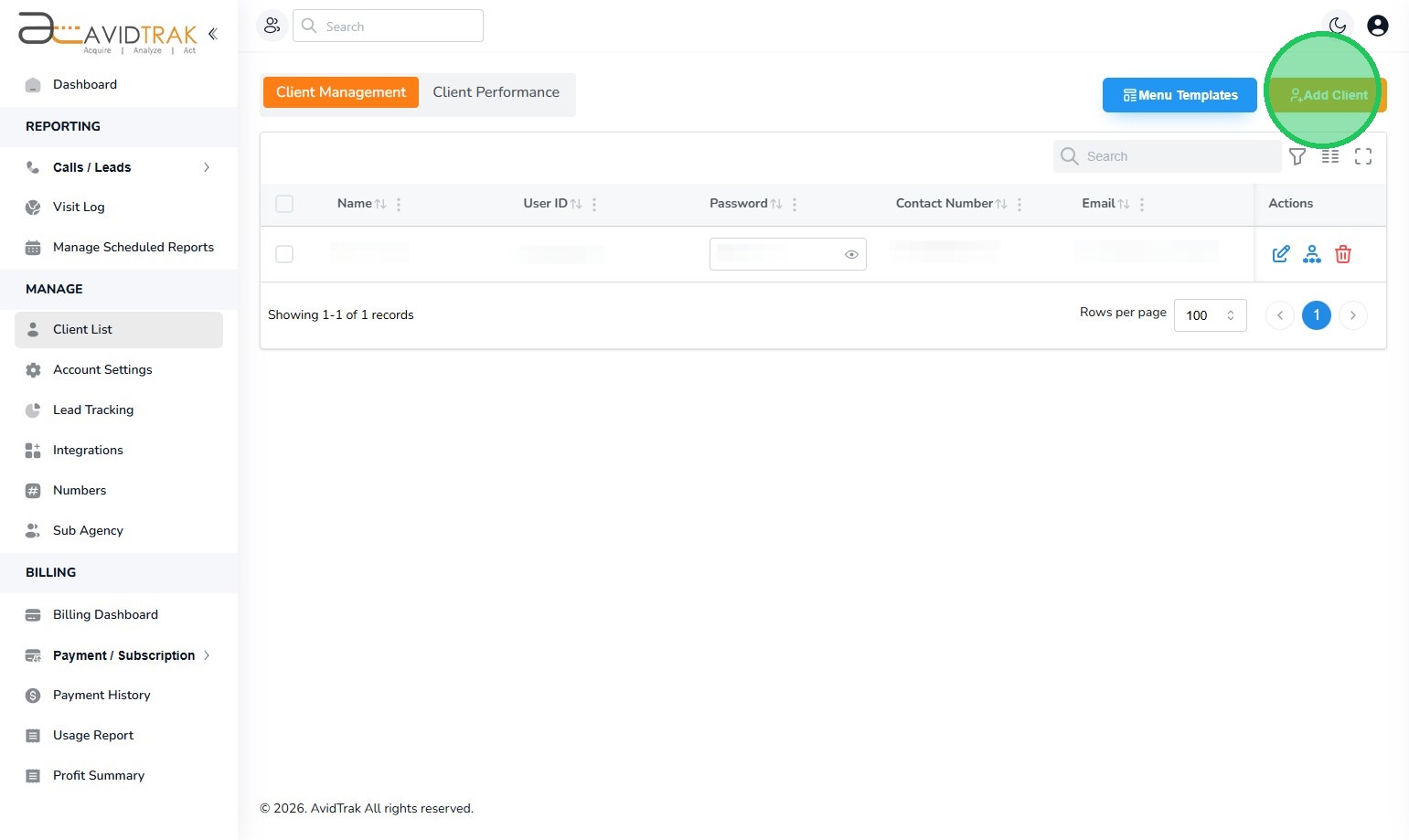
3. Next, Click the “Add Client” Button.
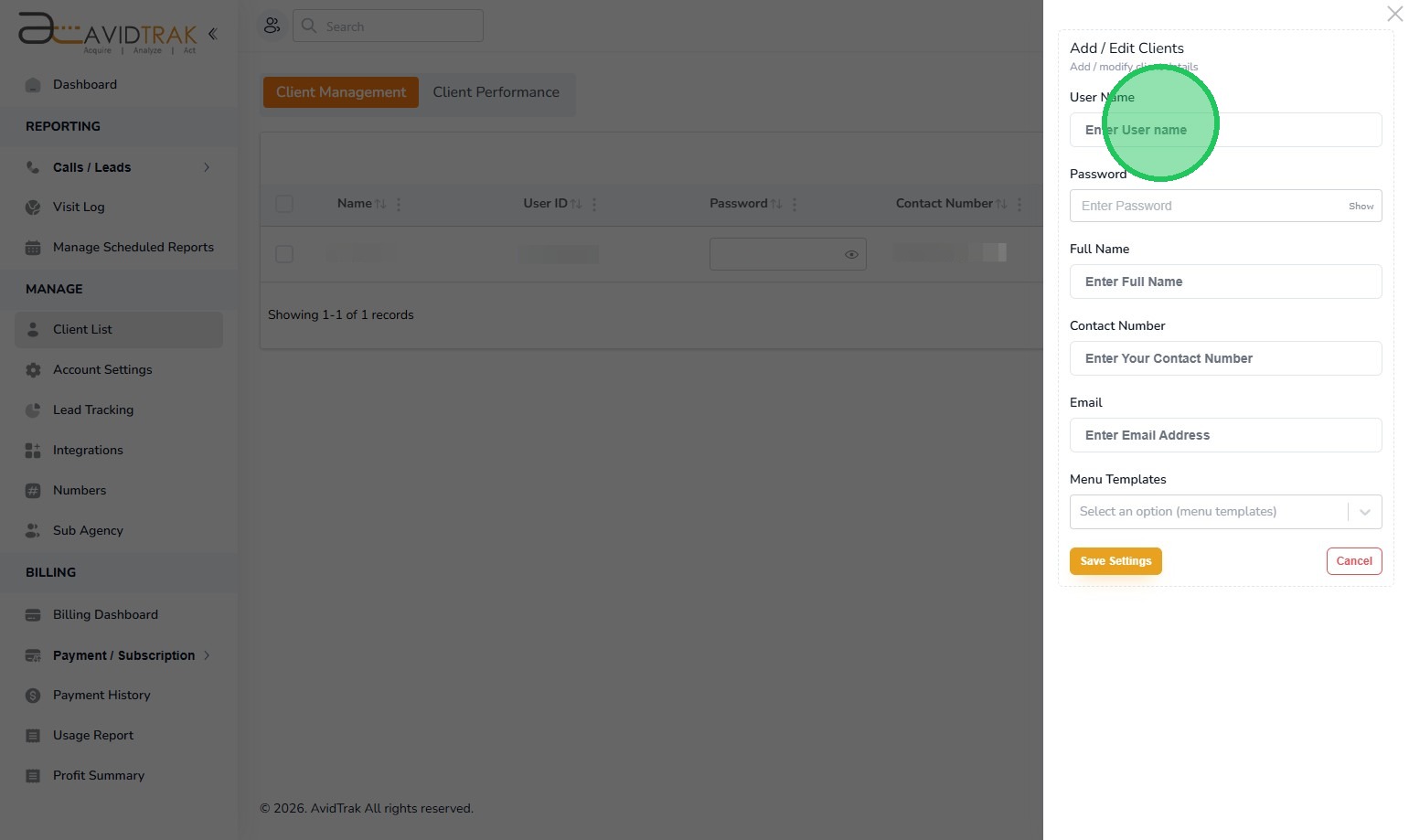
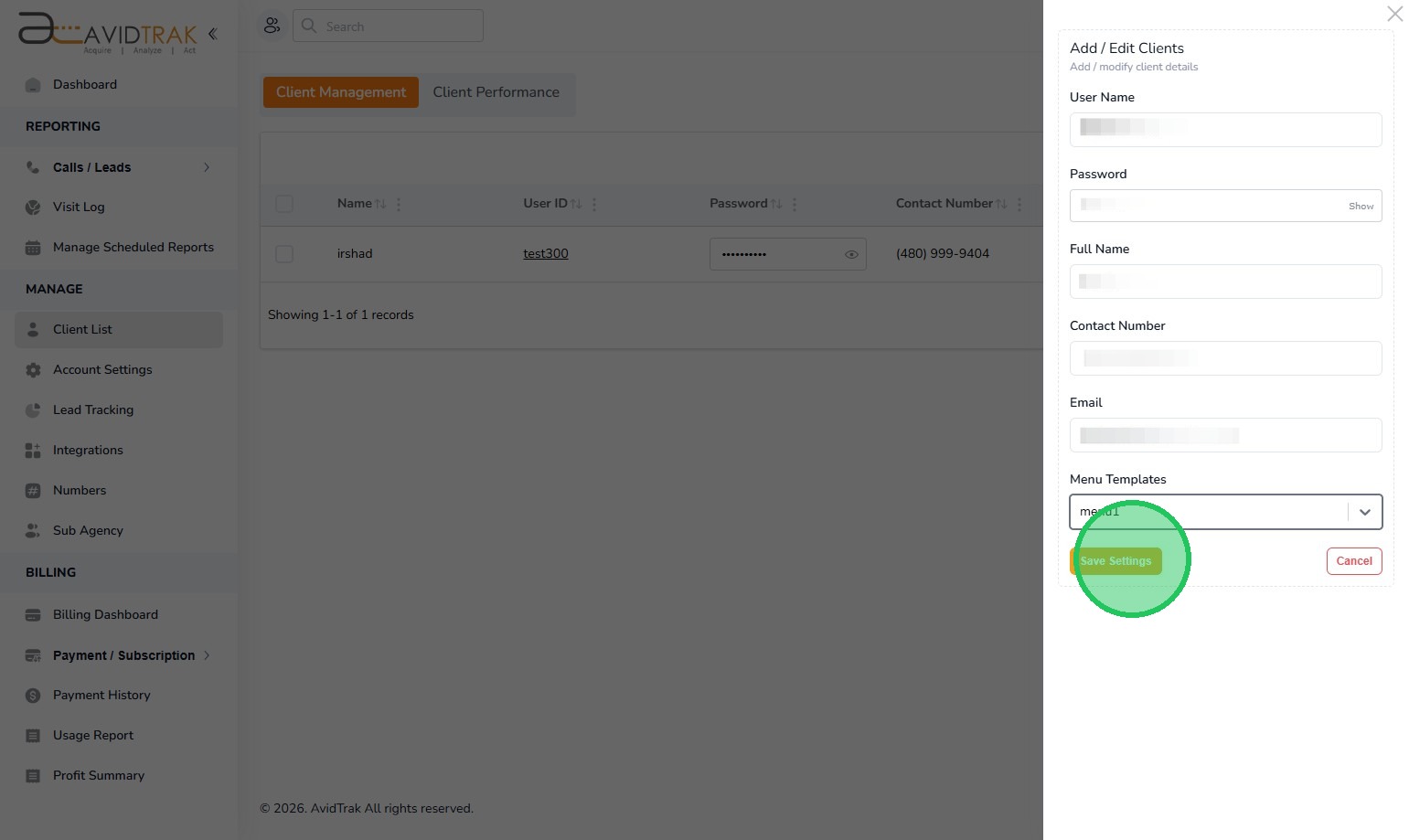
4. Next. Click the “Enter User name” field. In the User Name field enter a Username for the individual who would be accessing the account. The Username must be one word and should not have any special characters contained in the username. Example: Individual’s name is Jennifer Jones. Her username would be JenniferJones. If there are two Jennifer Jones in your organization and you need to provide access to both Jennifers, then you may create usernames JenniferJones1 and JenniferJones2 as usernames.
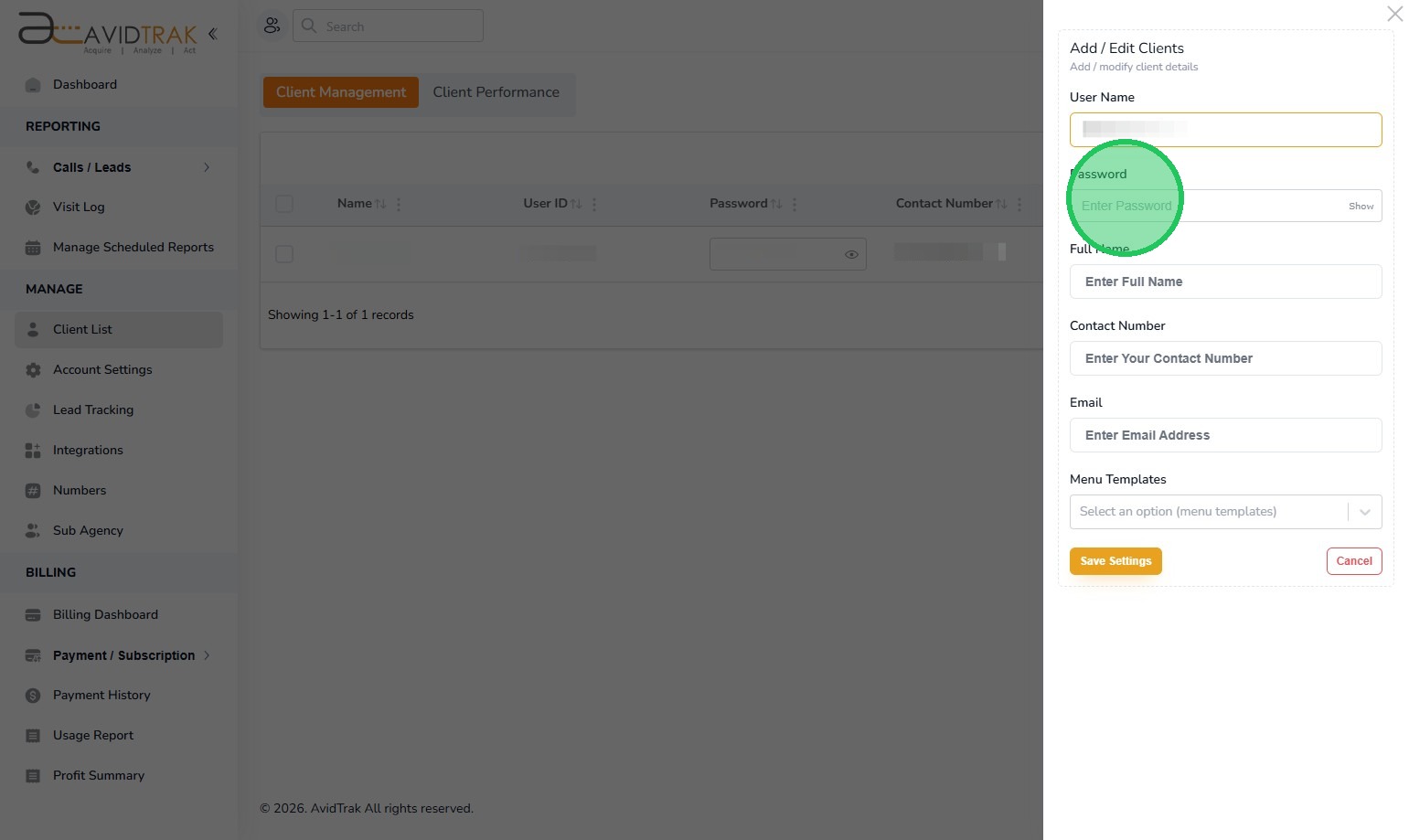
5. Next, Click the “Enter Password” field and create a password for the Username that you just created. Follow the password prompts below the password field to create a password that is acceptable to this system.
6. Next, Click the “Enter Full Name” field and enter the first and last name of the individual.
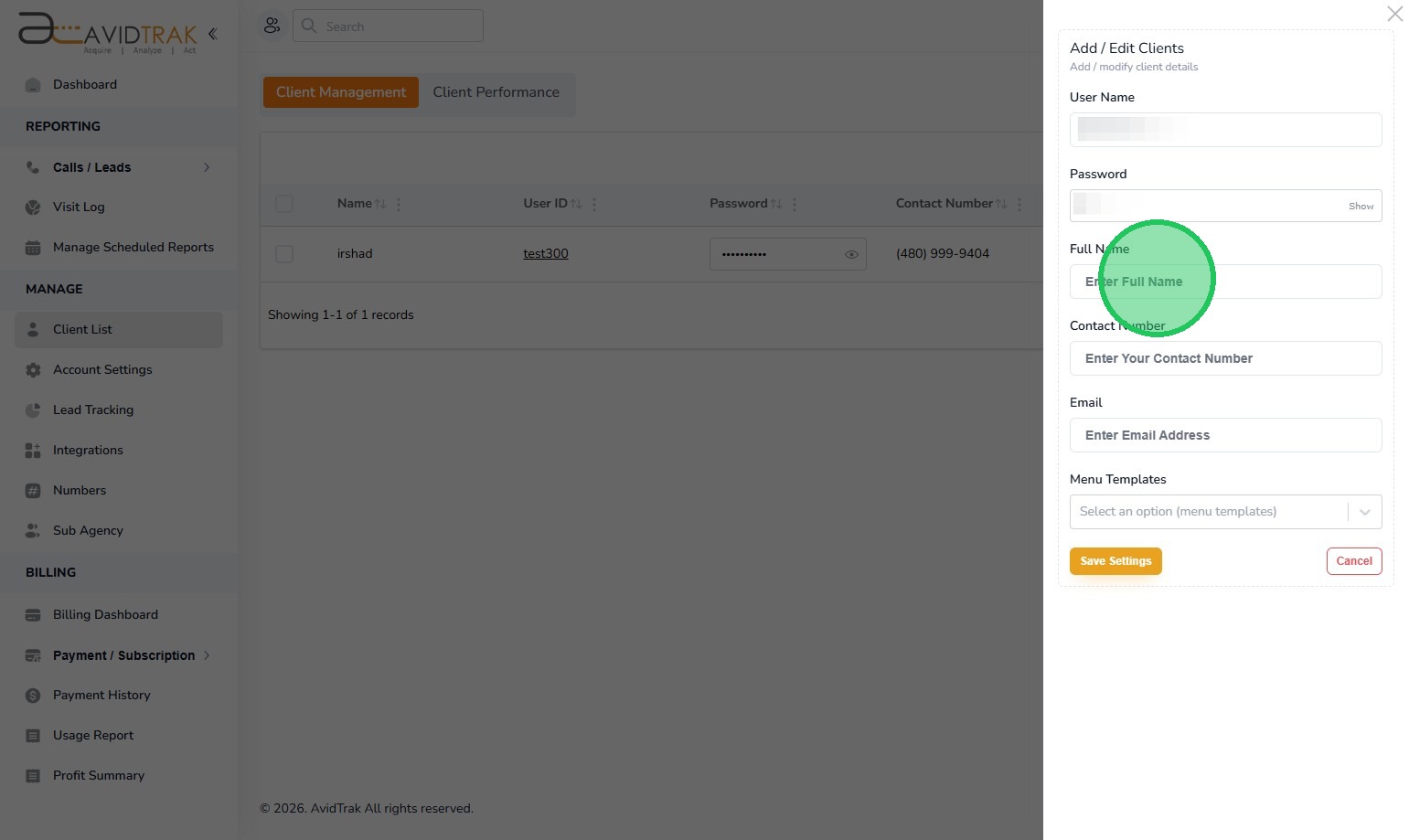
7. Next, Click the “Enter Contact Number” field and enter the ten digit phone number of the individual.
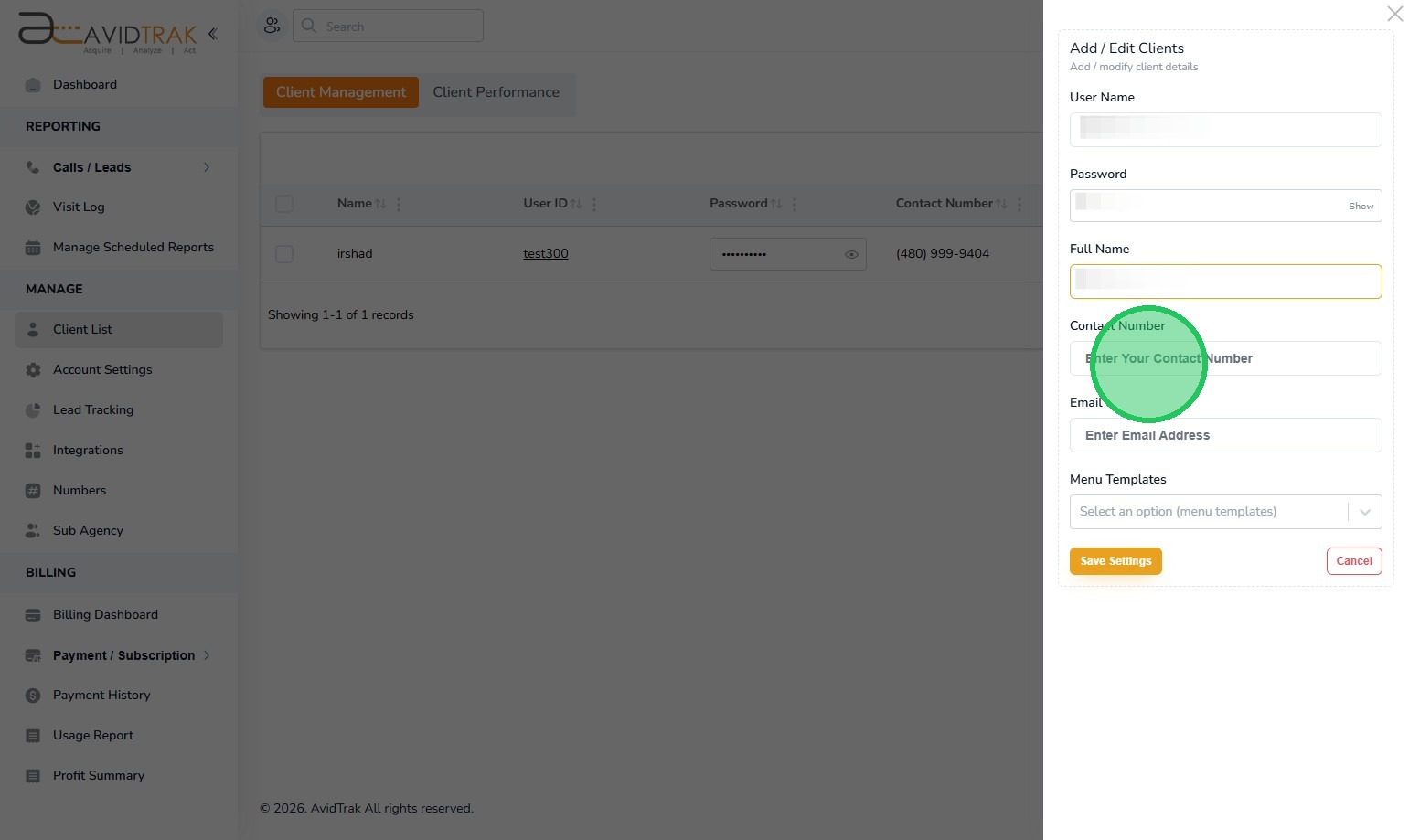
8. Next, Click the “Email” field and enter the email address of the individual.
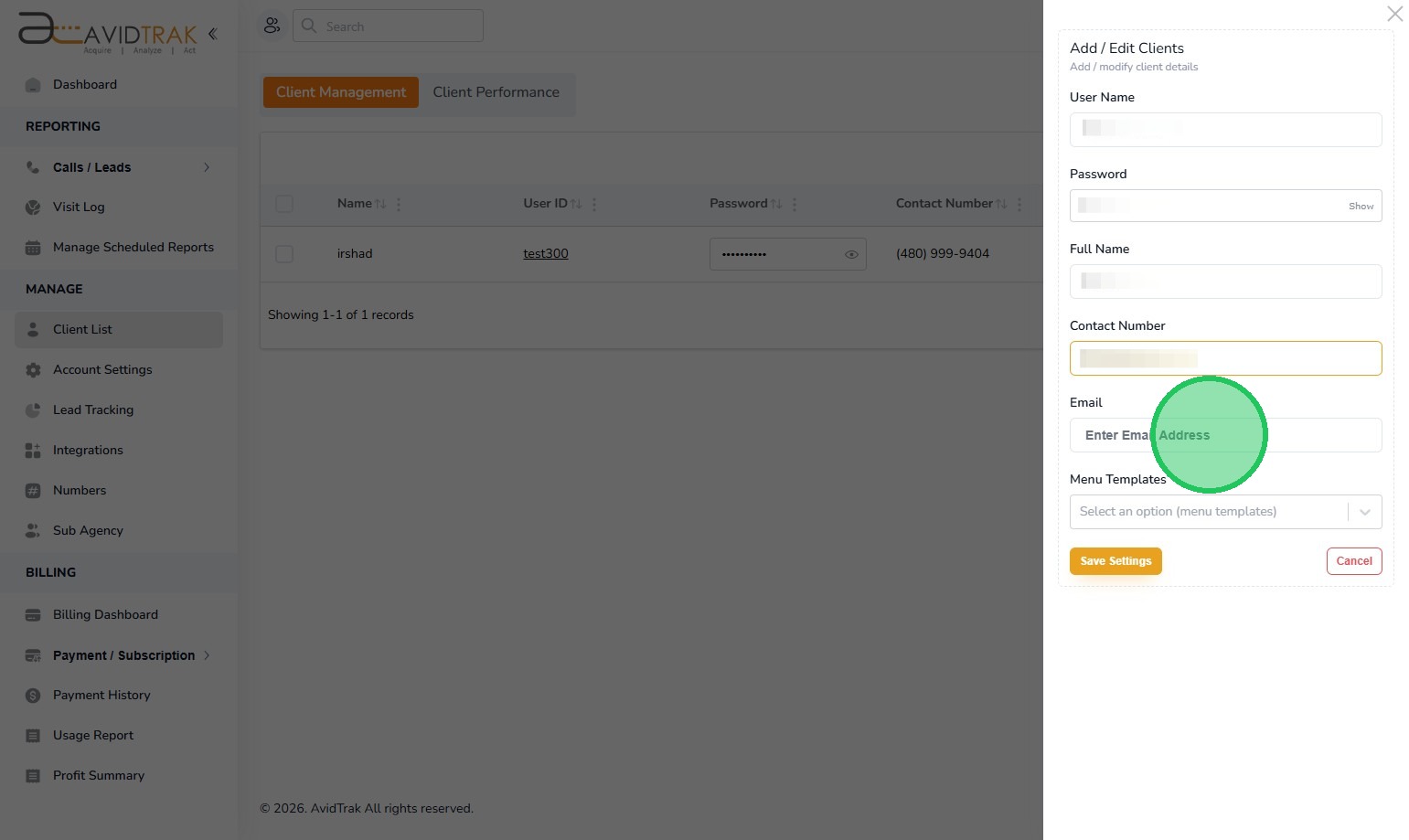
9. Next, click the Menu Templates select field and choose a template. If you do not have a template or do not need to use a template, then the system will assign a default template which will allow your client to view all fields available in AvidTrak.
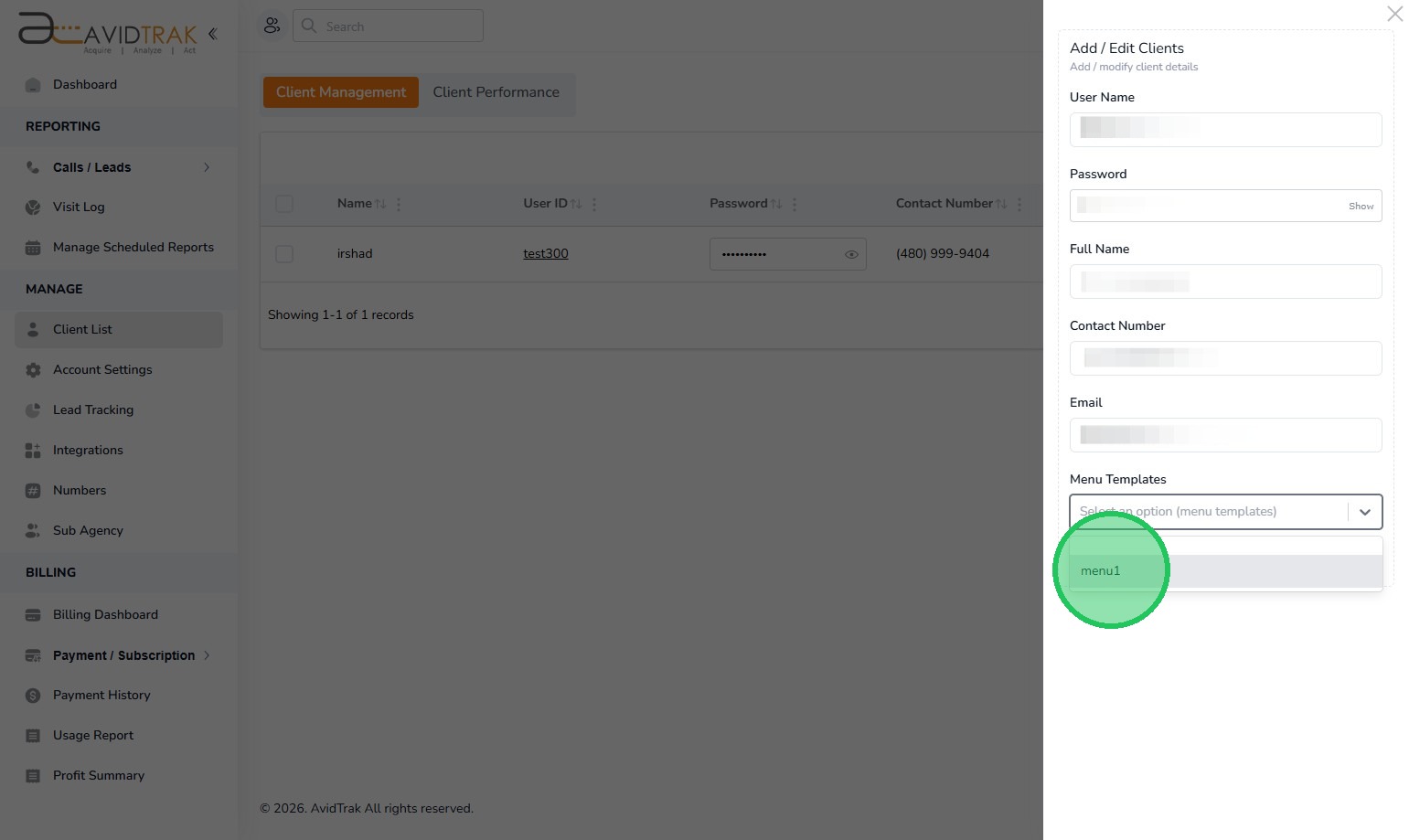
10. Click the “Save Settings” button to save your work.
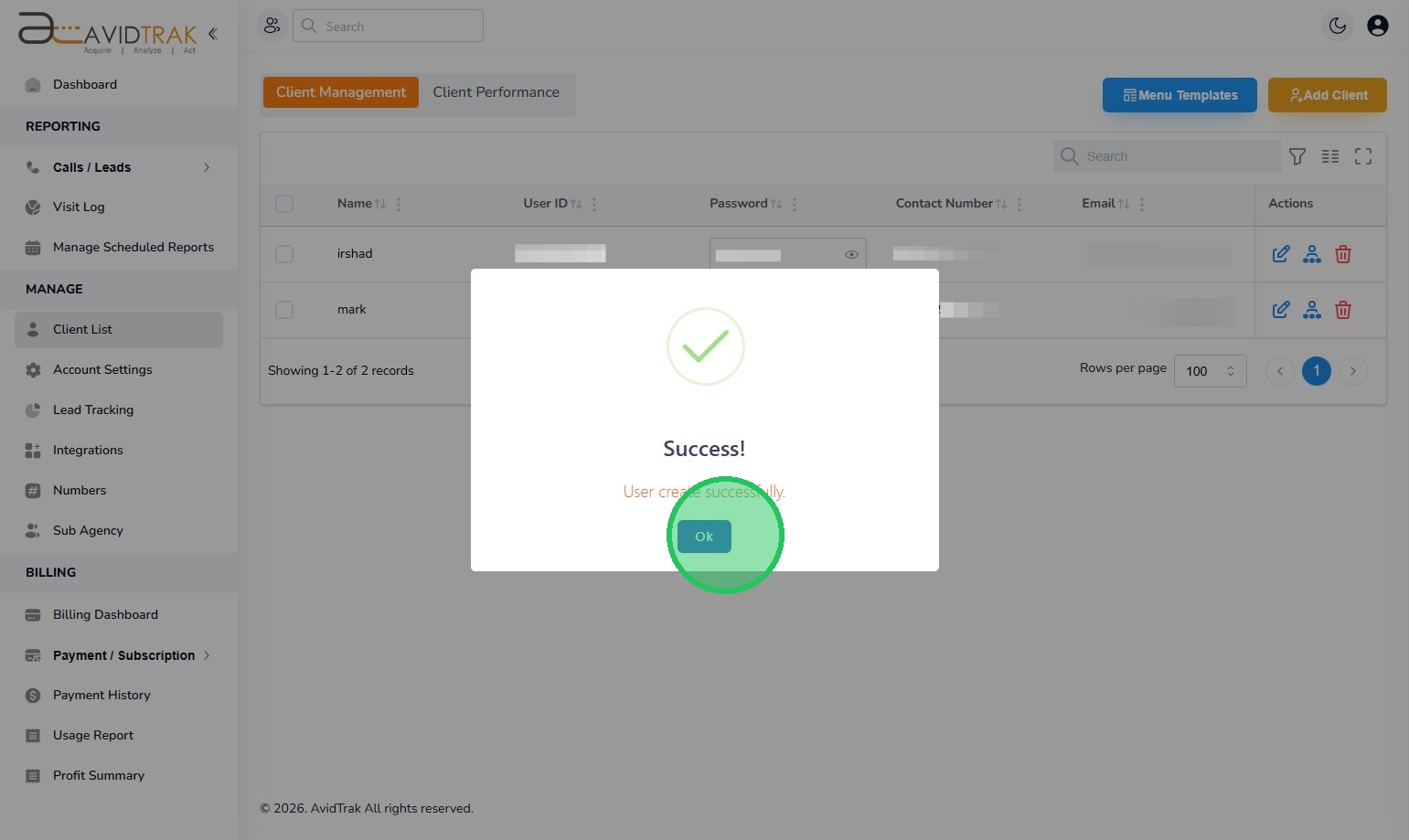
11. Click the “OK” button to save the settings
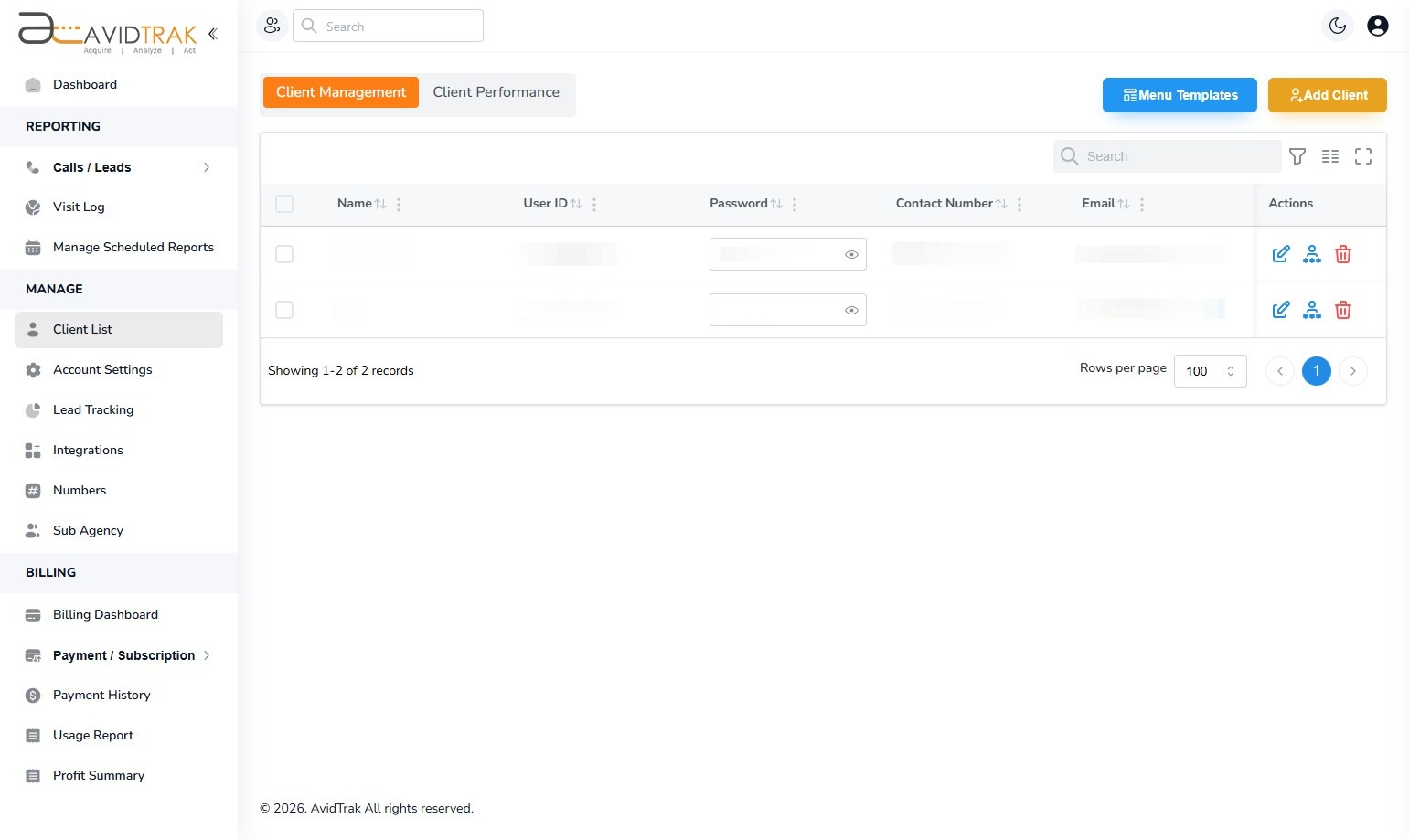
12. After you have successfully created client account you will be able to view the manifest of all your clients. You may now share the username and password with your client in a safe and secure manner.
13. This completes the tutorial on How to Add a New Client to an AvidTrak Agency. If you face any difficulty in implementing these instructions or have questions related to this feature, please do not hesitate to email support@avidtrak.com

