

Leena 4 Review Test and Publish
1. This document provides a step-by-step guide on reviewing, testing, and publishing the Leena AI Voice Agent configuration, ensuring it is ready for live callers.
Before making Leena available to live callers, review the configuration, test the current Draft as a caller would, correct anything that does not behave as expected, and then publish the version you are satisfied with.
This final tutorial explains how Drafts, Test Calls, publishing, and version history work together so you can make changes confidently without affecting the live caller experience until you are ready.
Note: AvidTrak provides up to 20 free test calls that you may make while tuning up your Leena profile. If you exceed the 20 free test calls, you will be charged 2 cents for each additional test call.

2. Complete the Leena setup sections that apply to your business before performing the final test. At a minimum, review the business information, greeting and voice, call instructions, caller information requirements, and any call-handling or follow-up features you plan to use.
Important: Changes to Leena remain in the current Draft until you publish them. Live callers continue to use the currently published version until a new Draft is published.
3. At the top of the Leena configuration screen, look for the status indicator. If you see Draft · unpublished changes, the current Draft contains changes that have not yet been published for live callers.
The same toolbar also provides access to Versions and Test Call (draft), which you will use later in this tutorial.

4. Before testing, make sure the most recent changes in the section you are working on have been saved.
Use the save option that matches what you want to do:
- Save draft – saves the changes in the current section and keeps you on the same page.
- Save & Continue – saves the changes in the current section and advances you to the next configuration page.
- Publish now – publishes the current Draft without requiring you to work through the remaining configuration pages.
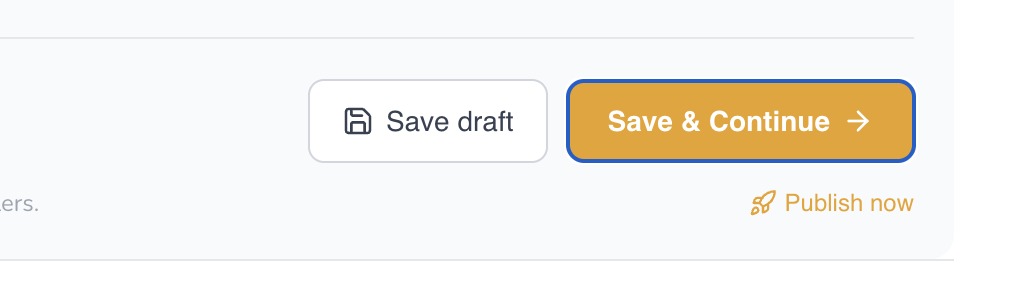
5. Best Practice: For a new Leena setup, complete the applicable configuration and test the Draft before publishing. Publish now is especially useful later when an experienced user makes a small change and wants to make that change live immediately.
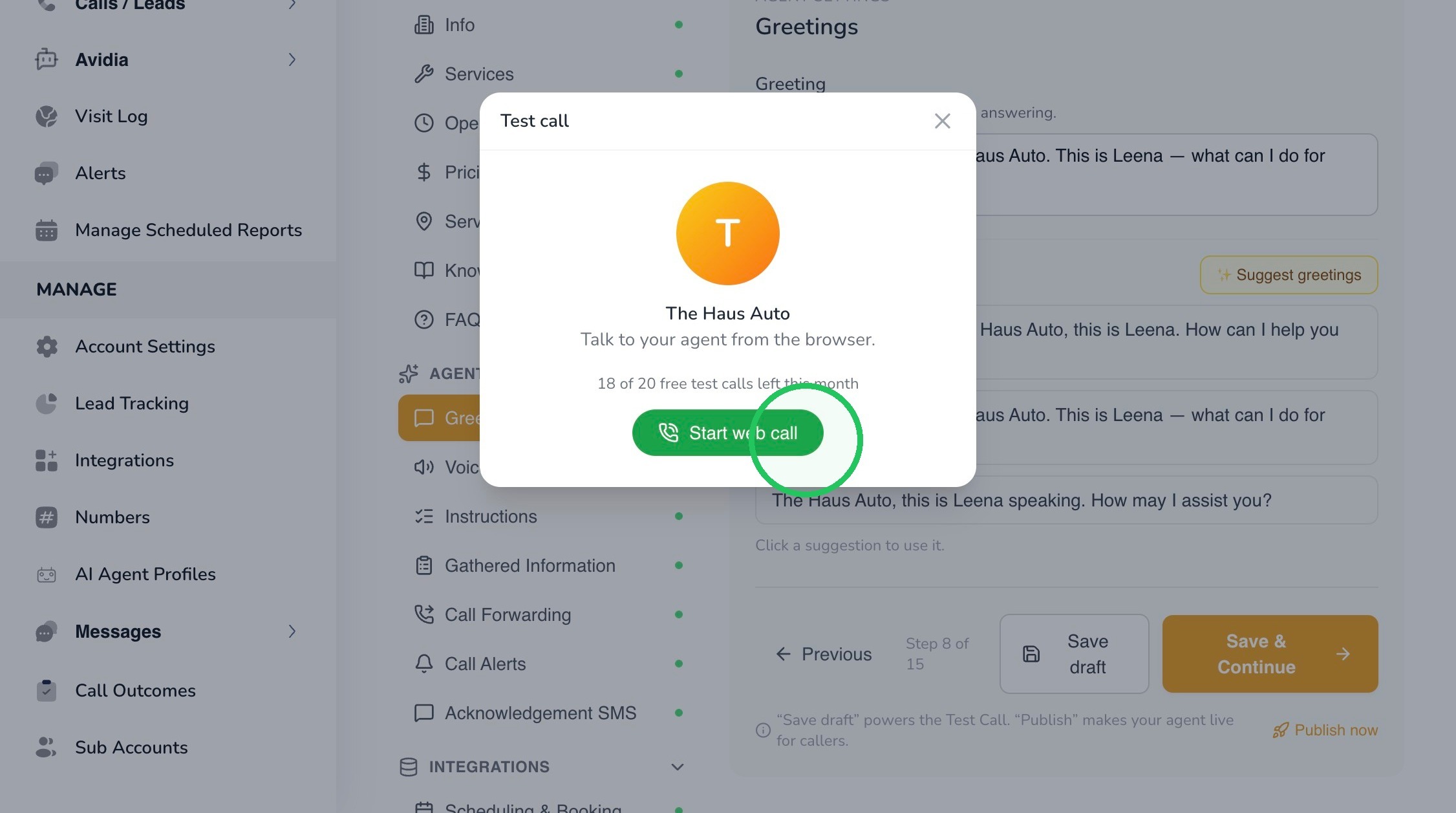
6. Select Test Call (draft) to test the current Draft without publishing it. This lets you hear and evaluate the same unpublished configuration you are working on.
When the Test Call window opens, select Start web call. Speak to Leena as though you were an actual customer calling your business.
7. Do more than confirm that Leena answers. Use the test call to check whether the complete caller experience behaves the way you intended.
Depending on the features you configured, test several realistic situations:
- Ask a straightforward question about your business, services, operating hours, pricing, or service area.
- Ask a question that should be answered from the Knowledge Base or FAQs.
- Provide some caller information naturally and see whether Leena collects the required details without making the conversation feel forced.
- Ask a question Leena cannot answer and confirm that the fallback behavior follows your Call Instructions.
- Ask to speak with a person and confirm that the transfer behavior is appropriate if Call Forwarding is enabled.
- Test any alert, acknowledgement SMS, or booking behavior that is enabled and available to your account.
- Listen to the greeting, voice, pacing, tone, and overall conversational flow.
Tip: It is often useful to place more than one call to validate the caller’s experience.
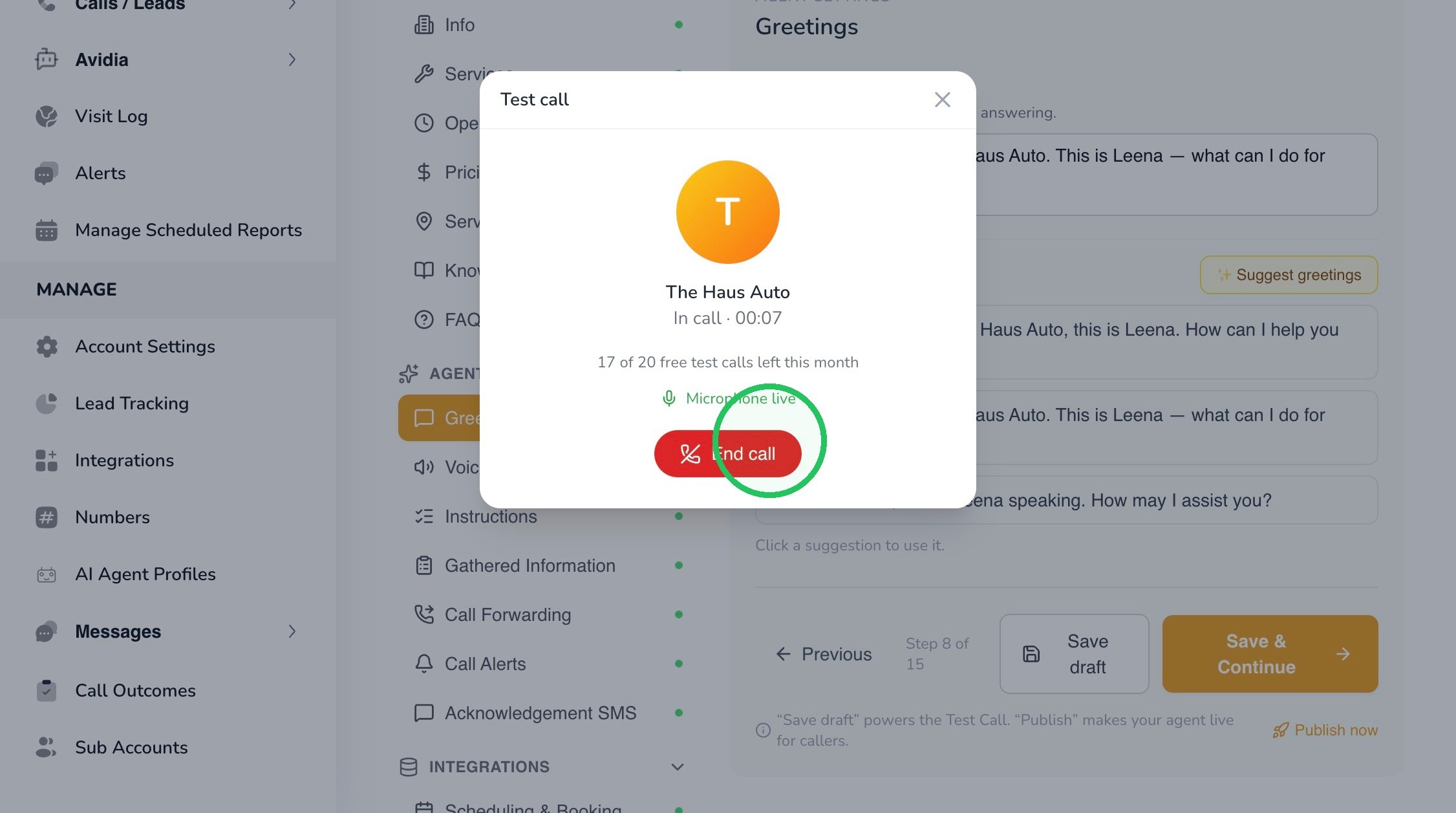
8. When you have completed the scenario, select End call. Review what happened and note anything that should be changed before publishing.
9. Pay particular attention to:
- Accuracy – Did Leena provide the correct business information?
- Behavior – Did Leena follow the instructions you configured?
- Caller experience – Did the conversation sound natural and professional?
- Information collection – Did Leena collect the required caller details appropriately?
- Escalation – Did Leena transfer or defer to a human when expected?
- Follow-up – Did enabled alerts or SMS actions behave as intended?
10. If something does not behave the way you intended, close the Test Call window and return to the appropriate Leena configuration section.
Make the correction, save the updated section to the current Draft, and run another Test Call. Repeat this process until the Draft behaves consistently across the scenarios that matter to your business.
Best Practice: Change one issue at a time when practical. This makes it easier to understand which adjustment improved or changed Leena’s behavior.
11. Once you are satisfied with the test results, publish the current Draft to make that version available to live callers.
You can use Publish now when you are ready to make the current Draft live. After publishing, the previously unpublished configuration becomes the active version callers will interact with.
Important: Publishing changes the live caller experience. If you make additional changes afterward, those new edits remain in Draft until they are published again.
12. AvidTrak allows you to keep up to three versions of Leena available. Select Versions from the top toolbar when you need to review available versions or return to an earlier configuration.
Version history is especially useful when you make a significant change to Leena and later determine that a previous configuration performed better.
Tip: Use version history as a safety net when refining Leena. Keeping prior versions available lets you experiment with improvements while retaining the ability to return to an earlier configuration if needed.
13. Before publishing a new or substantially revised Leena configuration, confirm the following:
- Business information, services, hours, pricing, service areas, Knowledge Base, and FAQs are current.
- The greeting clearly identifies the business and sounds appropriate with the selected voice.
- The selected workflow and Call Instructions match how you want Leena to handle callers.
- Required caller information is limited to what the business truly needs.
- Call transfers, alerts, SMS messages, and other enabled follow-up actions have been reviewed.
- The current Draft has been tested with multiple realistic caller scenarios.
- Any issues found during testing were corrected and retested.
14. This completes the tutorial for reviewing, testing, and publishing Leena.
Your Leena AI Voice Agent is ready for live callers once you have tested the Draft, confirmed that the configuration behaves as intended, and published the version you want to use.
If you have any difficulty implementing these instructions or need assistance with your Leena configuration, please contact AvidTrak Support at support@avidtrak.com.

