

Subscribe to Leena – AvidTrak’s AI Voice Agent
1. Leena is AvidTrak’s AI Voice Agent designed to answer inbound calls, interact with callers using the business information and instructions you provide, gather caller details, and support workflows such as call transfer, follow-up, and appointment scheduling.
This tutorial walks you through subscribing to Leena and selecting the subscription approach that best fits your expected call volume. The example shown in the screenshots activates Leena on a Pay As You Go plan, but you may also choose a monthly package that includes a set number of calls with overage pricing.

2. Before You Begin
You must have an active AvidTrak account and at least one AvidTrak number you want Leena to answer.
Have a valid payment method available if your selected plan requires account funding or a charge at activation.
Review the plan options and think about your expected monthly call volume, average call duration, and whether you expect to use a premium AI voice.
Important: The amount required at activation is displayed in your account during the checkout process. In the Pay As You Go example in this tutorial, the review screen shows a $10.00 charge. Follow the amount shown in your own account.
3. Choosing the Right Leena Plan
AvidTrak provides more than one way to subscribe to Leena. The best choice depends primarily on how often you expect callers to reach Leena and how predictable that call volume is.
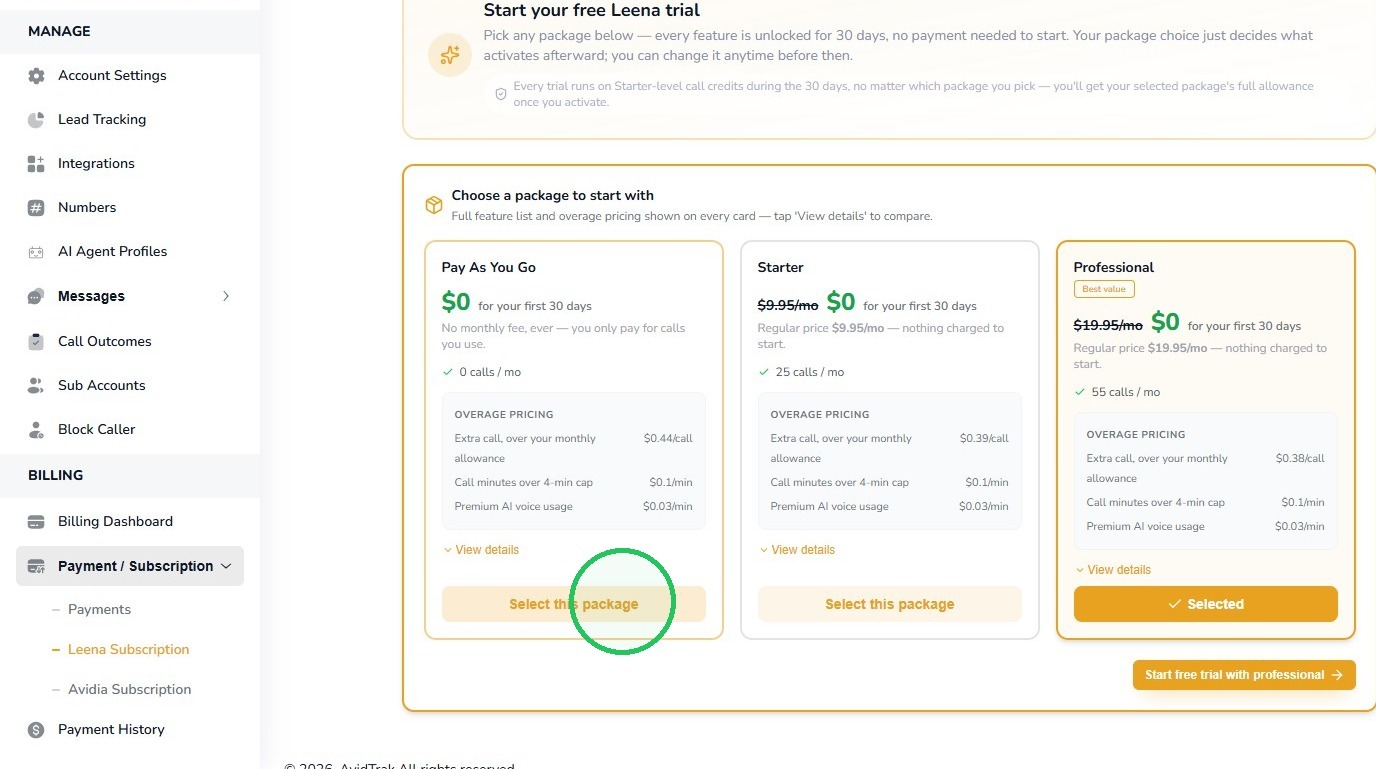
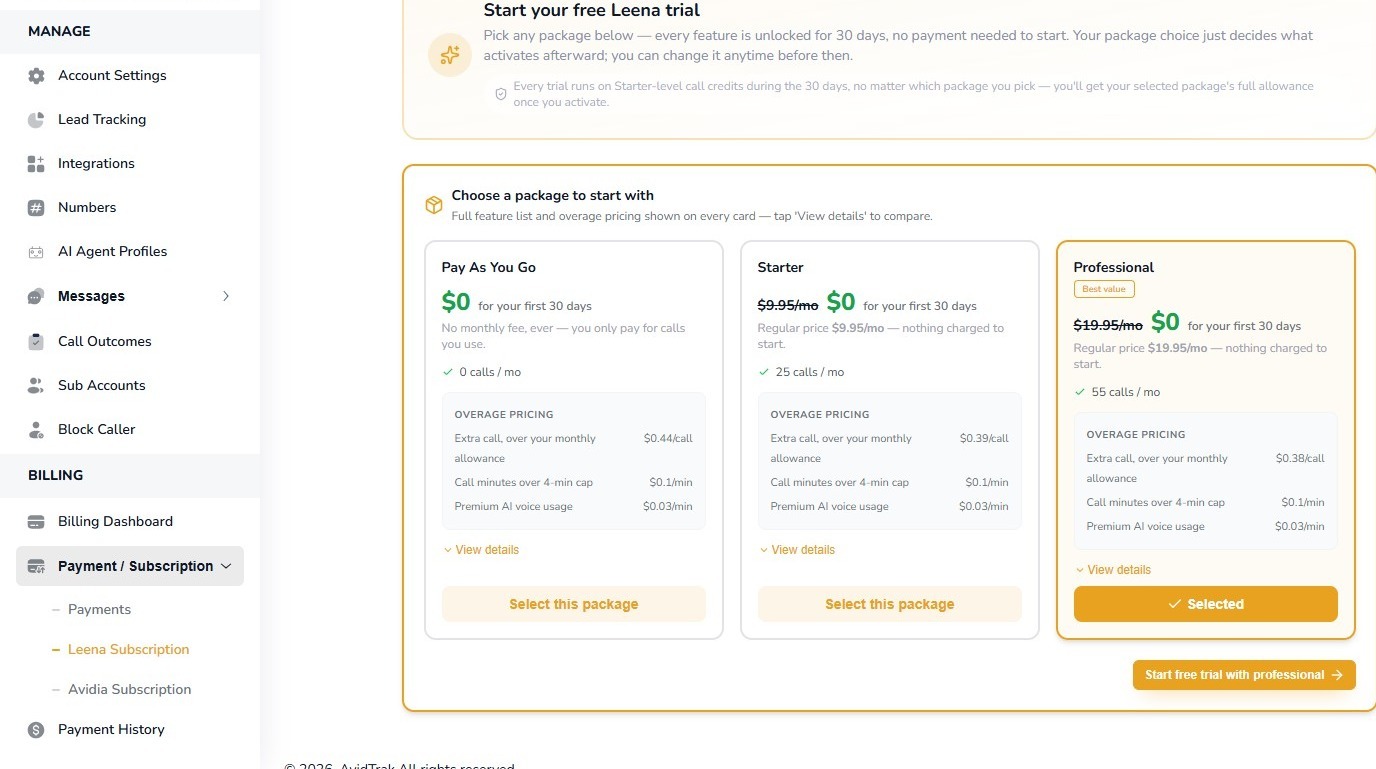
Pay As You Go | Occasional, seasonal, or uncertain call volume | 0 calls/month | $0 monthly fee; $0.44 per extra call
Starter | Lower but recurring monthly call volume | 25 calls/month | $9.95/month; $0.39 per extra call
Professional | Higher and more predictable monthly call volume | 55 calls/month | $19.95/month; $0.38 per extra call
The pricing screen also shows current paid-plan rates for call usage, longer calls, and premium AI voice usage. These paid-plan rates apply after the free trial according to the plan you activate. During the free trial itself, you may place up to 25 calls, each limited to 4 minutes, and you may try all premium voices.
4. Pay As You Go vs. a Monthly Package
Choose Pay As You Go when call volume is light, irregular, seasonal, or still unknown. You avoid a fixed monthly subscription fee and pay for the calls you actually use.
Choose Starter when Leena will receive calls regularly and you expect to use most of the included monthly call allowance.
Choose Professional when your call volume is higher or more predictable and you want a larger included call allowance and lower overage pricing.
If your usage grows, you can change plans later. You do not need to predict your long-term call volume perfectly on day one.
Practical Tip: When comparing plans, do not look only at the monthly fee. Consider included calls, call overages, longer-call minute charges, and any premium voice usage. The most economical plan is the one that best matches your actual calling pattern.
5. How the Free Trial Works
The subscription screen shown in this tutorial offers a 30-day Leena free trial. During the trial, Leena’s features are unlocked and no payment is required simply to start the trial.
The free trial includes up to 25 calls in total. Each free-trial call is limited to a maximum of 4 minutes. This trial allowance applies regardless of whether you initially select Pay As You Go, Starter, or Professional.
Premium Voices During the Trial: All premium Leena voices are available during the free trial. We encourage you to test more than one voice with realistic caller scenarios before deciding which voice provides the best overall caller experience.
Tip: Use the 25 trial calls deliberately. Test common questions, transfers, information gathering, and any scheduling or follow-up behavior you plan to use. Because each test call is limited to 4 minutes, focus each call on one or two realistic scenarios.
6. Step 1 – Open the Number You Want Leena to Answer
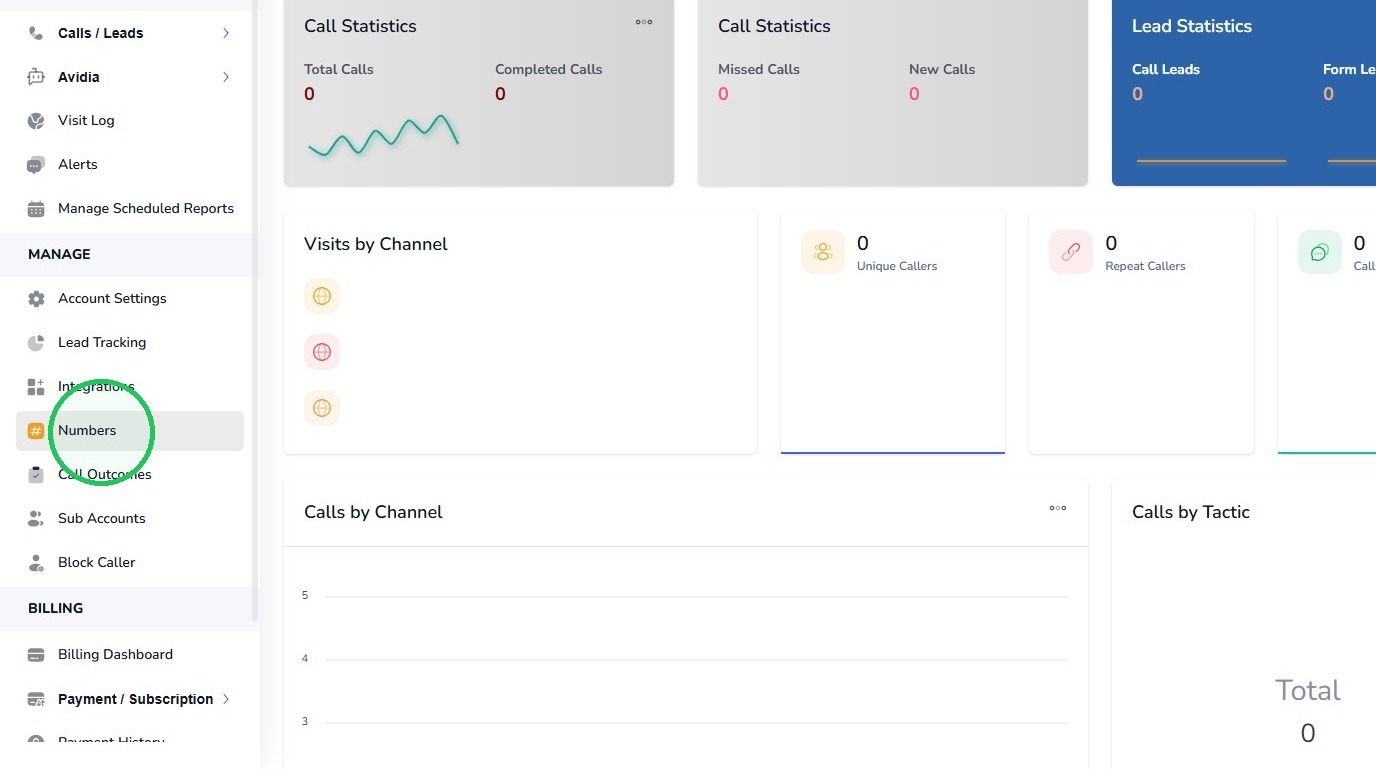
Log in to AvidTrak and select Numbers from the Manage section.
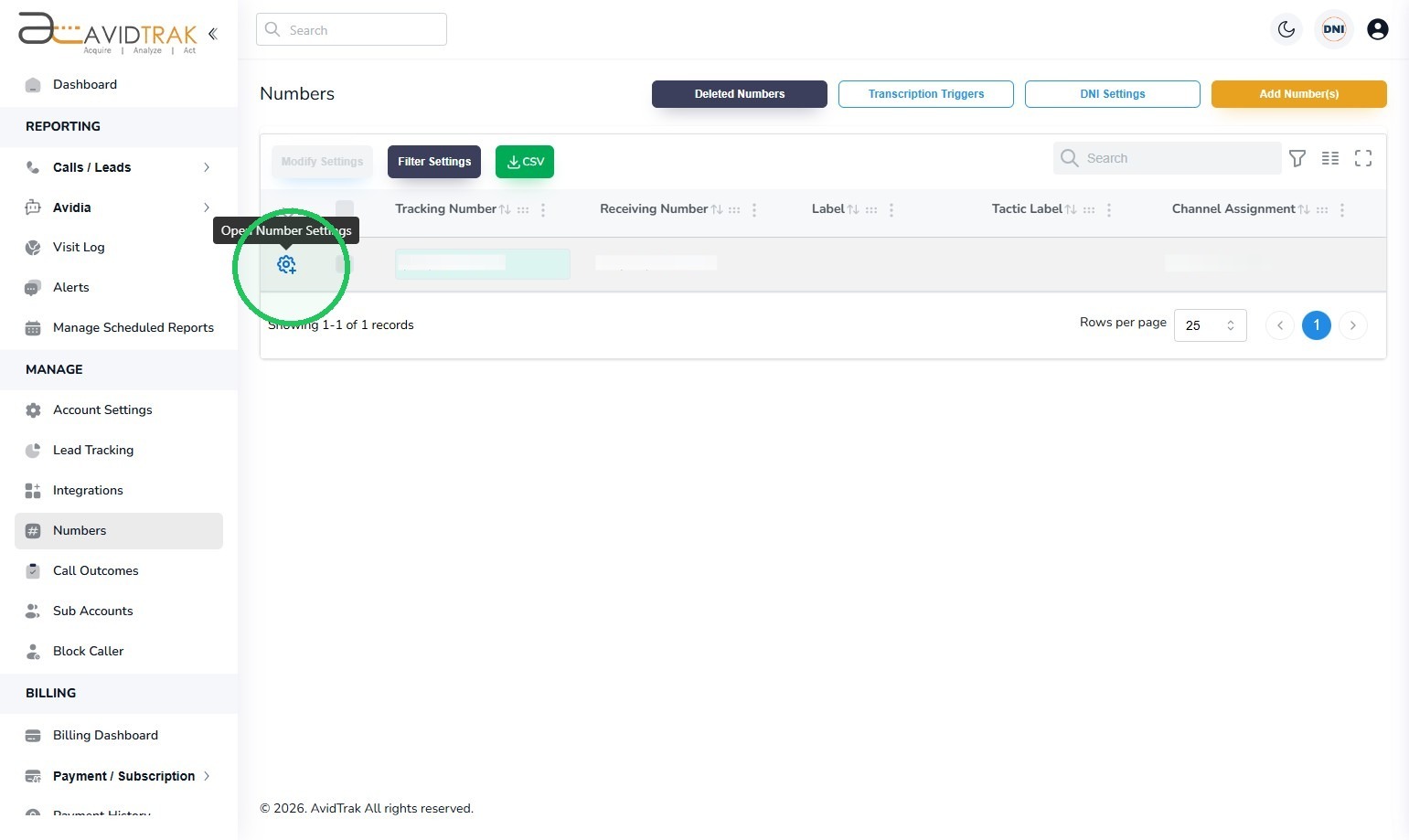
7. Locate the AvidTrak number you want to configure and select the blue gear icon to open its settings.
8. Step 2 – Open the AI Voice Agent Action
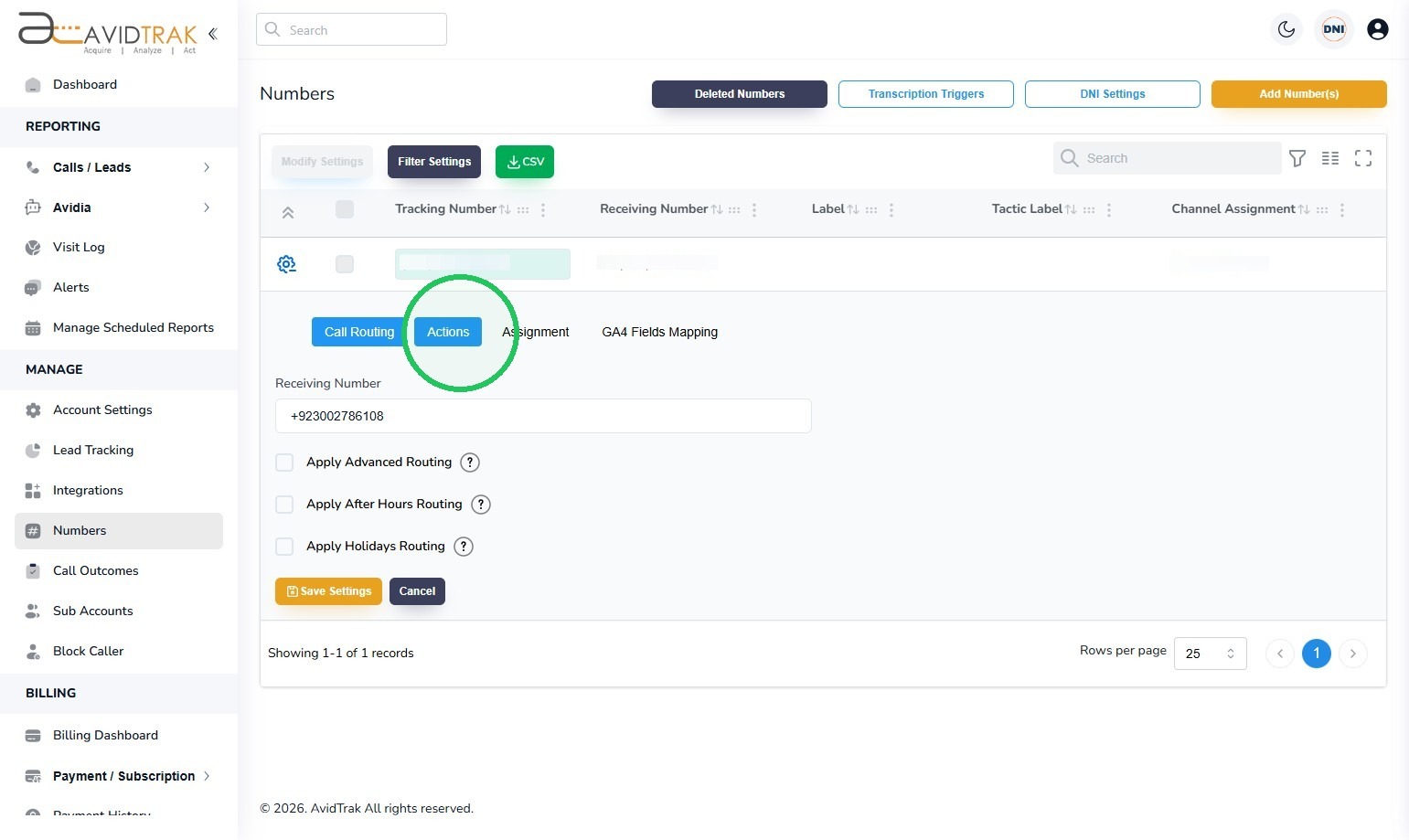
With the number settings open, select the Actions tab.
9. Select AI Voice Agent.
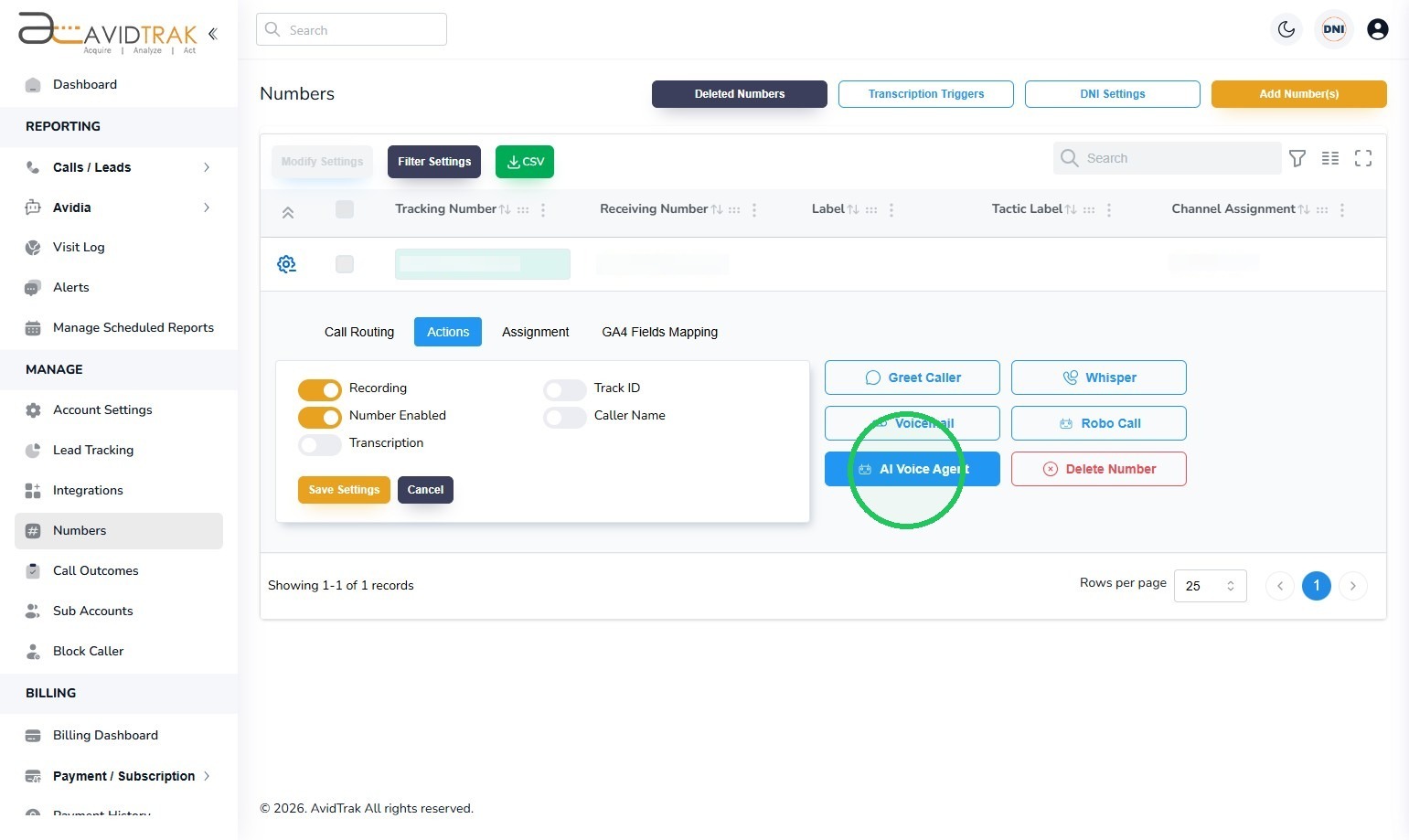
10. Step 3 – Begin the Leena Subscription
If the number does not yet have an active Leena subscription, AvidTrak will prompt you to subscribe. Select Subscribe Now.
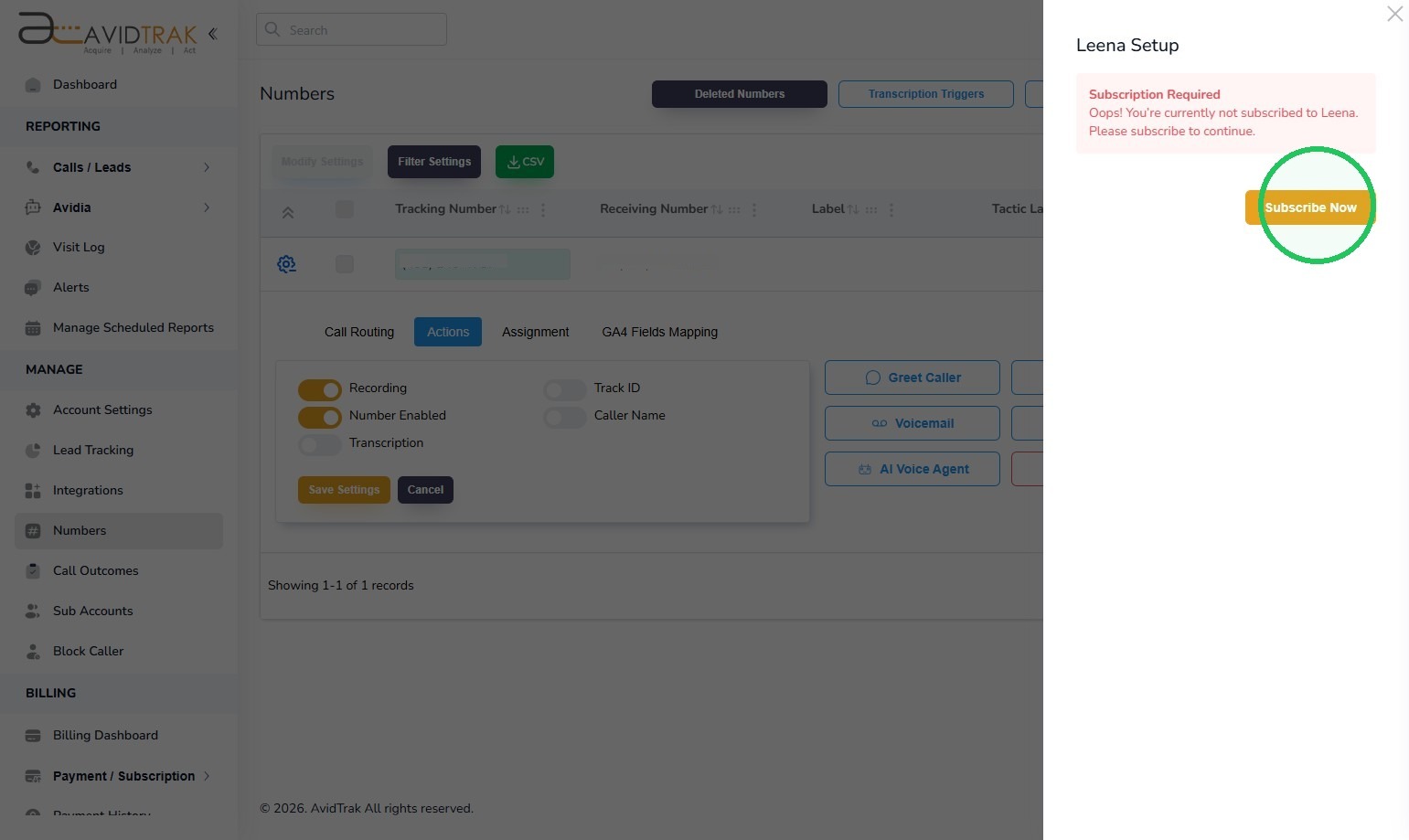
11. Step 4 – Review the Available Plans
AvidTrak displays the available Leena subscription options. Review each plan’s monthly fee, included call allowance, and overage pricing.
Select View details if you want to compare the full pricing for a plan before choosing it. In this walkthrough, Pay As You Go is selected.
Best Practice: If you are unsure which plan to choose, Pay As You Go is a reasonable starting point for low or uncertain call volume. If Leena will answer calls consistently each month, compare the package allowance against your expected call count before deciding.
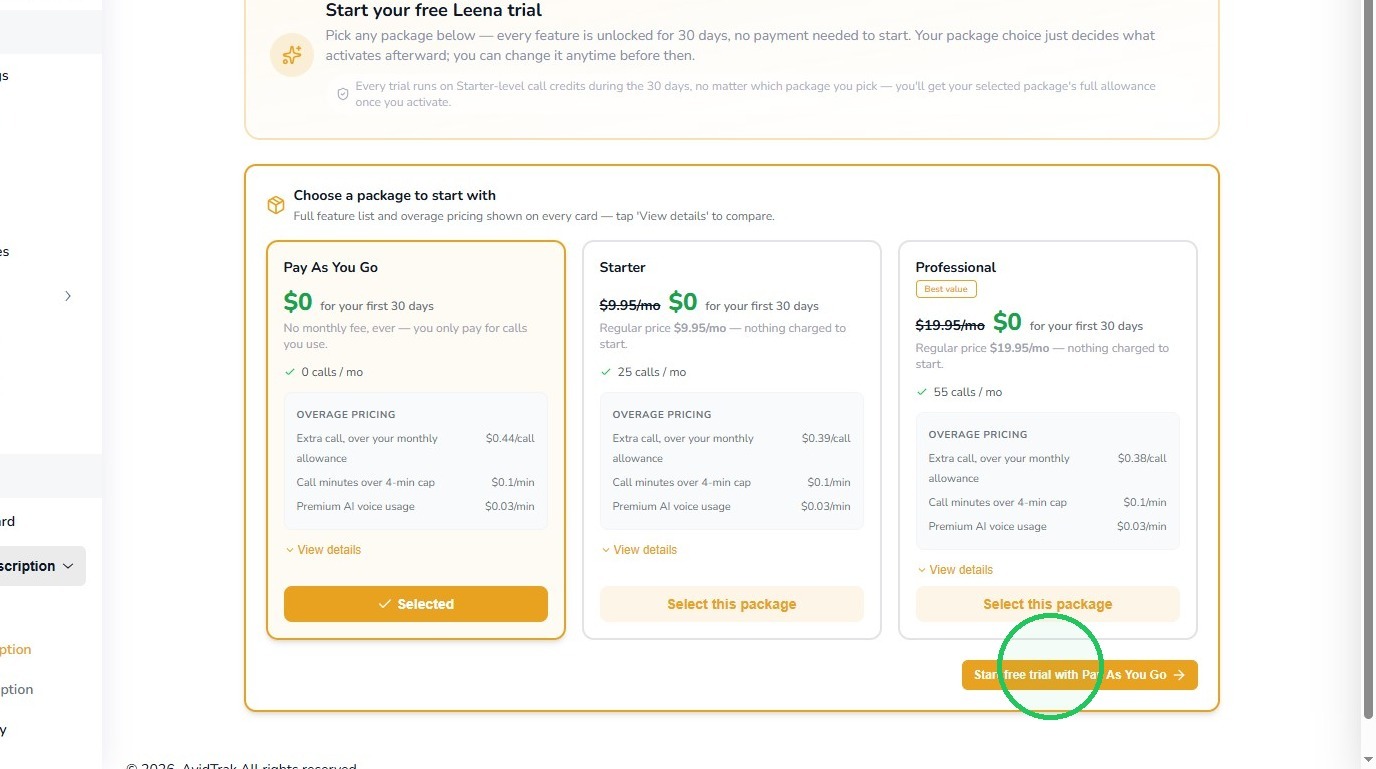
12. Step 5 – Start the Free Trial
After selecting the plan you want to start with, choose the button to begin the free trial with that plan. In this example, select Start free trial with Pay As You Go.
13. Step 6 – Activate the Plan You Want After the Trial
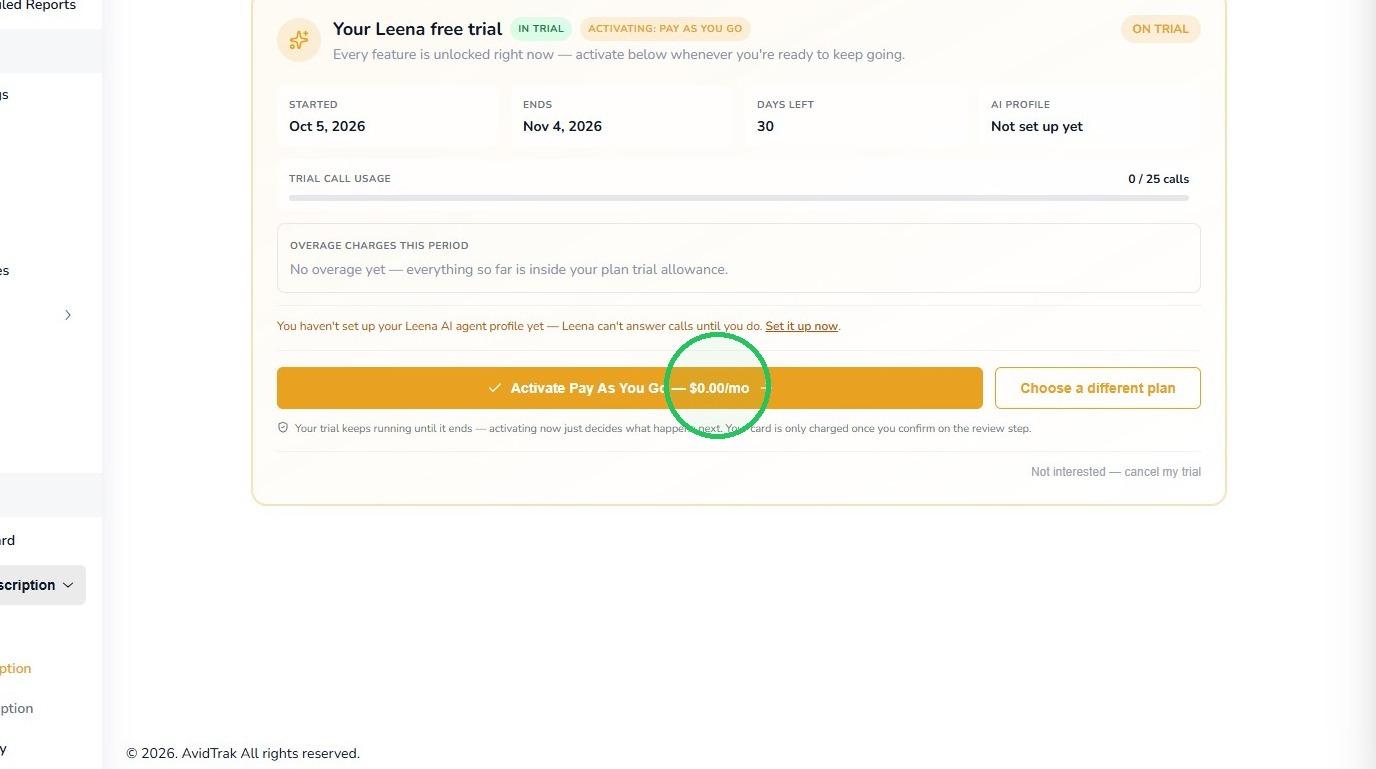
The Leena trial page shows the trial start date, end date, days remaining, and current trial call usage. It also identifies the plan that will be activated.
In this example, select Activate Pay As You Go – $0.00/mo. If you decide another plan is a better fit, use Choose a different plan before continuing.
Important: Activating a plan determines what happens after the trial. The trial itself continues until its scheduled end date.
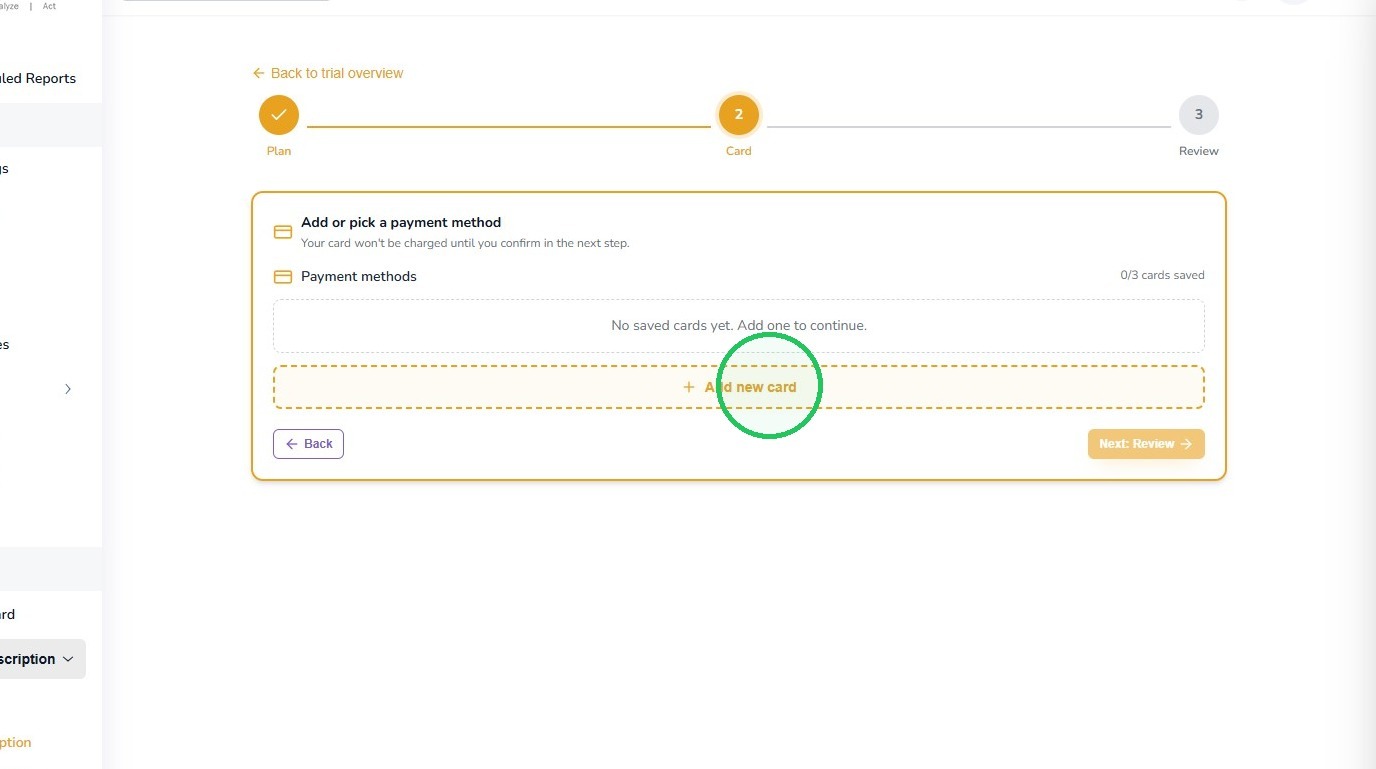
14. Step 7 – Add or Select a Payment Method
If no eligible payment method is on file, select Add new card and enter the requested payment information.
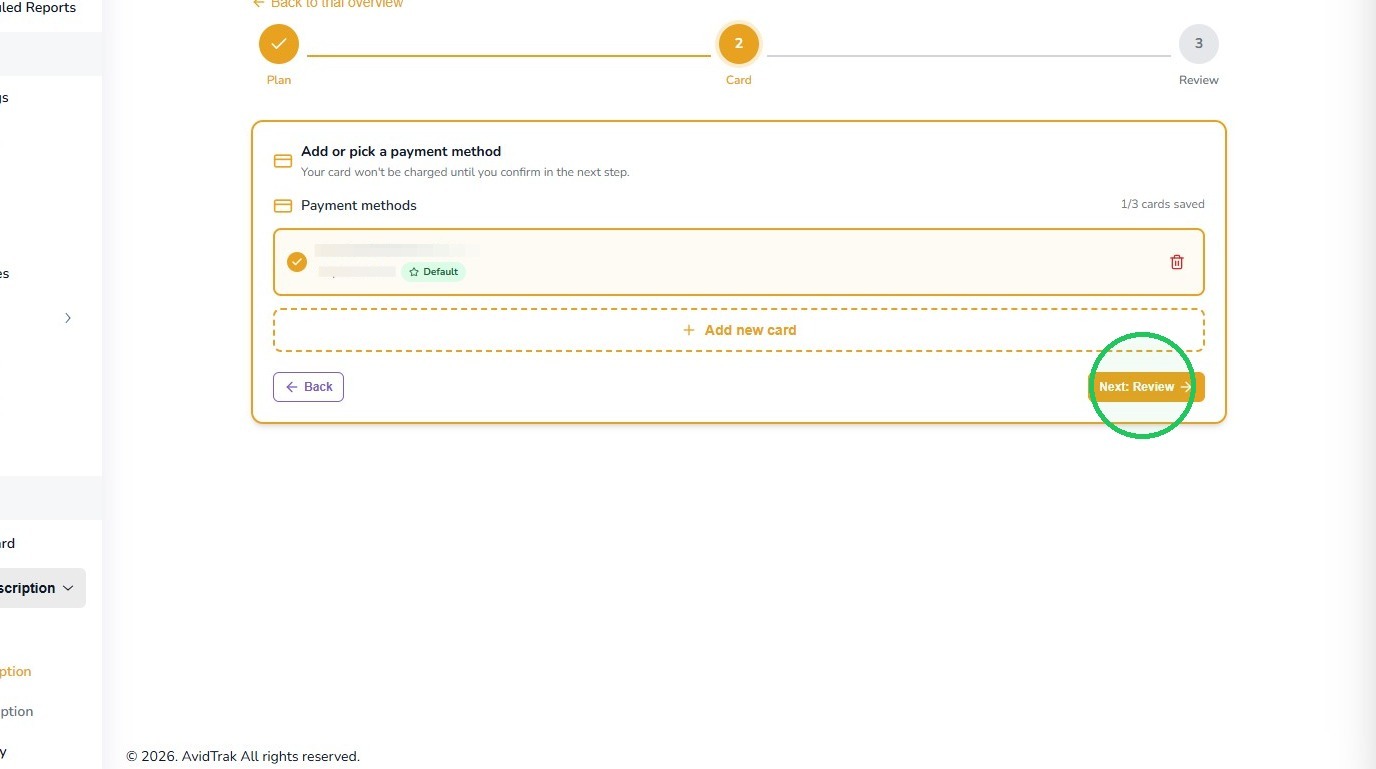
15. Once the payment method is available, select it and choose Next: Review.
16. Step 8 – Review the Activation Charge
Before the subscription is activated, review the plan and any amount due today. In this Pay As You Go example, the review page shows a $10.00 charge.
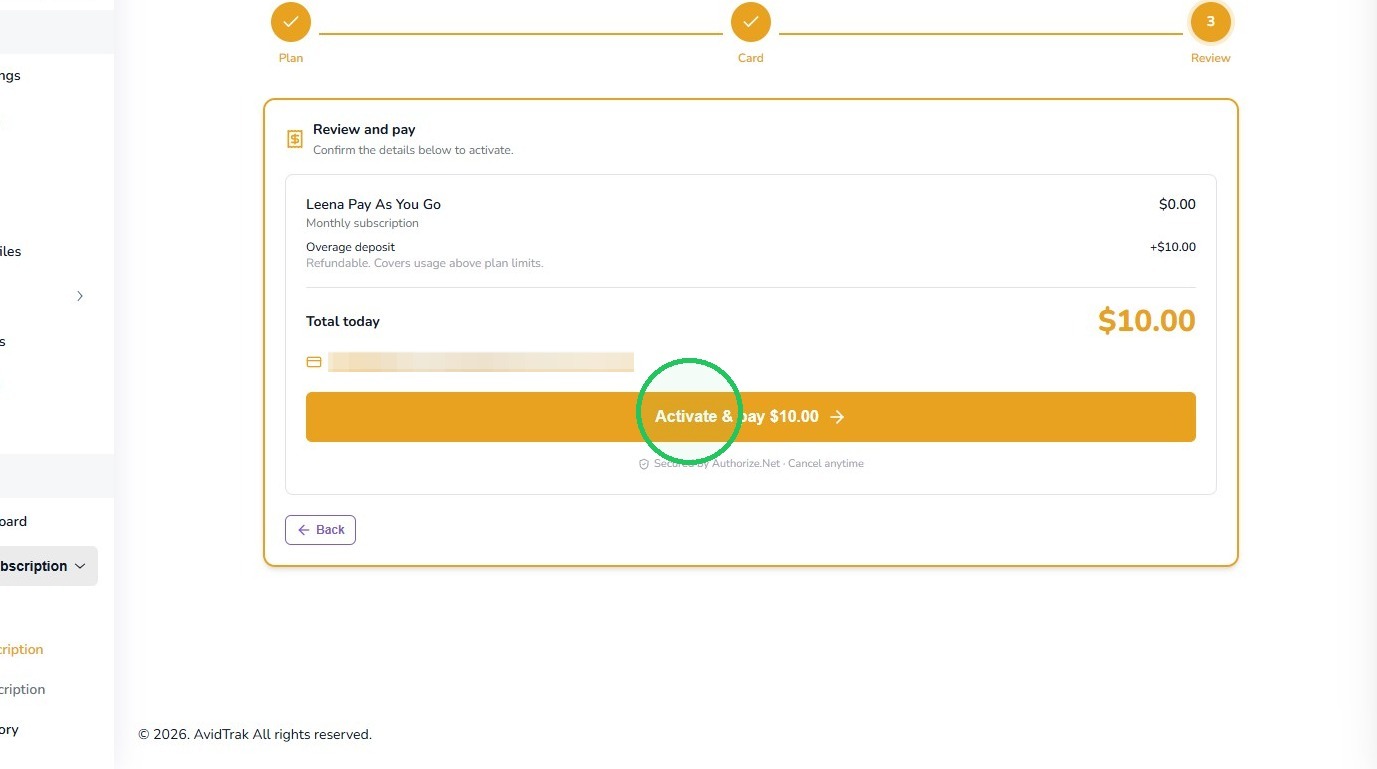
17. Step 9 – Confirm the Subscription
If the plan and amount are correct, select Activate & pay. AvidTrak will ask you to confirm the charge before processing it.
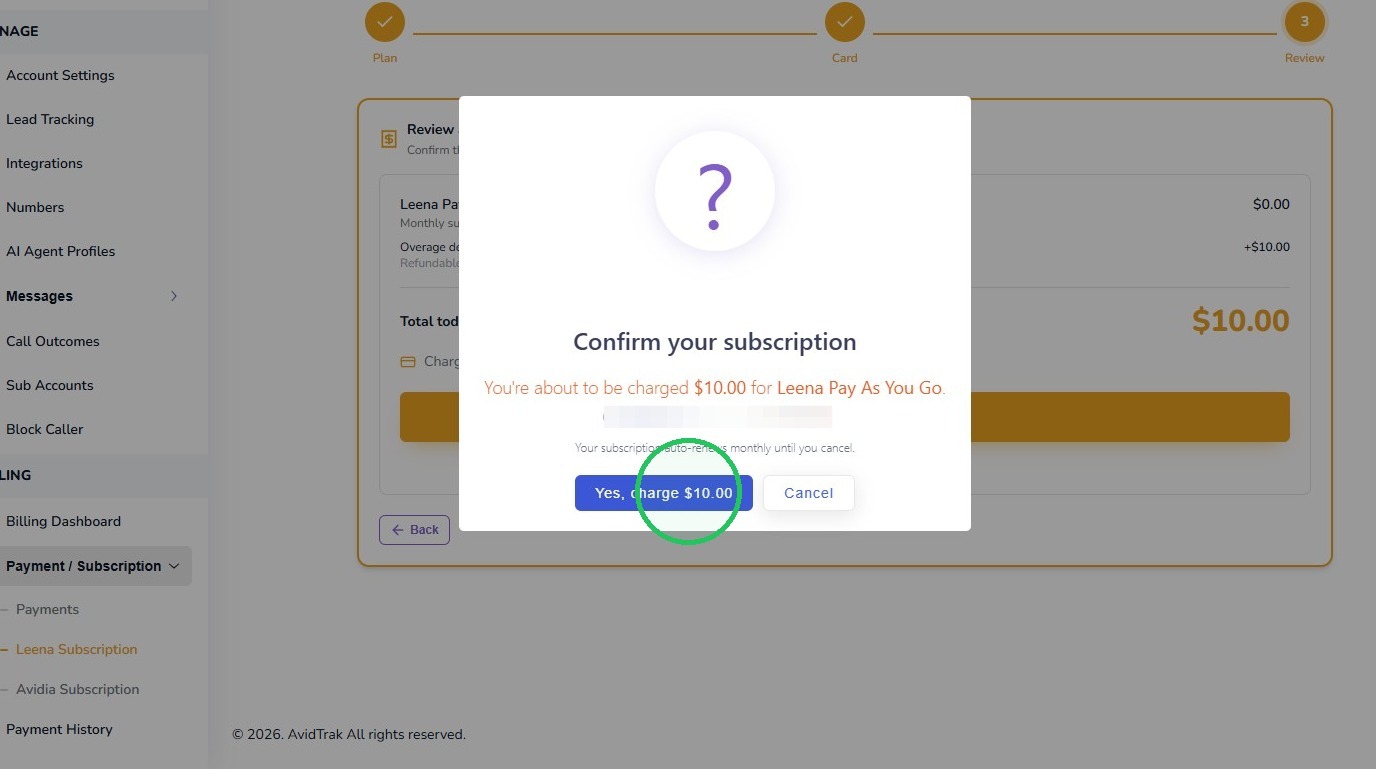
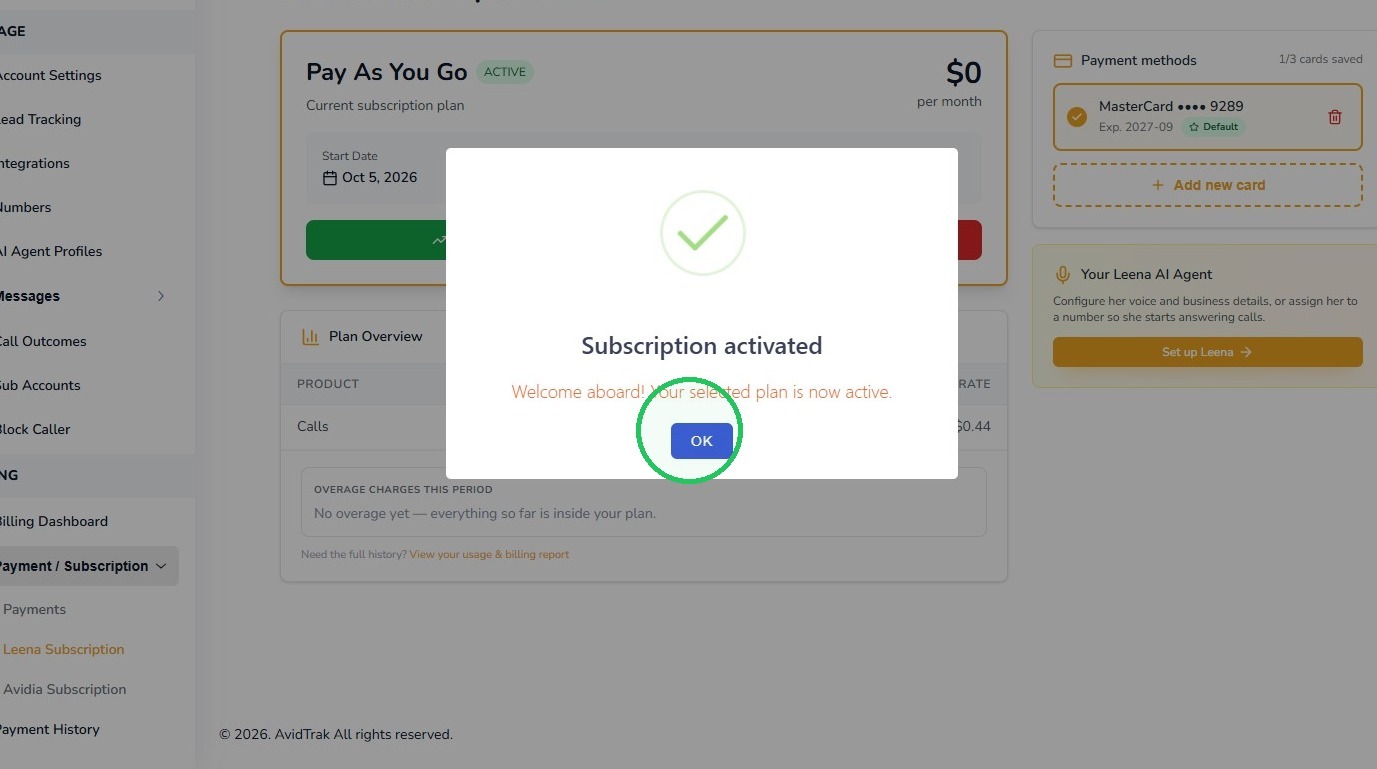
18. Select the confirmation button to authorize the displayed charge. When AvidTrak confirms that the subscription has been activated, select OK.
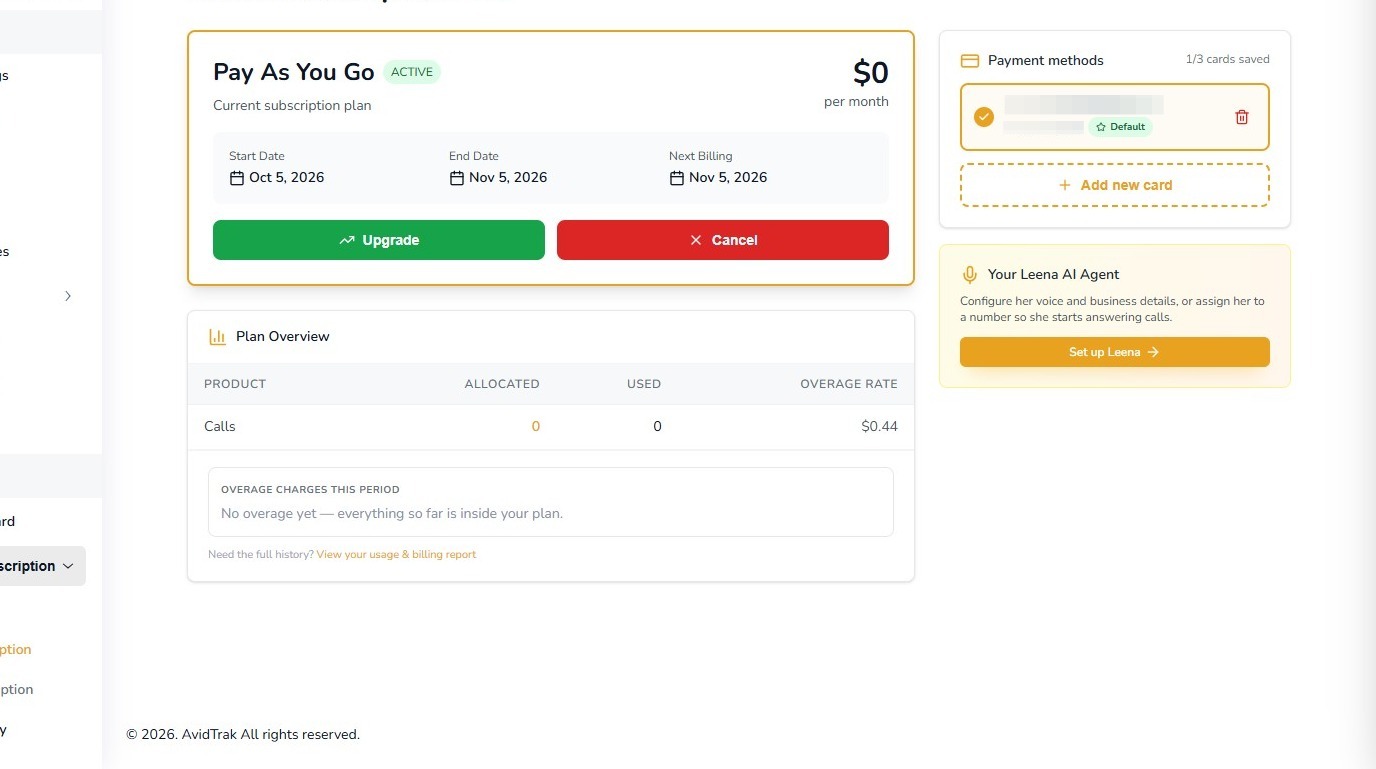
19. Step 10 – Verify the Active Leena Plan
After activation, the Leena Subscription page shows the active plan, billing dates, payment method, and plan usage.
You can return to this page later to review usage, upgrade to another plan, or manage the subscription as your call volume changes.
20. Which Plan Should I Choose?
There is no single plan that is best for every business. A new Leena user should choose based on expected usage and then reassess after seeing real call volume.
Light or occasional use: Pay As You Go is generally the simplest fit.
Consistent lower-volume use: Starter may offer better value when you expect to use much of the included monthly allowance.
Higher recurring use: Professional may provide better economics through a larger call allowance and lower call overage rate.
Changing usage: Start with the plan that fits today. You can revisit your subscription as your Leena usage grows or changes.
Pricing Note: The prices and usage rates shown in this guide reflect the AvidTrak subscription screen captured for this tutorial. Always review the current pricing displayed in your account before activating or changing a plan.
21. Tutorial Complete
This completes the tutorial for subscribing to Leena, AvidTrak’s AI Voice Agent.
After subscribing, the next step is to create or configure your Leena AI Voice Agent profile and test the caller experience before publishing it for live calls.
If you have any difficulty subscribing to Leena, selecting the appropriate plan, or completing the activation process, please contact AvidTrak Support at support@avidtrak.com.

