


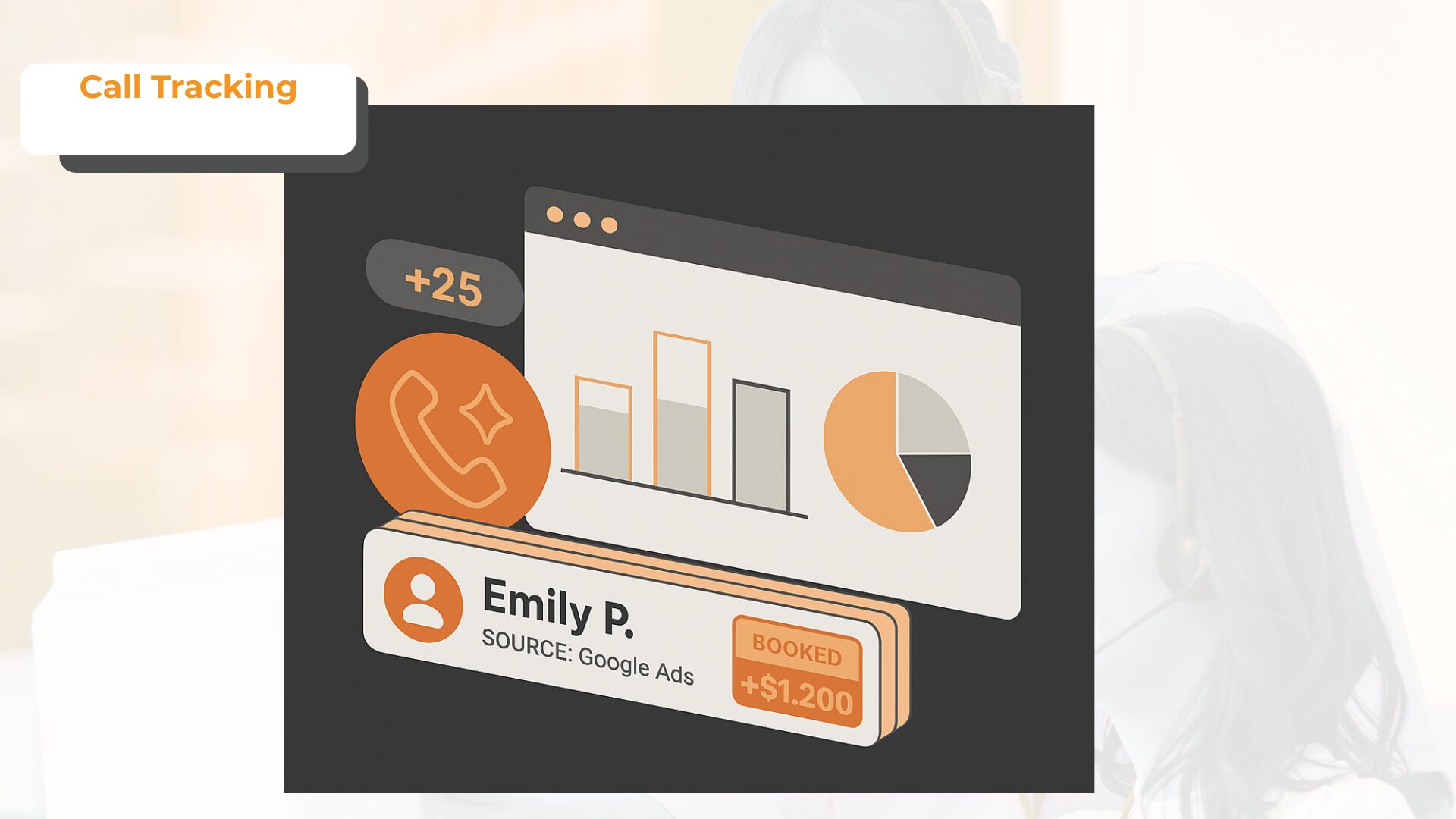
Google Ads call tracking software helps marketers connect paid search calls to campaigns, keywords, ads, landing pages, and lead outcomes.
Suppose a paid search team runs high-intent campaigns for dental appointments, legal consultations, HVAC repair, insurance quotes, or B2B demos. The Google Ads account may show clicks, impressions, CPC, and conversions, but the team may still miss one important part of the report: which paid search visitors picked up the phone and became qualified leads.
That is the problem call tracking software solves.
A good call tracking platform connects each inbound call to the ad source, campaign, keyword, landing page, caller details, call recording, transcript, and outcome. That gives PPC teams a better way to judge Google Ads campaigns by qualified calls, not only clicks or call volume.
The best call tracking software for Google Ads helps answer one important question:
Which Google Ads campaigns and keywords are producing qualified phone leads?
Comparison of Best Call Tracking Software for Google Ads
| Software | Best For | Google Ads Strength | Pricing Starting Price |
| AvidTrak | Google Ads call attribution, PPC keyword tracking, and AI call outcomes | DNI, keyword-level attribution, Google Ads, GA4, AI transcription, AI outcomes, and CRM workflows | Starts at $15/month |
| WhatConverts | Calls, forms, chats, and lead value tracking | Google Ads keyword reporting, lead qualification, and multi-lead-type attribution | Starts at $30/month |
| CallRail | SMB call tracking and PPC reporting | Call tracking, DNI, form tracking, conversation intelligence, and Google Ads reporting | Starts at $45/month |
| CallTrackingMetrics | PPC attribution with routing and contact workflows | Google Ads attribution, call routing, call recording, form tracking, chat tracking, and CRM sync | Starts at $79/month plus usage |
| Invoca | Enterprise Google Ads conversation intelligence | Dynamic numbers, offline conversion imports, AI signals, revenue data, and enterprise integrations | Custom quote |
| Infinity | Visitor-level call tracking | Visitor-level attribution, PPC source data, keyword tracking, caller path reporting, and ad reporting | Starts at $249/month |
| Nimbata | PPC call attribution and agency reporting | Google Ads attribution, GA4, Microsoft Ads, qualified call data, and agency reporting | Free plan available; paid plans start at $39/month |
| Ruler Analytics | Lead-to-revenue attribution | Google Ads, call tracking, form tracking, CRM matching, and revenue attribution | Starts at $400/month |
| Marchex | Call attribution and lead quality analytics | Call attribution, lead quality signals, transcripts, summaries, and marketing data sync | Custom quote |
| Convirza | Call tracking and conversation analytics | Call attribution, call scoring, call recording, conversation analytics, and reporting | Custom quote |
How AvidTrak Selected the Best Call Tracking Software for Google Ads
AvidTrak reviewed each platform based on how well the software helps marketing teams connect Google Ads calls to campaigns, keywords, landing pages, caller intent, call quality, CRM records, and revenue outcomes.
AvidTrak gave more weight to Google Ads attribution than general lead management. A CRM can store leads, but Google Ads call tracking software should show which ad click produced the call, whether the call was qualified, and whether the result should count as a conversion.
AvidTrak also considered whether each platform supports PPC call tracking, keyword-level call tracking, Google Ads conversion reporting, GA4 events, dynamic number insertion, AI call analysis, and CRM reporting.
Google Ads Call Tracking Scoring Criteria
| Scoring Area | Weight |
| Google Ads attribution and conversion support | 20% |
| Keyword-level attribution and dynamic number insertion | 15% |
| Qualified call outcome tracking | 15% |
| GA4, CRM, and ad platform integrations | 10% |
| AI transcription and call analysis | 10% |
| PPC reporting and dashboard quality | 10% |
| Call routing and follow-up support | 5% |
| Agency and multi-client reporting support | 5% |
| Pricing clarity and scalability | 5% |
| Fit for call-first Google Ads campaigns | 5% |
1. AvidTrak
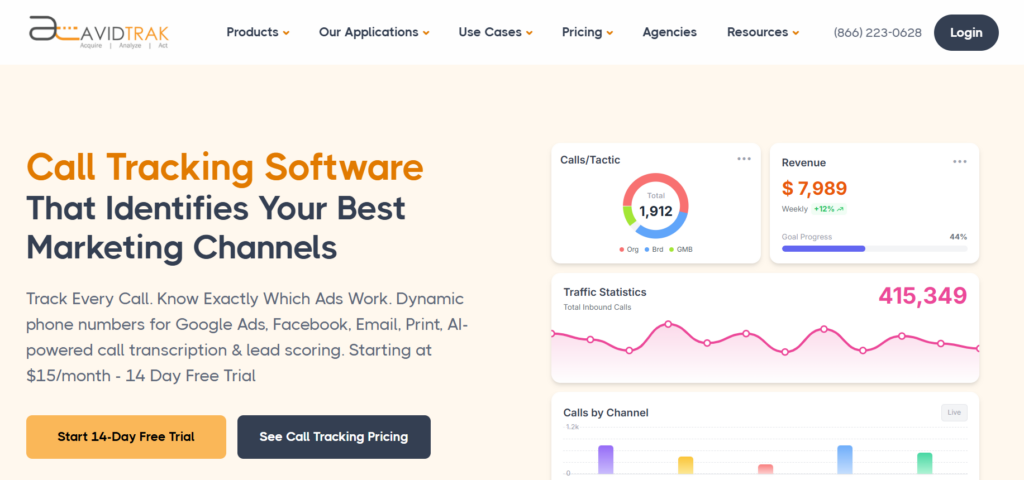 Best for: Google Ads call attribution, PPC keyword tracking, and AI call outcomes.
AvidTrak is call tracking software for Google Ads campaigns where phone calls are a major conversion point. AvidTrak helps marketers connect inbound calls to campaigns, keywords, traffic sources, landing pages, and call outcomes.
AvidTrak is useful when a paid search team needs to know which keywords produced qualified phone leads, not just call volume. AvidTrak supports dynamic number insertion, AI call tracking software, AI transcription, call recording, call routing, spam call filtering, and PPC reporting.
AvidTrak also works well for agencies that need call tracking for agencies, white-label call tracking, call tracking dashboards, and call tracking integrations.
Key Google Ads Features
- Campaign-level call attribution
- Keyword-level PPC call tracking
- Dynamic number insertion
- Google Ads integration
- Google Analytics 4 integration
- Google Ads Mobile Click-to-Call support
- AI-powered call transcription
- AI call analytics
- AI lead qualification from phone calls
- Call recording
- Call Routing
- Spam call filtering
- CRM call tracking
- Call tracking API
Integrations
AvidTrak connects call data with CRM, analytics, advertising, and reporting workflows. A business can use AvidTrak to send call events, recordings, transcripts, outcomes, routing data, DNI data, and CRM activity into paid search reports.
Teams using CRM systems can review AvidTrak’s CRM call tracking, Zoho call tracking, and Microsoft Dynamics call tracking pages.
Customer Reviews
Andrew T., Director of IT at a mid-market marketing and advertising company, said AvidTrak helps his team connect calls, locations, duration, recordings, and AI analysis with different customer types. The feedback points to AvidTrak’s value for teams that need call attribution data without a difficult setup.
Alex D., an EVP in the internet industry, described AvidTrak as easy and functional after switching from a previous product. The feedback supports AvidTrak’s fit for teams that want Google Ads call tracking without a heavy setup process.
Where AvidTrak Works Well
AvidTrak works well for agencies, PPC teams, SEO teams, local service businesses, and marketing teams that need to prove which Google Ads campaigns and keywords drive qualified phone leads.
AvidTrak also fits industry-specific paid search campaigns, including healthcare providers, dental offices, HVAC and plumbing companies, law offices, financial services, local SEO campaigns, and B2B lead generation.
Possible Limitations
AvidTrak may not replace a full enterprise multi-touch attribution suite for companies that need to attribute every digital and offline touchpoint across a long sales cycle. AvidTrak is best when phone calls are a key part of Google Ads measurement.
Pricing
- Starter: $15/month
- Professional: $30/month
- Agency: $55/month
- A free trial is available
- Overage pricing applies for added numbers, minutes, SMS, call recording minutes, and lookup calls
Final Verdict
AvidTrak is the best overall call tracking software for Google Ads campaigns where marketers need campaign attribution, keyword tracking, DNI, AI call outcomes, CRM workflows, GA4 reporting, and public pricing.
2. WhatConverts
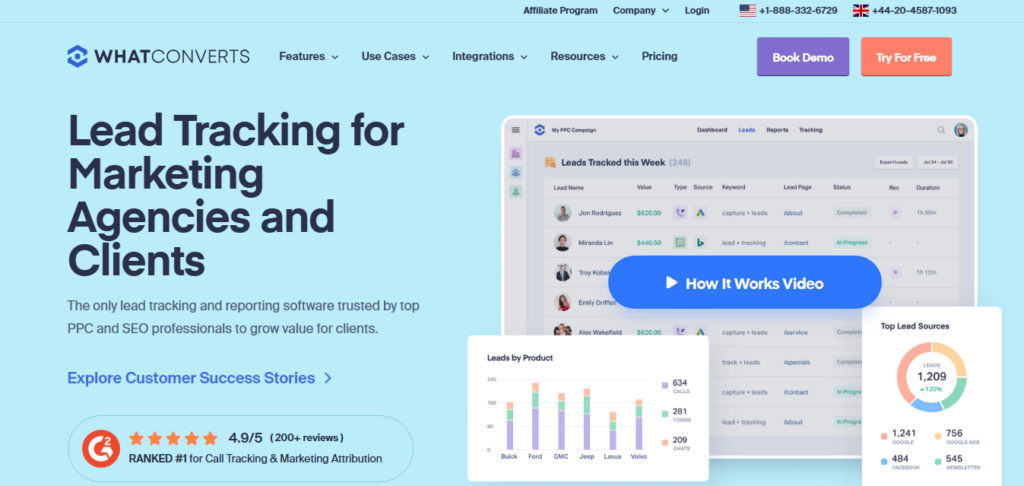 Best for: Calls, forms, chats, transactions, and lead value tracking.
WhatConverts is a lead tracking and reporting platform for marketers and agencies. WhatConverts tracks calls, forms, chats, transactions, marketing sources, campaigns, keywords, and lead value.
The platform is useful when a team wants to compare phone leads against other lead types in one reporting system. The call tracking features make WhatConverts relevant for Google Ads teams that need phone attribution along with form and chat data.
Key Google Ads Features
- Call tracking
- Form tracking
- Chat tracking
- Transaction tracking
- Campaign reporting
- Keyword reporting
- Lead value tracking
- Lead qualification
- Call recording
- Google Ads integration
- Google Analytics integration
- Agency reporting
Integrations
WhatConverts connects lead data with marketing, analytics, CRM, and reporting tools. The platform is useful when a team wants phone leads, form fills, chats, and sales value inside one lead tracking view.
AvidTrak is a better fit when the main focus is call tracking software for lead generation, phone lead attribution, and campaign ROI from calls.
Customer Reviews
Zavier D., Director of Marketing Operations, said WhatConverts helps agencies track where leads are coming from and prove ROI across calls, forms, chats, and transactions.
Ross G., CEO and Founder at a small business, said WhatConverts provides accurate reporting and dependable support. The feedback focuses on clean call and lead tracking.
Where WhatConverts Works Well
WhatConverts works well for agencies and marketers that track several lead types. The platform is especially useful when phone calls are only one part of the conversion mix.
Possible Limitations
WhatConverts may be broader than needed for teams that only want call tracking without forms, chats, transactions, or lead management.
Pricing
- Call Tracking: $30/month
- Plus: $60/month
- Pro: $100/month
- Elite: $160/month
- Agency Plus: $500/month
- Agency Pro: $800/month
Final Verdict
WhatConverts is a good fit for marketers that want Google Ads call tracking plus lead value reporting across multiple conversion types.
3. CallRail
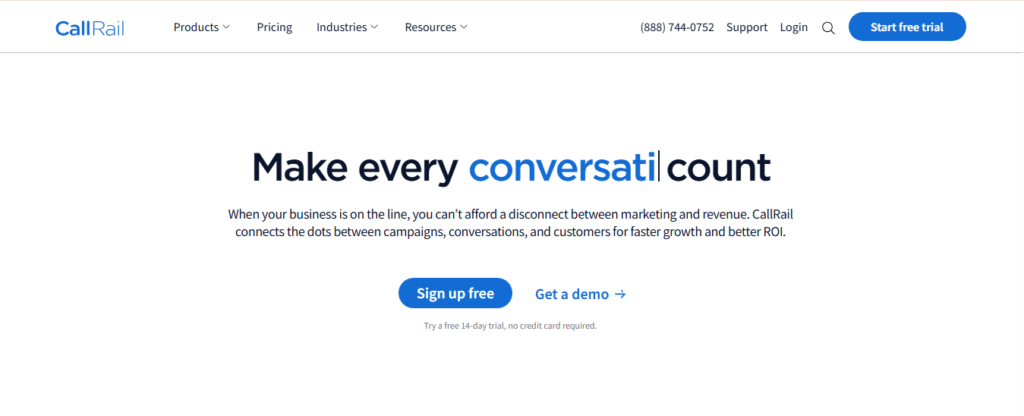 Best for: SMB call tracking and PPC campaign reporting.
CallRail is a well-known call tracking and lead engagement platform for SMBs and agencies. CallRail connects calls, texts, forms, campaigns, and conversations so teams can see which marketing activities produce leads.
CallRail is useful when a business wants call tracking, attribution, call recording, form tracking, text tracking, and reporting dashboards in one system.
Key Google Ads Features
- Call tracking
- Dynamic number insertion
- Form tracking
- Text tracking
- Call recording
- Conversation intelligence
- Campaign reporting
- Search term attribution
- Google Ads reporting
- Reporting dashboards
Integrations
CallRail supports CRM, analytics, marketing, reporting, API, and automation workflows. CallRail is useful when phone lead data needs to connect with sales follow-up or campaign reporting.
AvidTrak supports related workflows through call tracking AI transcription, call tracking API, and types of call tracking reports.
Customer Reviews
Madhav S., a web developer, said CallRail helps validate digital marketing performance and gives his team a fuller view of phone call results alongside other campaign data.
AJ S., Director of Paid Search, said CallRail makes it easier to track calls across Google Ads, Facebook Ads, and websites from one place.
Where CallRail Works Well
CallRail works well for SMBs, local businesses, and agencies that need call, text, and form attribution in one platform.
Possible Limitations
CallRail costs can rise as a business adds numbers, minutes, users, and conversation intelligence features. A business that mainly needs call-first PPC attribution may want to compare CallRail against lighter call tracking platforms.
Pricing
- Call Tracking: starts at $45/month
- Higher plans and add-ons may apply for AI, forms, multi-channel reporting, and usage
Final Verdict
CallRail is a reliable option for SMB teams that want Google Ads call attribution, campaign reporting, and lead engagement tools in one platform.
4. CallTrackingMetrics
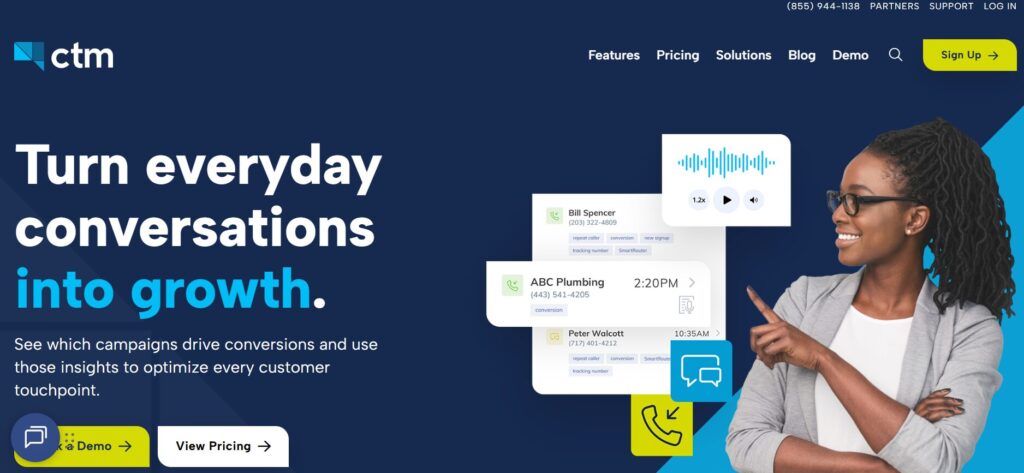 Best for: Google Ads attribution with routing and contact workflows.
CallTrackingMetrics tracks calls, texts, forms, and chats in one platform. The software is useful when a business needs call attribution and communication workflows together.
The platform fits teams that want attribution data to work with call routing, contact center workflows, and sales follow-up. It may be useful when marketing and customer communication data need to live in the same system.
Key Google Ads Features
- Call tracking
- Text tracking
- Form tracking
- Chat tracking
- Campaign attribution
- Google Ads reporting
- Call Routing
- AI-powered insights
- Call recording
- CRM sync
- Contact center workflows
Integrations
CallTrackingMetrics integrates with CRM, marketing, analytics, and communication tools. The platform is useful when call attribution data needs to sync with contact records, lead records, call recordings, and reports.
AvidTrak also supports multi-level IVR, queue routing and call transfers, live call monitoring, and contact center reports.
Customer Reviews
Aaron W., CEO at a small business, said CTM helps his team use reliable data to support client marketing efforts.
Cory L., CEO at a mid-market company, said CTM helps his team understand where deals are coming from and use campaign data in Google Ads decisions.
Where CallTrackingMetrics Works Well
CallTrackingMetrics works well for teams that need call attribution, call routing, form tracking, chat tracking, and customer communication in one system.
Possible Limitations
CallTrackingMetrics can feel complex for smaller teams that only need source, campaign, and keyword attribution.
Pricing
- Marketing Lite: $79/month plus usage
- Marketing Pro: $179/month plus usage
- Sales Engage: $329/month plus usage
- Enterprise: $1,999/month plus usage
Final Verdict
CallTrackingMetrics is a good choice when a team needs Google Ads attribution plus call routing, contact workflows, and CRM-connected communication data.
5. Invoca
 Best for: Enterprise Google Ads conversation intelligence.
Invoca is an AI-powered call tracking and conversation intelligence platform for enterprise marketing, sales, and contact center teams. Invoca helps larger teams connect phone call conversions to marketing sources, conversation insights, and revenue signals.
Invoca fits high-call-volume businesses that need deeper call analysis, call quality data, and enterprise reporting. The platform is often considered by teams in healthcare, financial services, home services, and multi-location businesses.
Key Google Ads Features
- AI call tracking
- Conversation intelligence
- Dynamic numbers
- Offline conversion imports
- Revenue signal tracking
- Custom signals
- IVR workflows
- Call Routing
- API and webhook workflows
- Enterprise ad platform integrations
Integrations
Invoca supports enterprise CRM, analytics, ad platform, API, and webhook workflows. The platform is useful when call data needs to connect with enterprise sales systems, contact center systems, and advertising optimization workflows.
AvidTrak may be a more practical fit for teams that need AI lead qualification from phone calls, AI call analytics, and analytic call tracking without an enterprise buying process.
Customer Reviews
Raven V., a digital marketing manager at TotalCare, said Invoca helps with attribution and connects the marketing team with useful platform support.
Joel C., CIO at a marketing and advertising company, said Invoca supports call tracking data for marketing attribution and helps his team send call data into ad platforms.
Where Invoca Works Well
Invoca works well for enterprises, healthcare groups, financial services teams, multi-location brands, and contact centers that need AI conversation intelligence.
Possible Limitations
Invoca may be too heavy and expensive for smaller teams that only need campaign-level and keyword-level call attribution.
Pricing
- Pro: custom quote
- Enterprise: custom quote
- Elite: custom quote
- Performance Professional: custom quote
Final Verdict
Invoca is a good enterprise option for teams that need Google Ads call attribution, AI signals, and revenue insights across large call volumes.
6. Infinity
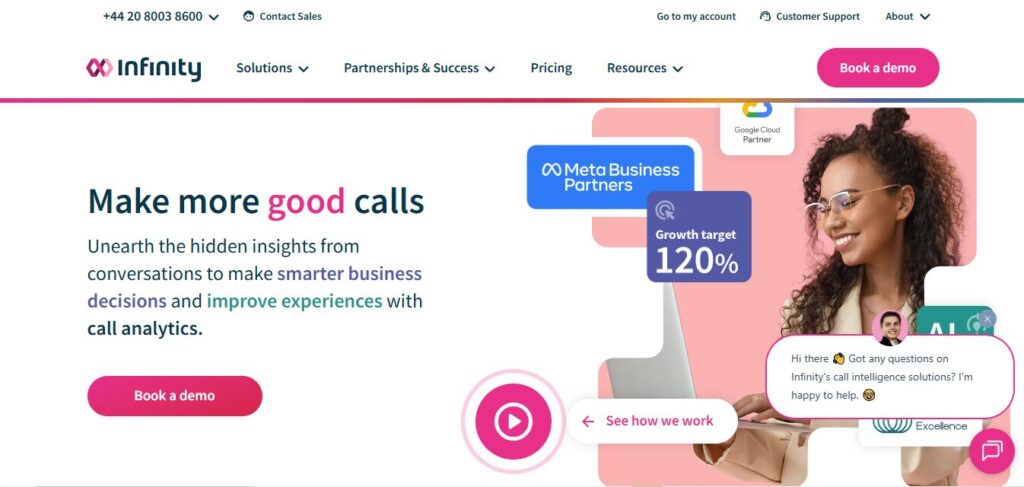 Best for: Visitor-level call tracking.
Infinity is a call tracking platform for marketers that need visitor-level attribution. Infinity helps teams assign tracking numbers to campaigns, keywords, webpages, and sources so calls can be connected to the activity that generated them.
Infinity is relevant for teams that want to understand how PPC, SEO, social traffic, referral traffic, and website activity produce phone calls.
Key Google Ads Features
- Visitor-level tracking
- Dynamic number assignment
- Campaign attribution
- Keyword attribution
- Landing page attribution
- Caller path reporting
- Call recording
- Missed call alerts
- Reporting workflows
- Paid ads and analytics workflows
Integrations
Infinity supports advertising, analytics, CRM, reporting, and optimization workflows. Infinity is useful when a marketing team needs to connect call attribution data with digital campaign reporting and website activity data.
AvidTrak supports a similar call-first measurement need through call tracking numbers, tracking number features, and website phone number tracking.
Customer Reviews
Stuart L., Experience and Engagement Director, said Infinity helps close an attribution gap between website activity, paid advertising, calls, ROI, and ROAS.
Demi F., Paid Media Account Manager, said Infinity gives clients more insight into call data and adds another conversion point for paid performance reporting.
Where Infinity Works Well
Infinity works well for marketing teams that need visitor-level attribution and want to connect calls to digital campaign activity.
Possible Limitations
Infinity may be more advanced than small teams need if the team only wants simple source tracking and call logs.
Pricing
- Essentials: $249/month, plus call usage
- Pro: $349/month, plus call usage
- Enterprise: price on application
Final Verdict
Infinity is a good option for marketers that need visitor-level Google Ads call tracking and a deeper view of the caller path.
7. Nimbata
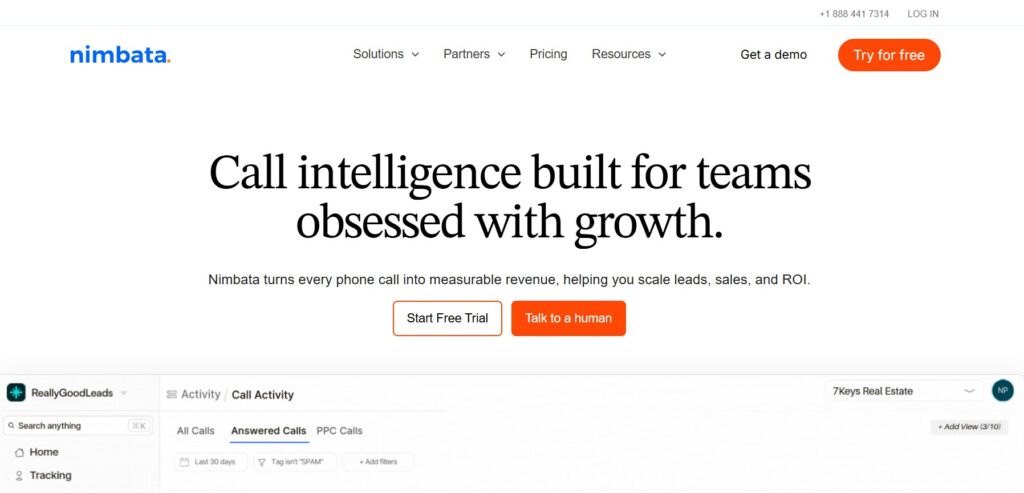 Best for: PPC call attribution and agency reporting.
Nimbata is call tracking and conversation intelligence software for teams that need to connect phone calls to campaigns, qualify leads, and prove ROI by channel.
Nimbata is especially useful for PPC teams that want cleaner Google Ads call attribution and better qualified call data.
Key Google Ads Features
- Google Ads call attribution
- Campaign attribution
- Keyword attribution
- Ad-level attribution
- Call outcome tracking
- Conversation intelligence
- Lead quality scoring
- Spam filtering
- Funnel-stage reporting
- Call conversion sync
Integrations
Nimbata integrates with paid ad and analytics workflows. Nimbata is useful when PPC teams need to connect calls with Google Ads, Microsoft Ads, qualified outcomes, and conversion reporting.
AvidTrak supports paid campaign reporting through Google Ads call tracking software, PPC call tracking tools, and click-to-call Google Ads campaigns.
Customer Reviews
Daniel M., Digital Marketing Manager, said Nimbata helps his team manage many phone numbers, review detailed reports, and understand which channels drive results.
Mark L., Digital Marketing Specialist in marketing and advertising, said Nimbata helps agencies attribute phone calls to ad campaigns and share useful reporting with clients.
Where Nimbata Works Well
Nimbata works well for PPC teams, agencies, and small to mid-sized businesses that need to connect Google Ads and Microsoft Ads calls to qualified outcomes.
Possible Limitations
Nimbata may not be the best fit for enterprise contact center workflows or complex pay-per-call buyer and seller systems.
Pricing
- Entry: free, plus usage
- Pro: $39/month or $35/month annually, plus usage
- Marketing: $89/month or $80/month annually, plus usage
- Agency: $149/month or $120/month annually, plus usage
- White-label account add-on: $55/month
Final Verdict
Nimbata is a good PPC call attribution option for teams that want call conversion data, qualified outcomes, and ad platform sync.
8. Ruler Analytics
 Best for: Lead-to-revenue attribution.
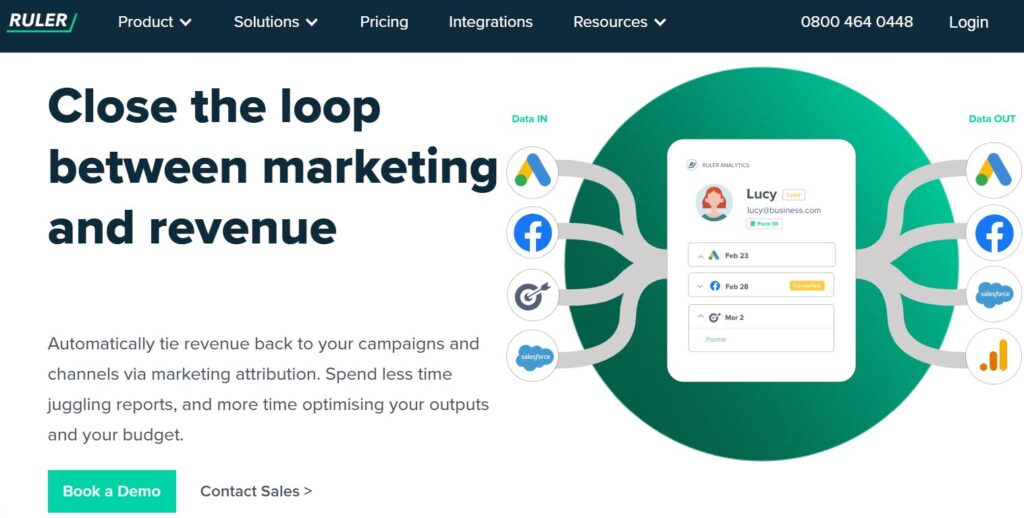
Ruler Analytics is a marketing attribution platform that tracks website visitors across multiple sessions and connects marketing activity to leads, calls, forms, live chat, CRM status, and revenue.
Ruler Analytics is useful when the goal is not only to see which Google Ads campaign produced a call, but also which campaign produced pipeline and closed revenue.
Key Google Ads Features
- Visitor-level attribution
- Multi-touch attribution
- Call tracking
- Form tracking
- Live chat tracking
- CRM matching
- Revenue attribution
- Source and channel reporting
- Campaign and keyword tracking
- Paid search reporting
Integrations
Ruler Analytics supports CRM, paid ads, analytics, and reporting workflows. The platform is useful when sales and marketing teams need to match Google Ads call leads with CRM opportunities, closed deals, and revenue.
AvidTrak is a better fit when the team wants a more call-first setup with closed-loop measurement, call tracker ROI reporting, and call tracking software for CAC.
Customer Reviews
Robin C., a small-business reviewer, said Ruler Analytics shows the detail behind form submissions and phone calls, including source, duration, and pages that led to a conversion.
Jack F., a mid-market reviewer, said Ruler Analytics helped solve revenue attribution and made it easier to see where customers had been before the site visit.
Where Ruler Analytics Works Well
Ruler Analytics works well for B2B teams, lead generation teams, and marketers that need to connect Google Ads calls to CRM opportunities and revenue.
Possible Limitations
Ruler Analytics is not only a call tracking platform, so it may be too broad for a team that wants a call-first Google Ads tool.
Pricing
- Small: from $400/month
- Medium: from $668/month
- Large: from $1,326/month
- Advanced: from $2,000/month
- Agency partner rates may be available
Final Verdict
Ruler Analytics is a good option when the priority is connecting Google Ads calls to pipeline, revenue, and multi-touch attribution.
9. Marchex
 Best for: Call attribution and lead quality analytics.
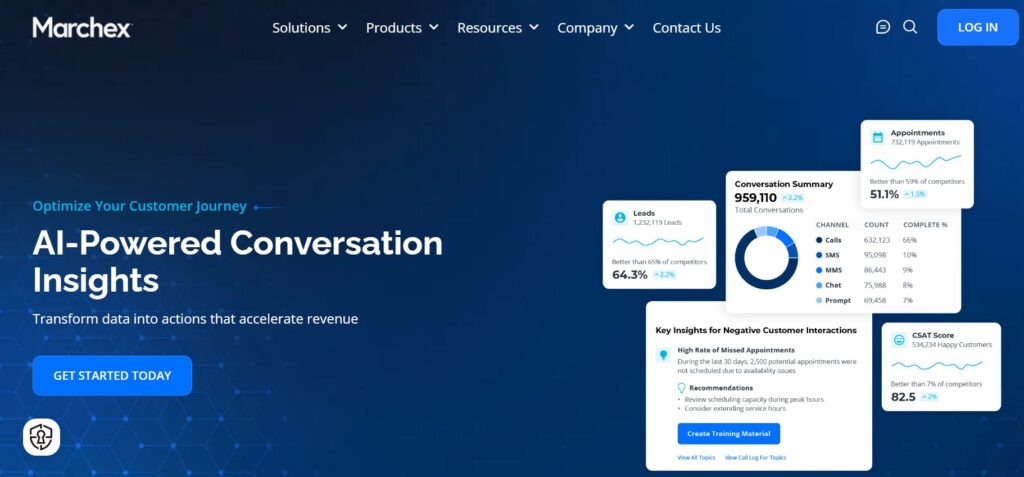
Marchex offers call tracking and attribution for teams that want to improve digital marketing performance and identify higher-quality phone leads.
Marchex is often a better fit for mid-market and enterprise teams that need more than source reporting. The platform can help teams understand which campaigns generate better conversations, not only more calls.
Key Google Ads Features
- Call tracking
- Call attribution
- Digital campaign attribution
- Lead quality analytics
- Call and text tracking
- Marketing platform data sync
- API access
- Call recordings
- Transcripts
- Call summaries
Integrations
Marchex supports integrations with marketing and sales platforms. Marchex can help teams connect call and text tracking data with broader reporting and marketing performance workflows.
AvidTrak also supports call analytics, call tracking insights for conversions, and conversation analytics.
Customer Reviews
Ethan G., Project Manager, said Marchex has an intuitive platform and helpful customer support for call tracking workflows.
Ashley C., Practice Manager, said Marchex is simple from start to finish and helps with tracking phone numbers and lead lists.
Where Marchex Works Well
Marchex works well for mid-market and enterprise teams that want Google Ads call attribution tied to lead quality and marketing performance.
Possible Limitations
Marchex may be more enterprise-oriented than smaller teams need.
Pricing
- Custom quote
- Final pricing depends on product scope, call volume, reporting needs, and business requirements.
Final Verdict
Marchex is a good fit for companies that want call attribution and lead quality analytics in a more advanced marketing performance setup.
10. Convirza
 Best for: Call tracking and conversation analytics.
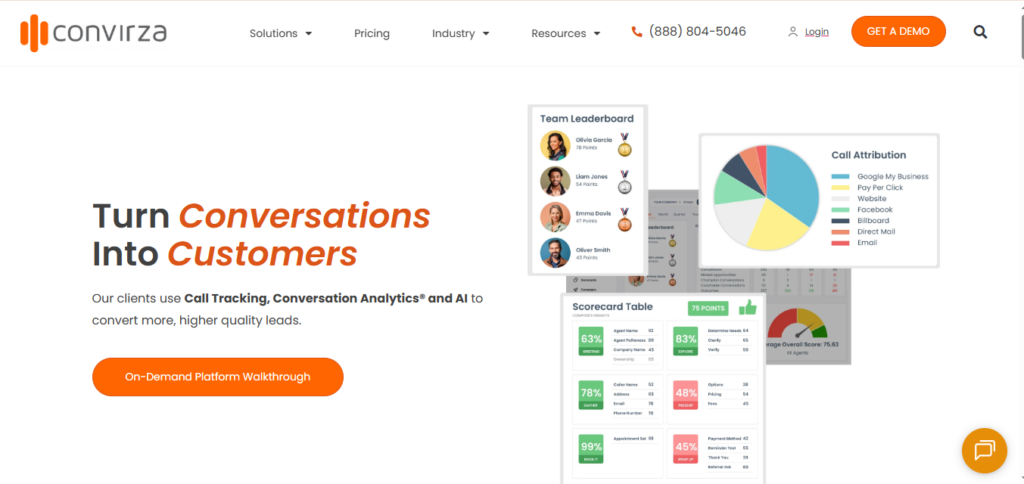
Convirza is call tracking and conversation analytics software for businesses that want to understand which phone calls are turning into customer opportunities.
Convirza can be useful for marketers, call centers, and sales teams that need call scoring, phone attribution, and call reporting in one system.
Key Google Ads Features
- Call tracking
- Call attribution
- Call analytics
- Call scoring
- Call recording
- Conversation analytics
- Tracking numbers
- Reporting dashboards
- CRM-related workflows
- Call Routing
Integrations
Convirza supports marketing, CRM, and phone-related workflows. The platform can help teams use call data to understand which campaigns, ads, and calls are driving customer opportunities.
AvidTrak may be a better fit when a team needs public pricing, AI call tracking software, AI lead qualification from phone calls, and call tracking dashboard reporting.
Customer Reviews
CJ G., Media Director, said Convirza helps with phone call attribution and support.
Curtis H., Owner, said Convirza is easy to set up for new numbers and useful for showing value to clients.
Where Convirza Works Well
Convirza works well for businesses that need call tracking, call analytics, call scoring, and conversation review.
Possible Limitations
Convirza may not be the best fit for teams that want public pricing and a simpler call-first buying path.
Pricing
- Custom quote
- Final pricing depends on call volume, account setup, analytics needs, and reporting requirements.
Final Verdict
Convirza is a good option for teams that need Google Ads call tracking with conversation analytics and call scoring.
What Is Call Tracking Software for Google Ads?
Call tracking software for Google Ads connects inbound phone calls to the paid search campaigns, ad groups, keywords, ads, and landing pages that produced them.
A basic setup may show call source and call volume. A better setup connects calls to caller intent, call quality, appointment requests, quote requests, sales opportunities, CRM status, and revenue. That helps a business judge Google Ads campaigns by actual lead value.
For example, a PPC team may use DNI to connect calls with Google Ads keywords, AI call analysis to identify qualified callers, and CRM sync to show whether those calls became booked appointments or customers.
| Term | Meaning |
| Call tracking | Call tracking records calls, phone numbers, recordings, caller details, and source data. |
| Google Ads attribution | Google Ads attribution connects each call to the ad, campaign, keyword, or click that produced the call. |
| Dynamic number insertion | DNI changes the phone number shown on a website based on the visitor’s source. |
| Conversation intelligence | Conversation intelligence uses AI to analyze calls, transcripts, caller intent, and outcomes. |
| Qualified call | A qualified call meets a business-defined value standard, such as a quote request, booking, or sales opportunity. |
| Revenue attribution | Revenue attribution connects calls to pipeline, bookings, closed deals, or revenue. |
How Call Tracking Software Supports Google Ads Campaigns
Call tracking software usually follows this path:
Google Ads click → landing page visit → DNI or tracking number → inbound call → call recording or transcript → call outcome → CRM status → Google Ads or GA4 report
A visitor may come from a search ad, call asset, landing page, or mobile click-to-call ad. The software assigns a tracking number or uses dynamic number insertion. When the visitor calls, the platform records the source, campaign, keyword, landing page, and caller details.
A better call tracking setup then analyzes the call for intent, duration, lead quality, transcript data, and outcome. The final call result can be sent into a CRM, GA4, Google Ads, a dashboard, or a client report.
Teams that need more context can review AvidTrak’s Google Ads call tracking guide, Google Ads for lead generation, and how to track calls in Google Analytics.
What Features Should Call Tracking Software for Google Ads Include?
Campaign-Level Attribution
Campaign-level attribution shows which Google Ads campaign produced each call. The feature helps marketers compare search campaigns, display campaigns, Performance Max traffic, mobile ads, and other paid sources.
AvidTrak supports campaign-level attribution across display and content marketing, mobile ads, social media, and organic traffic.
Keyword-Level Attribution
Keyword-level attribution is useful for paid search teams. The feature shows which search terms or paid keywords produced calls, qualified leads, appointments, or sales opportunities.
Teams can review AvidTrak’s call tracking for PPC and pay-per-click keyword call tracking resources for more context.
Dynamic Number Insertion
Dynamic number insertion changes the displayed phone number based on the visitor’s source. The feature helps connect a call to the correct campaign, keyword, source, or landing page.
Teams can read AvidTrak’s resource on dynamic call tracking to understand how DNI supports Google Ads attribution.
Call Recording and Transcription
Call recording and transcription help teams understand what happened during a call. The data can support sales coaching, lead qualification, compliance review, and attribution accuracy.
AvidTrak supports this need through call monitoring and recording, call transcription software, and how to record phone calls with AvidTrak.
AI Call Outcomes
AI call outcomes help marketers identify whether a call included a booking, quote request, pricing question, purchase intent, support request, or unqualified inquiry.
AvidTrak supports this through conversation AI speech analytics and Avidia.
Qualified Call Rules
Not every call should count as a Google Ads conversion. Good call tracking software should allow teams to define qualified calls based on duration, caller intent, transcript data, call outcome, or CRM status.
AvidTrak’s resource on call tracking insights for conversions can help teams build better qualification logic.
CRM Integration
CRM integration helps connect calls to leads, opportunities, customers, and revenue. The feature matters when marketing teams need to prove business impact.
AvidTrak supports this topic through CRM call tracking, Zoho call tracking, Microsoft Dynamics call tracking, and call tracking platform integrations.
Google Ads and GA4 Support
Google Ads and GA4 support helps teams send qualified call data back into reporting and bidding workflows. The feature is especially important when paid search campaigns generate high-value phone leads.
Google Ads teams can also review AvidTrak’s resources on common mistakes tracking calls from digital ads, call tracking to reduce ad spend waste, and marketing attribution.
Google Ads Call Tracking Metrics That Matter
| Metric | Why the Metric Matters |
| Calls by campaign | The metric shows which campaign produced phone leads. |
| Calls by keyword | The metric helps PPC teams improve spend decisions. |
| Calls by ad group | The metric shows which ad group produced calls. |
| Calls by landing page | The metric shows which page helped produce callers. |
| First-time callers | The metric separates new leads from repeat callers. |
| Qualified calls | The metric shows which calls deserve conversion credit. |
| Cost per qualified call | The metric helps teams judge campaign efficiency. |
| Call outcome | The metric shows booking, quote, sale, support, or unqualified status. |
| CRM lead status | The metric connects calls to pipeline. |
| Revenue by campaign | The metric shows which campaigns produced value. |
| Close rate by keyword | The metric shows which keywords produce better leads. |
| Missed calls | The metric shows lost lead risk. |
| Spam calls | The metric keeps attribution data cleaner. |
| Time to follow-up | The metric shows speed-to-lead performance. |
Teams that need a deeper reporting setup can review AvidTrak’s pages for call tracking metrics, benefits of tracking call metrics for sales teams, and sales call tracking software.
How to Choose the Right Call Tracking Software for Google Ads
Start by deciding whether the main need is call visibility, keyword attribution, lead qualification, or revenue reporting. A small team may only need source, campaign, and keyword tracking. A larger team may need CRM sync, revenue reporting, AI call outcomes, multi-location reporting, and client dashboards.
A business should check whether the platform supports dynamic number insertion, campaign reporting, keyword attribution, qualified call rules, CRM integration, Google Ads conversion sync, and GA4 events.
The best test is a full path from ad click to phone call to CRM outcome:
- Which Google Ads campaign produced the call?
- Which keyword or ad group influenced the call?
- Was the call a qualified lead?
- Did the call create a booking, quote request, pipeline, or revenue?
- Can the call result be used in reporting or ad optimization?
AvidTrak is a good fit when the team needs enterprise call tracking software, enterprise call tracking features, or call attribution for performance marketing.
How AvidTrak Helps With Google Ads Call Tracking
AvidTrak helps marketers connect inbound calls to Google Ads campaigns, keywords, channels, landing pages, and call outcomes. AvidTrak supports dynamic number insertion, which helps teams assign tracking numbers to campaigns, pages, and traffic sources. Each inbound call can then be matched to the source that produced the call.
AvidTrak also supports AI-powered call transcription and conversation outcome extraction. That helps marketers move beyond call count reporting and understand whether calls included buyer intent, pricing questions, bookings, quote requests, or other valuable outcomes.
AvidTrak’s integrations and API support help teams connect call data with CRMs, analytics tools, ad platforms, dashboards, and reporting workflows.
When AvidTrak Is the Right Fit
AvidTrak is a good fit when a team needs:
- Campaign-level Google Ads call attribution
- Keyword-level PPC call tracking
- Dynamic number insertion
- Call recording
- AI-powered transcripts
- AI call outcomes
- CRM and marketing integrations
- Client or internal reporting
- Agency-ready workflows
- Public pricing for easier planning
When Another Tool May Be a Better Fit
Another platform may be a better fit when the team needs:
- A full multi-touch attribution suite across every digital event
- Enterprise conversation intelligence at very high call volume
- Pay-per-call buyer and publisher workflows
- Advanced lead distribution
- Offline vanity-number attribution as the main use case
- A broader CRM or marketing automation system where calls are only one lead type
Teams comparing adjacent tool categories may also review AvidTrak resources on best conversation intelligence software, best call logging software, and inbound call tracking software.
Common Google Ads Call Tracking Mistakes
| Mistake | Better Approach |
| Counting every call as a conversion | Count qualified calls based on duration, intent, outcome, or CRM status. |
| Tracking campaign source but not call outcome | Connect call source to lead quality and sales results. |
| Ignoring keyword-level data | Track paid search calls at the keyword or ad group level where possible. |
| Not separating spam calls | Filter spam before judging campaign performance. |
| Using one phone number everywhere | Use DNI or source-specific tracking numbers. |
| Not tracking landing pages | Connect calls to pages and campaigns. |
| Optimizing for call volume only | Optimize for qualified calls and revenue. |
| Not sending call conversions back to ad platforms | Send qualified conversion data where useful. |
| Choosing a basic call tool for revenue reporting | Pick a platform that can connect calls to outcomes. |
| Using the wrong attribution model | Match source-level, session-level, visitor-level, or multi-touch attribution to the sales cycle. |
AvidTrak has related resources on call tracking mistakes, marketing touchpoints, and first-touch vs. last-touch attribution.
Call Tracking, Privacy, and Call Recording Note
Call tracking software may involve phone numbers, caller details, recordings, transcripts, CRM records, advertising identifiers, and reporting data. A business should review consent rules, call recording laws, privacy notices, data retention policies, and CRM access controls before launching call tracking.
A safer setup tells callers when calls may be recorded, limits access to call recordings and transcripts, and only sends call data to platforms that need the data for reporting, sales follow-up, or conversion tracking.
Useful external resources include Google Ads call conversion tracking, Google Analytics events, and FTC business guidance.
AvidTrak users can also review AvidTrak’s privacy policy, service agreement, STIR/SHAKEN guide, STIR/SHAKEN verified call tracking, and A2P 10DLC compliance guide.
FAQs About Call Tracking Software for Google Ads
1. What is call tracking software for Google Ads?
Call tracking software for Google Ads connects inbound calls to paid search campaigns, ad groups, keywords, landing pages, and lead outcomes. The software helps marketers understand which Google Ads clicks produce qualified phone leads rather than only showing call volume.
2. How does call tracking help Google Ads campaigns?
Call tracking helps Google Ads campaigns by showing which ads, keywords, pages, and call assets produce phone leads. A better setup also shows whether the call was qualified, whether the caller asked for pricing, and whether the call became a CRM opportunity.
3. What is the difference between Google call reporting and third-party call tracking?
Google call reporting can measure calls from ads or website visits, but third-party call tracking software can give deeper attribution, call recordings, transcripts, lead outcomes, CRM sync, and client reporting. Many teams use both when phone calls are a major lead source.
4. What is the best call tracking software for Google Ads?
AvidTrak is the best overall option for teams that need campaign attribution, keyword tracking, DNI, AI call outcomes, CRM sync, GA4 reporting, and public pricing. Other good options include WhatConverts, CallRail, CallTrackingMetrics, Invoca, Infinity, Nimbata, and Ruler Analytics.
5. Can call tracking software track Google Ads keywords?
Yes. Many call tracking platforms can track Google Ads calls through dynamic number insertion, keyword tracking, GCLID data, call conversion rules, and conversion sync. AvidTrak supports PPC keyword tracking for teams that need call-level attribution.
6. Can call tracking software send conversions back to Google Ads?
Yes. Some call tracking platforms can send qualified call conversions back to Google Ads or analytics workflows. A business should confirm whether the platform can send only qualified outcomes rather than every call.
7. Should every Google Ads call count as a conversion?
Every Google Ads call should not count as a conversion. A better setup only counts calls that meet qualification rules, such as duration, intent, call outcome, quote request, booking status, or CRM stage.
8. What is a qualified call?
A qualified call is a call that meets a business-defined value standard. A qualified call may include a minimum duration, a buyer intent signal, a quote request, a booking, a sales opportunity, or a CRM-qualified lead status.
9. Can call tracking software connect Google Ads calls to CRM revenue?
Yes. Some call tracking platforms can connect calls to CRM records, opportunities, bookings, and revenue. AvidTrak, WhatConverts, Ruler Analytics, and Invoca are good examples for this use case.
10. Is call tracking useful for agencies running Google Ads?
Yes. Agencies can use call tracking to show clients which Google Ads campaigns generated qualified phone leads. The data helps prove ROI when forms and online purchases do not show the full value of paid search.
11. How much does Google Ads call tracking software cost?
Pricing varies by platform, number quantity, call volume, minutes, users, AI features, CRM integrations, and reporting needs. AvidTrak publishes call tracking pricing, while enterprise platforms such as Invoca and Marchex usually require a sales conversation.
12. Does call tracking software replace a CRM?
Call tracking software does not usually replace a CRM. The software connects phone calls to marketing sources and outcomes, while the CRM stores leads, opportunities, customers, notes, and sales activity.
13. What Google Ads call tracking metrics matter most?
The most useful metrics include calls by campaign, calls by keyword, qualified calls, cost per qualified call, call outcome, CRM lead status, close rate, revenue by campaign, missed calls, and spam calls.
14. What is the main benefit of call tracking software for Google Ads?
The main benefit is clearer paid search ROI. Call tracking software helps marketers stop judging Google Ads campaigns by call volume alone and start judging campaigns by qualified calls, lead outcomes, and revenue impact.
Final Recommendation
AvidTrak is the best overall call tracking software for Google Ads campaigns that depend on inbound phone calls. AvidTrak helps marketers connect calls to campaigns, keywords, sources, landing pages, AI outcomes, CRM records, and marketing ROI.
WhatConverts is a good second choice for teams that also need forms, chats, and lead value tracking. CallRail is a practical option for SMBs that want a known call tracking platform. CallTrackingMetrics is useful when call attribution needs to work with routing and communication workflows. Invoca is better for enterprise conversation intelligence. Ruler Analytics is better when revenue attribution is the main goal.
For most PPC teams that want keyword-level attribution, AI call outcomes, public pricing, and reporting built around phone leads, AvidTrak is the best starting point.


