Zoho Call Tracking Integration for Sales and Marketing Teams

Zoho CRM helps teams manage leads, contacts, accounts, deals, and customer activity. AvidTrak helps add call tracking data to that CRM process by connecting inbound calls with campaign source, keyword, landing page, caller details, recording, AI-powered transcript, and call outcome where configured.

With AvidTrak’s Zoho call tracking integration, phone calls can be reported into Zoho as leads, giving sales and marketing teams better context for follow-up, attribution, and lead quality review.
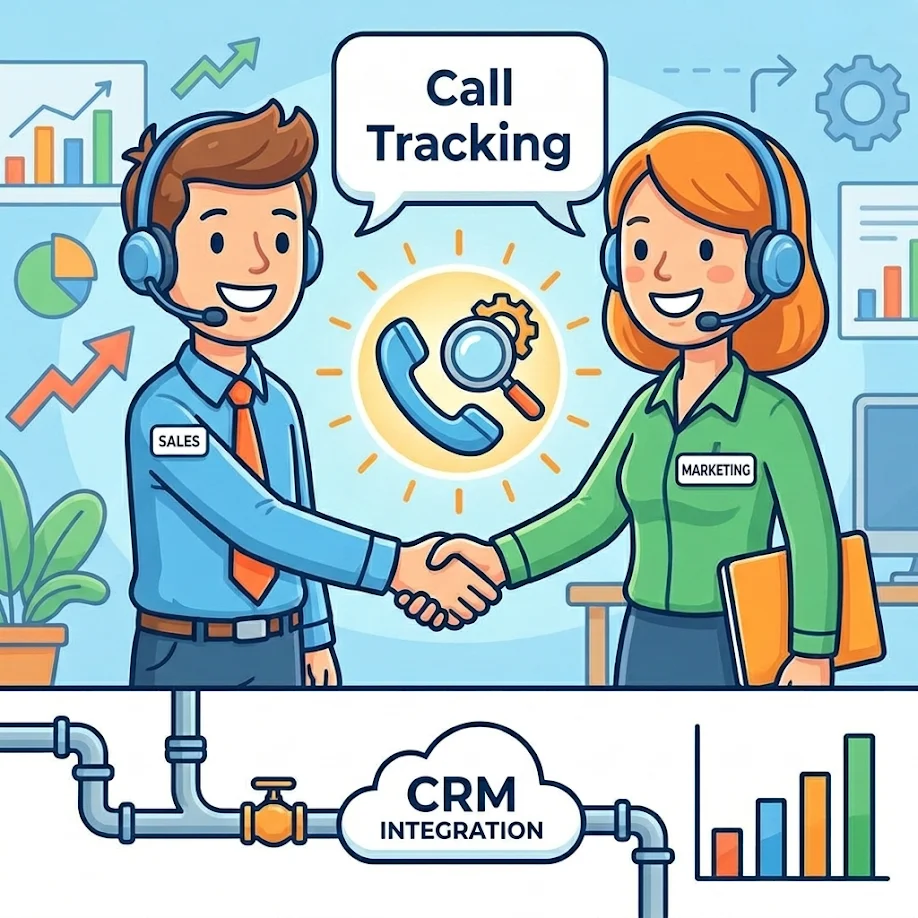
Zoho Call Tracking Integration

14 days free trial

No credit card required

Zoho CRM integration available

What Is Zoho Call Tracking?

Zoho call tracking connects inbound phone calls with Zoho CRM lead records and marketing attribution data. AvidTrak helps teams track call source, campaign, keyword, landing page, caller details, call recording, AI-powered transcript, and outcome, then report phone calls into Zoho for better sales follow-up and CRM reporting.

This helps teams connect phone leads with the same CRM process used for web leads, sales activity, and deal follow-up.

Google Business Profile Call Tracking Number Guidelines

Zoho Reports Lose Context When Phone Leads Stay Outside the CRM

Zoho CRM can help teams manage leads and sales activity, but call data can become disconnected when phone calls stay inside a separate phone system or call log. This makes it harder to understand which campaigns created calls and which calls deserve sales follow-up.

Without Zoho call tracking, teams may miss:

  • Which campaigns created phone leads
  • Which Google Ads keywords generated calls
  • Which landing pages drove high-intent conversations
  • Which calls should become Zoho leads
  • Which calls included pricing, booking, quote, or demo intent
  • Which calls were support requests instead of new leads
  • Which missed calls need a callback
  • Which call outcomes should appear in CRM reports
  • Which calls should influence campaign budget decisions

AvidTrak helps connect phone leads with Zoho CRM, so sales and marketing teams can review call activity with source, transcript, and outcome context.

How AvidTrak Connects Call Tracking With Zoho CRM

Report Phone Calls Into Zoho as Leads

Report Phone Calls Into Zoho as Leads

AvidTrak’s Zoho integration can report phone calls into Zoho as leads. This helps sales teams follow up from inside the CRM instead of relying only on call logs, spreadsheets, or manual notes.

Sync Campaign-Specific Call Data

Sync Campaign-Specific Call Data

AvidTrak can connect campaign-specific tracking numbers with Zoho, so teams can see where phone leads came from. This helps connect calls with campaign source, ad channel, keyword context, landing page, and other attribution details where configured.

Add Caller Details to CRM Follow-Up

Add Caller Details to CRM Follow-Up

AvidTrak can pass caller details into Zoho workflows, helping reps see who called, when the call happened, and which source created the inquiry. This gives sales teams more context before contacting the lead.

Connect Recordings and AI-Powered Transcripts

Connect Recordings and AI-Powered Transcripts

AvidTrak supports call recordings and AI-powered transcription. Teams can use this data to review what the caller asked, what the agent said, which objections came up, and what next step was discussed.

Use Outcomes for Cleaner Lead Reporting

Use Outcomes for Cleaner Lead Reporting

AvidTrak’s AI-powered conversation outcome extraction can help classify calls by result, such as booking requests, pricing inquiries, quote requests, demo interest, sales questions, support needs, or other configured outcomes.

Improve Sales Follow-Up From Zoho

Improve Sales Follow-Up From Zoho

Sales reps can review call source, caller context, recording, transcript, and outcome before calling back. This helps reduce repeated questions and gives the team a clearer view of lead intent.

What Call Data Can Support Zoho CRM Records?

The exact data passed into Zoho depends on the integration setup, field mapping, permissions, and account configuration. AvidTrak can support Zoho workflows that give sales and marketing teams better context around inbound phone leads.

Call Data
How It Helps in Zoho
Caller phone number Helps identify or create the lead record
Caller details Gives sales team context before follow-up
Call source Shows which channel created the phone lead
Campaign name Helps connect calls with marketing activity
Keyword data Shows keyword-level context where configured
Landing page Shows which page influenced the call
Call recording Helps team review original conversation
AI-powered transcript Helps reps understand the call without replaying the full recording
Call summary Gives team a faster view of the main call details
Caller intent Helps identify pricing, booking, demo, quote, or support needs
Conversation outcome Helps sales and marketing teams report lead quality
Missed call status Helps teams identify callback opportunities
Google Business Profile Call Tracking Number Guidelines

Add AI-Powered Call Context to Zoho Lead Follow-Up

AvidTrak helps sales and marketing teams use more than basic caller ID and call duration. AI-powered call data gives Zoho users a clearer view of what happened during a phone conversation.

AvidTrak can help teams review:

  • Call transcripts
  • Call summaries
  • Caller intent
  • Sentiment
  • Keyword mentions
  • Pricing questions
  • Demo requests
  • Quote requests
  • Appointment requests
  • Booking requests
  • Sales objections
  • Support needs
  • Follow-up requirements
  • Conversation outcomes

AvidTrak and Zoho CRM Workflow

01

Track the Call Source

AvidTrak tracks the call source through tracking numbers, dynamic number insertion, campaigns, landing pages, or offline source tracking.

02

Record and Analyze the Call

AvidTrak records calls where allowed and can create an AI-powered transcript, call summary, keyword flags, sentiment data, and conversation outcome where configured.

03

Report the Call Into Zoho

AvidTrak can report phone calls into Zoho as leads through the Zoho integration. This gives the sales team a CRM record connected to the call.

04

Review the Call Before Follow-Up

The sales team can review caller details, source context, recording, transcript, summary, and outcome before contacting the lead.

05

Measure Campaign Quality

Marketing teams can compare call source, campaign, keyword, landing page, transcript data, and outcomes to see which campaigns create stronger Zoho leads.

Zoho Call Tracking Use Cases

Lead Capture From Phone Calls

Lead Capture From Phone Calls

AvidTrak helps teams report phone calls into Zoho as leads. This gives sales teams a cleaner way to manage inbound phone inquiries alongside form fills, email leads, and other CRM activity.

Marketing Attribution

Marketing Attribution

AvidTrak connects calls with campaigns, sources, keywords, landing pages, and outcomes where configured. This helps marketers see which channels create phone leads that should move into Zoho.

Lead Qualification

Lead Qualification

AvidTrak helps separate qualified calls from support calls, spam, wrong numbers, existing customer calls, and low-fit inquiries. This helps teams keep Zoho lead reporting cleaner.

Agency Reporting

Agency Reporting

Agencies that manage Zoho-based clients can use AvidTrak to show which campaigns created phone leads, which calls had sales intent, and which calls should count as qualified opportunities.

Multi-Channel Campaign Tracking

Multi-Channel Campaign Tracking

AvidTrak can help teams track calls from Google Ads, Microsoft Advertising, organic search, email campaigns, landing pages, offline campaigns, and local campaigns, then connect that call data with Zoho workflows.

AvidTrak vs Basic Call Logging in Zoho

Basic call logging can show that a call happened. AvidTrak helps teams understand where the call came from, what was said, and whether the call showed real lead value.

Need
Basic Call Logging
AvidTrak With Zoho CRM
Call source Usually limited or manually added AvidTrak can show source, campaign, keyword, and landing page where configured.
Lead creation May require manual entry AvidTrak can report phone calls into Zoho as leads.
Call recording May sit outside the CRM process AvidTrak can support recording access where configured.
AI-powered transcript Usually not available in basic call notes AvidTrak can create searchable transcripts.
Call summary Often typed manually AvidTrak can support AI-generated summaries.
Caller intent Usually based on rep notes AvidTrak can help identify caller intent from the conversation.
Outcome tracking Often inconsistent AvidTrak supports AI-powered conversation outcome extraction.
Marketing attribution May not connect to campaigns AvidTrak connects calls with campaign and source data where configured.
Follow-up quality Reps may lack call context Reps can review transcript, recording, summary, and outcome before follow-up.

Connect Zoho Call Tracking With Ads,
Analytics, and Reports

Google Ads

Google Ads

Microsoft Advertising

Microsoft Advertising

Google Marketing Platform

Google Marketing Platform

Google Analytics 4

Google Analytics 4

Google Looker Studio

Google Looker Studio

Zoho

Zoho

Hubspot

Hubspot

Salesforce

Salesforce

Add Call Tracking to Zoho Without
Heavy Platform Costs

Starter

Starter

$15 mo
  • 5 Numbers
  • 500 Minutes
  • 500 Call Recording Minutes
  • 500 CNAME Lookup Calls
  • -
Choose Plan
Professional

Professional

$30 mo
  • 10 Numbers
  • 1500 Minutes
  • 1500 Call Recording Minutes
  • 100 CNAME Lookup Calls
  • -
Choose Plan
Agency

Agency

$55 mo
  • 30 Numbers
  • 2500 Minutes
  • 2500 Call Recording Minutes
  • 300 CNAME Lookup Calls
  • 1000 Client Accounts
Choose Plan

Stop Letting Phone Leads Sit Outside Zoho,
Start With AvidTrak

Use AvidTrak to track inbound calls by campaign, keyword, source, landing page, caller details, recording, AI-powered transcript, and outcome where configured. Connect phone calls with Zoho CRM so sales and marketing teams can follow up faster and report lead quality with better

Start Free Trial

Frequently Asked Questions

Zoho call tracking connects inbound phone calls with Zoho CRM lead activity. AvidTrak helps teams track caller details, source, campaign, keyword, landing page, recording, transcript, and outcome data.

Yes. AvidTrak has a Zoho CRM integration that can report phone calls into Zoho as leads, helping sales teams manage phone inquiries inside their CRM.

Yes. AvidTrak's Zoho setup guide says phone calls can be reported into Zoho as leads after the integration is connected and authorized through Zoho.

AvidTrak can support caller details, source, campaign, keyword data where configured, landing page, call recording, AI-powered transcript, summary, sentiment, caller intent, and outcome data.

Yes. AvidTrak can track Google Ads calls by campaign, source, landing page, and keyword where configured. That call data can support Zoho lead and reporting workflows.

Yes. AvidTrak creates AI-powered transcripts from recorded calls. Those transcripts or transcript links can support Zoho follow-up workflows depending on the setup.

Yes. AvidTrak supports AI-powered conversation outcome extraction. Those outcomes can help Zoho users separate qualified leads from support calls, spam, wrong numbers, and low-fit inquiries.

Yes. Zoho call tracking gives reps better context before follow-up. AvidTrak can provide source data, caller details, recordings, transcripts, summaries, and outcomes.

Yes. Agencies can use AvidTrak with Zoho CRM to show which campaigns generated phone leads, which calls had sales intent, and which sources produced better lead quality.

AvidTrak is a strong fit because it combines Zoho CRM integration, campaign attribution, DNI, call recording, AI-powered transcription, conversation outcomes, routing, API, webhooks, and reporting support.

NEED MORE DETAILS?

Contact us to schedule your demo today.

Learn About Intelligent Call Tracking