Call Tracking for Local SEO
and Google Business Profile Calls

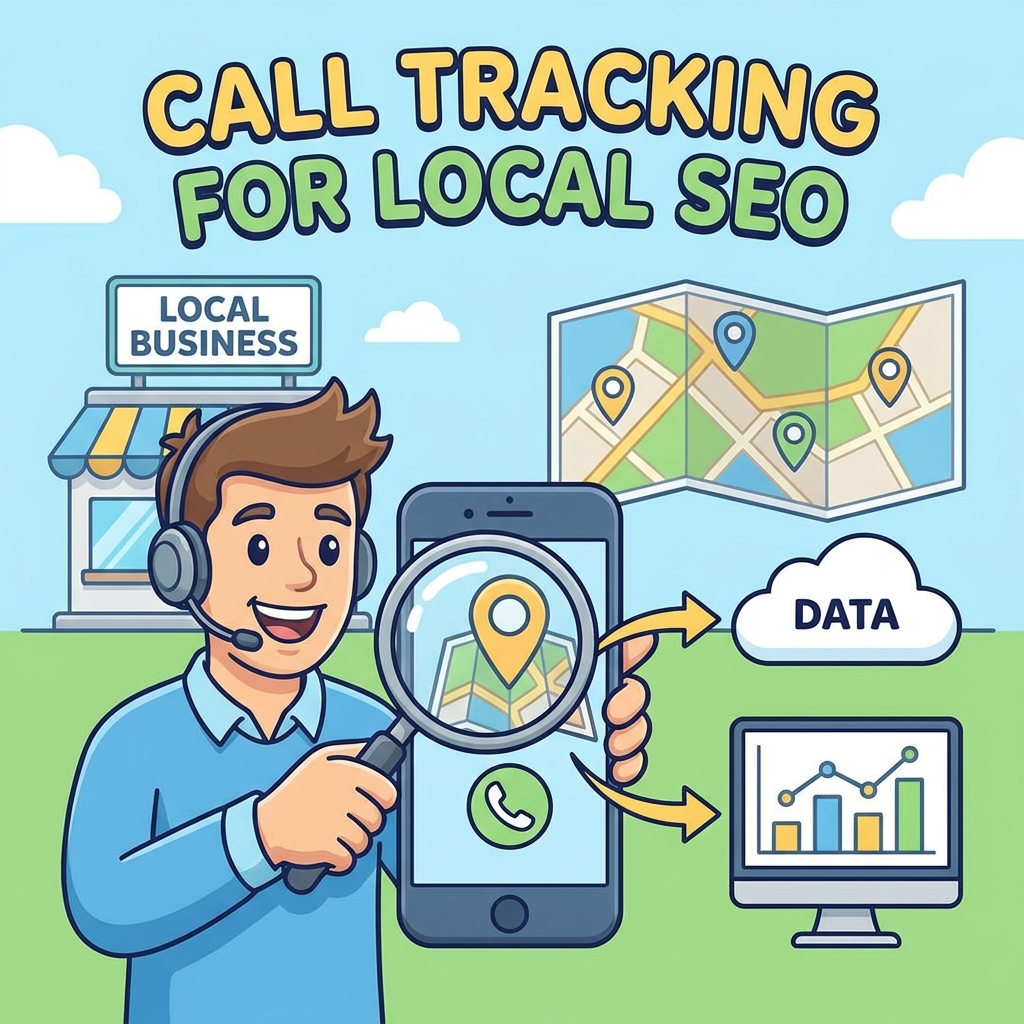
Local SEO often drives high-intent phone calls from Google Business Profile, organic search, service pages, location pages, and local directory listings. AvidTrak helps local businesses and agencies track those calls without losing sight of NAP consistency, local phone number setup, and SEO-safe implementation.

AvidTrak can help connect phone leads to local landing pages, organic search visits, campaign sources, call recordings, AI-powered transcripts, and call outcomes where configured.
Call Tracking for Local SEO and Google Business Profile

14-day free trial

No credit card required

CRM and Google Ads integrations available

What Is Call Tracking for Local SEO?

Call tracking for local SEO connects phone calls from organic search, Google Business Profile, location pages, service pages, and local campaigns with measurable lead data. AvidTrak helps local businesses track which pages and sources generate calls while supporting SEO-safe setup through local numbers, DNI, NAP consistency, and reporting.

Local businesses often rank well but still struggle to prove which pages, locations, or search campaigns create real calls. AvidTrak helps close that reporting gap by tying calls to source, landing page, session, recording, transcript, and outcome data where configured.

Google Business Profile Call Tracking Number Guidelines

Google Business Profile Call Tracking Number Guidelines

Google Business Profile call tracking needs a careful setup. The goal is to measure calls without creating confusing phone number signals across Google, the website, and local directories.

A safe local SEO setup should follow these principles:

  • Use a local phone number whenever possible.
  • Use a number that is under the direct control of the business.
  • Avoid numbers that redirect users to another business or lead seller.
  • Keep the main business phone number consistent across the website and key citations.
  • Use additional phone number fields where appropriate.
  • Make sure the number shown to customers reaches the actual business location or service team.
  • Keep tracking numbers organized by source, campaign, location, or use case.

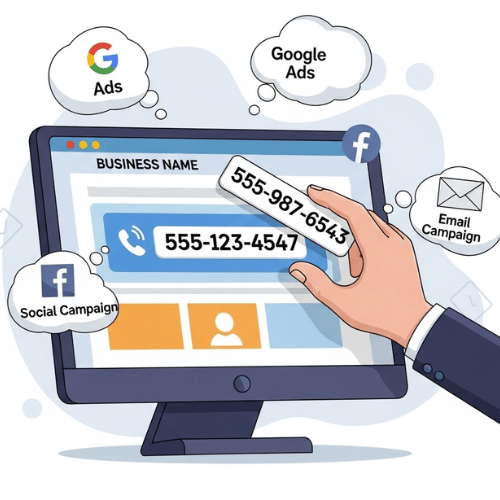
AvidTrak can support this setup by using dynamic number insertion on the website and static tracking numbers for specific sources when needed. This gives local SEO teams a way to measure calls while keeping the primary local business number stable for search engines and local listings.

How AvidTrak Helps Track Local SEO Phone Leads

Track Calls From Organic Search

Track Calls From Organic Search

AvidTrak helps connect calls from organic search visits with landing pages, source data, sessions, recordings, and conversion details. This helps SEO teams measure phone leads from search, not only clicks and traffic.

Track Calls From Location Pages

Track Calls From Location Pages

AvidTrak can help identify which location pages generate calls. This matters for multi-location businesses, franchises, clinics, home service companies, law firms, agencies, and local service brands with separate city or branch pages.

Track Calls From Service Pages

Track Calls From Service Pages

AvidTrak can help show which local service pages create phone leads. For example, a plumbing company can compare calls from drain cleaning, emergency plumbing, sewer repair, and water heater pages.

Track Calls From Google Business Profile

Track Calls From Google Business Profile

AvidTrak can assign a local tracking number for Google Business Profile when the setup follows Google's phone number guidance and the main business number remains connected to the business profile as an additional number where appropriate.

Track Calls Without Breaking NAP Consistency

Track Calls Without Breaking NAP Consistency

AvidTrak's SEO-safe DNI setup can keep the primary local business number in the website HTML source while showing a tracking number to visitors. This helps protect crawler visibility and avoids unnecessary confusion across listings.

Use Local Numbers Without Creating NAP Confusion

NAP consistency means the business name, address, and phone number should stay consistent across the website, Google Business Profile,
and important local listings. Local SEO teams often worry that call tracking will create phone number conflicts.

The right setup depends on the source being tracked.

Tracking Need
Recommended Setup
Why It Works
Website calls from organic search Use DNI while keeping the main local number in the HTML source This helps track calls without changing the number crawlers see.
Google Business Profile calls Use a local tracking number only when it is controlled by the business and paired with the main number as appropriate This helps measure GBP calls while keeping the real business number connected.
Local directory listings Be conservative with tracking numbers unless the directory is being tracked intentionally Too many inconsistent numbers across citations can create reporting and NAP issues.
Offline local campaigns Use static tracking numbers for mailers, flyers, print ads, and local sponsorships Offline sources need separate numbers because DNI does not apply.
Multi-location SEO Use location-specific numbers and reporting rules This helps compare call volume and call quality by branch, city, or service area.
Call Tracking Tradeoffs Local SEO Teams Should Understand

Call Tracking Tradeoffs Local SEO Teams Should Understand

Call tracking is useful for local SEO, but it needs a careful setup because too many tracking numbers across Google Business Profile, the website, and local directories can create NAP confusion.

AvidTrak helps businesses balance attribution and consistency by using DNI on the website, local tracking numbers where appropriate, and call data such as source, landing page, recordings, AI-powered transcripts, missed calls, and outcomes to measure lead quality instead of call volume alone.

A Practical Call Tracking Setup for Local SEO

01

Keep the Main Local Number Stable

Keep the main local business number consistent across the website, Google Business Profile, and core citations. This gives search engines and customers a stable number to associate with the business.

02

Use DNI on the Website

Use dynamic number insertion for website visitors from organic search, Google Ads, social, email, or other sources. AvidTrak can show tracking numbers to users while keeping the main local number in the HTML source.

03

Track Google Business Profile Carefully

Use a local call tracking number for GBP only when the business controls the number and the setup keeps the actual business number associated with the profile.

04

Separate Location and Service Calls

Track calls by city page, branch page, service page, or service area where needed. This helps local SEO teams understand which pages create phone leads and which pages only create traffic.

05

Review Call Quality

Use call recordings, AI-powered transcription, and outcome extraction to separate qualified leads from spam, support calls, wrong numbers, and existing customer calls.

06

Connect Data With Reports

Send call data into CRM, Google Analytics, Google Ads, Google Sheets, Google Looker Studio, API, or webhooks where needed.

Local SEO Call Tracking Use Cases

AvidTrak can support local businesses and agencies that need to connect phone leads with search visibility,
page performance, and local campaign results.

Multi-Location Businesses

Multi-Location Businesses

Track calls by branch, location page, city page, or service area. This helps teams compare which locations generate qualified phone leads and which locations need stronger local SEO support.

Service Area Businesses

Service Area Businesses

Track calls from local service pages and city pages, even when customers do not visit a physical storefront. This works well for contractors, home services, repair companies, and appointment-based services.

Agencies Managing Local SEO Clients

Agencies Managing Local SEO Clients

AvidTrak helps agencies show which SEO pages and local campaigns generate calls, not only rankings and traffic. This supports clearer client reporting and better budget decisions.

Franchise and Branch Networks

Franchise and Branch Networks

Track calls by franchise location, office, or service territory. AvidTrak can also support routing rules such as ZIP code routing, area code routing, business hours, IVR, sequential routing, and simultaneous routing.

High-Call-Volume Local Brands

High-Call-Volume Local Brands

Track and review missed calls, spam calls, call outcomes, recordings, and transcripts. This helps teams understand whether local SEO is creating real sales opportunities or just more phone activity.

AvidTrak vs Basic Call Tracking for Local SEO

Basic call tracking can show that a call happened. AvidTrak helps local SEO teams understand where the call came from,
which page influenced it, and whether the call had real lead value.

Need
Basic Call Tracking Setup
AvidTrak
Local SEO call attribution Tracks broad call volume Connects calls with source, landing page, session, and conversion data
NAP consistency May replace numbers without SEO safeguards Supports DNI while keeping the main number visible for crawlers
Google Business Profile calls May use one tracking number without guidance Supports local number tracking with a more careful GBP setup
Location-page reporting Often limited Helps track calls by location page, service page, or local page
Organic keyword visibility Often unclear Uses landing page and session data when direct organic keyword data is limited
Lead quality review Usually based on call counts Uses recordings, AI-powered transcripts, outcomes, and call details
Routing Basic forwarding Supports IVR, ZIP code, area code, business hours, sequential routing, and simultaneous routing
Reporting Manual or limited Connects call data with CRM, analytics, spreadsheets, and reporting tools

Connect Local SEO Calls With CRM, Ads, and Reports

Google Ads

Google Ads

Microsoft Advertising

Microsoft Advertising

Google Marketing Platform

Google Marketing Platform

Google Analytics 4

Google Analytics 4

Google Looker Studio

Google Looker Studio

Zoho

Zoho

Hubspot

Hubspot

Salesforce

Salesforce

Start Tracking Local SEO Calls Without Enterprise Pricing

Starter

Starter

$15 mo
  • 5 Numbers
  • 500 Minutes
  • 500 Call Recording Minutes
  • 500 CNAME Lookup Calls
  • -
Choose Plan
Professional

Professional

$30 mo
  • 10 Numbers
  • 1500 Minutes
  • 1500 Call Recording Minutes
  • 100 CNAME Lookup Calls
  • -
Choose Plan
Agency

Agency

$55 mo
  • 30 Numbers
  • 2500 Minutes
  • 2500 Call Recording Minutes
  • 300 CNAME Lookup Calls
  • 1000 Client Accounts
Choose Plan

Stop Reporting Local SEO Leads Without Phone Call Data, Start With AvidTrak

Track calls from organic search, Google Business Profile, local pages, service pages, and offline campaigns while keeping NAP consistency and local number setup in view. AvidTrak helps local teams connect phone leads with source, page, transcript, outcome, and report data.

Start Free Trial

Frequently Asked Questions

Call tracking for local SEO connects phone calls with organic search, Google Business Profile, local pages, service pages, and location pages. AvidTrak helps teams measure phone leads beyond clicks and rankings.

Call tracking can create problems if numbers are used carelessly across listings. AvidTrak supports SEO-safe DNI, helping keep the main local number visible while tracking website calls.

Google recommends using a local phone number where possible, keeping the number under business control, avoiding referral numbers, and using additional phone numbers when needed for local surfaces.

Yes, but the setup should be careful. Use a local tracking number controlled by the business and keep the main business number associated with the profile where appropriate.

AvidTrak can use DNI on the website while keeping the primary local number in the HTML source. This helps crawlers see consistent NAP data during call tracking.

Yes. AvidTrak can connect calls from organic search visits with landing pages, source data, session details, recordings, and conversion data for SEO phone lead tracking.

Yes. AvidTrak can help track calls from location pages, city pages, service-area pages, and branch pages, so teams can compare local SEO performance by market.

AvidTrak can support GBP call tracking with a dedicated local number when the setup follows Google's phone number guidance and keeps the business's real number connected.

The number depends on the tracking goal. One number can track a broad source, while DNI or number pools can support page-level, session-level, or campaign-level attribution.

AvidTrak is a strong fit because it supports DNI, local number setup, SEO-safe tracking, landing-page attribution, AI-powered transcription, outcome extraction, routing, and CRM reporting.

NEED MORE DETAILS?

Contact us to schedule your demo today.

Learn About Intelligent Call Tracking