


Inbound call tracking software helps businesses connect phone calls to the marketing channels, campaigns, keywords, and pages that drove them. It gives teams a clearer view of call source, lead attribution, call analytics, and sales conversions, so they can see which marketing tactics are actually generating valuable inbound leads.
This guide is for marketers, agencies, sales teams, and businesses that rely on phone calls to generate revenue. If you want to improve attribution accuracy, track ad spend more closely, review call quality, and choose a platform that fits your budget and workflow, this comparison will help.
We reviewed these inbound phone call tracking tools based on pricing, reporting depth, call management features, integrations with CRM systems and customer relationship management platforms, AI features, routing options, and ease of use. We also looked at how well each platform supports call tracking, call attribution, call logs, call activity, and day-to-day decision-making for teams that handle inbound leads.
Below are the 10 best inbound call tracking software tools for 2026, including options for small businesses, agencies, and larger teams. Each one is compared for features, pricing, and the areas that matter most when choosing the best inbound call tracking software.
What is Inbound Call Tracking Software?
Inbound call tracking software helps businesses track, measure, and analyze phone calls generated from marketing channels such as paid ads, websites, social media, and offline campaigns. It connects each call to its call source, giving teams clear visibility into call attribution, call analytics, and sales conversions.
Instead of treating phone calls as untracked leads, this software records call activity, logs call metrics, and shows which campaigns are driving high-value conversations. This helps teams improve ad spend, refine targeting, and understand how phone leads move through the customer journey.
How Inbound Phone Call Tracking Works
Inbound call tracking follows a simple flow that connects marketing activity to real phone conversations:
- A visitor sees a phone number on an ad, landing page, or website (often using virtual numbers or dynamic number insertion).
- The visitor calls that number. The call is routed through the call-tracking system rather than going directly to your business.
- The software captures key data. This includes call source, campaign, keyword, location, and other call metrics.
- The call is connected using call forwarding or agent routing. Teams receive the call through a call center or Inbound Call Center Software setup.
- Data is stored and visualized. All call logs, call activity, and call attribution are shown in an analytics dashboard or a call analytics dashboard.
- Teams review performance. Businesses analyze call quality metrics, agent performance, and campaign ROI to improve results
This process turns phone calls into measurable data. It helps teams track ad spend, improve attribution accuracy, and make better decisions with visualized data rather than guesswork.
Why Businesses Use Inbound Call Tracking Software?
Inbound call tracking software is used to turn phone calls into measurable data. It helps businesses connect call tracking with real outcomes such as sales conversions, lead attribution, and campaign ROI, instead of relying on guesswork.
1. Better Marketing Attribution
Inbound call tracking software links every phone call to its exact call source, campaign, keyword, or channel. This improves call attribution and multi-channel attribution, giving teams a clear view of which digital channels and offline campaigns are driving results.
2. Faster Lead Follow-Up
With access to call logs, call activity, and call summaries, teams can respond to inbound leads quickly. Faster response times improve customer experience and increase the chances of converting high-intent sales calls.
3. Clearer Call Source Reporting
A centralized call analytics dashboard shows where calls are coming from, how many calls each campaign generates, and which ones lead to conversions. Dashboards make it easier to track call metrics, review performance, and adjust campaigns in real time.
4. Smarter Budget Allocation
By tying calls directly to campaigns, businesses can compare ad spend with actual outcomes. This improves ROI tracking and helps teams invest more in channels that generate high-quality calls instead of low-value traffic.
5. Better Visibility Into Caller Intent
Features such as AI-powered conversation intelligence, speech analytics, and voice analytics help teams understand why customers are calling. This includes identifying pricing inquiries, booking requests, and other call outcomes that signal strong buying intent.
6. Improved Call Quality And Training
Call recordings, call transcriptions, and call quality metrics allow teams to review conversations and improve agent performance. This is especially useful for call center managers who need to maintain consistent call quality across teams.
What Are the Key Features of the Best Inbound Call Tracking Software?
The best inbound call tracking software combines call tracking, call analytics, routing, and reporting to connect phone calls with real business outcomes. These features help teams improve lead attribution, monitor call quality, and make decisions using accurate data tied to real sales conversions.
Below are the core features to compare when choosing the best inbound call tracking software:
Dynamic Number Insertion (DNI)
Dynamic Number Insertion assigns different virtual numbers to campaigns, ads, or visitors. This makes it possible to track the exact call source, improve call attribution, and increase attribution accuracy across digital channels and offline campaigns.
Call Routing and IVR
Call routing systems use call forwarding, IVR menus, and agent routing to connect callers to the right team. This improves response time, reduces missed opportunities, and supports a smoother customer experience within a call center or Inbound Call Center Software setup.
Call Recording and AI-powered Transcription
Call recording stores conversations, while AI-powered transcription converts them into searchable call transcriptions. This allows teams to review call quality, capture customer feedback, and scan call summaries without listening to every call.
AI-powered Conversation Intelligence
Features such as AI-powered conversation intelligence, speech analytics, and voice analytics analyze conversations to identify intent. Teams can track call outcomes, understand buyer signals, and use AI-powered voice intelligence and conversational AI to improve decision-making.
Call Analytics and Reporting Dashboard
A centralized analytics dashboard or call analytics dashboard displays call logs, call activity, and call metrics in one place. This gives teams clear, visualized data on performance, including campaign ROI, call trends, and conversion patterns.
CRM and Integration Support
Integrations with CRM systems, CRM platforms, and Customer Relationship Management tools connect call data with lead records. This helps teams manage the customer journey, improve follow-ups, and align marketing with sales activity.
Spam Filtering and Call Validation
Built-in spam filtering and call validation rules help filter out low-quality calls. This improves call quality metrics, keeps reporting accurate, and allows teams to focus on valuable conversations.
Multi-location and Agency Support
Many platforms support multiple numbers, locations, and users under one system. This helps agencies and multi-location businesses manage call tracking, monitor agent performance, and track results across campaigns.
Unified Communications and Omnichannel Messaging
Some tools extend beyond calls with unified communications and omnichannel messaging. This supports a consistent customer service experience across calls, messages, and other touchpoints.
Pricing Transparency and Scalability
Clear pricing models help businesses scale without unexpected costs. This is especially important when managing high volumes of calls and expanding call management features over time.
10 Best Inbound Call Tracking Software for 2026
- AvidTrak: Combines call tracking, AI-powered transcription, and AI-powered conversation outcome extraction with flexible routing and strong support, making it suitable for both simple and complex tracking needs.
- Aircall: Focuses on call handling with routing, IVR, and CRM integrations, making it a fit for teams managing a high volume of inbound calls.
- Dialics: Offers straightforward inbound call tracking with local numbers, dynamic routing plans, and usage-based pricing for smaller teams.
- Convirza: Emphasizes conversation analysis with sentiment analysis, speech analytics, and conversion tracking to understand call outcomes.
- CallRail: Provides campaign-level tracking with Dynamic Number Insertion and supports tracking across multiple marketing channels.
- RingCentral: Designed for enterprise communication, combining call management, routing, and integrations with CRM systems.
- CallHippo: Delivers basic call tracking with global virtual numbers, routing, and simple setup for small businesses.
- CallScaler: Built for pay-per-call campaigns with tools for tracking call source, managing call flows, and handling missed calls.
- CallTrackingMetrics: Offers advanced attribution, routing, and reporting with integrations such as Google Analytics 4 for tracking campaign performance.
- CloudTalk: Focuses on call handling and team workflows with routing, queuing, and tools for managing high inbound call volumes.
1. AvidTrak
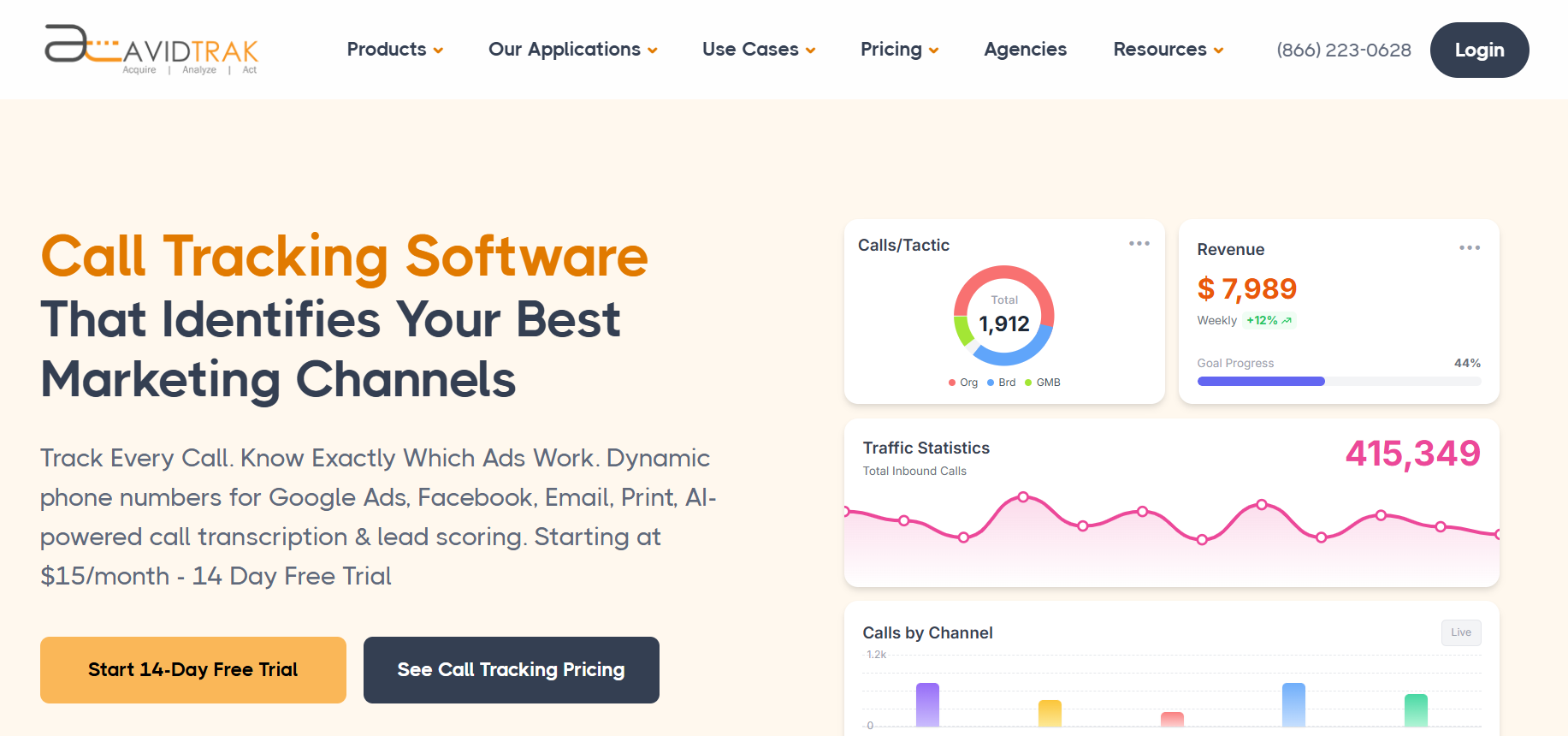
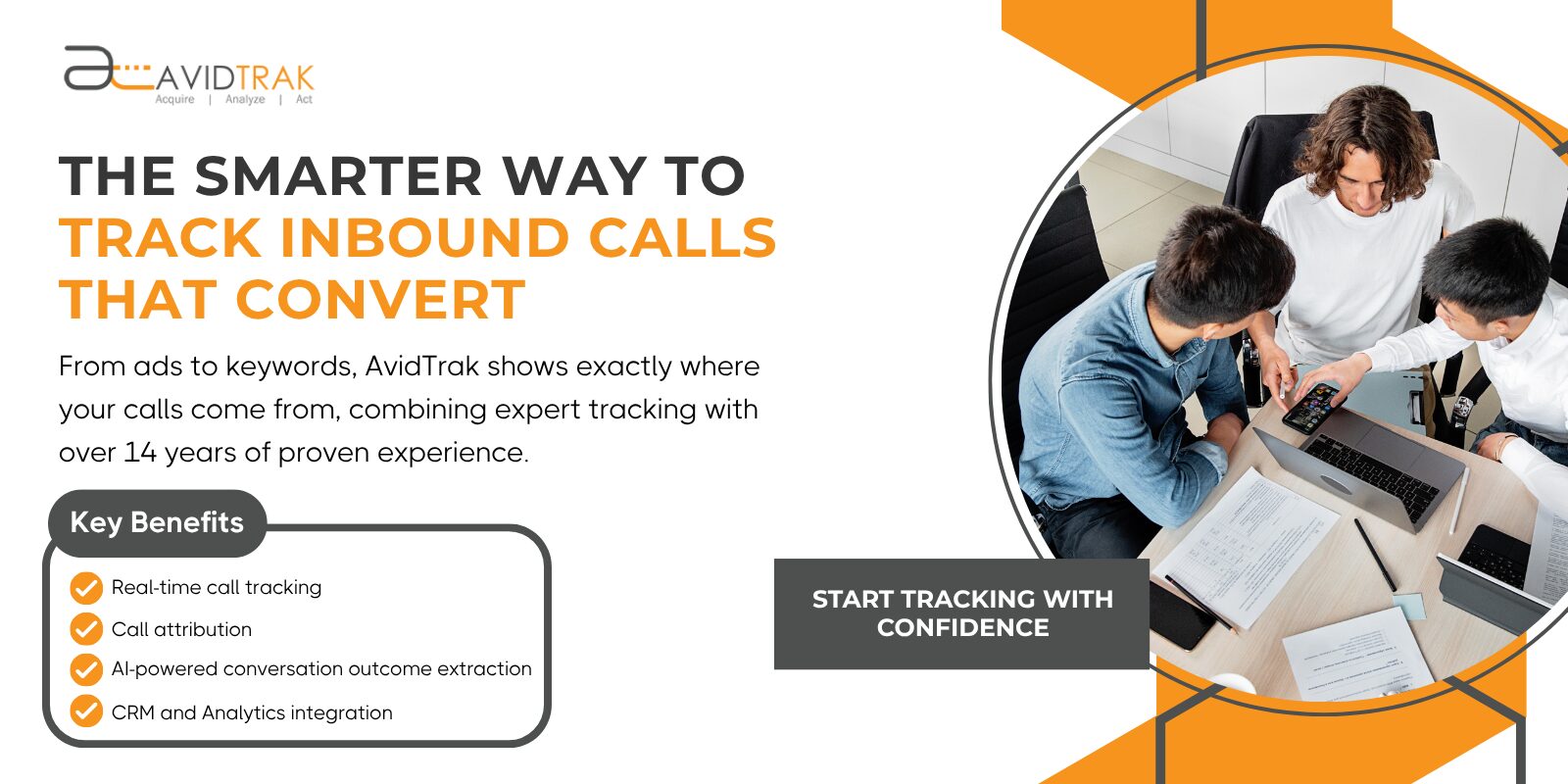
AvidTrak is an inbound call tracking software built for businesses that need both simple call tracking and more advanced attribution or routing setups. It connects call tracking, call attribution, and call analytics with features such as AI-powered transcription, AI-powered conversation intelligence, and Dynamic Number Insertion.
AvidTrak is also designed for teams that want flexibility. Businesses can start with basic tracking and expand into advanced routing, call analytics dashboard reporting, and CRM-connected workflows without switching platforms. Its pricing and product support make it a practical option for both straightforward and complex use cases.
Best For
Best for budget-conscious teams, agencies, and businesses that need flexible inbound call tracking with strong support for both simple setups and complex routing or attribution.
Features of AvidTrak
- Dynamic Number Insertion (DNI) for accurate call source tracking
- Advanced call routing with IVR, call forwarding, and sequential/simultaneous routing
- AI-powered transcription with keyword detection
- AI-powered conversation intelligence with call outcome tagging
- Call analytics dashboard with call logs, call activity, and visualized data
- Google Analytics 4 and CRM integrations across CRM systems and CRM platforms
- Area code and zip-based routing for multi-location businesses
- Spam filtering and call validation controls
- Leena (AI virtual receptionist) for handling missed or after-hours inbound calls and capturing caller information
- Avidia (AI data analyst) for querying call data, campaign performance, and conversation outcomes
- Email marketing Form tracking to connect online and offline conversions
Top 3 Features of AvidTrak for Inbound Call Tracking
1. Dynamic Number Insertion (DNI)
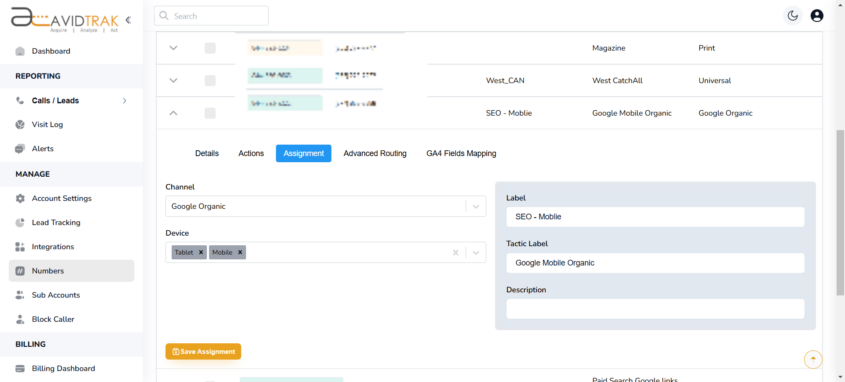
Dynamic Number Insertion assigns unique virtual numbers to campaigns and keywords. This improves call attribution, tracks exact call source, and supports multi-channel attribution across paid and organic campaigns.
2. AI-powered Transcription and Conversation Outcome Extraction
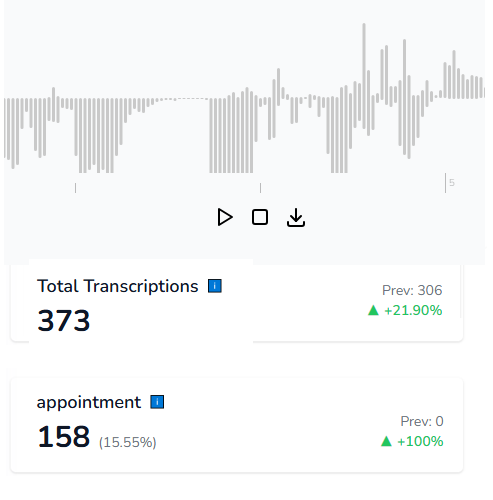
AI-powered transcription converts calls into searchable call transcriptions, while outcome extraction identifies key moments such as bookings or pricing inquiries. This helps teams review call summaries, understand intent, and act on high-value calls faster.
3. Advanced Call Routing and Attribution Control
AvidTrak combines routing and attribution in one system. Teams can manage call flow, apply agent routing, and track how calls move through the business while maintaining accurate attribution across campaigns and locations.
Pros of AvidTrak
- Transparent pricing with no hidden fees
- 14-day free trial with credit included
- Strong product support with fast response times
- Handles both simple tracking and complex routing setups
- Flexible configuration without additional cost layers
- Integrates well with Customer Relationship Management systems
- Supports detailed call metrics and campaign tracking
Cons of AvidTrak
- No GoHighLevel (GHL) integration
Pricing of AvidTrak
AvidTrak offers three pricing plans:
- Starter: $15/month
- Professional: $30/month
- Agency: $55/month
Final Verdict
AvidTrak is a strong choice for businesses that want reliable inbound call tracking without overpaying. It works well for teams that need clear call attribution, flexible routing, and consistent support, whether they are running simple campaigns or managing more complex tracking setups.
2. Aircall
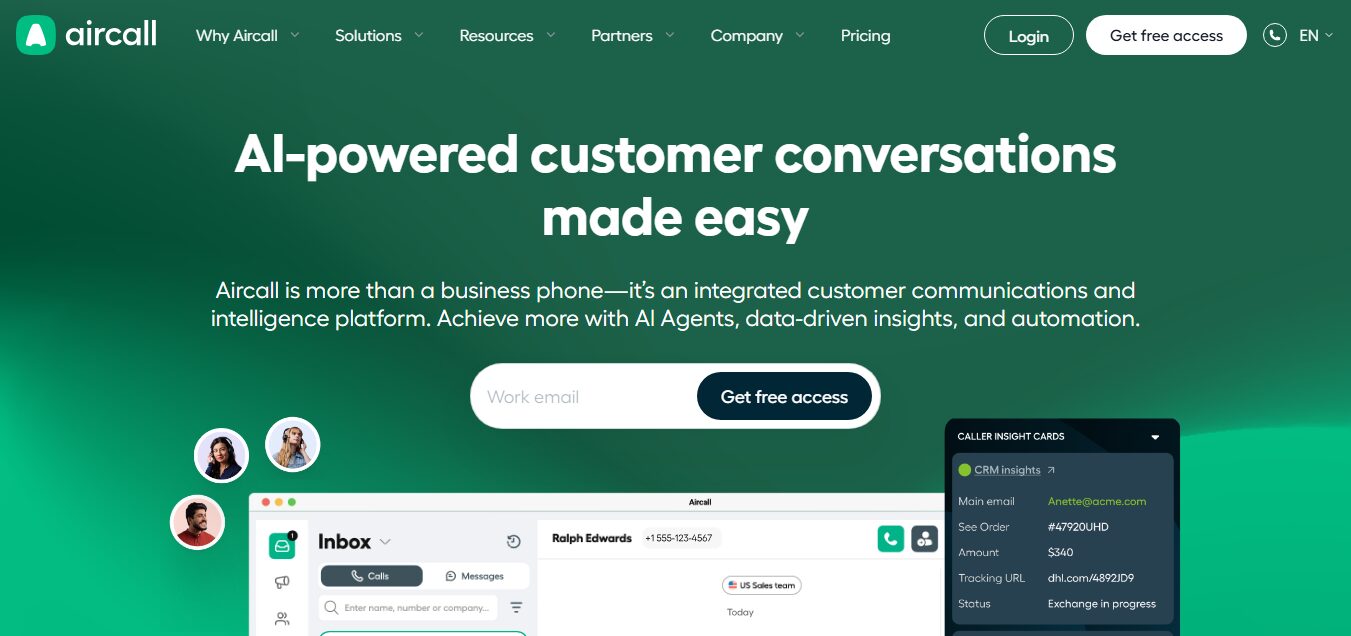
Aircall is a cloud-based phone system that combines inbound phone call tracking with call management for sales and support teams. It is designed for businesses that handle a steady volume of inbound calls and need structured call routing, basic call tracking, and CRM-connected workflows.
Unlike tools focused heavily on marketing attribution, Aircall leans more toward call handling and team productivity.
Best For
Best for call-heavy sales teams and support teams that need strong call handling, routing, and CRM-connected workflows rather than deep marketing attribution.
Features of AirCall
- Cloud-based call management system for inbound and outbound calls
- IVR and call routing
- Call routing with queue management and shared inboxes
- Call recording with optional compliance settings
- CRM integrations with tools used across Marketing & Sales teams
- Live reporting dashboard with call analytics and activity tracking
- Power dialer for outbound follow-ups
Top 3 Features of Aircall for Inbound Call Tracking
1. Call Routing and IVR
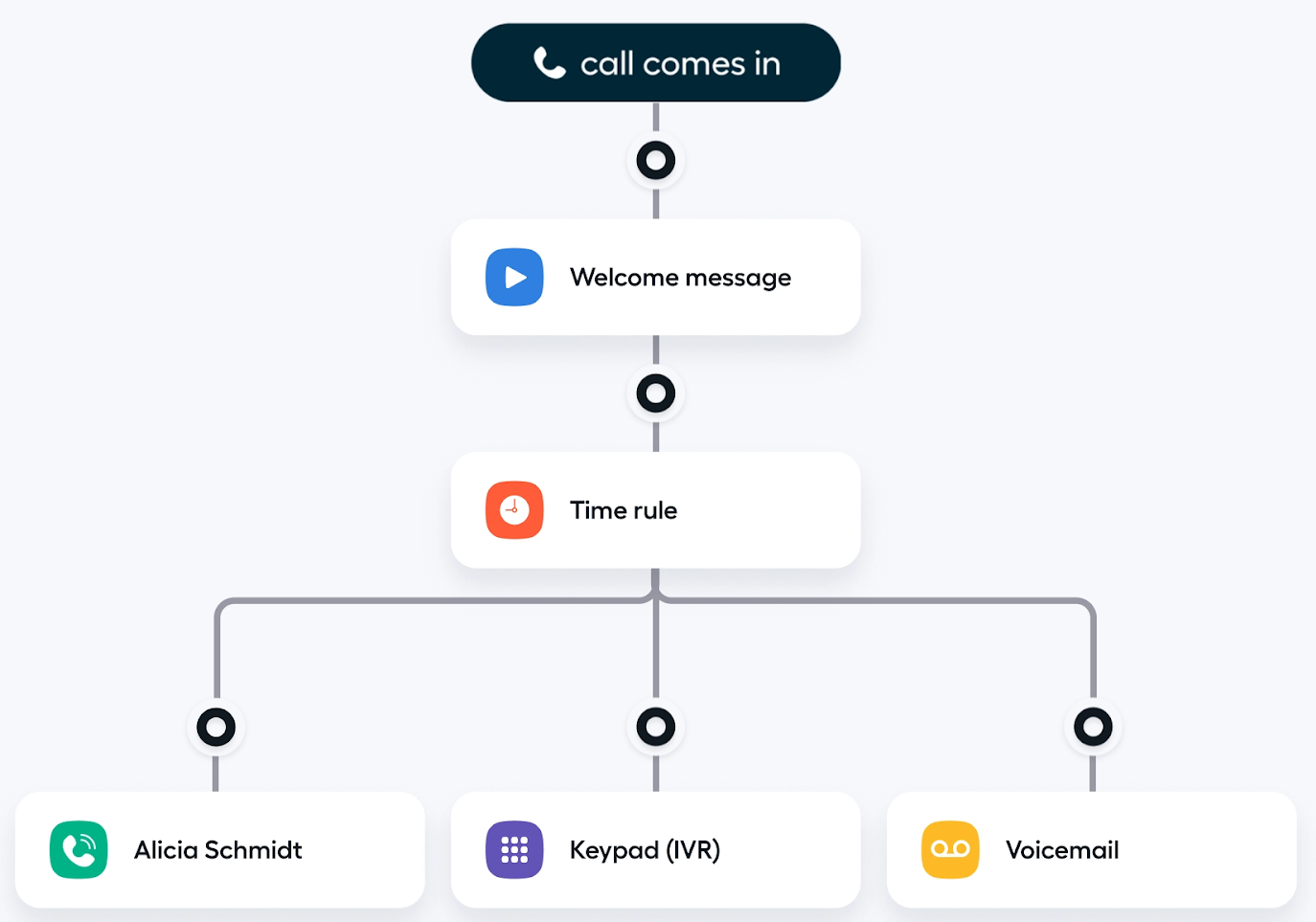
Aircall provides excellent call routing with IVR menus and queue systems. This helps teams manage large volumes of inbound calls and direct them to the right department or agent.
2. CRM and Marketing Tool Integrations
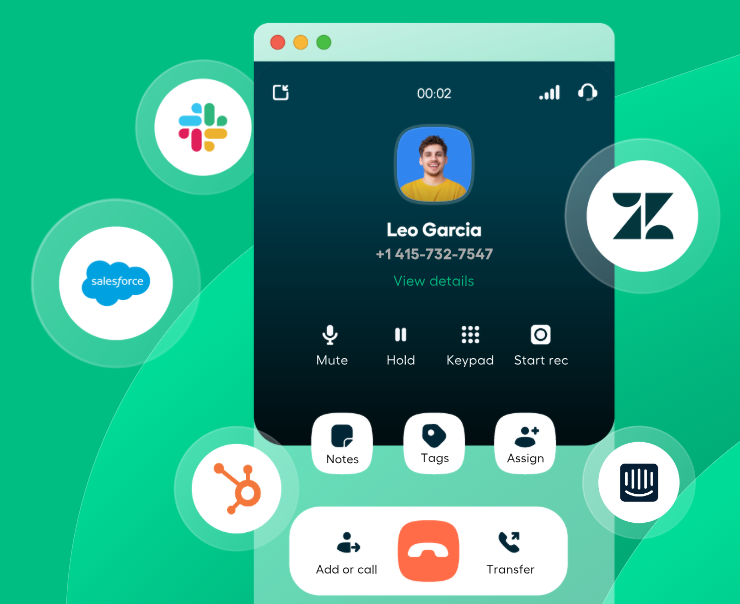
Aircall connects with CRM platforms and marketing technology integrations, allowing teams to link inbound calls with marketing campaigns and track leads from marketing across systems.
3. Call Analytics Dashboard
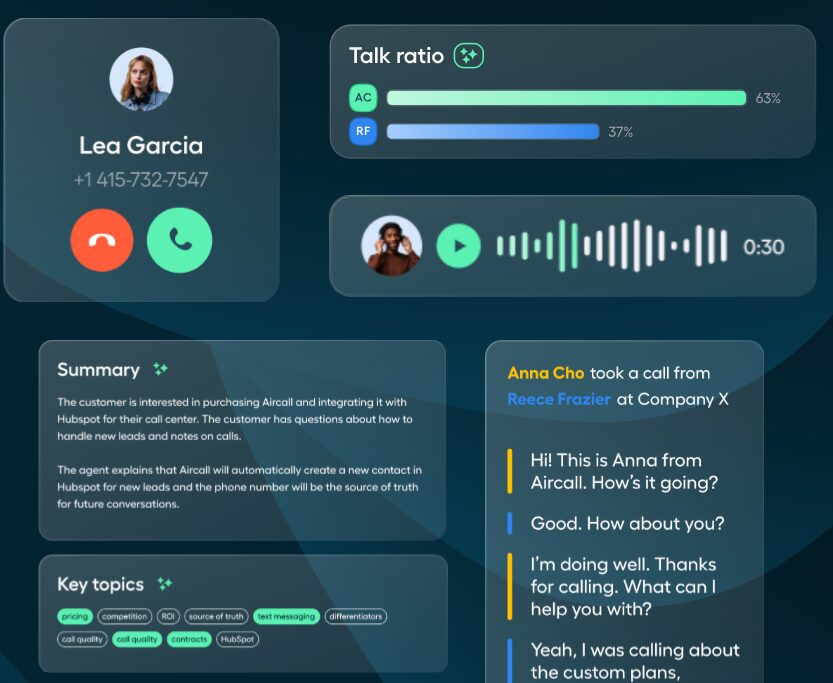
The platform includes a live dashboard that tracks call activity, call volume, and agent performance.
Pros of AirCall
- Integrates with popular CRM and marketing tools
- Supports teams handling hundreds of calls daily
Cons of AirCall
- Lacks built-in dynamic number insertion
- Advanced integrations and features may add additional costs
Pricing of AirCall
Aircall offers the following pricing plans:
- Essentials: $40/license monthly, $30/license annually
- Professional: $70/license monthly, $50/license annually
- Custom: Call for details
Final Verdict
Aircall is a good fit for teams that prioritize call handling and structured workflows over deep attribution. It works well for managing inbound calls at scale, but businesses focused on marketing ROI, marketing attribution, and tracking performance across effective marketing channels may need a more attribution-focused tracking platform.
3. Dialics
Dialics is an inbound call tracking software focused on straightforward attribution and flexible number-based tracking. Instead of positioning itself as a full call center system, Dialics focuses on tracking inbound calls, assigning numbers to campaigns, and giving teams clear reporting on where calls are coming from.
Best For
Best for budget-conscious teams and small businesses that need simple inbound call tracking with flexible pricing and local number support.
Features of Dialics
- Call tracking across campaigns and marketing channels
- Dynamic routing plans for managing inbound call flow
- Advanced call attribution for campaign-level tracking
- Detailed reporting with call summaries and performance data
- Local and toll-free virtual numbers
- Integration with tools such as Google Analytics
Top 3 Features of Dialics for Inbound Call Tracking
1. Call Tracking with Flexible Number Assignment
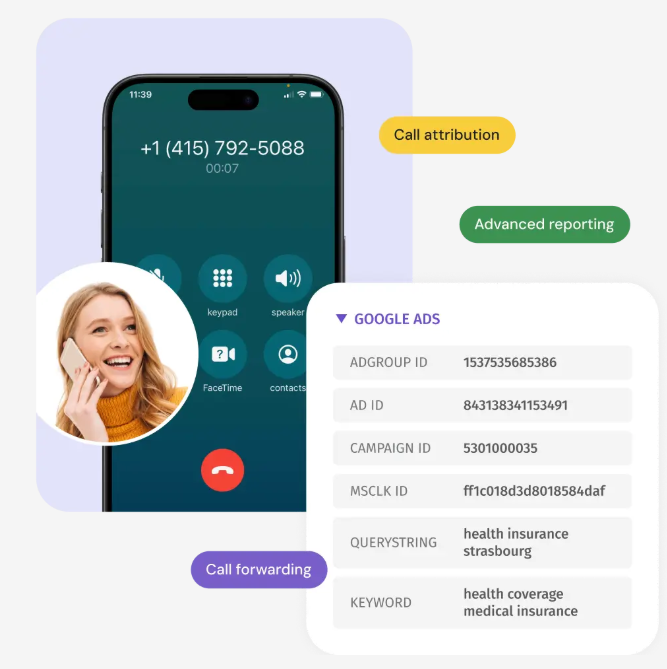
Dialics allows businesses to assign numbers to campaigns and track inbound phone calls from different sources. This helps connect leads from marketing to actual phone activity.
2. Call Reporting and Summaries
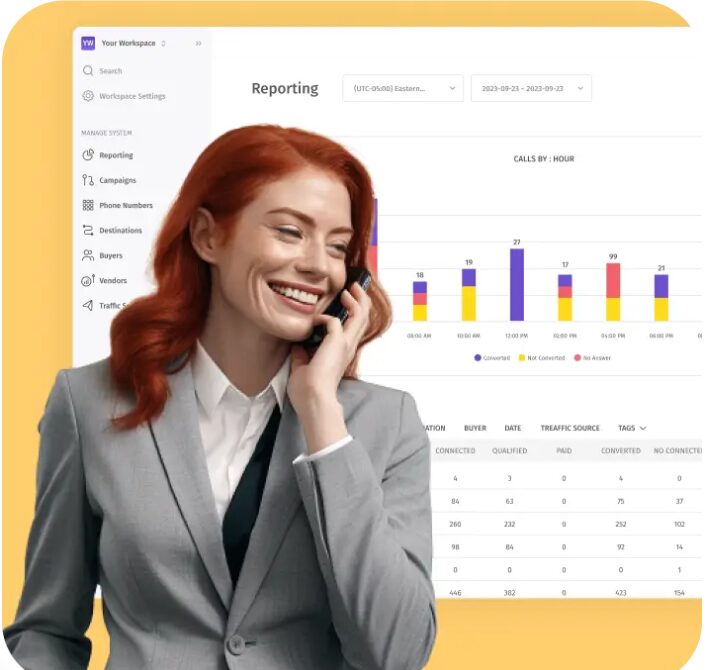
The platform provides detailed reports and call summaries so teams can review call activity, understand trends, and adjust marketing strategies based on real data.
3. Dynamic Routing Plans

Dialics supports routing setups that help manage incoming calls more efficiently. This is useful for businesses handling a steady volume of phone calls without needing a full call center system.
Pros of Dialics
- Simple setup with flexible, usage-based pricing
- Supports local and toll-free numbers for campaign tracking
- Clear reporting for tracking inbound calls and outcomes
- Works well for smaller teams managing focused campaigns
Cons of Dialics
- Interface may require time to get used to for new users
- Not designed for advanced workflows or enterprise-level needs
Pricing of Dialics
The pricing varies based on features.
- Auto Record Calls: Free
- Rent Local: $1/month
- Rent Toll-Free: $2/month
- Minute Local: $0.045/min
- Minute Toll-Free: $0.055/min
- Transcription: $0.02/min
- Auto SMS Replies: $0.0024/ea.
Final Verdict
Dialics is a practical option for businesses that want clear, low-cost inbound call tracking without extra complexity. It handles number-based tracking and reporting well, but teams that need deeper analytics, broader integrations, or advanced routing setups may outgrow it.
4. Convirza
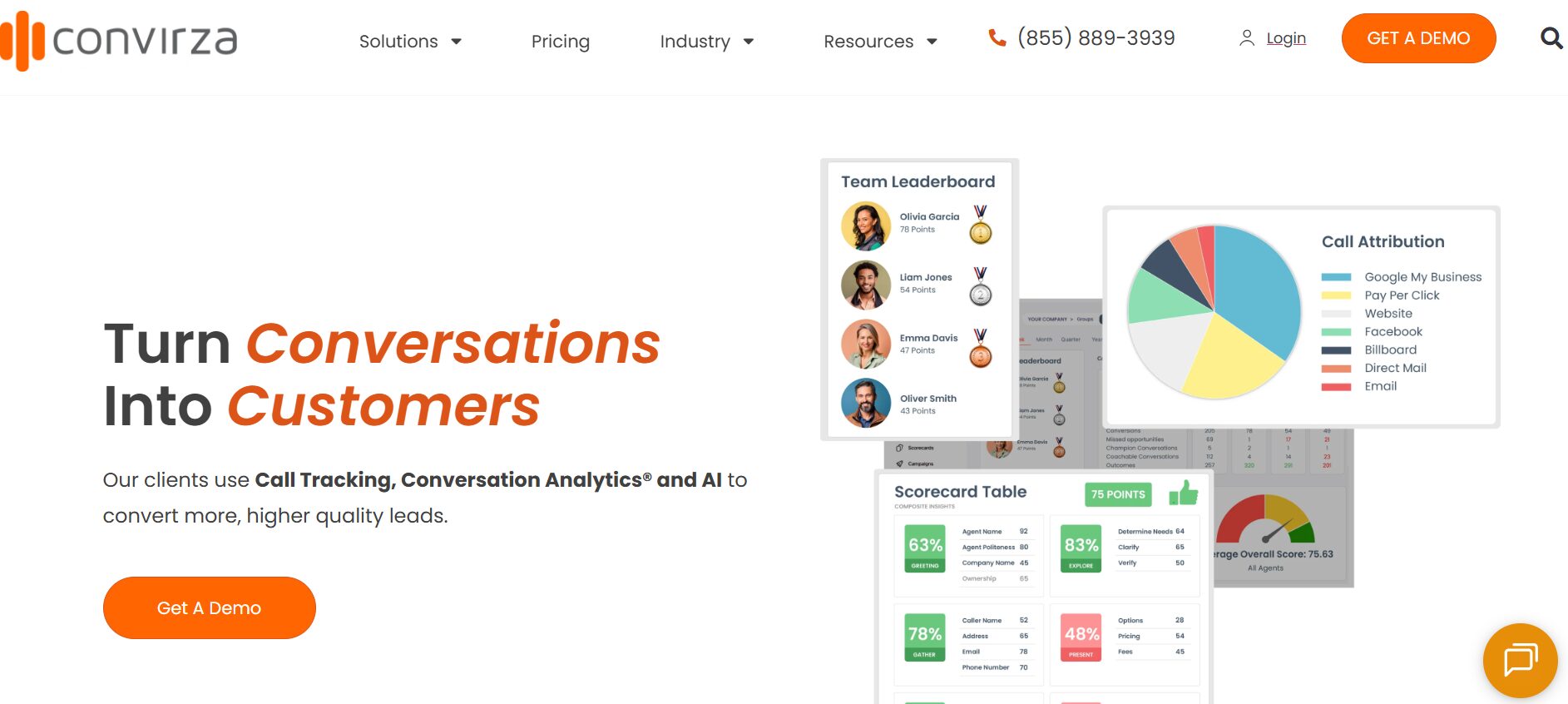
Convirza is an inbound call tracking software built for teams that want deeper visibility into what happens during phone conversations. It focuses on conversion tracking, call analytics, and understanding caller behavior using tools such as sentiment analysis and speech analytics.
Best For
Best for marketing teams and sales-focused businesses that want deeper analysis of conversations, including sentiment and conversion tracking.
Features of Convirza
- Call tracking across campaigns and marketing channels
- Dynamic Number Insertion for accurate call source tracking
- Conversion analytics with call outcome tracking
- AI-driven sentiment analysis and voice analytics
- Sales training tools to review conversations and improve agent performance
- Caller privacy and compliance options
- Reporting with call metrics, call logs, and performance data
Top 3 Features of Convirza for Inbound Call Tracking
1. Dynamic Number Insertion (DNI)
Convirza uses dynamic number insertion to assign numbers to campaigns and track inbound phone calls from different sources. This helps improve call attribution and connect calls to specific marketing channels.
2. Conversion Analytics and Call Scoring
The platform analyzes conversations using speech analytics to score calls and identify high-value interactions.
3. AI Sentiment Analysis
Convirza applies sentiment analysis and voice analytics to evaluate tone and intent during calls. This gives teams better visibility into customer reactions and supports improvements in customer service and sales conversations.
Pros of Convirza
- Strong focus on conversion tracking and conversation analysis
- Includes AI-powered conversation intelligence features
- Useful for improving agent performance and training
- Provides detailed data for evaluating marketing campaigns
Cons of Convirza
- Higher pricing compared to simpler tools
- May be more complex than needed for small teams
Pricing of Convirza
Convirza’s pricing plans are as follows:
- Starter: $29/month
- Agency: $149/month
- Enterprise: Custom
Final Verdict
Convirza is a good option for teams that want more than basic inbound call tracking and need deeper analysis of conversations. It works well for understanding call behavior and improving conversions, but businesses looking for lower-cost options or broader integrations may consider alternatives.
5. CallRail
CallRail is an inbound call tracking software built for marketers who want to track calls across multiple marketing channels and connect them to campaign activity. It focuses on attribution, form tracking, and reporting, making it a common choice for teams running PPC, SEO, and other digital marketing campaigns.
Best For
Best for marketing teams and agencies that need campaign-level tracking across multiple channels, including form and call tracking in one platform.
Features of CallRail
- Call tracking across campaigns and channels
- Multi-channel attribution for online and offline campaigns
- Form tracking combined with inbound call data
- Customizable reporting dashboard with call analytics dashboard views
- Call recording with lead scoring
- Integrations with Google Analytics, Google Analytics 4, and CRM systems
Top 3 Features of CallRail for Inbound Call Tracking
1. Call Tracking Across Marketing Channels
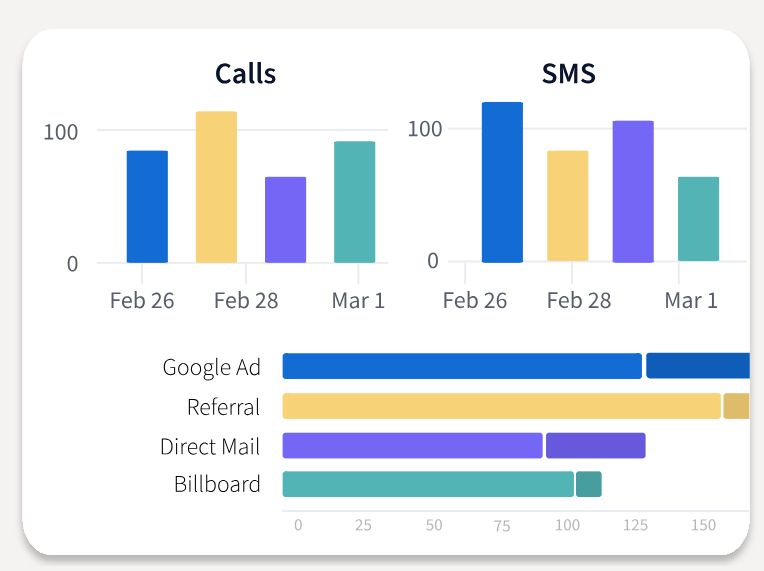
CallRail connects inbound calls to campaigns across PPC, SEO, and social. This helps teams understand which marketing channels are generating high-converting calls and how campaigns perform.
2. Form and Call Tracking Combined
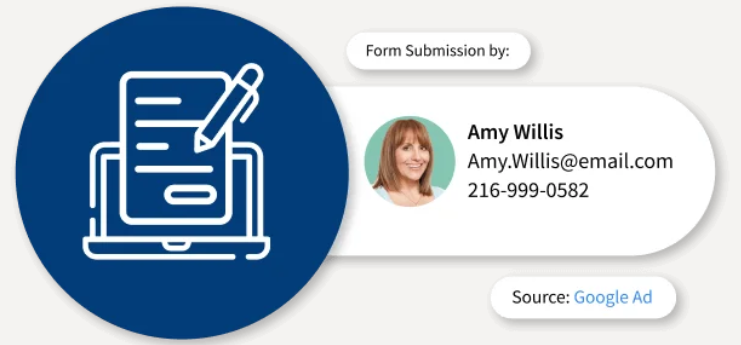
CallRail links form submissions with phone calls, giving a broader view of leads coming from marketing campaigns. This is useful for teams managing both online and offline lead sources.
3. Call Recording and Lead Scoring
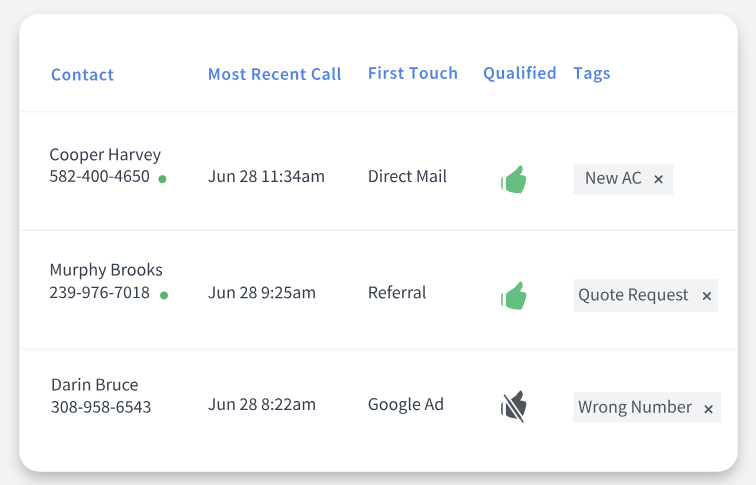
Call recording paired with scoring helps teams review conversations, evaluate call quality, and identify which calls are more likely to convert.
Pros of CallRail
- High-quality call recordings with lead scoring
- Suitable for multi-location businesses needing call management
Cons of CallRail
- Limited customization in reporting
- Advanced features increase overall cost
Pricing of CallRail
CallRail offers four pricing plans:
- Call Tracking: $45/month billed annually
- Call Tracking + Conversation Intelligence: $90/month billed annually
- Call Tracking + Form Tracking: $90/month billed annually
- Call Tracking Complete: $175/month billed annually
Final Verdict
CallRail is a good fit for marketing-focused teams that want to track inbound calls and form leads across campaigns in one place. It works well for managing marketing tracking and campaign reporting, but costs can increase as more features are added, especially for teams needing deeper functionality beyond attribution.
6. RingCentral
RingCentral is a cloud-based communication platform that combines inbound call tracking software with enterprise-level call handling. Rather than focusing only on marketing attribution, RingCentral centers on call management, internal communication, and reliability. It fits organizations that need a unified system to handle inbound calls alongside daily operations.
Best For
Best for enterprise teams and organizations that need scalable call management, unified communications, and structured handling of high call volumes.
Features of RingCentral
- IVR menus for guided caller navigation
- Automatic call recording with call transcriptions
- Visual voicemail with transcription for quick follow-ups
- Multi-way conference calling for team collaboration
- Custom call forwarding rules and routing flows
- Call screening and spam filtering
- Integrations with CRM systems and enterprise tools
Top 3 Features of RingCentral for Inbound Call Tracking
1. Call Forwarding and Routing Control
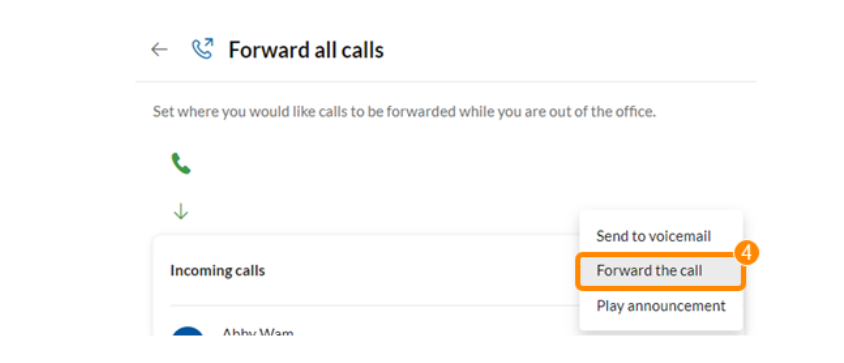
RingCentral allows businesses to route inbound calls across teams using flexible rules. This supports better handling of a high volume of phone calls and helps distribute calls efficiently.
2. Voicemail Transcription and Call Summaries
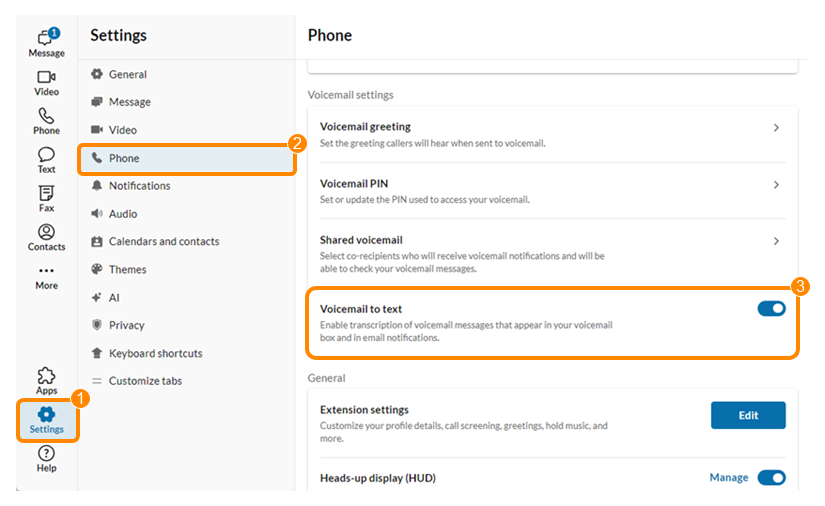
Voicemail transcription converts messages into readable text, making it easier to review call summaries and respond faster to missed inbound calls.
3. Call Screening and Spam Filtering

Custom screening rules help filter unwanted calls, improving call quality and allowing teams to focus on relevant conversations.
Pros of RingCentral
- Scales well for large teams and Enterprise-Level Call Centers
- Strong reliability for handling inbound calls at volume
- Combines communication tools with call management
- Integrates with enterprise CRM and collaboration tools
Cons of RingCentral
- Add-ons and advanced features increase total cost
- Not focused on deep advanced call tracking features
Pricing of RingCentral
RingCentral’s pricing plans are as follows:
- Core: $20/user/month (billed annually)
- Advanced: $25/user/month (billed annually)
- Ultra: $35/user/month (billed annually)
- Customer Engagement Bundle: Custom pricing
Final Verdict
RingCentral is a strong option for organizations that need dependable call handling at scale. It works well for managing inbound calls across teams and departments, but businesses focused on detailed marketing tracking, call attribution, and campaign-level performance may need a more specialized inbound call tracking software.
7. CallHippo
CallHippo is a cloud-based phone system designed for small businesses that need simple inbound phone call tracking. It focuses on simplifying call handling with tools such as virtual numbers, IVR, and routing, making it easier to manage inbound calls without a complex setup.
Best For
Best for SMBs and startups that need simple inbound call tracking with global calling support and easy setup, rather than deep marketing attribution.
Features of CallHippo
- Global and local virtual numbers for multi-country support
- Smart call routing, queuing, and call forwarding
- IVR for structured call handling
- Call recording and basic call analytics
- Real-time dashboard to monitor call activity and call volume
- CRM and helpdesk integrations
- Call monitoring tools for reviewing conversations
- Voicemail and missed call tracking
Top 3 Features of CallHippo for Inbound Call Tracking
1. Call Routing and Queuing
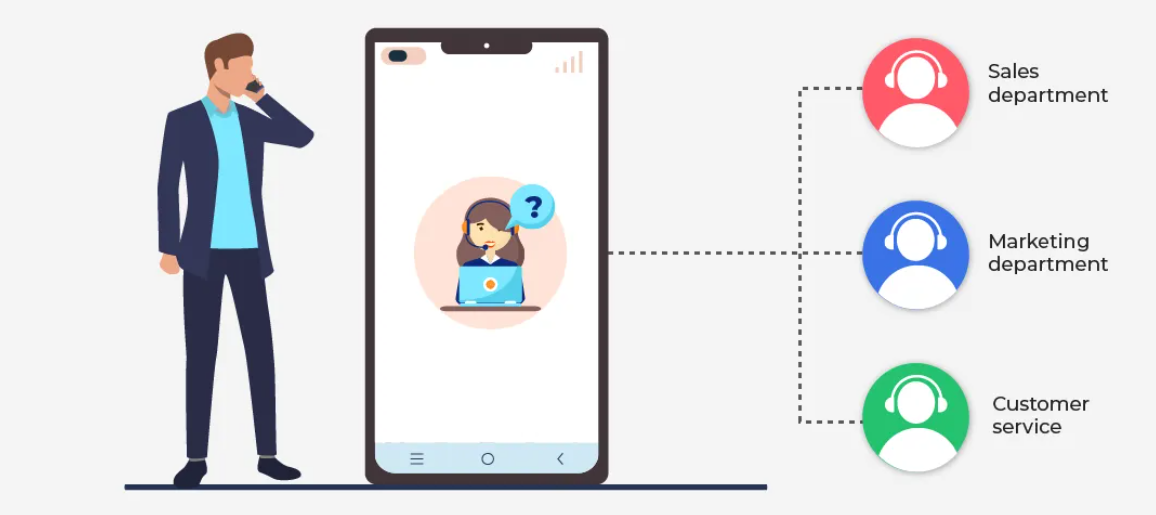
CallHippo routes inbound calls to the right agent or team using queues and IVR. This helps manage the volume of phone calls and keeps call handling organized for small teams.
2. Call Monitoring
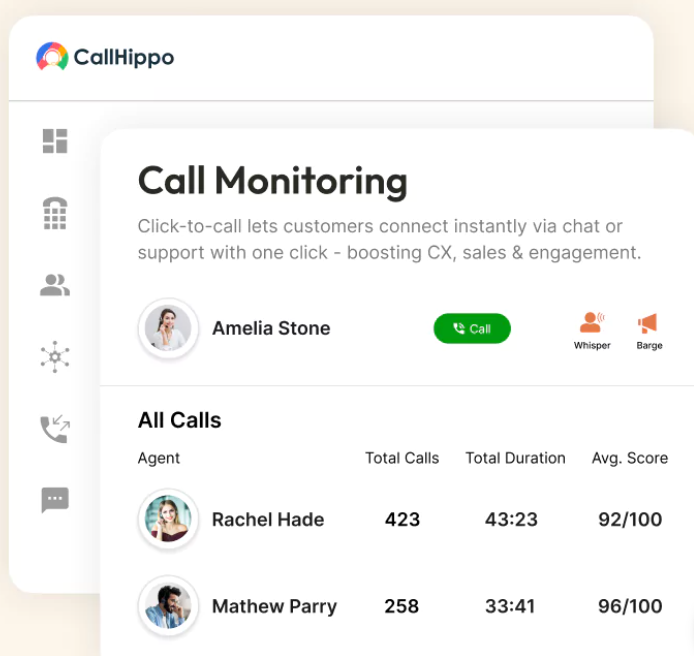
Teams can monitor live calls and review recordings to improve call quality and agent handling. This is useful for basic training and maintaining consistency across conversations.
3. IVR System
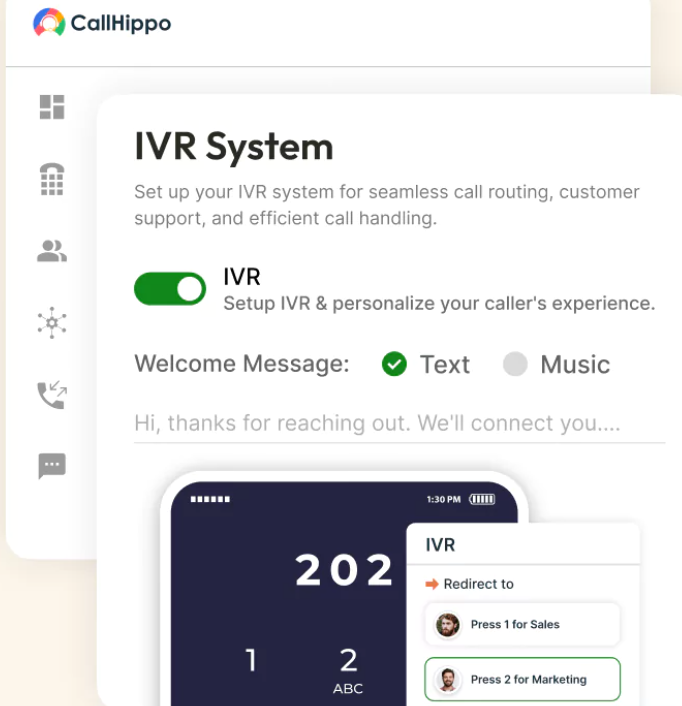
The IVR system directs callers based on menu options, helping businesses manage inbound calls more efficiently without manual intervention.
Pros of CallHippo
- Supports multiple countries with local phone numbers
- Integrates with popular CRM systems and helpdesks
- Easy-to-use interface for small teams
Cons of CallHippo
- Limited to small and medium-sized businesses
- Fewer advanced call tracking features compared to enterprise tools
- Annual contract required for pricing plans
Pricing of CallHippo
CallHippo offers the following plans:
- Basic: $1/user/month
- Starter: $25/user/month
- Professional: $39/user/month
- Ultimate: $55/user/month
Final Verdict
CallHippo is a practical option for small businesses that need a simple way to manage inbound calls and basic tracking. It handles call routing, IVR, and global calling well, but teams focused on detailed marketing tracking, marketing attribution, and performance across multiple marketing channels may find it limited compared to more advanced tools.
8. CallScaler
CallScaler is an inbound call tracking software focused on pay-per-call campaigns and simple lead tracking. It works well for marketers running PPC and performance campaigns where tracking inbound phone calls and responding quickly to leads is more important than deep analytics or advanced integrations.
Best For
Best for pay-per-call campaigns and small to mid-sized teams that need simple inbound call tracking with call flow control and missed call alerts.
Features of CallScaler
- Call tracking for campaigns and marketing channels
- Dynamic Number Insertion (DNI) script for tracking call source
- Custom call flows with routing and forwarding
- Call recording with call logs and playback
- Call whisper for agent context before answering
- Missed call alerts and voicemail tracking
- Basic reporting with call activity and performance data
Top 3 Features of CallScaler for Inbound Call Tracking
1. Call Flows and Routing Setup
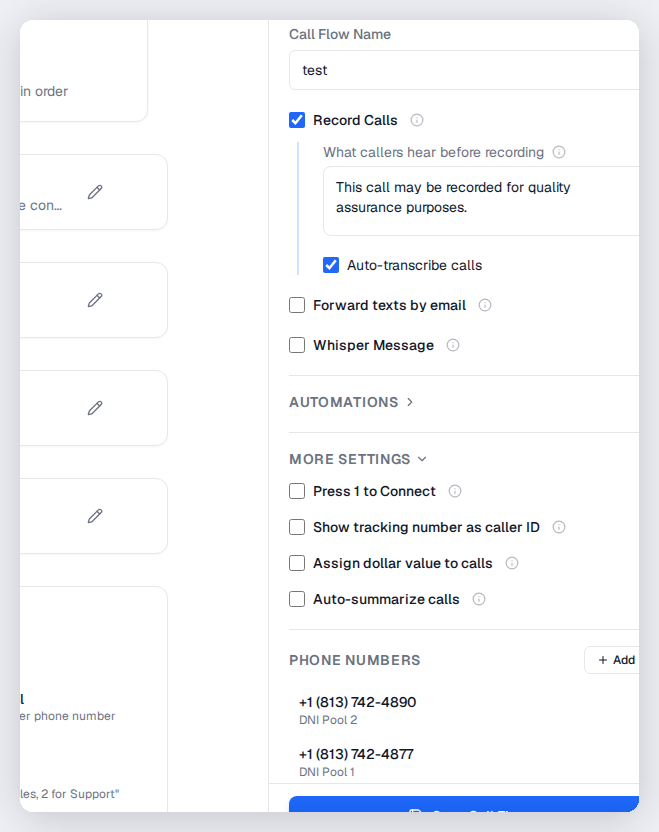
CallScaler allows teams to build simple routing paths to manage inbound calls. This helps organize call handling and ensures leads are directed to the right person without delays.
2. Call Whisper for Agent Context
Call whisper provides agents with information about the marketing source before the call connects. This helps improve how calls are handled and supports better conversations.
3. Call Recording and Tracking
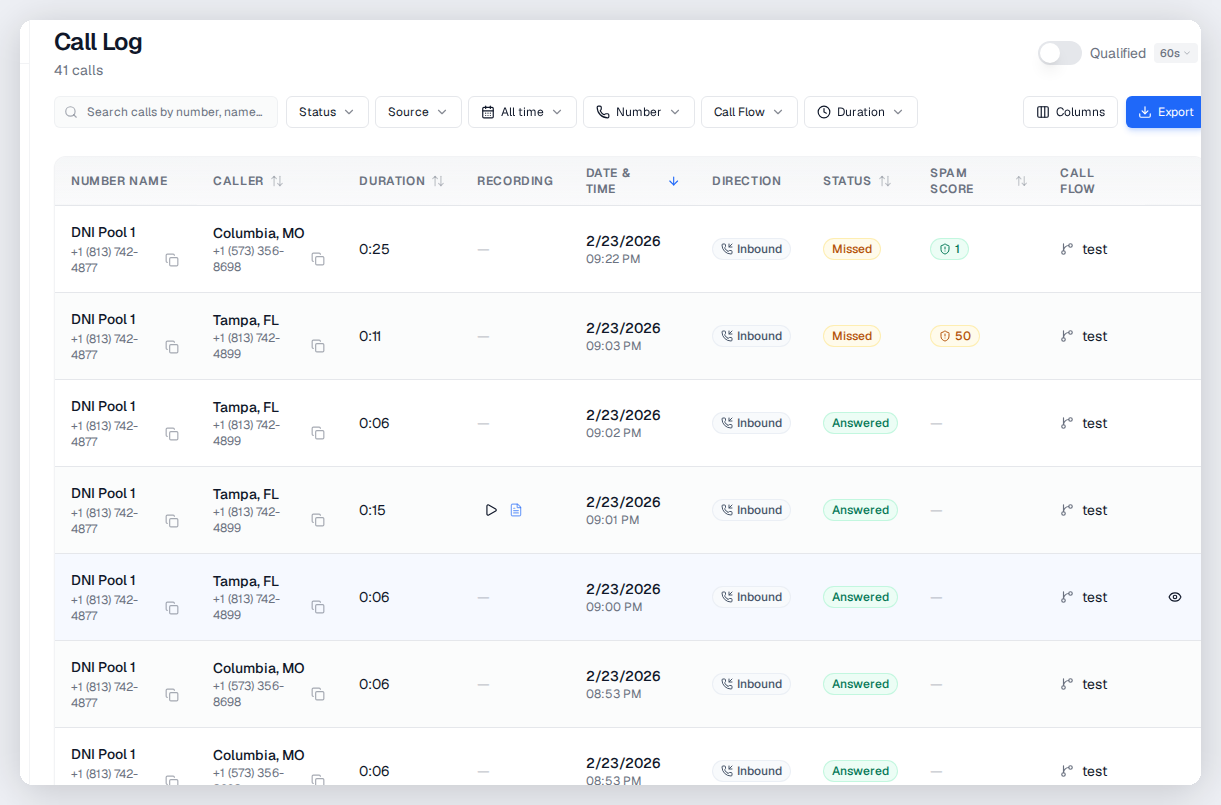
Call recording captures inbound conversations and stores them in call logs, making it easier to review call quality and track interactions from campaigns.
Pros of CallScaler
- Easy setup with a user-friendly dashboard
- Well-suited for pay-per-call and performance campaigns
Cons of CallScaler
- Lacks deeper marketing technology integrations
- Not designed for complex workflows or enterprise use
Pricing of CallScaler
CallScaler’s yearly pricing plans are 20% off:
- Pay As You Go: Free
- Pro: $79/month
- Agency: $239/month
- Pay Per Call: $479/month
Final Verdict
CallScaler is a practical option for businesses focused on pay-per-call campaigns and simple inbound call tracking. It covers call flows, recording, and alerts well, but teams that need deeper call analytics, broader integrations, or advanced reporting across marketing campaigns may need a more feature-rich platform.
9. CallTrackingMetrics
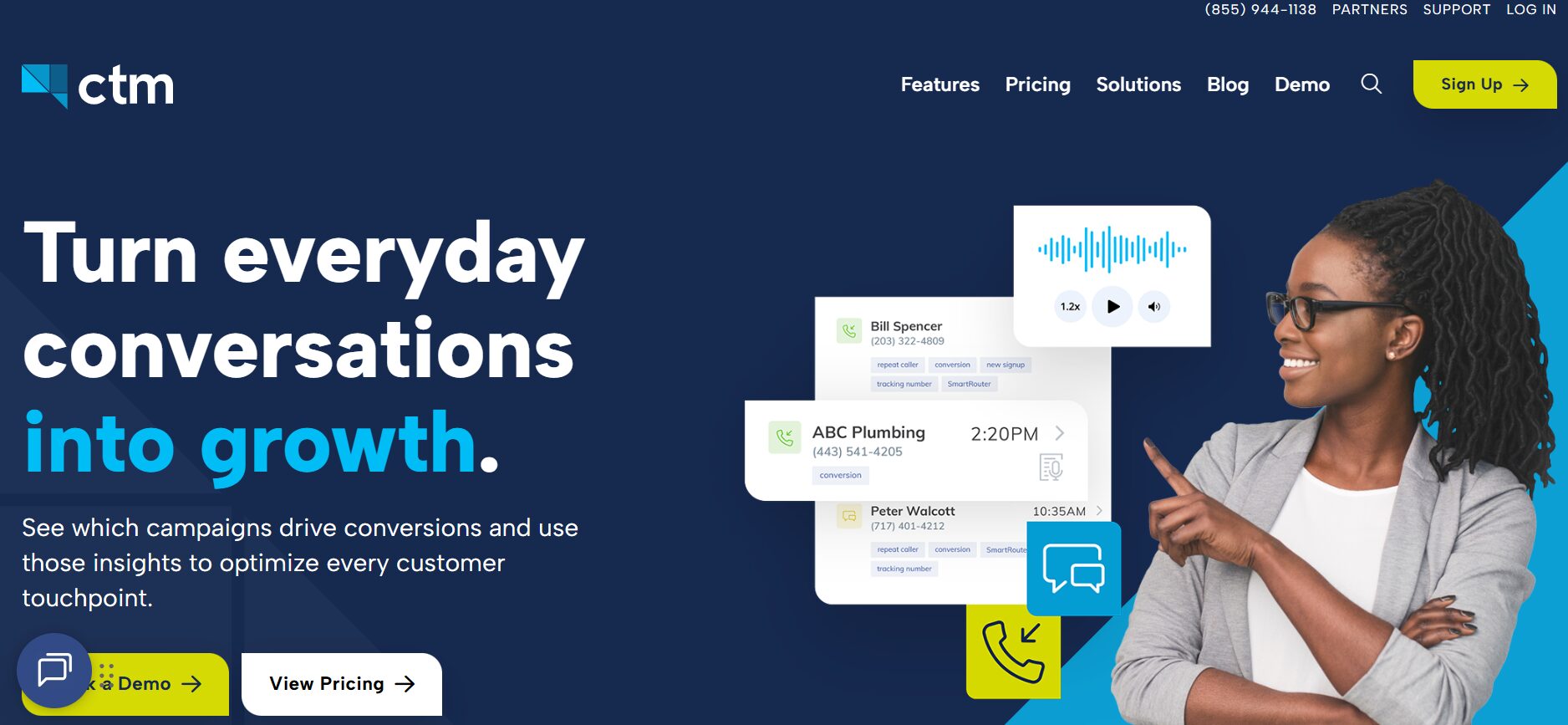
CallTrackingMetrics is an inbound call tracking software built for teams that need detailed tracking across campaigns and deeper reporting. It connects inbound calls to both online and offline campaigns, making it useful for businesses managing multiple marketing channels and tracking performance at scale.
Best For
Best for marketing teams and agencies that need advanced attribution, detailed reporting, and flexible call routing across multiple campaigns.
Features of CallTrackingMetrics
- Dynamic Number Insertion for tracking call source across campaigns
- Advanced marketing attribution and automated call tagging
- Custom routing with IVR and demographic-based routing
- Call recording with AI-powered transcription and keyword detection
- Reporting dashboards
- Integrations with Google Analytics, Google Analytics 4, and CRM platforms
- Call whisper for agent context before answering
Top 3 Features of CallTrackingMetrics for Inbound Call Tracking
1. Dynamic Number Insertion (DNI)
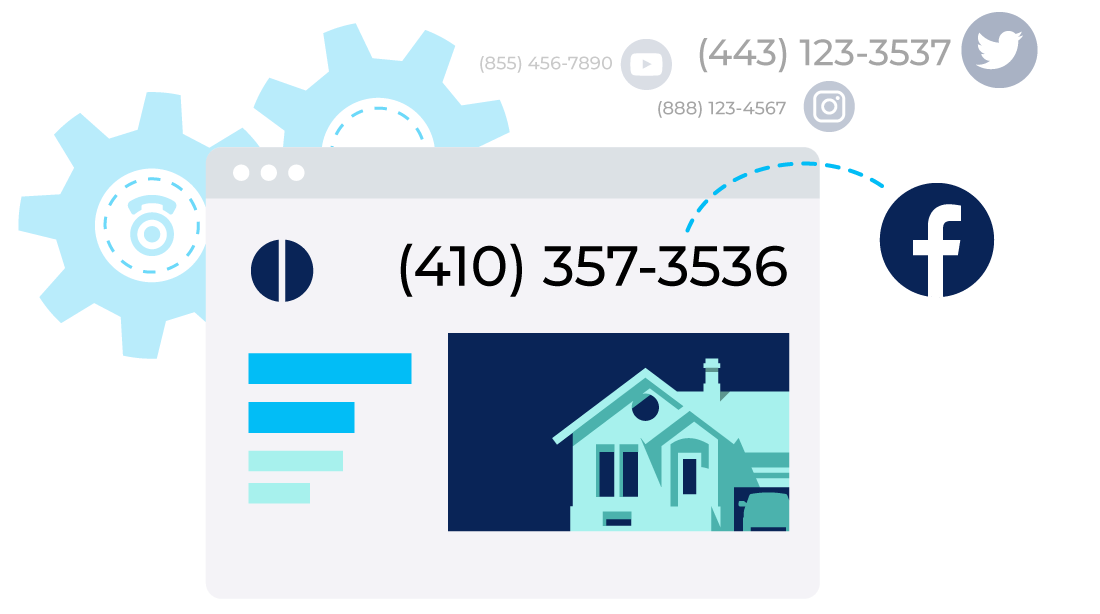
CallTrackingMetrics uses DNI to connect inbound phone calls with campaigns, keywords, and traffic sources. This improves call attribution and helps track leads across multiple marketing channels.
2. Call Recording and Transcription
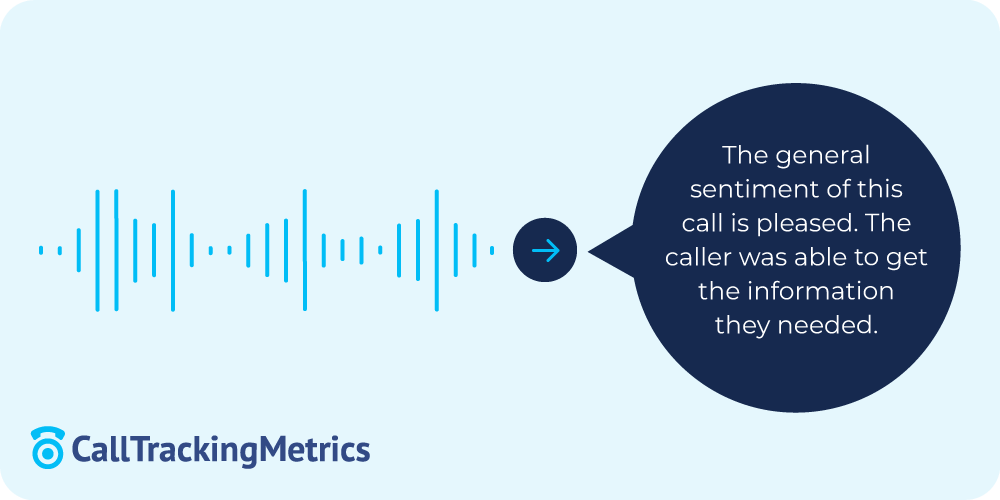
Call recording combined with AI-powered transcription allows teams to review conversations, analyze call summaries, and monitor call quality without manual effort.
3. Custom Routing and IVR
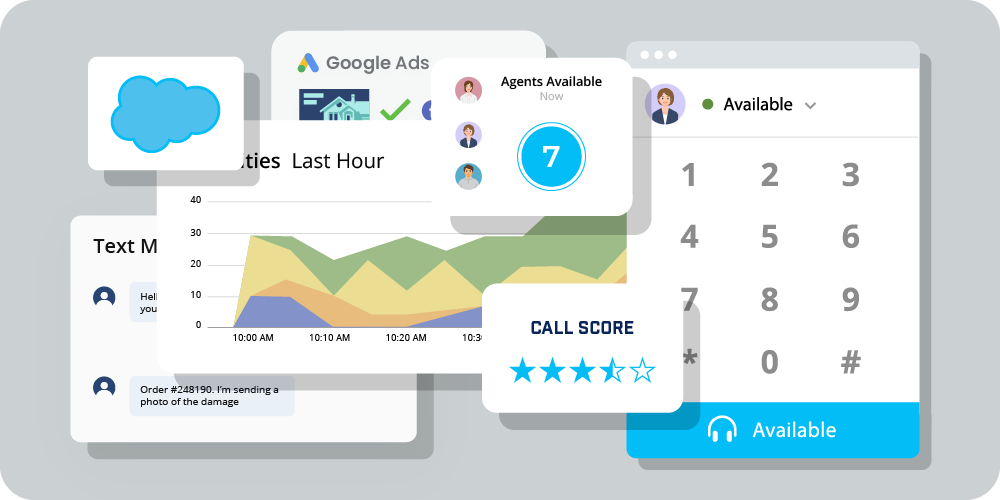
The platform supports flexible routing setups that direct calls based on location, campaign, or user input. This helps manage inbound calls more efficiently across teams and locations.
Pros of CallTrackingMetrics
- Strong reporting and attribution for campaign tracking
- Integrates well with tools used in digital marketing
Cons of CallTrackingMetrics
- Higher pricing compared to simpler tools
- Setup may require technical support for full configuration
- Can feel complex for smaller teams
Pricing of CallTrackingMetrics
- Marketing Lite: $79/month
- Marketing Pro: $179/month
- Sales Engage: $329/month
- Enterprise: $1999/month
Final Verdict
CallTrackingMetrics is a strong option for businesses that need detailed tracking across campaigns and more control over reporting. It works well for teams managing large volumes of inbound calls and multiple campaigns, but smaller businesses may find it more complex and expensive than needed.
10. CloudTalk
CloudTalk is a cloud-based inbound call tracking software designed for teams that handle a high volume of inbound calls across regions. It focuses on call handling, routing, and team coordination rather than deep campaign-level tracking.
Best For
Best for support teams and growing businesses that need structured call handling, routing, and management of high inbound call volumes.
Features of CloudTalk
- Call transfers and routing across teams
- IVR for structured call navigation
- Call queuing to manage inbound call flow
- Voicemail and call notes for tracking conversations
- Automated notifications for missed calls and follow-ups
- CRM integrations for syncing call data
- Local and toll-free number support
Top 3 Features of CloudTalk for Inbound Call Tracking
1. Call Transfer and Routing

CloudTalk allows teams to forward inbound calls to the right agent or department using routing rules. This helps manage the volume of phone calls and reduces delays in handling calls.
2. IVR and Call Queuing

IVR menus and queuing systems organize inbound calls and guide callers to the right team. This supports structured call handling and improves efficiency for teams managing multiple requests.
3. Automated Notifications
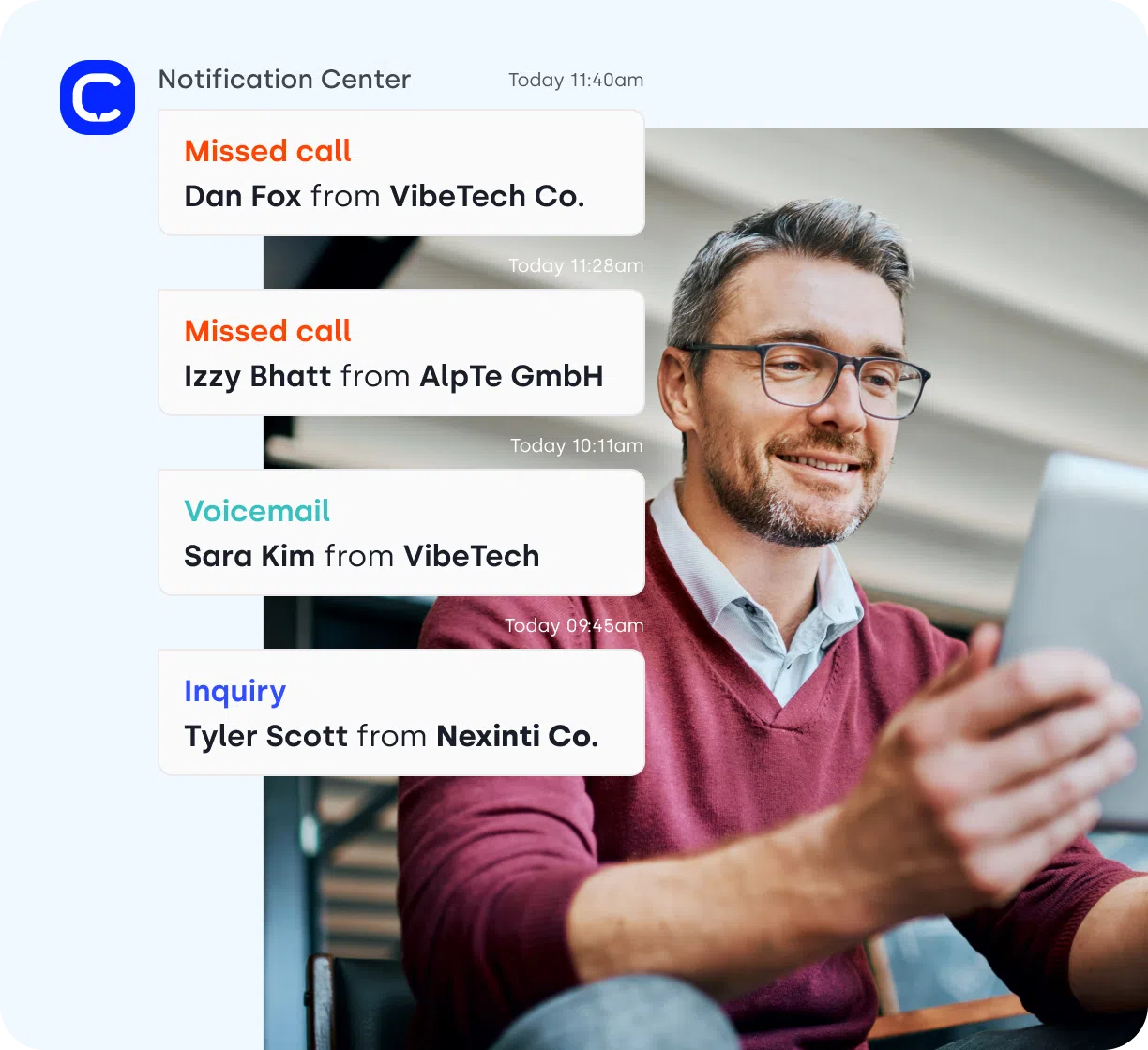
CloudTalk sends alerts for missed calls, voicemails, and updates. This helps teams respond quickly and keep track of ongoing call activity.
Pros of CloudTalk
- Easy to manage inbound calls across teams and locations
- Useful for teams handling a high number of daily calls
Cons of CloudTalk
- Higher-tier plans may not suit smaller budgets
- Not focused on deep analytics or detailed marketing tracking
Pricing of CloudTalk
CloudTalk’s pricing plans are:
- Starter: $25/month (billed annually)
- Essential: $29/month (billed annually)
- Expert: $49/month (billed annually)
Final Verdict
CloudTalk is a good fit for teams that need reliable call handling and routing for inbound calls. It works well for support and sales environments, but businesses focused on detailed marketing attribution, campaign tracking, and advanced analytics may need a more specialized inbound call tracking platform.
Feature and Price Comparison
| Software | Best For | Attribution Depth | AI Features | Routing / IVR | CRM Integrations | Multi-Location Support | Starting Price |
| AvidTrak | Budget-conscious teams + complex tracking | Advanced (keyword-level, multi-channel) | AI-powered transcription, conversation outcome extraction, AI conversation intelligence | Advanced (IVR, zip/area routing, call flows) | Yes (Salesforce, HubSpot, GA4) | Yes | $15/month |
| Aircall | Call-heavy sales & support teams | Basic | Limited | Strong (IVR, routing, queues) | Yes | Yes | $40/user/month |
| Dialics | Small businesses with simple tracking needs | Moderate | Limited | Basic routing | Limited | Limited | Depends on feature |
| Convirza | Conversion-focused marketing teams | Advanced | Sentiment analysis, speech analytics, call scoring | Basic | Moderate | Limited | $29/month |
| CallRail | Marketing teams tracking campaigns | Advanced (multi-channel attribution) | Conversation intelligence (paid tiers) | Basic | Yes (GA4, CRM tools) | Yes | $45/month |
| RingCentral | Enterprise call management | Basic | Limited | Strong (IVR, forwarding, call flows) | Yes | Yes | $20/user/month |
| CallHippo | SMBs needing simple call handling | Basic | Limited | Moderate (IVR, routing) | Yes | Yes | $1/user/month |
| CallScaler | Pay-per-call campaigns | Moderate | Limited | Basic call flows | Limited | Limited | $49/month |
| CallTrackingMetrics | Advanced marketing attribution teams | Advanced | AI-powered transcription, analytics, tagging | Advanced (IVR, routing rules) | Yes (GA4, CRM tools) | Yes | $79/month |
| CloudTalk | Support teams managing high call volume | Basic | Limited | Strong (IVR, queues, routing) | Yes | Yes | $25/user/month |
How to Choose the Best Inbound Call Tracking Software for Your Business?
Choosing the best inbound call tracking software depends on how you handle inbound calls, what level of tracking you need, and how your marketing campaigns are set up. Instead of focusing on features alone, it helps to break the decision into a few key questions.
1. Do You Need Basic Tracking or Deep Attribution?
Some businesses only need to see where calls are coming from using call logs and simple reporting. Others need deeper tracking, such as keyword-level attribution, dynamic number insertion, and full marketing attribution across channels.
If your campaigns span multiple marketing channels such as PPC, SEO, and offline ads, choose a platform that supports advanced tracking. For simpler setups, basic call tracking tools are often enough.
2. Do You Need AI-Based Call Analysis?
If your team wants to understand what happens during calls, look for tools with AI-powered transcription, speech analytics, or sentiment analysis. These features help identify call outcome, review conversations, and improve agent performance.
If your focus is only on tracking call volume and source, you may not need these advanced features.
3. Do You Need Call Routing and Handling?
Some tools focus mainly on tracking, while others include full call handling with IVR, call forwarding, and routing rules.
If your business handles a high volume of phone calls, or operates across teams or locations, you will benefit from tools with structured call routing. If not, simpler platforms with basic call flow may be enough.
4. Are You Managing Multiple Campaigns or Clients?
Marketing teams and marketing agencies often need to track performance across multiple campaigns, accounts, or clients.
In this case, look for tools that support multi-account setups, shared dashboards, and tracking across different marketing assets. This helps manage marketing tracking across your full marketing stack.
5. Do You Need Multi-Location or Local Number Support?
If your business operates in different regions, local and toll-free virtual numbers become important. These allow you to track inbound calls by location and support campaigns across different markets.
This is especially useful for service-based businesses and teams running geographically targeted campaigns.
6. How Important Are Pricing and Support?
Pricing structures vary widely. Some inbound phone call tracking tools offer flat monthly plans, while others use usage-based pricing.
For many business owners, transparency matters. Look at:
- whether pricing includes key features or adds additional costs
- how easy it is to scale
- the level of product support available
7. Do You Need a Simple Setup or Advanced Features?
Some businesses prefer a lightweight call tracking platform that is quick to set up and easy to manage. Others need more advanced features such as detailed call analytics, routing logic, and integrations with CRM systems.
If your needs are simple, choose a tool that focuses on ease of use. If you are managing complex campaigns or tracking across multiple channels, a more advanced platform will be a better fit.
Inbound Call Tracking vs Outbound Call Tracking
Inbound call tracking focuses on tracking inbound calls that come from marketing channels such as websites, Google Ads, social media, and other digital marketing campaigns. It connects each call to its marketing source, helping businesses measure marketing attribution, track leads from marketing, and evaluate which campaigns generate high-converting calls.
Outbound call tracking, on the other hand, is used for cold calls, follow-ups, and proactive outreach by sales teams. It tracks outgoing calls, monitors conversations, and helps manage marketing & sales workflows, but it is not primarily designed to measure inbound lead generation.
Some platforms support both inbound and outbound tracking. However, this guide focuses on tools built for inbound call tracking software, where the goal is to track incoming leads, improve marketing tracking, and understand how inbound phone calls connect to campaign performance.
Our Take: Which Teams Are Best Suited to AvidTrak
AvidTrak is a strong fit for businesses that need more than basic inbound call tracking software. It works well for teams that want a mix of call tracking, call attribution, and call handling in one platform, especially when managing campaigns across multiple marketing channels.
AvidTrak is particularly useful for:
- Businesses that need deeper tracking, including dynamic number insertion and detailed call analytics
- Marketing teams and agencies managing multiple campaigns and tracking leads from marketing
- Companies that want AI-powered transcription, AI-powered conversation intelligence, and clear call outcome tracking
- Teams that rely on structured routing, including IVR, call forwarding, and multi-location setups
Another factor with AvidTrak is pricing and support. For many business owners, having transparent pricing and access to reliable product support is just as important as features. AvidTrak stands out here by offering flexible plans and guidance for both simple and complex tracking setups.
If your goal is to connect inbound phone calls with your marketing campaigns, track performance across your marketing stack, and manage call flows without switching between tools, AvidTrak is worth considering.
You can explore the platform through a free trial to see how it fits your workflow and tracking needs.
Frequently Asked Questions
1. What is the best inbound call tracking software for marketing agencies?
The best inbound call tracking software for marketing agencies is one that supports multi-channel tracking, detailed call attribution, and reporting across campaigns. Tools such as AvidTrak and CallTrackingMetrics are commonly used because they connect inbound calls with multiple marketing channels and provide clear campaign-level data.
2. What is inbound phone call tracking?
Inbound phone call tracking is a method of tracking incoming phone calls from ads, websites, or other marketing channels. It links each call to its marketing source, helping businesses understand where leads are coming from and how campaigns perform.
3. How does inbound call tracking work?
Inbound call tracking works by assigning unique phone numbers to campaigns or pages. When a customer calls, the system captures call source, campaign data, and call logs, then stores this in a call analytics dashboard for reporting and analysis.
4. How does inbound call tracking improve lead generation?
Inbound call tracking helps businesses identify which campaigns generate leads from marketing and which ones do not. This allows teams to adjust marketing strategies, improve targeting, and focus on channels that drive high-converting calls.
5. How can inbound call tracking help in marketing attribution?
Inbound call tracking improves marketing attribution by connecting each call to a specific campaign, keyword, or channel. This makes it easier to measure performance and understand how inbound calls contribute to overall results.
6. What is the difference between inbound call tracking and call recording?
Inbound call tracking focuses on identifying the call source and tracking campaign performance. Call recording captures the conversation itself. Many tools combine both to provide tracking data along with call summaries and conversation review.
7. What is the difference between inbound call tracking and call analytics?
Inbound call tracking identifies where calls come from, while call analytics focuses on analyzing those calls. Analytics includes call metrics, conversation data, and performance trends after the call is tracked.
8. Is inbound call tracking useful for small businesses?
Yes, inbound call tracking is useful for small businesses that rely on phone leads. It helps track inbound phone calls, understand which campaigns are working, and make better decisions without needing a large marketing stack.
9. Can inbound call tracking work with Google Ads?
Yes, most inbound call tracking tools integrate with Google Ads and Google Analytics 4. This allows businesses to track calls generated from ads and connect them with campaign performance data.
10. What should I look for when choosing the best inbound call tracking software?
Look for features such as dynamic number insertion, call analytics, routing options, CRM integrations, and pricing transparency. The right tool depends on your call volume, campaign complexity, and tracking needs.


