


If your business relies on phone calls, you already know one thing: Not all leads are equal. Some callers are ready to buy. Others are just asking questions. Without lead generation tracking software, it is hard to determine the source of your calls, the effectiveness of each marketing campaign, or how leads move through your sales funnel.
An effective call tracking software removes that ambiguity and provides actual data that clearly identifies call source, advertising effectiveness, caller intent, and other key measures that help maximize your lead generation tactics.
The best lead generation tracking software connects calls, forms, emails, and ads into one clear view. It shows lead sources, tracks conversion rates, logs every call, and ties each qualified lead to the right landing pages, ads, or keywords. This helps marketing teams take the guesswork out of marketing strategies and clearly identify the most effective areas to achieve the maximum ROI.
Lead generation tracking software comes packed with features like dynamic number insertion (DNI), real-time call routing, and integrations with your favorite platforms. They help you dig deeper into lead source, capture valuable customer data, and simplify your strategy with clear, data-driven insights.
In this guide, we will walk through the 10 best lead tracking software options for 2026 and help you determine how they can fit your business needs.
What Is a Lead Generation Tracking Software?
Lead generation tracking software helps businesses record, organize, and analyze every lead that enters their sales funnel. It tracks lead sources, stores lead data, logs calls, and form fills, and connects each qualified lead to specific marketing campaigns. Tools such as AvidTrak also track phone calls using dynamic number insertion, call logs, and reporting software, providing a clear view of the customer journey from first touch to conversion.
List of the Best Lead Generation Tracking Software
- AvidTrak
- WhatConverts
- Phonexa
- CallTrackingMetrics
- Marchex
- CallRail
- Invoca
- CallFire
- HubSpot
- Zoho CRM
1. AvidTrak
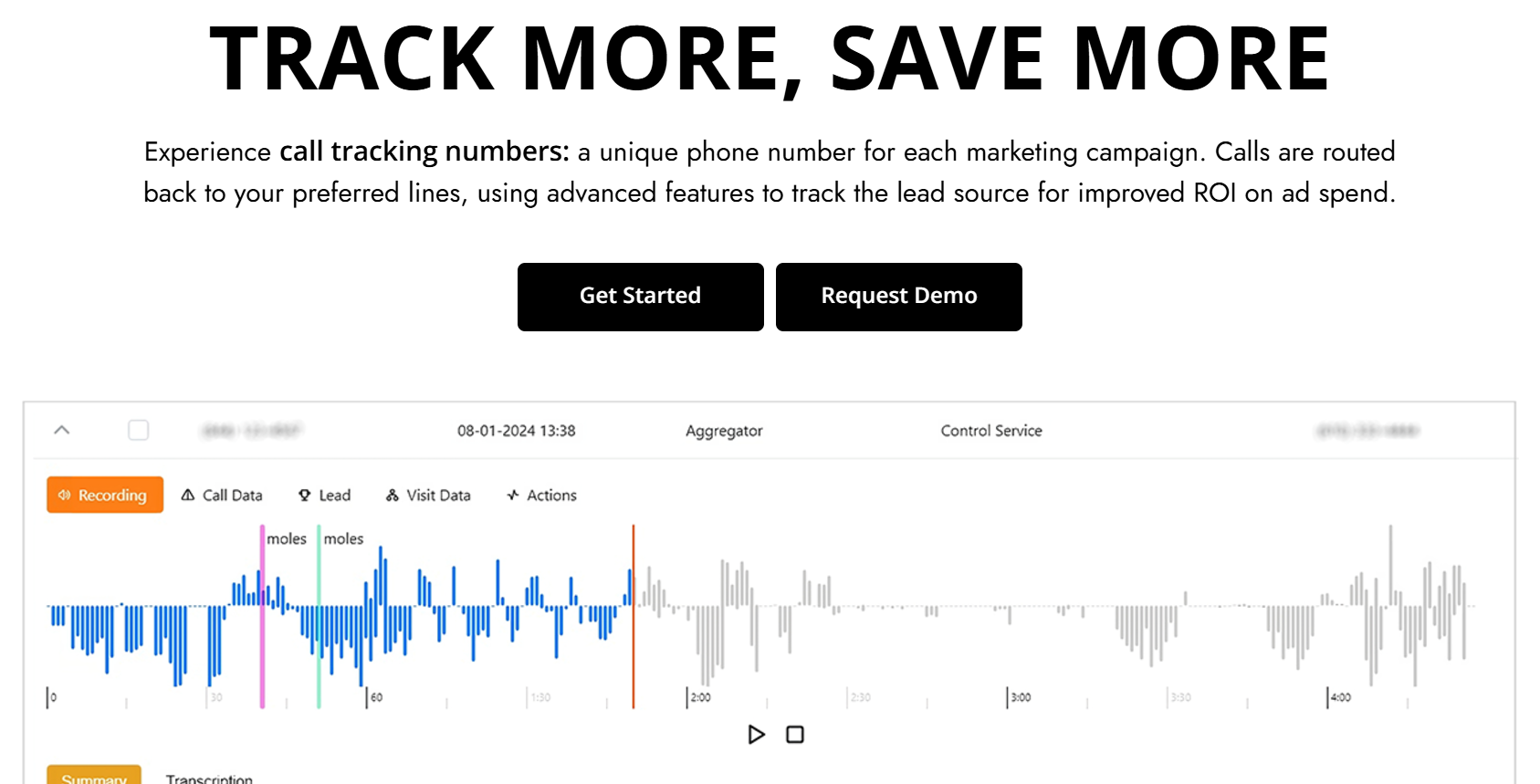
AvidTrak is a lead generation tracking software built to help businesses track how leads move through the customer journey. AvidTrak tracks phone calls, web activity, and form submissions, then connects that data to CRM Software to clearly demonstrate which marketing campaigns bring in a qualified lead.
AvidTrak focuses on clear lead sources, accurate lead data, and practical reporting at a lower cost than most other Call Tracking Software providers. AvidTrak also has the capability to convert conversations into searchable text using its AI-powered transcription tool. The AI-powered outcome extraction feature extracts conversation outcomes, eliminating the need to listen to recordings or read call transcripts. AvidTrak also offers additional tools such as Leena, an AI receptionist that captures leads when calls go unanswered.
Marketing teams use AvidTrak to review call logs, conversion types, and performance metrics in one place. The platform is easy to work with, even for non-technical users. A 14-day free trial provides full access to test real lead tracking needs before committing.
Features of AvidTrak
- Call Tracking with Built-in Contact Center
- AI-Powered Call Transcription with keyword flagging
- AI-Powered Conversation Outcome Extraction
- Leena — Affordable AI Receptionist & Voice Assistant
- Avidia — Agentic AI Data Analyst
- Form Tracking
- Google Analytics 4 Integration
- Agency Master Dashboard
- White-Label Solutions
- Customizable Reporting Dashboard
- Advanced Call Routing
- Area Code-Based Call Routing
- IVR (Interactive Voice Response)
- Keyword Level Tracking
- Third-Party Integrations
- Advanced DNI Options
- After Hours Call Routing
- Sentiment analysis
- Call Recording
- Caller sentiment capability
- Call Whisper
- Inventory of Phone Numbers
- Customizable Call Attribution
- Tracking ID Hide/Display
- Simultaneous Call Forwarding
- Sequential Call Forwarding
- Sub-domain Number Follow
- Call Email Alerts
- Email Marketing
Top 3 Features of AvidTrak
1. Dynamic Number Insertion (DNI) for Call-Based Lead Tracking

AvidTrak uses Dynamic Number Insertion to assign unique phone numbers based on traffic source, keyword, or landing pages. This feature connects calls to exact lead sources, helping businesses track conversion rates, call logs, and conversion types across digital channels.
2. AI-Powered Transcription and Conversation Outcome Extraction
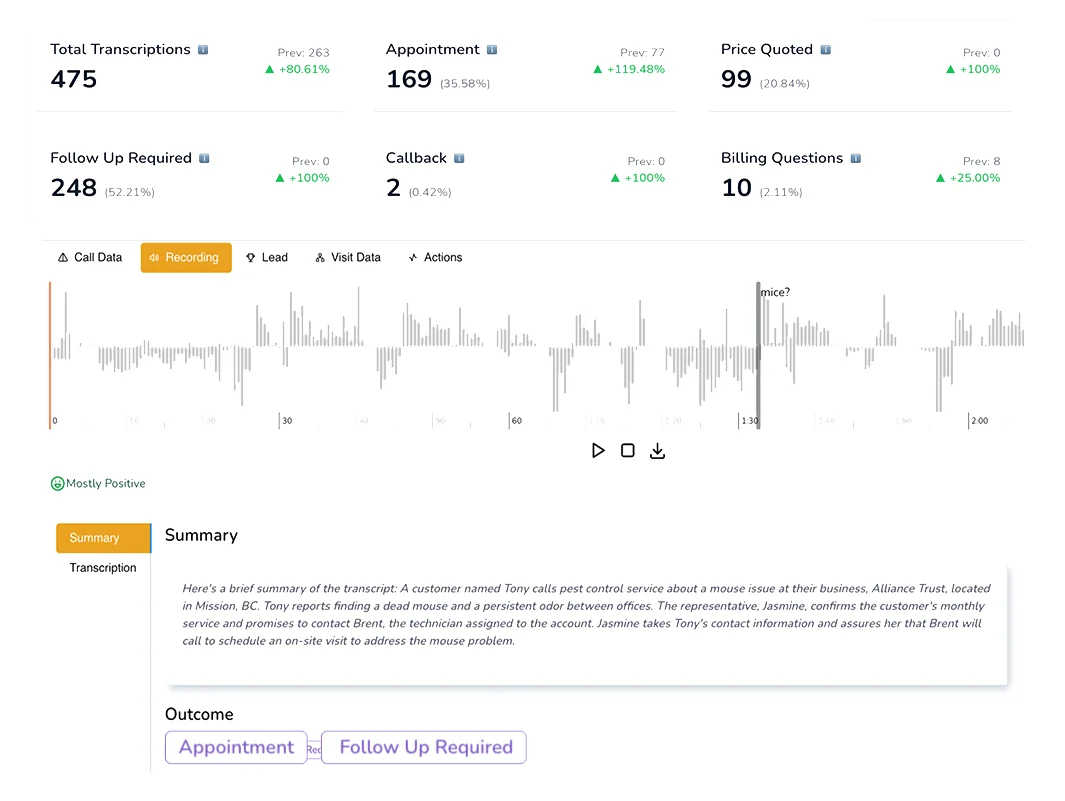
AvidTrak includes AI-powered transcription and outcome extraction that converts calls into searchable text and automatically extracts the outcome of every call. AvidTrak’s conversational AI engine tags outcomes such as booking requests or pricing questions. This helps sales and Customer Service teams act faster without listening to every call.
3. Avidia – AI Data Analyst for Lead and Campaign Data


Avidia answers questions directly from your lead data, call tracking records, and marketing campaigns. Instead of building dashboards, simply ask about conversion rates, lead sources, or sales pipeline activity, and Avidia will use your data to instantly fetch answers to your questions.
Pros of AvidTrak
- Clear and budget-friendly pricing without any unexpected charges
- Exceptional customer service with quick assistance
- No obligation 14-day free trial with $20 credit inclusive of all features
- Advanced tools for handling call tracking, routing, and marketing analytics
- User-friendly interface for easy setup and navigation
- Improves campaign performance and boosts conversion rates
- Customization options are included at no additional cost
- Adaptable solution suitable for basic tracking and advanced needs
- Seamless integrations with popular CRM systems
Cons of AvidTrak
- Lacks integration with GHL
Pricing of AvidTrak
The pricing plans offered by AvidTrak are as follows:
- Starter: $15/month
- Professional: $30/month
- Agency: $55/month
Final Verdict
AvidTrak is a strong fit for businesses that want accurate lead generation tracking software without overpaying. It handles simple tracking well and also supports complex lead distribution, call routing, and reporting needs. For agencies and businesses that care about attribution, pricing clarity, and support, AvidTrak is a practical choice.
2. WhatConverts
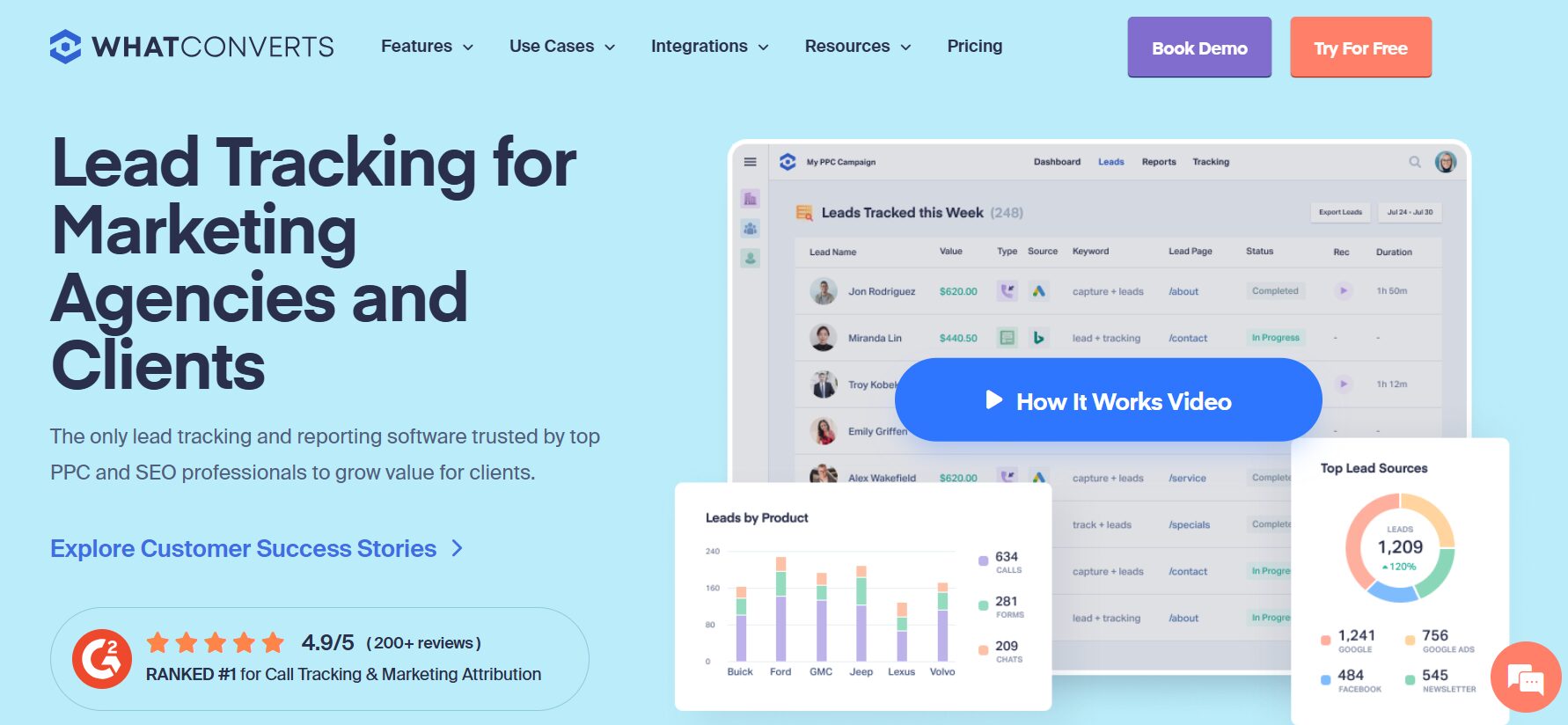
WhatConverts is a user-friendly lead generation tracking software with tools to monitor and analyze leads from various marketing channels. It focuses on showing how leads enter the sales funnel and which marketing campaigns drive measurable results.
The platform is often used by agencies and in-house teams that need structured lead data, clear attribution, and consistent reporting across multiple lead sources.
Features of WhatConverts
- Call Tracking
- Lead Management
- Lead Tracking
- Real-Time Reporting
- Form Tracking
Top 3 Features of WhatConverts
1. Multi-Channel Lead Tracking
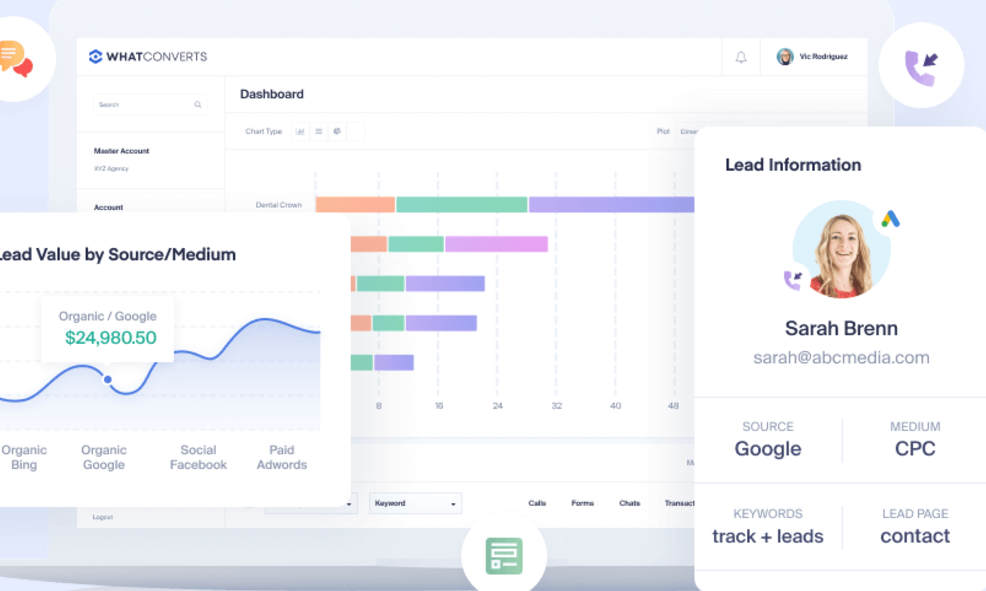
WhatConverts tracks phone calls, web forms, chat leads, and Email to Lead entries. Each interaction is logged as a single record, helping teams follow the customer journey without switching tools.
2. Lead Management

Manage all your leads in one place with tools to sort, qualify, value, and export data, simplifying your workflow across campaigns.
3. Analytics Reports
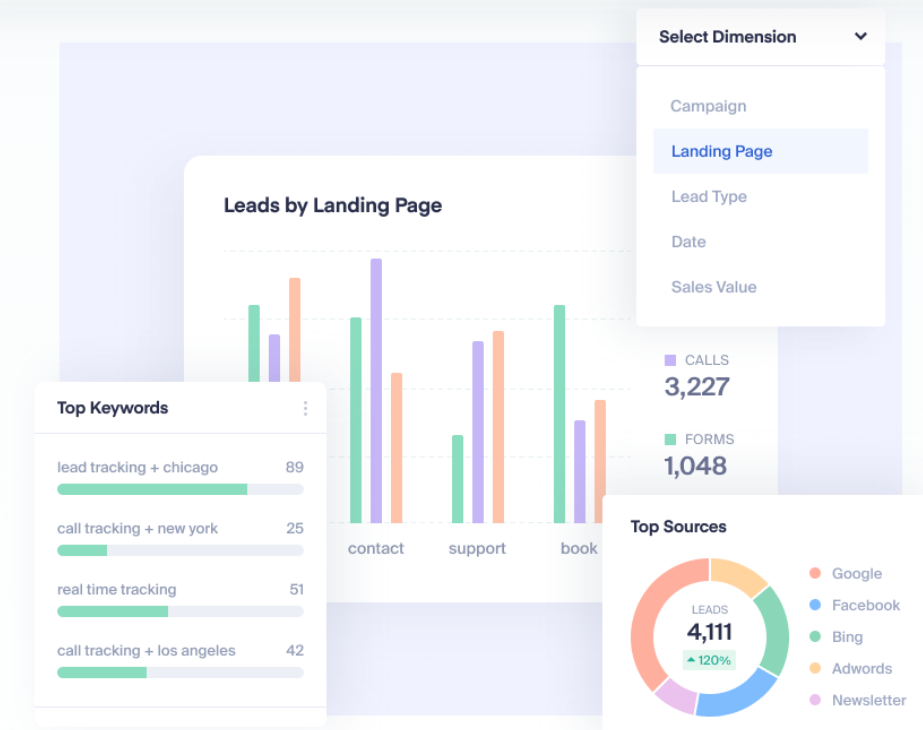
Get smart lead tracking reports that reveal the top-performing marketing channels and keywords driving your best leads.
Pros of WhatConverts
- Advanced call tracking features
- Customizable and detailed reporting
Cons of WhatConverts
- Limited features compared to competitors
- Learning curve for advanced reporting functionalities
Pricing of WhatConverts
WhatConverts offers the following pricing plans:
- Call Tracking: $30/month
- Plus (lead tracking): $60/month
- Pro (all leads + pro tools): $100/month
- Elite (all leads + intelligence): $160/month
The pricing for agency plans differs.
Final Verdict
WhatConverts is a solid lead generation tracking software for teams that want structured lead collection across calls, forms, and chat. It works well for tracking and reporting, but businesses with complex call handling or advanced call-based lead analysis may need additional tools.
3. Phonexa
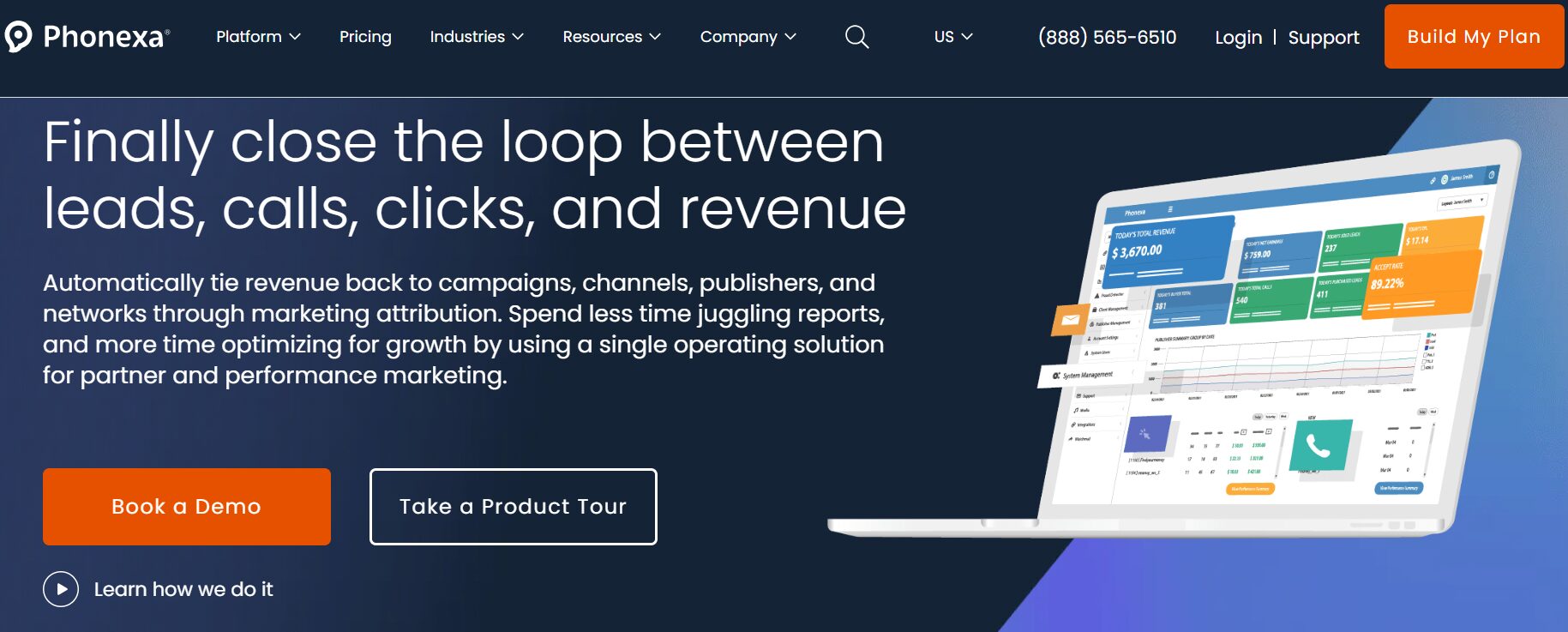
Phonexa is a comprehensive marketing automation platform that allows businesses to specialize in call tracking, lead distribution, and email marketing. It helps improve marketing efforts and optimize lead management processes for businesses across various industries.
Features of Phonexa
- IVR
- AI Call Agents
- Call Analytics
- Real Time Reporting
- Lead Distribution and Analytics
- Call Tracking
- Cloud Phone System
Top 3 Features of Phonexa
1. Real-time Reporting
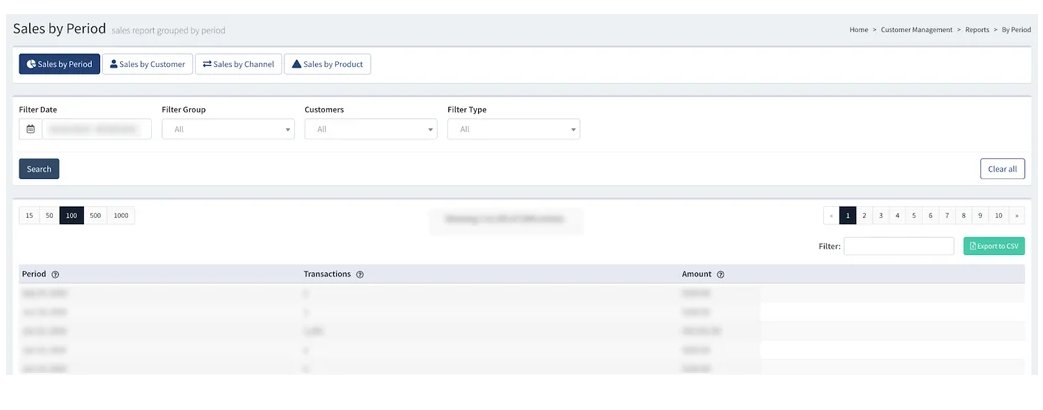
With Phonexa, you can generate quick, easy-to-read reports on your leads, providing instant access to clear and concise campaign data for a productive sales funnel.
2. Lead Distribution
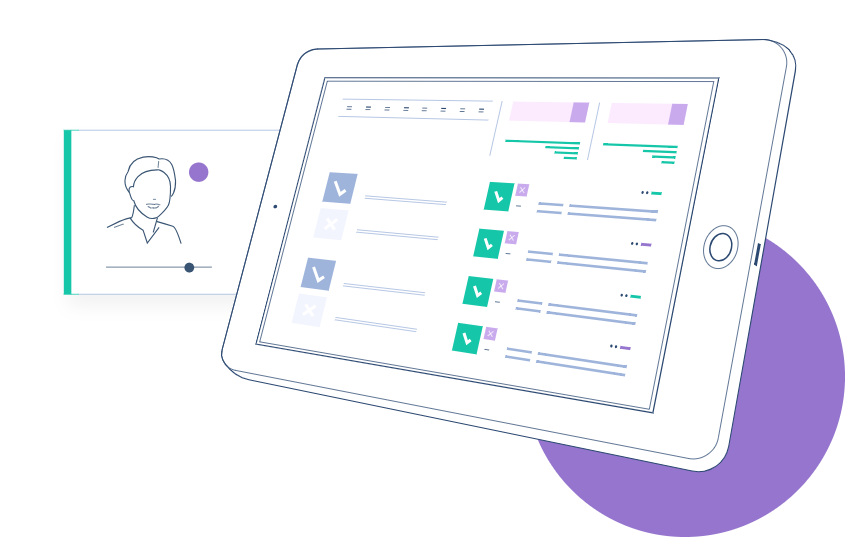
This lead generation tracking software allows to create custom configurations to automate the process of converting leads into loyal customers, improve workflows, and minimize customer wait times.
3. Multiple integrations
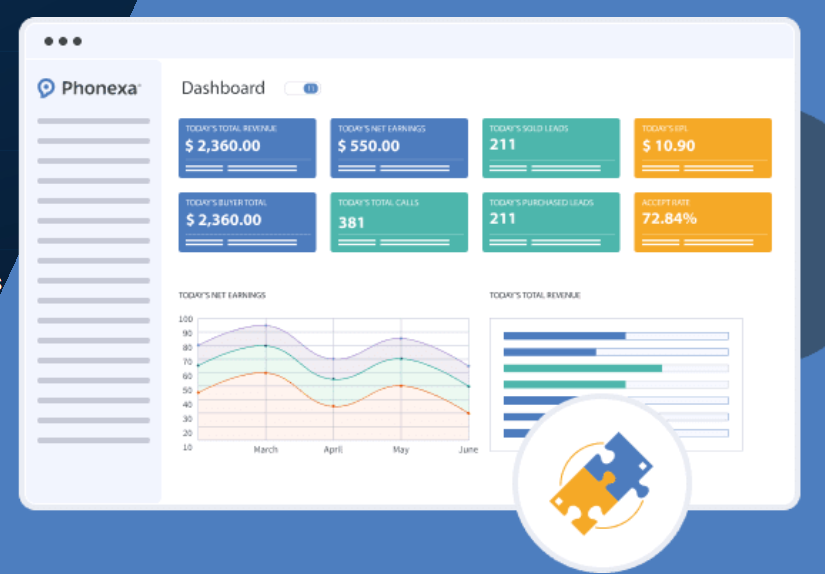
Connect with marketing tools and app integrations you use every day, making it simple to share lead data across your systems.
Pros of Phonexa
- Advanced call tracking and analytics
- Efficient lead distribution system
Cons of Phonexa
- Integration with certain third-party platforms may require additional setup
- Complex features for new users
Pricing of Phonexa
Phonexa offers the following pricing models:
- Lite: $250/month
- Premium: $500/month
-
- Enterprise: $1000/month
- Custom: Get a custom quote
Final Verdict
Phonexa is another leader tracking platform that provides tools for call tracking, lead management, and email marketing. With its range of features, it helps businesses simplify their marketing efforts and optimize lead generation workflows. However, its advanced features and some integrations are difficult to set up.
4. CallTrackingMetrics
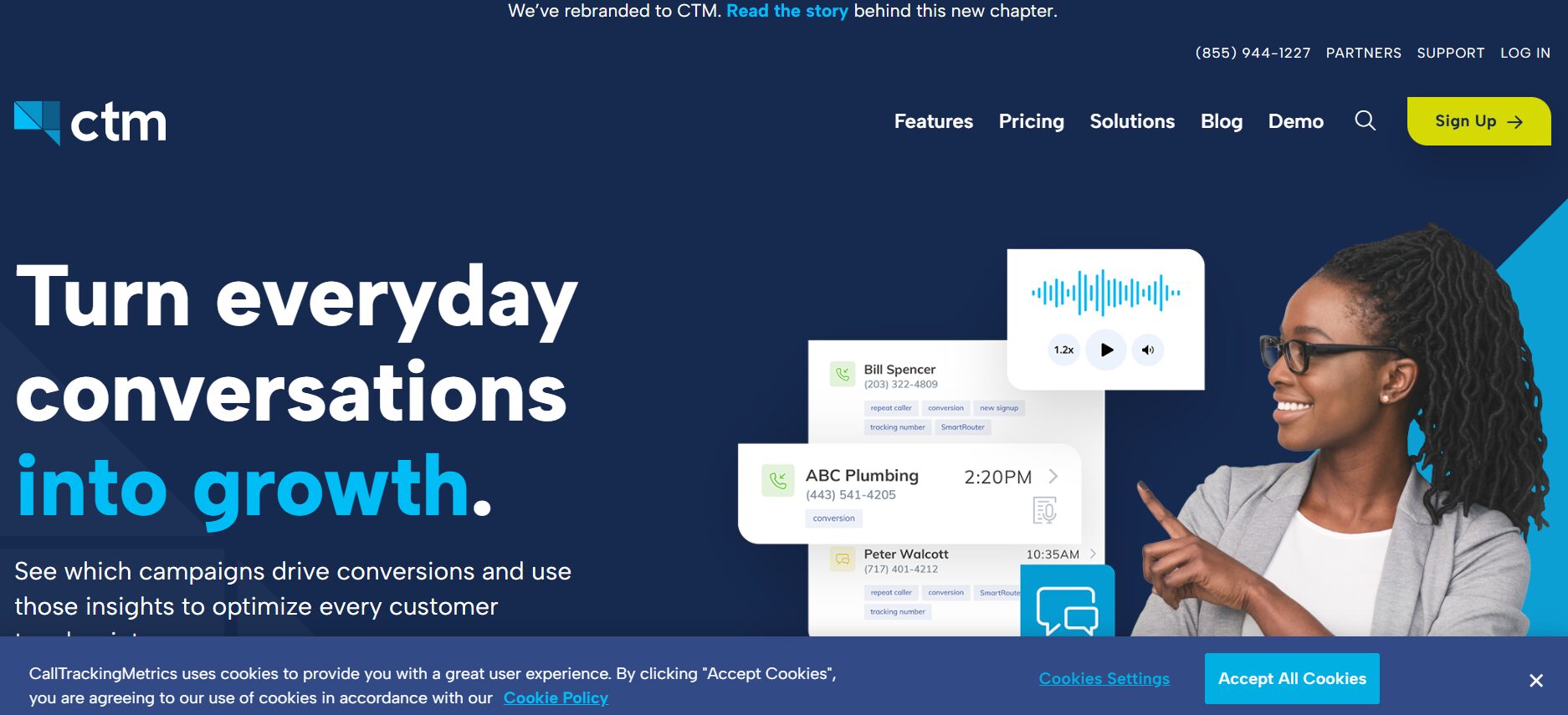
CallTrackingMetrics is a lead tracking software built for businesses that depend heavily on phone leads. It focuses on call attribution, helping teams understand which lead sources drive a qualified lead and how those leads move through the sales funnel.
Along with call tracking, the platform brings calls, texts, chats, and messages into one system. This helps sales and customer service teams review conversations, manage lead data, and connect phone activity to wider marketing campaigns.
Features of CallTrackingMetrics
- Real Time Call Reporting
- Call Routing
- Lead Routing
- Call Forwarding
- IVR
- Lead Scoring
- DNI
Top 3 Features of CallTrackingMetrics
1. Dynamic Number Insertion
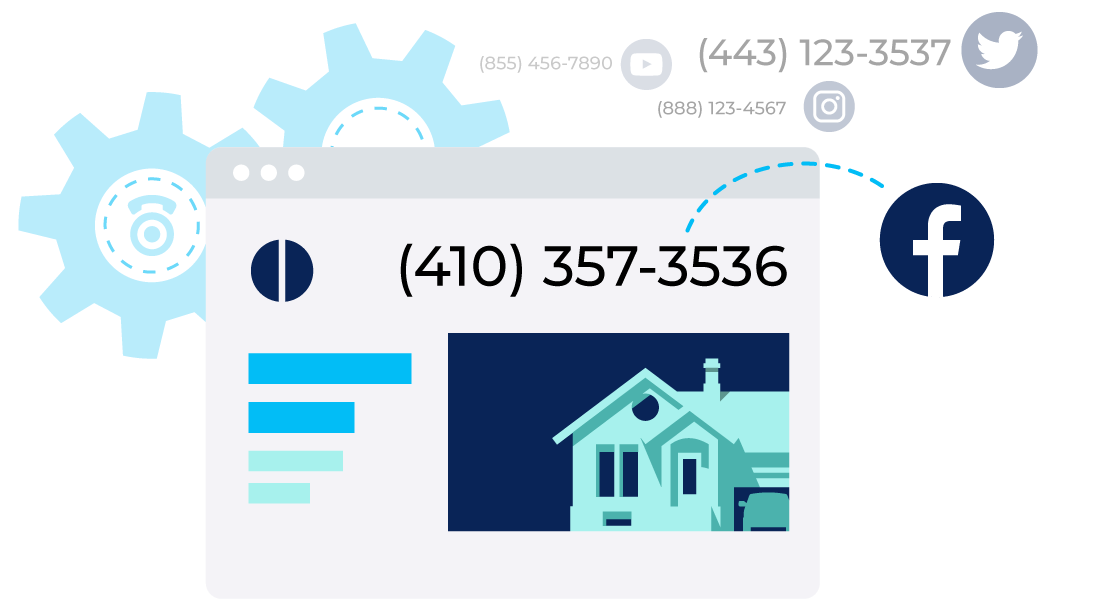
Dynamic Number Insertion assigns unique tracking numbers to ads, keywords, or landing pages. This links phone calls to exact lead sources, making it easier to review conversion rates, call logs, and conversion types.
2. Conversation Analytics
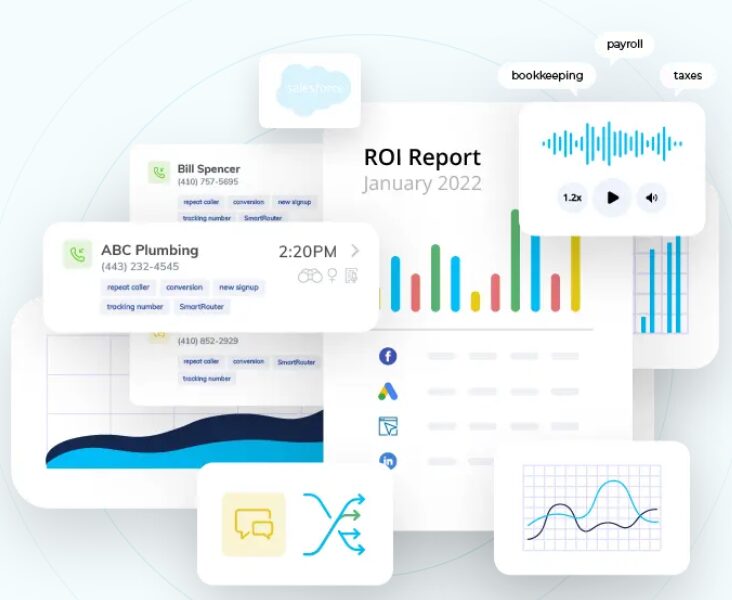
CTM platform converts calls into text and reviews conversations to identify intent and call outcomes. This supports better lead scoring, sales follow-up, and review of how callers move through the customer journey.
3. Automated Call Routing
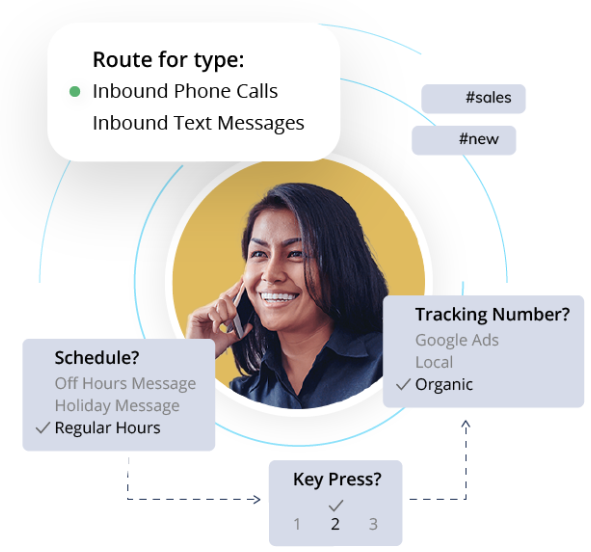
Customize call routing to enable faster lead follow-ups, personalize caller experiences, categorize by intent, allocate leads to teams, and adapt automatically to schedules.
Pros of CallTrackingMetrics
- Strong phone-based lead tracking tools
- Supports lead routing and lead management workflows
- Covers calls, texts, and messaging in one platform
Cons of CallTrackingMetrics
- Steeper learning curve for new users
- Higher pricing for advanced features
Pricing of CallTrackingMetrics
CallTrackingMetrics offers 4 pricing plans:
- Marketing Lite: $79/month billed annually
- Marketing Pro: $179/month billed annually
- Sales Engage: $329/month billed annually
- Enterprise: $1999/month billed annually
Final Verdict
CallTrackingMetrics suits businesses that want detailed phone-based lead generation tracking software with messaging and routing built in. It works well for teams managing steady call volume, though cost and setup may matter for smaller businesses with simpler tracking needs.
5. Marchex
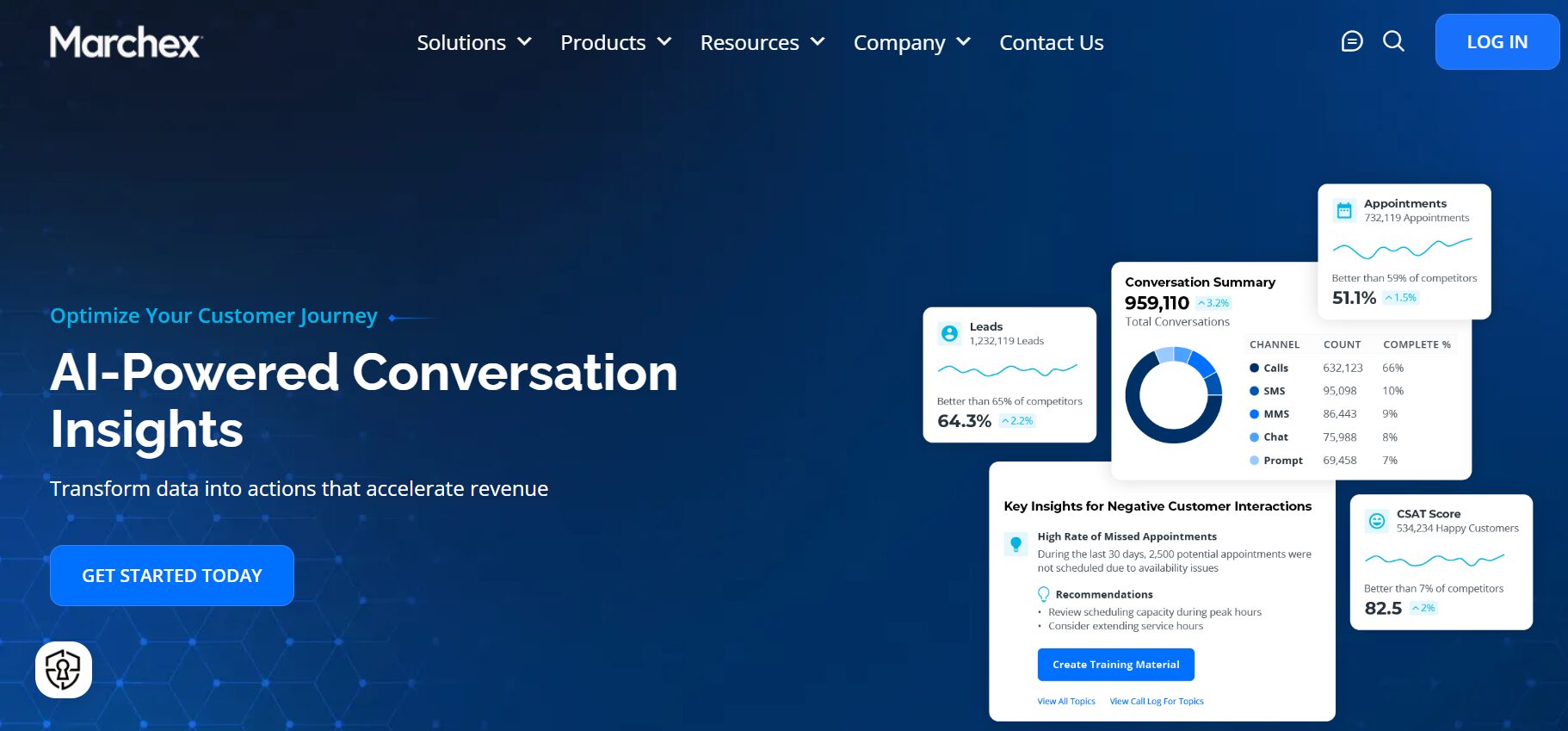
Marchex is a lead-generation tracking software primarily used by large businesses that handle high volumes of inbound phone leads. It focuses on call analytics, attribution, and call quality measurement, helping teams understand how phone conversations contribute to the sales pipeline.
Marchex is often used in industries where phone calls play a key role in lead generation, such as automotive, healthcare, and large service networks.
Features of Marchex
- Call Tracking and Recording
- Call Attribution and Lead Source Tracking
- Multi-Channel Attribution
- Speech and Call Analytics
- Integration with CRM Platforms
- Real-Time Data and Reports
- Keyword Tracking
Top 3 Features of Marchex
1. Call Attribution and Lead Source Tracking
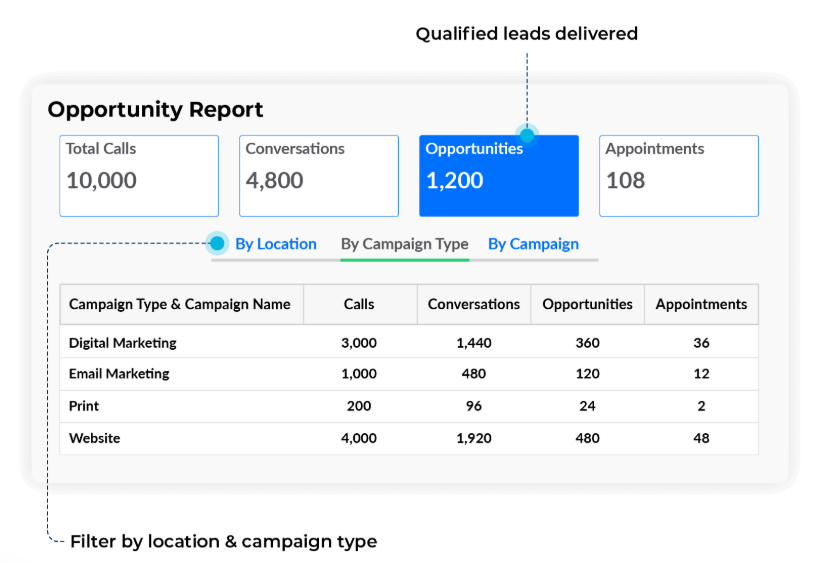
Marchex links inbound calls to specific marketing campaigns, channels, and landing pages. This helps teams understand which sources drive a qualified lead and how phone calls fit into the wider customer journey.
2. Call Analytics and Conversation Review
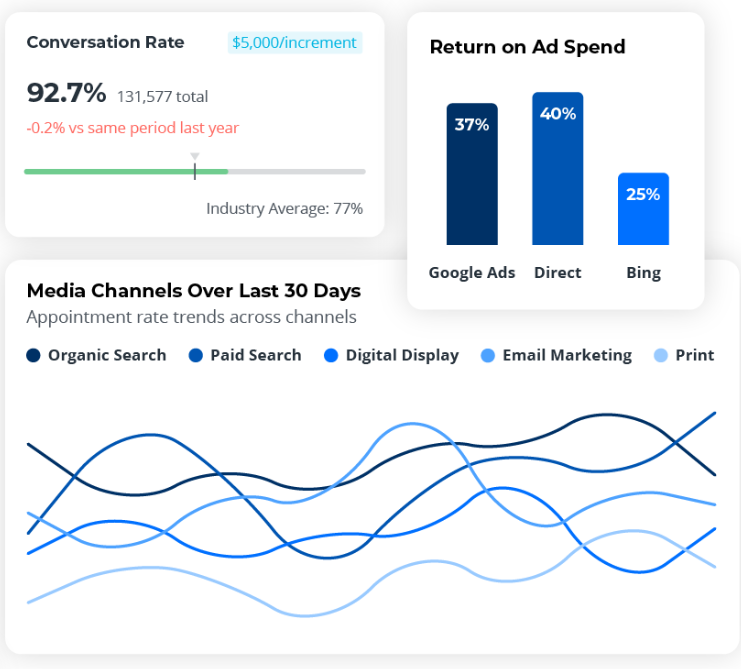
The platform reviews call recordings and transcriptions to identify intent, call outcomes, and conversation quality. This supports better lead scoring, call review, and understanding of conversion types.
3. Reporting and Performance Metrics
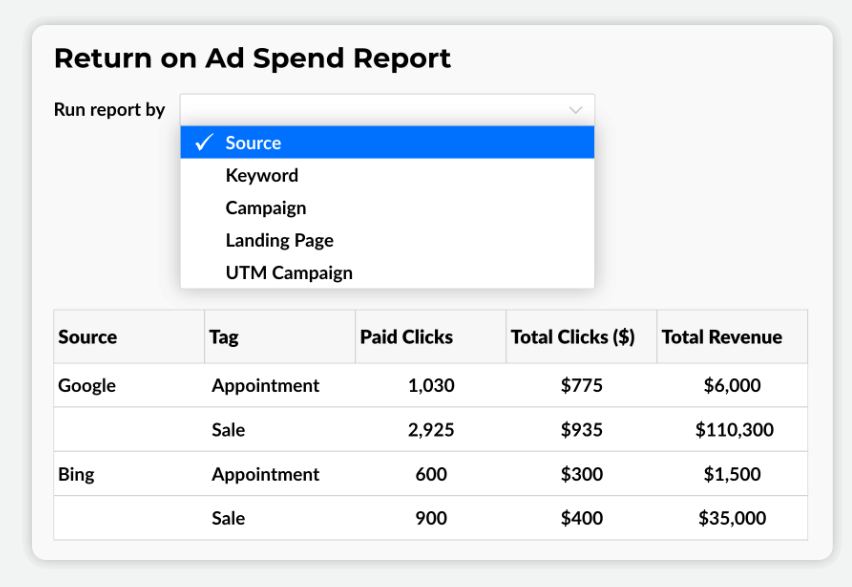
Marchex provides reporting software that focuses on performance metrics such as call volume, call duration, and conversion activity.
Pros of Marchex
- Strong focus on phone-based lead tracking solutions
- Useful for high call volume environments
- Helps analyze call quality and lead intent
- Supports enterprise-level reporting needs
Cons of Marchex
- Pricing is not transparent for smaller teams
- Setup and management may feel heavy for SMBs
- Limited flexibility outside call-based tracking
Pricing of Marchex
Marchex pricing is customized and typically geared toward mid-sized and enterprise organizations. Costs depend on call volume, features, and reporting requirements.
Final Verdict
Marchex is best suited for organizations that rely heavily on phone calls and require detailed call analysis as part of their lead-generation tracking software stack. For smaller teams or those seeking lower-cost, simpler-to-set-up lead tracking tools, other platforms may be easier to manage.
6. CallRail
CallRail is another lead tracking solution focused on helping businesses understand which marketing campaigns bring in phone calls and conversions. It centers on call attribution, caller details, and campaign reporting, making it useful for teams that rely on inbound calls as a core lead source.
The platform is commonly used by small to mid-sized teams seeking a simple lead-tracking system for calls, forms, and basic messaging.
Features of CallRail
- Call Routing
- Conversion Intelligence
- Call Recording
- Call Metrics
- Lead Attribution
- Call Analytics Dashboard
- Call Tracking
- DNI
Top 3 Features of CallRail
1. Lead Identification
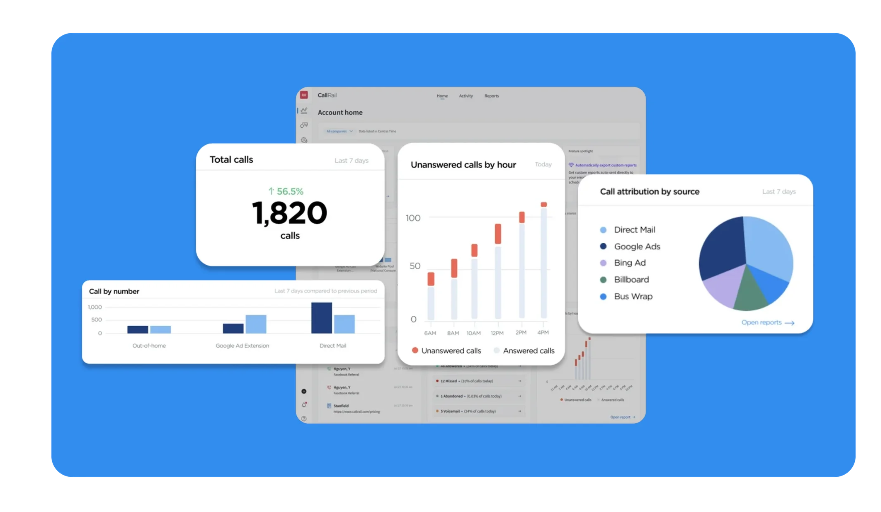
CallRail identifies lead sources for each call and builds caller profiles from call logs and history. This helps sales teams spot a qualified lead faster and understand where the lead fits in the sales pipeline.
2. Outbound Lead Generation
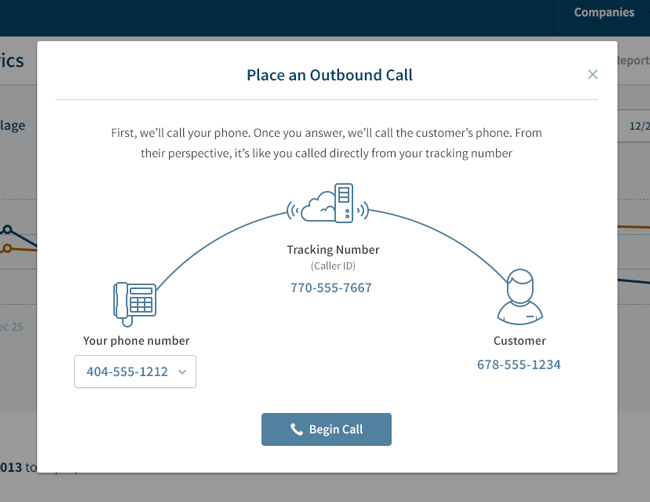
With CallRail, manage contacts, track lead statuses, and access customer histories in one shared inbox. This helps boost potential buyers.
3. Dynamic Number Insertion
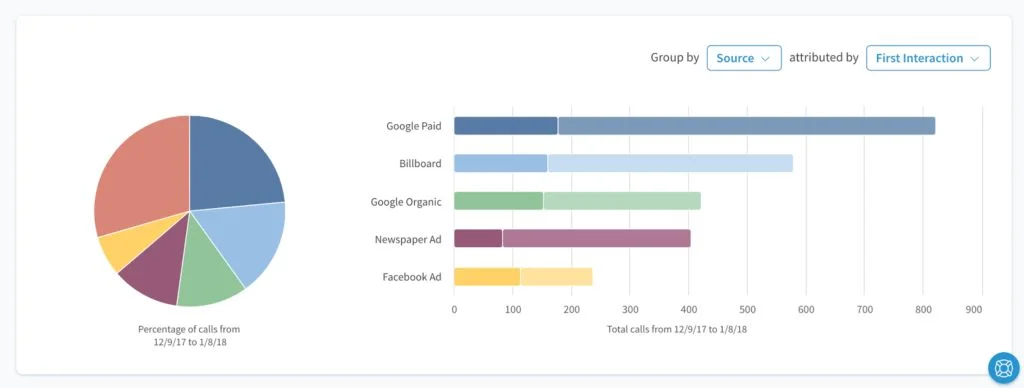
CallRail’s DNI assigns unique phone numbers to ads, keywords, or landing pages. This links calls to specific marketing campaigns, helping teams review conversion rates and conversion types tied to phone leads.
Pros of CallRail
- Easy setup for call-based lead generation
- Supports lead attribution across ads and pages
- Integrates with CRM Software and ad platforms
Cons of CallRail
- Limited advanced CRM features
- Additional costs for premium features
Pricing of CallRail
CallRail offers 4 pricing plans:
- Lead Tracking: $50/month
- Lead Tracking Complete: $95/month
- Lead Conversion: $135/month
- Lead Conversion Complete: $180/month
Final Verdict
CallRail provides call tracking and analytics tools that help businesses optimize their marketing workflows. Its CRM software integration capabilities and user-friendly interface make it a good option in lead generation platforms. However, the pricing plans are a bit higher compared to competitors.
7. Invoca
Invoca is a lead tracking system used by mid-sized and enterprise teams that want detailed visibility into phone-based leads. It focuses on attribution, conversation review, and routing so businesses can see which lead sources move prospects through the sales funnel and into the sales pipeline.
Features of Invoca
- Call Tracking and Analytics
- Multi-touch Attribution
- Integration with Popular CRM
- Real-time Data
- Dynamic Number Insertion
- Keyword-level Tracking
Top 3 Features of Invoca
1. Live Reporting on Call Activity
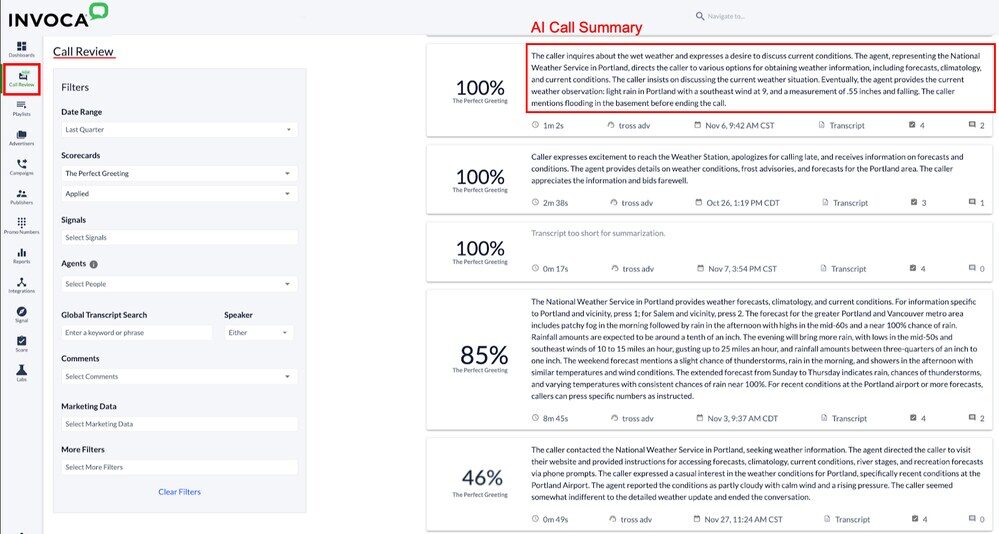
Invoca provides up-to-date views of call volume, source, and outcomes. Teams can review performance metrics, spot changes in call quality, and adjust marketing campaigns based on current lead behavior.
2. Conversation Intelligence with AI-Powered Transcription
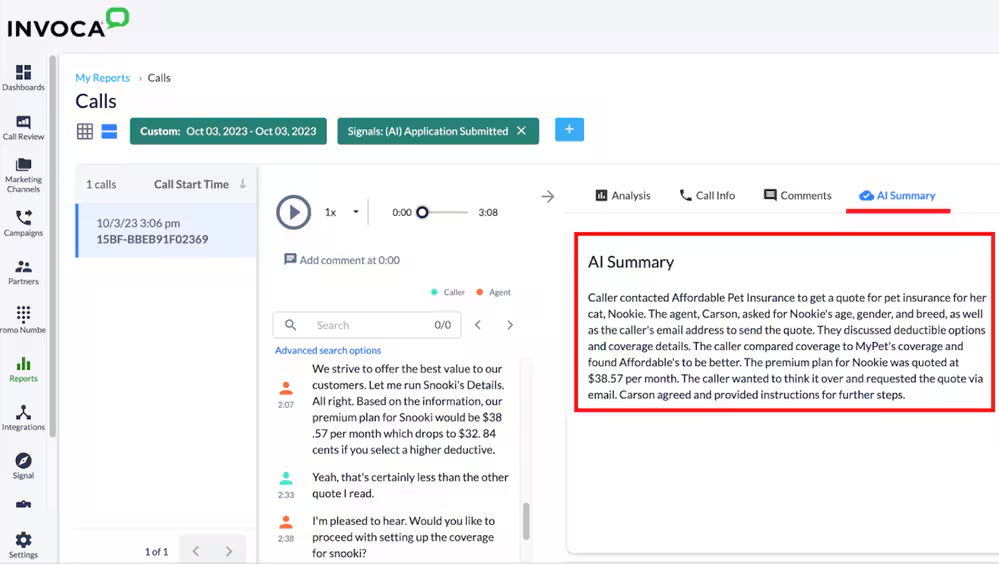
Invoca uses AI-powered transcription and conversational AI to review calls and flag intent signals. This supports lead scoring, call review, and a clear understanding of conversion types tied to phone conversations.
3. Automated Call Routing and Lead Distribution

Calls can be routed based on intent, schedule, or caller details. This supports faster follow-up, cleaner lead distribution, and smoother handling across sales and Customer Service teams.
Pros of Invoca
- Strong phone-based lead tracking tools for large teams
- Supports lead scoring and conversation review
- Designed for complex sales pipeline workflows
Cons of Invoca
- Interface may take time to get comfortable with
- Pricing is not listed publicly
- Better suited for larger budgets and higher call volume
Pricing of Invoca
Invoca pricing is customized based on usage, features, and business size. Teams must request a quote directly from Invoca to review plan options.
Final Verdict
Invoca fits organizations that rely heavily on phone calls and need enterprise-level lead generation tracking software. It offers strong attribution and call analysis, though pricing transparency and setup time may be a factor for smaller teams.
8. CallFire
CallFire is a cloud-based communication platform used for voice and text campaigns that support lead generation. It combines call tracking, IVR, and messaging so teams can reach prospects, log responses, and manage phone-based activity within a simple lead-tracking system.
CallFire is often used by teams that run outbound and inbound campaigns and want clearer control over calls, texts, and routing within their sales funnel.
Features of CallFire
- IVR
- Advanced Call Tracking
- Text Messaging
- Sales Dialer
- Call Routing
Top 3 Features of CallFire
1. Interactive Voice Response
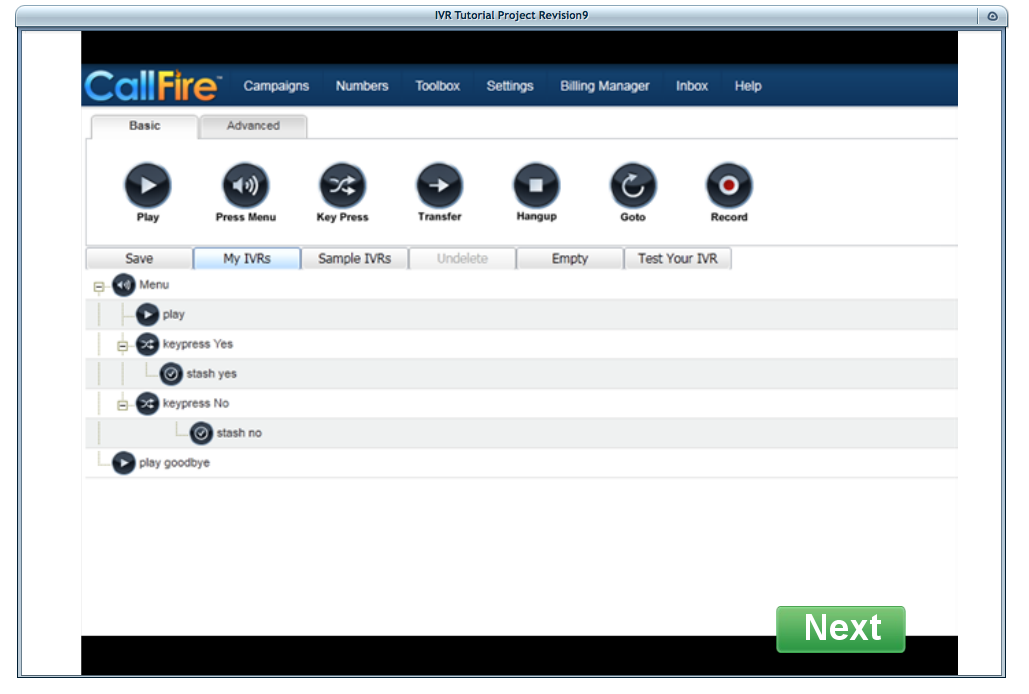
CallFire’s IVR system allows businesses to create automated phone menus for efficient customer self-service and call routing.
2. Reporting and Campaign Analytics
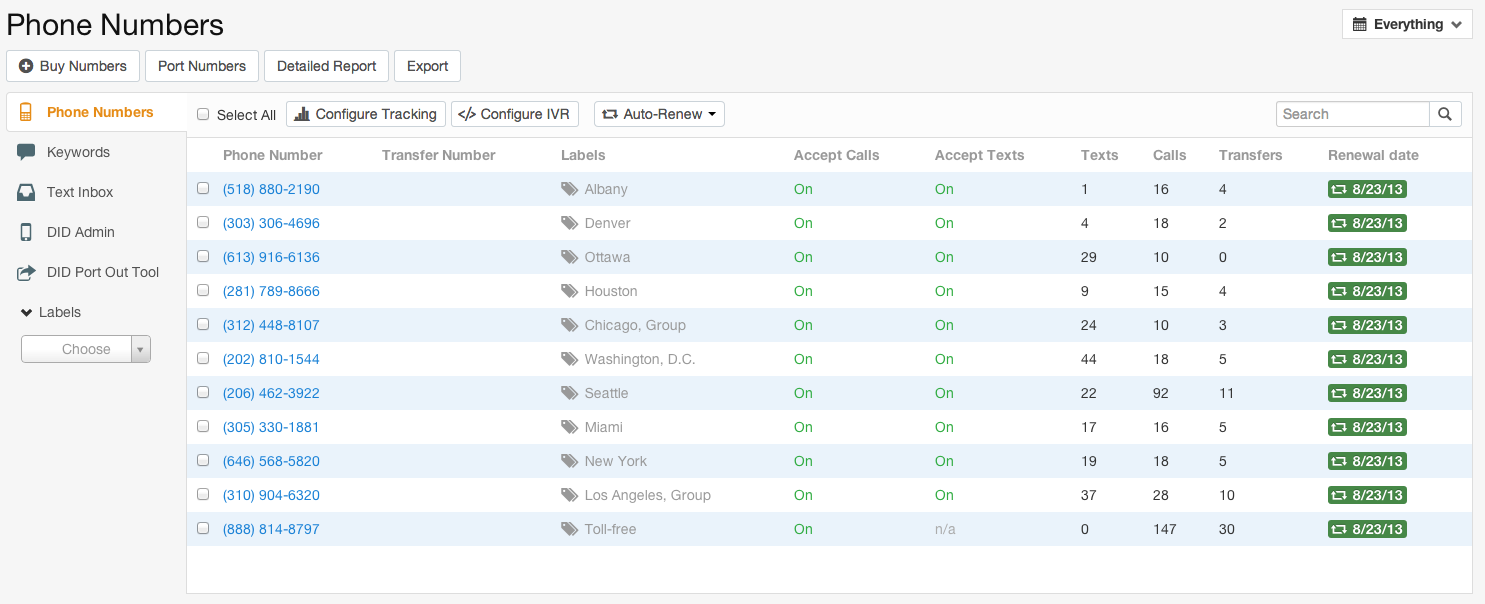
The platform provides reporting software that shows call volume, response activity, and performance metrics for voice and text campaigns. Teams can review results by campaign to understand conversion types and follow-up needs.
3. Call Tracking
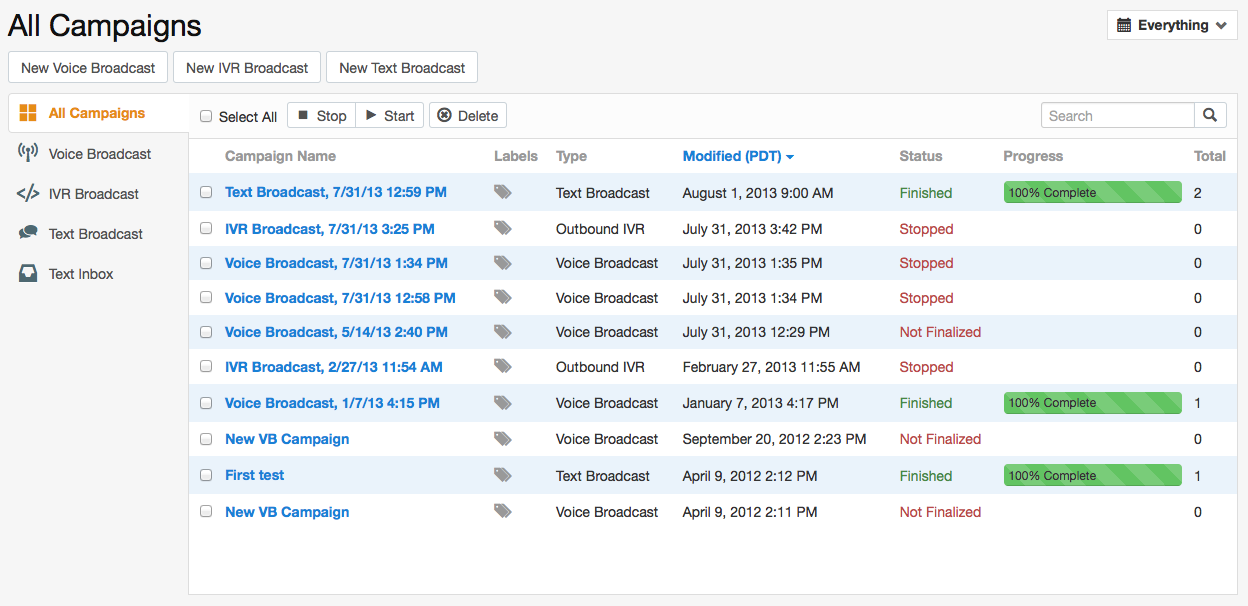
CallFire tracks inbound and outbound calls with detailed call logs. This helps teams review conversations, connect calls to lead data, and understand how phone activity affects the sales pipeline.
Pros of CallFire
- Scalable solutions
- Comprehensive reporting and analytics
Cons of CallFire
- Limited CRM Software integration options
- No free trial available
Pricing of CallFire
CallFire offers 4 pricing plans:
- Pro: $599/month
- Grow: $299/month
- Startup: $199/month
- Lite: $99/month
Final Verdict
CallFire fits businesses that want a voice and text-based lead generation tracking software for campaign-driven outreach. It works well for managing calls, messages, and routing, though teams that rely heavily on CRM Software, lead management, or deeper conversation analysis may compare other lead tracking tools.
9. Hubspot
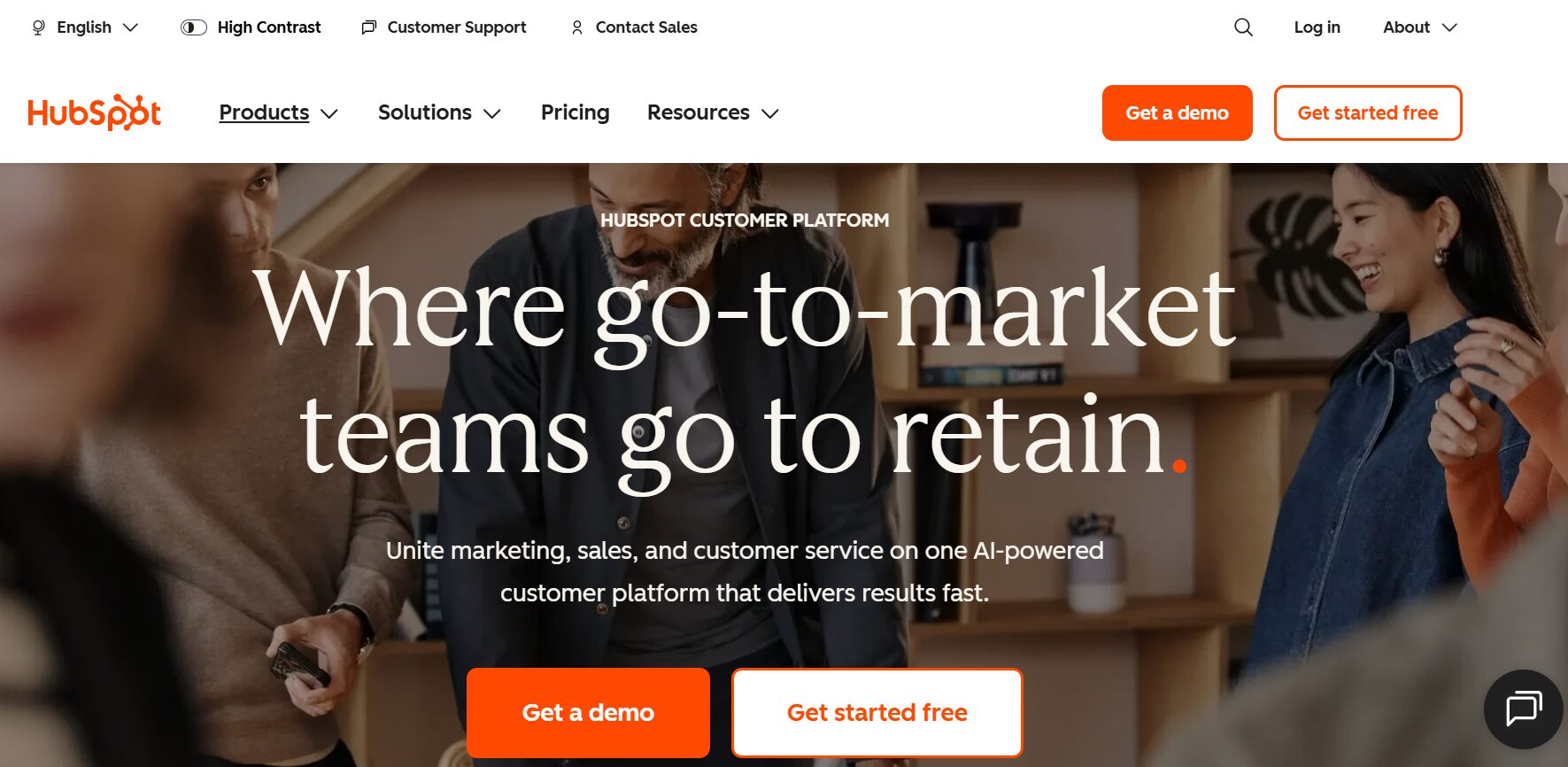
HubSpot is an all-in-one CRM Software that supports inbound marketing, sales, and customer service. It is often used as a lead generation tracking software for teams that want to manage leads, contacts, and campaigns across email, forms, and sales activity in one system.
HubSpot focuses on organizing lead data, tracking interactions, and helping teams move leads through the sales funnel and sales pipeline using connected tools.
Features of HubSpot
- Lead Tracking
- Call and Sales Tracking
- Integrations With CRM
- Lead Management
- Keyword Tracking
- Detailed Dashboards
- Intelligent Dashboard and Reporting
- CRM Integrations
- Lead Scoring
Top 3 Features of HubSpot
1. CRM Integration
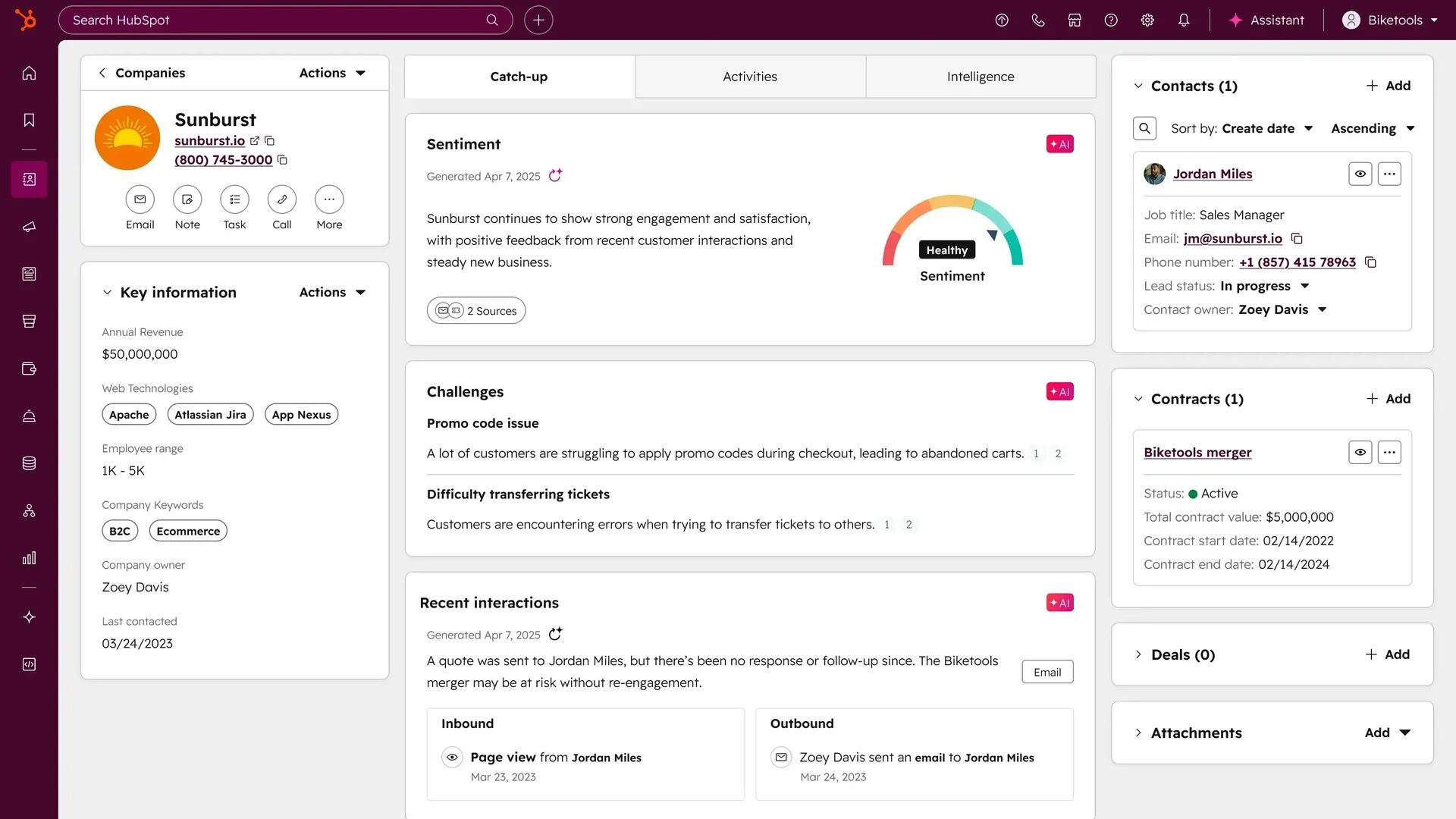
HubSpot connects its marketing, sales, and service tools inside one CRM. This gives teams a shared view of lead sources, communication history, and deal progress across the customer journey.
2. Lead Management
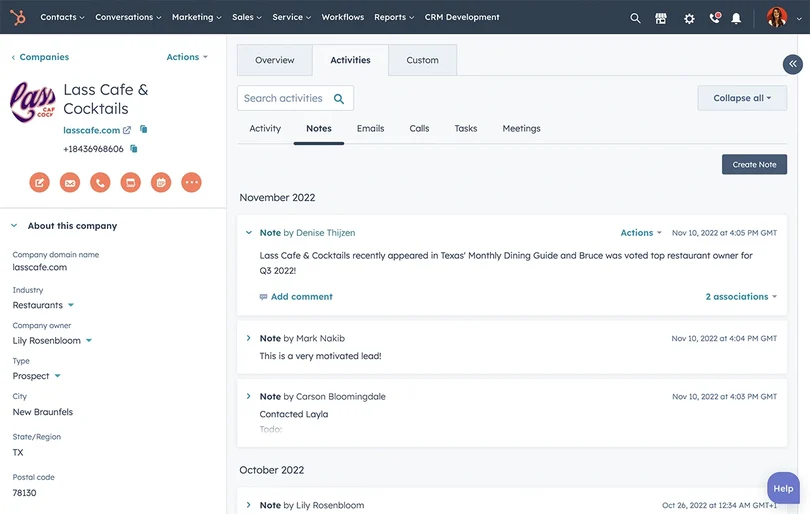
The platform helps organize and nurture leads at each stage of the sales funnel. Teams can apply lead scoring, track engagement, and prioritize a qualified lead based on behavior and activity.
3. Lead Capture and Automation
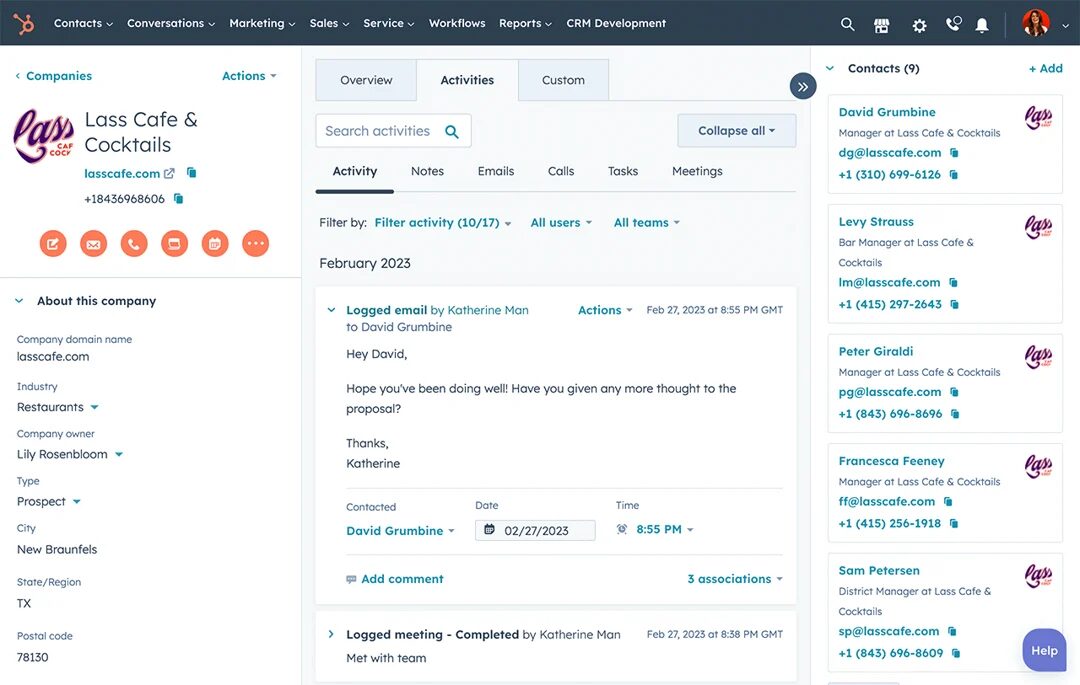
HubSpot includes lead-capture forms, live chat, Email-to-Lead, and workflow automation. These tools help collect leads from landing pages, email marketing, and campaigns, then route them into the sales pipeline.
Pros of HubSpot
- Third-party integrations
- Intuitive and user-friendly interface
- Advanced reporting and analytics
Cons of HubSpot
- Premium features require higher-priced plans
- Some tools may have a learning curve for new users
Pricing for HubSpot
HubSpot offers the following pricing plans:
- Marketing Hub Starter: $15/mo/seat
- Marketing Hub Professional: $890/mo with 3 core seats
- Marketing Hub Enterprise: $3600/mo with 5 core seats
Final Verdict
HubSpot works well as a general lead generation tracking software for inbound marketing and CRM-based workflows. It covers lead management, reporting, and automation, but teams that rely heavily on call tracking or phone-based attribution often pair it with dedicated lead tracking tools.
10. Zoho CRM
Zoho CRM is a cloud-based customer relationship management platform designed to help businesses manage sales, marketing, and customer support in a single system. It offers services including lead and account management, as well as advanced analytics, to streamline lead generation and enhance customer insights.
Features of Zoho CRM
- Real-Time Reporting and Dashboards
- Lead Tracking
- Marketing Automation
- Third-Party Integration
Top 3 Features of Zoho CRM
1. Lead Management
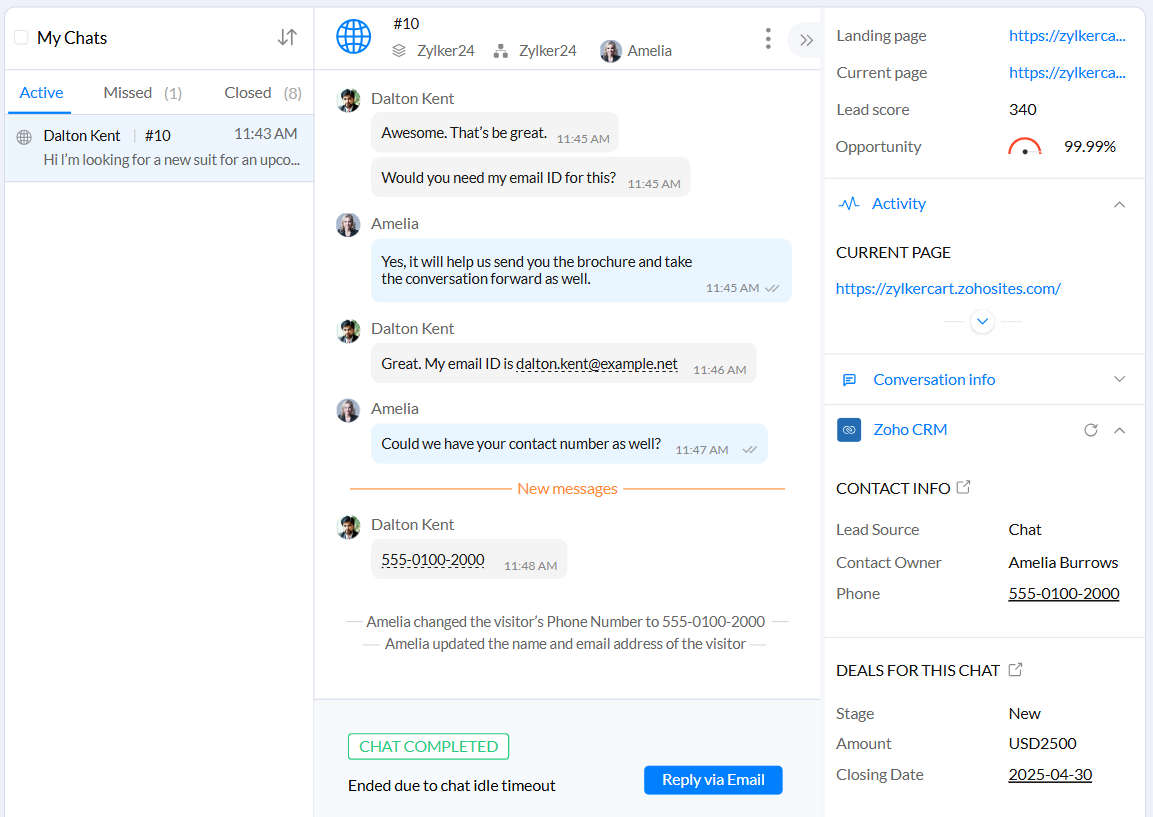
Drive leads from multiple sources, score them based on their potential, and distribute them to the right sales representatives for timely follow-ups.
2. Real Time Reporting
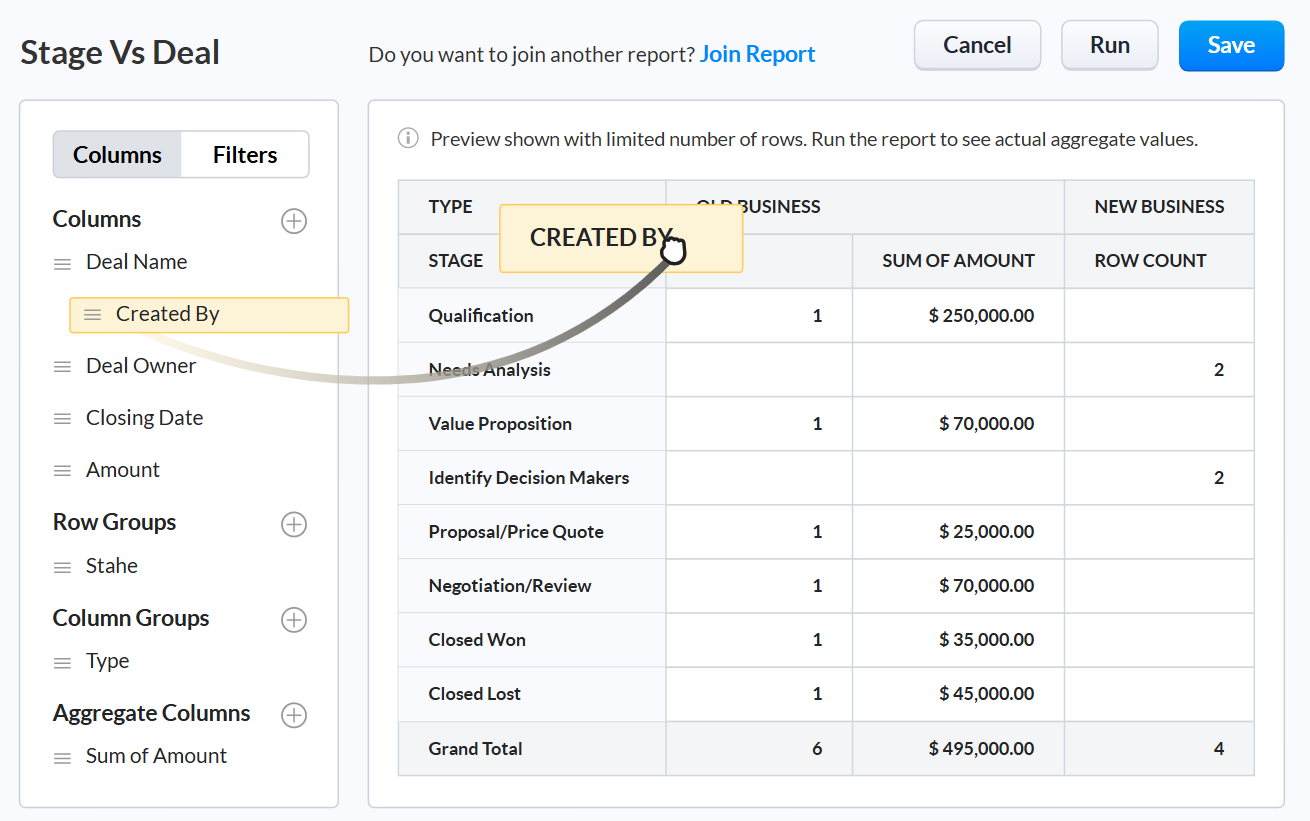
This software helps monitor key sales metrics with reports. It can be customized to include data across various modules and transform insights into visual charts for better analysis.
3. Multiple Integrations
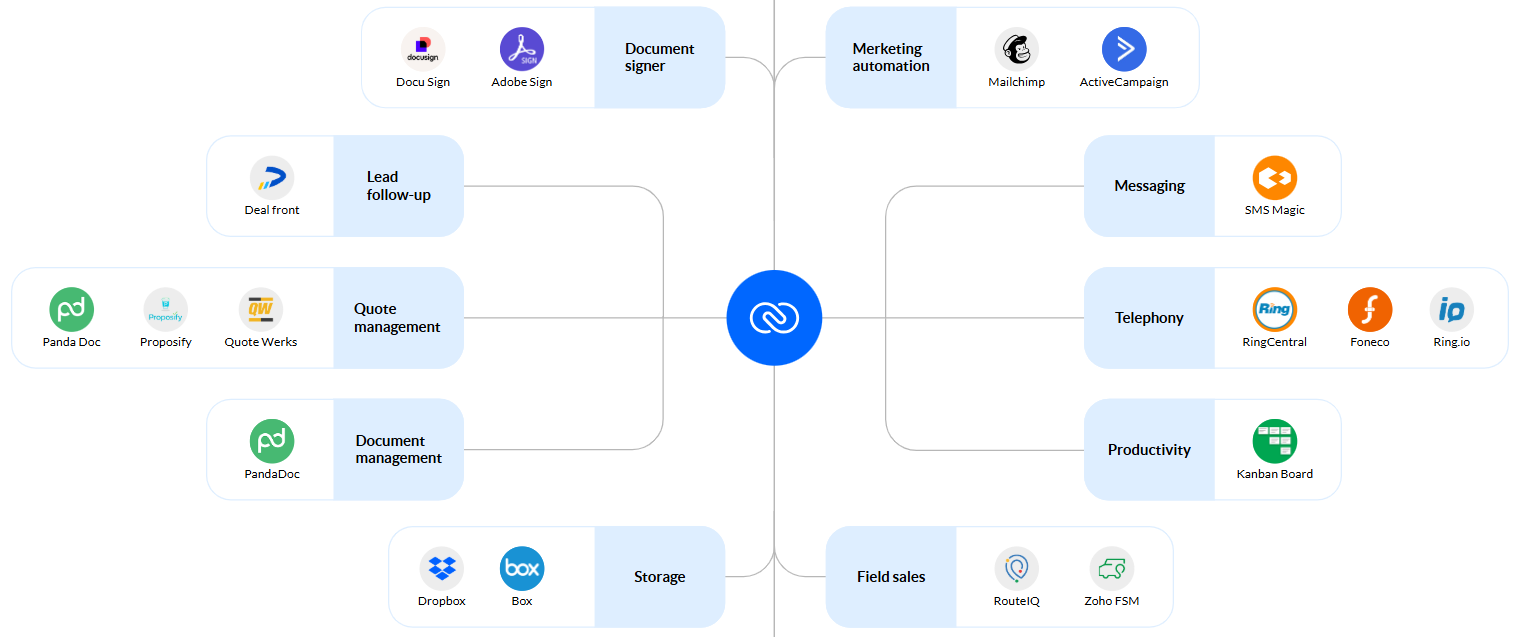
Zoho CRM’s multiple integrations feature connects with a wide range of tools like email platforms, marketing automation software, and third-party apps.
Pros of Zoho CRM
- Scalable solutions for businesses of various sizes
- Various tools for lead and sales management
Cons of Zoho CRM
- Advanced features require paid plans
- Initial setup can be time-consuming
Pricing of Zoho CRM
Zoho CRM offers 4 pricing quotations:
- Standard: $14/month billed annually
- Professional: $23/month billed annually
- Enterprise: $40/month billed annually
- Ultimate: $52/month billed annually
Final Verdict
Zoho CRM is practical lead-generation tracking software for teams that want lead tracking, lead scoring, and sales workflow management in one place. It works well for managing lead data and the customer journey, though teams that rely heavily on phone-based tracking often pair it with dedicated lead tracking tools.
Feature Comparison Table
| Features / Tools | AvidTrak | WhatConverts | Phonexa | CallTrackingMetrics | Marchex | CallRail | Invoca | CallFire | HubSpot | Zoho CRM |
| Call Tracking | ✅ | ✅ | ✅ | ✅ | ✅ | ✅ | ✅ | ✅ | ✅ | ✅ |
| Dynamic Number Insertion | ✅ | ✅ | ✅ | ✅ | ✅ | ✅ | ✅ | ❌ | ❌ | ❌ |
| Detailed Reports | ✅ | ✅ | ✅ | ✅ | ✅ | ✅ | ✅ | ✅ | ✅ | ✅ |
| Call Whisper | ✅ | ✅ | ❌ | ✅ | ❌ | ✅ | ✅ | ✅ | ❌ | ✅ |
| CRM Integrations | ✅ | ✅ | ❌ | ✅ | ✅ | ✅ | ❌ | ✅ | ✅ | ✅ |
| Lead Tracking | ✅ | ✅ | ✅ | ✅ | ✅ | ✅ | ✅ | ✅ | ✅ | ✅ |
| IVR | ✅ | ✅ | ✅ | ✅ | ✅ | ✅ | ✅ | ✅ | ❌ | ✅ |
| Call Transfers | ✅ | ✅ | ✅ | ✅ | ✅ | ✅ | ❌ | ❌ | ✅ | ❌ |
| AI-Powered Transcription | ✅ | ✅ | ✅ | ❌ | ❌ | ✅ | ✅ | ❌ | ❌ | ✅ |
| Conversation Outcome Tagging | ✅ | ✅ | ✅ | ✅ | ✅ | ✅ | ✅ | ❌ | ✅ | ❌ |
Conclusion
Choosing the right lead generation tracking software affects how well you collect leads, track lead sources, and move a qualified lead through your sales funnel. The tools covered in this guide support different needs, from call tracking and Dynamic Number Insertion to CRM software connections, reporting software, and clear visibility into conversion rates across marketing campaigns.
This list focuses on how each lead tracking system handles lead data, call logs, forms, and attribution across the full customer journey. Some tools work best for basic tracking. Others support complex setups involving call routing and multi-location sales teams.
Among lead generation software providers, AvidTrak stands out for its affordable pricing, hands-on product support, and ability to handle both simple and complex tracking setups. AvidTrak includes advanced capabilities such as Leena, an AI-based virtual receptionist that helps capture leads when calls go unanswered, and Avidia, an AI data analyst that answers questions using your call and campaign data. These features help businesses act on leads faster without adding extra tools or cost-heavy dashboards.
Whether you’re just starting with lead tracking tools or managing higher call volume across channels, this comparison will help you choose the best lead generation tracking software based on how you actually work. Try AvidTrak today and transform the way you approach lead tracking!
Frequently Asked Questions
1. What is lead generation tracking software?
Lead generation tracking software records and organizes lead data from calls, forms, and campaigns. AvidTrak connects lead sources to the sales funnel, helping identify a qualified lead and measure conversion rates accurately.
2. How does Dynamic Number Insertion (DNI) help with lead tracking?
DNI assigns unique phone numbers to ads or landing pages. This links calls to marketing campaigns, improves call log accuracy, and helps businesses understand which channels generate a qualified lead.
3. Can lead tracking software integrate with CRM software?
Yes. Most lead tracking solutions integrate with CRM Software to sync lead data, call logs, and conversion types. This supports smoother lead management, better lead scoring, and clearer visibility across the sales pipeline.
4. Why is pricing important when choosing lead generation tracking software?
Pricing matters because call tracking numbers and minutes are commodities. The right lead generation tracking software balances cost, reporting software, and support, without hidden fees, while still covering lead tracking and marketing campaign attribution.
5. What features should I prioritize in the best lead tracking software?
Focus on lead sources, call tracking, Dynamic Number Insertion, automated reports, CRM integrations, and clear performance metrics. These features help track the customer journey, manage lead distribution, and support better sales decisions.


