


Phone calls still play a major role in lead generation, but call volume alone does not show which campaigns are working.
Call tracking software helps businesses connect inbound calls to campaigns, keywords, ads, landing pages, and lead outcomes.
This guide compares the 10 best call tracking software options in 2026 so you can choose the right platform for tracking phone leads and marketing ROI.
Best Call Tracking Software Comparison
| Software | Best for | Tracking strength | Pricing starting price |
| AvidTrak | Cost-effective call tracking with advanced routing | Campaign tracking, keyword tracking, DNI, AI transcripts, call outcomes, routing, and agency dashboards | Starts at $15/month |
| CallRail | SMB call tracking and lead engagement | Calls, forms, texts, source tracking, recordings, and conversation intelligence | Starts at $45/month |
| Twilio | Developer-built call tracking systems | Voice API, number management, IVR, custom workflows, and global phone infrastructure | Usage-based pricing |
| WhatConverts | Calls, forms, chats, and lead value tracking | Multi-channel lead tracking, keyword reporting, call recording, and lead qualification | Starts at $30/month |
| CallHippo | Virtual phone system with basic tracking | Virtual numbers, IVR, call routing, call monitoring, and CRM connections | Starts at $18/user/month |
| Revenue.io | Salesforce-based sales teams | Salesforce call logging, call analytics, coaching, transcription, and sales activity data | Custom quote |
| CallTrackingMetrics | Attribution plus routing and contact workflows | DNI, call recording, transcription, routing, CRM sync, and automation workflows | Starts at $79/month |
| Nimbata | PPC and SMB call tracking | Google Ads attribution, call outcomes, reporting, spam filtering, and conversation intelligence | Free plan available; paid plans start at $39/month |
| Invoca | Enterprise call analytics | AI call analytics, Signal AI, multi-channel attribution, call quality scoring, and revenue reporting | Custom quote |
| Gong.io | Sales conversation intelligence | Call recording, call transcription, CRM sync, sales coaching, and deal insights | Custom quote |
How AvidTrak Selected the Best Call Tracking Software
AvidTrak reviewed each platform based on how well the software helps marketers connect inbound calls to campaigns, keywords, ads, landing pages, call recordings, call outcomes, CRM records, and marketing reports.
AvidTrak gave more weight to marketing attribution and phone lead quality than basic call logging. A platform that only records calls does not rank as well as a platform that helps a team understand which source produced the call and whether the call became a qualified lead.
AvidTrak also considered whether each platform supports Google Ads call tracking, PPC keyword tracking, organic traffic call tracking, social media call tracking, offline campaign call tracking, call routing, AI-powered call transcription, and reporting workflows.
Call Tracking Software Scoring Criteria
| Scoring area | Weight |
| Campaign, keyword, and source tracking | 20% |
| Dynamic number insertion and tracking number options | 15% |
| Call recording, transcription, and AI call analytics | 15% |
| Call routing and lead handling | 15% |
| CRM, analytics, and ad platform connections | 10% |
| Agency and client reporting support | 10% |
| Ease of use | 5% |
| Pricing clarity | 5% |
| Scalability for SMBs, agencies, and enterprise teams | 5% |
Best Call Tracking Software Tools
1. AvidTrak
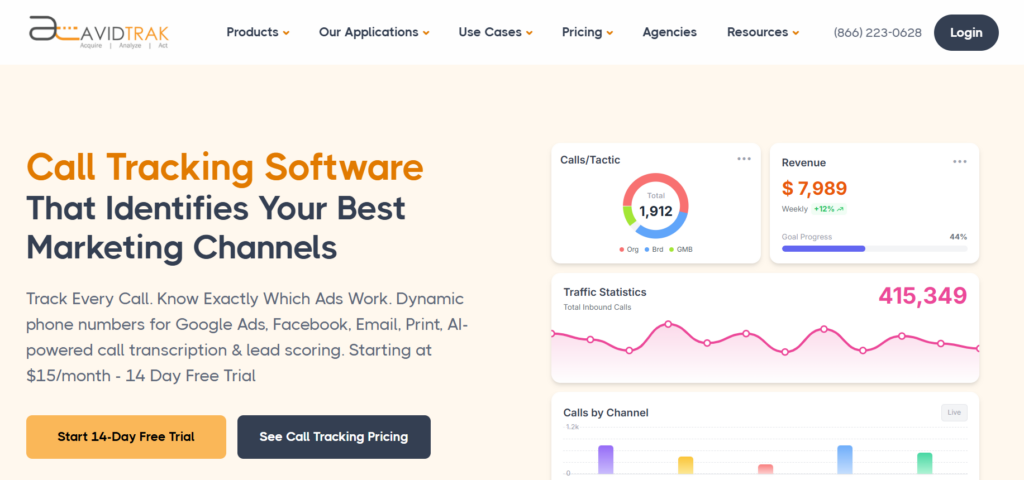 Best for: Cost-effective call tracking with advanced routing, AI transcription, and campaign attribution.
AvidTrak is call tracking software for marketers, agencies, SMBs, and enterprise teams that need to connect inbound calls to campaigns, keywords, channels, landing pages, and call outcomes.
AvidTrak supports dynamic number insertion, call recording, AI-powered call transcription, conversation outcome extraction, call routing, call monitoring, call whisper, IVR, custom dashboards, and CRM reporting workflows.
AvidTrak is useful when a team needs accurate phone lead attribution without moving into a heavy enterprise platform. The platform gives businesses a practical way to track calls from Google Ads, SEO, social media, email marketing, display campaigns, mobile ads, and offline media.
AvidTrak also works well for teams that need call tracking for agencies, white-label call tracking, advanced routing, and call tracking pricing that is public and easy to compare.
Key Tracking Features
- Campaign-level call tracking
- Keyword-level call tracking
- Dynamic number insertion
- AI-powered call transcription
- AI call analytics
- AI lead qualification from phone calls
- Call recording
- Call whisper
- Live call monitoring
- Multi-level IVR
- Area code and ZIP code routing
- After-hours call routing
- Simultaneous call routing
- Custom dashboards
- CRM and analytics connections
- Google Ads and GA4 support
- Call tracking API
Integrations
AvidTrak connects call tracking data with CRM, analytics, advertising, and reporting workflows. AvidTrak supports Google Ads, GA4, Google Looker Studio, HubSpot, Salesforce, Zoho, Microsoft Dynamics, Twilio, WordPress, Wix, Unbounce, Bing Ads, API access, and webhook workflows.
Teams that need a CRM-focused setup can review AvidTrak’s CRM call tracking, Zoho call tracking, and Microsoft Dynamics call tracking pages.
Customer Reviews
AvidTrak receives positive feedback from marketers that need dependable attribution and direct support. Kollin Y., Director of Digital Marketing at Think Integrated, said AvidTrak suited the agency’s call tracking needs, but the customer service from Amin was the reason the team stayed with the platform for more than five years. His feedback points to AvidTrak’s value for agencies that need a responsive partner behind their attribution setup.
Andrew T., Director of IT at a mid-market marketing and advertising company, described AvidTrak as simple and easy to use. He highlighted the ability to track who called and when a caller reached a specific number, which fits teams that need clear call attribution without a complicated interface.
Rob J., Owner at an information technology and services company, said AvidTrak provides good support and helps fix issues quickly. His feedback also notes that the dashboard takes time to learn, which makes AvidTrak a better fit for teams that are willing to set up the system properly and then use it for repeat reporting.
Where It Works Well
AvidTrak works well for agencies, PPC teams, SEO teams, local businesses, multi-location companies, healthcare providers, law firms, dental offices, home services companies, financial services teams, franchise marketers, and businesses that depend on phone leads.
AvidTrak is also a practical fit for local SEO call tracking, healthcare provider call tracking, HVAC and plumbing call tracking, law office call tracking, financial services call tracking, and franchise call tracking.
Possible Limitations
AvidTrak may not replace a full enterprise multi-touch attribution suite for teams that need attribution across every digital event, web session, ad impression, CRM activity, and revenue event.
AvidTrak is best when phone calls are a major part of marketing measurement.
Pricing
- Starter: $15/month
- Professional: $30/month
- Agency: $55/month
- Free trial available
- Overage pricing applies for extra numbers, minutes, SMS, call recording minutes, and lookup calls
Final Verdict
AvidTrak is the best overall call tracking software for teams that need affordable pricing, campaign attribution, keyword-level tracking, AI-powered transcription, call routing, call recording, and client reporting.
AvidTrak is especially useful for agencies and SMBs that want phone lead attribution without enterprise pricing or a long sales process.
2. CallRail
 Best for: SMB-friendly call tracking and lead engagement.
CallRail is call tracking and lead engagement software for businesses that want to track calls, forms, texts, and campaign sources in one platform.
CallRail is widely used by SMBs, local businesses, agencies, and multi-location teams. The platform helps businesses understand which ads, keywords, campaigns, and web pages produce calls and form submissions.
CallRail is a practical option when a business wants a known call tracking provider with call recording, keyword-level tracking, form tracking, text tracking, and conversation intelligence.
Key Tracking Features
- Call tracking
- Keyword-level tracking
- Dynamic number insertion
- Call recording
- Form tracking
- Text tracking
- Multi-channel attribution
- Call scoring
- Conversation intelligence
- Google Analytics connection
- CRM workflows
- Reporting dashboards
Integrations
CallRail connects with CRM, analytics, marketing, reporting, API, and automation tools. It works well when teams need to send call and form data into client reports or sales follow-up workflows.
AvidTrak may be a better fit when a team needs CallRail alternatives, agency reporting, AI call transcription, and public pricing with a lower entry cost.
Customer Reviews
CallRail receives useful feedback from teams that want a simple setup for marketing-referred leads. Sean M., Director of Admissions at a hospital and health care organization, said CallRail was simple, cost-effective, and useful for phone trees, IVR customization, marketing number pools, and high-level reporting. He also noted that CallRail may be better for smaller centers than larger operations that need individual representative performance data.
Irene B., Digital Marketing Manager at a financial services company, said CallRail provides useful ad-referred tracking in real time and when a client calls back later. Her feedback points to CallRail’s value for marketers that need delayed-call attribution from ads.
Colin J., VP of Marketing at a hospital and health care company, said CallRail is functional, easy to implement, and helpful for segmenting call volume. He also noted that complicated marketing systems can create DNI and reporting issues, which makes CallRail a better fit for simpler SMB tracking needs.
Where It Works Well
CallRail works well for SMBs, agencies, local service businesses, franchises, and teams that need calls and forms in one reporting setup.
Possible Limitations
CallRail costs can rise as a team adds more numbers, minutes, users, and conversation intelligence features. Some teams may also need more flexible client account controls or deeper performance reporting.
Pricing
- Call Tracking: starts at $45/month
- Higher plans and add-ons may apply for AI, forms, multi-channel reporting, and added usage
Final Verdict
CallRail is a good option for SMBs and agencies that need call tracking, form tracking, source attribution, and a familiar interface.
3. Twilio
 Best for: Developer-built call tracking systems.
Twilio is a communications platform that allows developers to build custom call tracking systems using voice APIs, programmable numbers, call routing, IVR workflows, and custom connections.
Twilio is not a ready-made marketing call tracking dashboard in the same way as AvidTrak, CallRail, or WhatConverts. Twilio is better for technical teams that want to build their own call tracking setup around a custom product, CRM, database, or internal reporting system.
Key Tracking Features
- Programmable voice API
- Local and toll-free number options
- Global number coverage
- IVR workflows
- Call routing
- Call recording
- Transcription options
- SMS and voice workflows
- API-based reporting
- Custom CRM and database workflows
Integrations
Twilio connects through APIs, webhooks, developer tools, and custom workflows. It works well when a technical team wants full control over how tracking numbers, call events, recordings, routing, and reporting data are handled.
AvidTrak may be a better fit when a team wants a Twilio integration benefit without building a full call tracking platform from scratch.
Customer Reviews
Twilio receives positive feedback from technical teams that need flexible communications infrastructure. A Software Developer at a technology start-up said Twilio is flexible and reliable, but the platform requires careful cost control. This feedback fits teams that have developers and finance controls in place before building a custom call tracking workflow.
An Operations Manager at a small business retail company said Twilio offers a wide range of communication APIs, but support and billing issues created frustration. The feedback points to a common tradeoff with Twilio: teams get flexibility, but they may need paid support and technical oversight.
A Director of Engineering at a SaaS product company said Twilio’s software has been stable for years, while more complex source and destination setups can become hard to navigate. This makes Twilio a better fit for technical teams than marketing teams that need an out-of-the-box dashboard.
Where It Works Well
Twilio works well for enterprise engineering teams, SaaS companies, platforms, marketplaces, and businesses that need custom phone workflows.
Possible Limitations
Twilio requires technical expertise. A business may need developers to build dashboards, attribution rules, call reporting, CRM sync, routing logic, and campaign tracking workflows.
Pricing
- Usage-based pricing
- Costs vary by phone number type, region, inbound calls, outbound calls, recordings, transcription, and related services
Final Verdict
Twilio is a good option for technical teams that need a custom call tracking system. AvidTrak is a better fit for marketers that want call tracking, routing, AI call analytics, dashboards, and reporting without a custom build.
4. WhatConverts
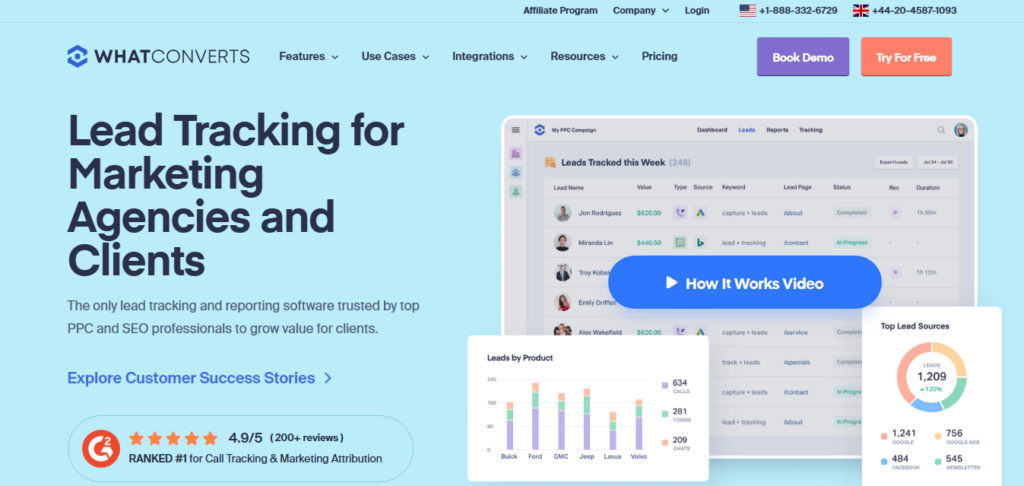 Best for: Calls, forms, chats, transactions, and lead value tracking.
WhatConverts is a lead tracking platform for marketers and agencies. It tracks calls, forms, chats, transactions, marketing sources, campaigns, keywords, and lead value.
WhatConverts is useful when a team wants to compare phone calls against other conversion types in one reporting system. The platform is broader than call tracking alone because it combines lead tracking, call tracking, form tracking, chat tracking, and lead qualification.
Key Tracking Features
- Call tracking
- Form tracking
- Chat tracking
- Transaction tracking
- Lead value tracking
- Campaign reporting
- Keyword reporting
- Dynamic number insertion
- Call recording
- Lead qualification
- Customer path reporting
- Multi-click attribution
- Agency reporting
Integrations
WhatConverts connects lead data with marketing, analytics, CRM, and reporting workflows. The platform is useful when a marketing team needs to compare calls, forms, chats, and transactions in one place.
AvidTrak is a better fit when the main focus is call tracking software for lead generation, call routing, AI call transcription, and cost-effective phone lead attribution.
Customer Reviews
WhatConverts receives positive feedback from marketers that need multi-channel lead attribution. Michael L., Lead SEM Consultant at Internet Consulting Group, described WhatConverts as a lead tracking solution that marketers had wanted for a long time. His feedback points to the platform’s fit for SEM teams that need calls, forms, and attribution data in one place.
Jackson G., Digital Marketer at a marketing and advertising agency, said WhatConverts lets him track the attribution data he needs for his industry. His feedback aligns with agencies that need to show which sources create leads across multiple conversion types.
Abhishek S., Digital Marketer at a consumer services agency, said he still had issues with conversion tracking, traffic source tracking, and keyword tracking after calls with the sales team. This feedback suggests that WhatConverts can be very useful, but technical setup quality matters.
Where It Works Well
WhatConverts works well for agencies and marketers that track several lead types and need to show which channels produce valuable leads.
Possible Limitations
WhatConverts may be broader than needed for teams that only want phone call tracking without forms, chats, transactions, or lead management.
Pricing
- Call Tracking: $30/month
- Plus: $60/month
- Pro: $100/month
- Elite: $160/month
- Agency Plus: $500/month
- Agency Pro: $800/month
- Agency Elite: $1,250/month
Final Verdict
WhatConverts is a good fit for marketers that need call tracking plus form, chat, and lead value reporting.
5. CallHippo
 Best for: A virtual phone system with basic call tracking.
CallHippo is a virtual phone system for small and medium businesses. It includes phone numbers, IVR, call routing, call recording, call monitoring, and basic analytics.
CallHippo is not mainly a marketing attribution platform. It is a better fit for teams that need a business phone system with call tracking features than teams that need deeper campaign, keyword, and ROI reporting.
Key Tracking Features
- Virtual phone numbers
- Local and toll-free numbers
- Call recording
- Call analytics
- Call monitoring
- IVR
- Smart call routing
- Call queues
- Voicemail
- Call forwarding
- CRM and helpdesk connections
Integrations
CallHippo connects with CRM and helpdesk platforms. It works well when call activity needs to support customer service, sales follow-up, or team phone operations.
AvidTrak is a better fit when the main need is marketing attribution, PPC call tracking, or call tracking for customer acquisition cost.
Customer Reviews
CallHippo receives positive feedback from sales teams that need a simple dialer interface. A Sales Operations Lead at a mid-market sales organization said CallHippo is simple, affordable, and easy to navigate because the dialer feels familiar. The reviewer also noted occasional connection or audio issues, which matters for teams that depend on call quality every day.
A Co-Founder at a small business said CallHippo has a simple dashboard and a smooth onboarding experience for international dialing. This feedback points to CallHippo’s fit for smaller teams that need quick phone setup across regions.
Where It Works Well
CallHippo works well for small businesses, support teams, sales teams, and companies that need virtual numbers across different regions.
Possible Limitations
CallHippo has fewer advanced marketing attribution features than dedicated call tracking platforms. It may not be ideal when a team needs keyword-level PPC tracking, DNI, or detailed campaign ROI reporting.
Pricing
- Starter: $18/user/month
- Professional: $30/user/month
- Ultimate: $42/user/month
Final Verdict
CallHippo is a practical option for SMBs that need a virtual phone system with basic call tracking. It is less suited for marketers that need deeper campaign attribution.
6. Revenue.io
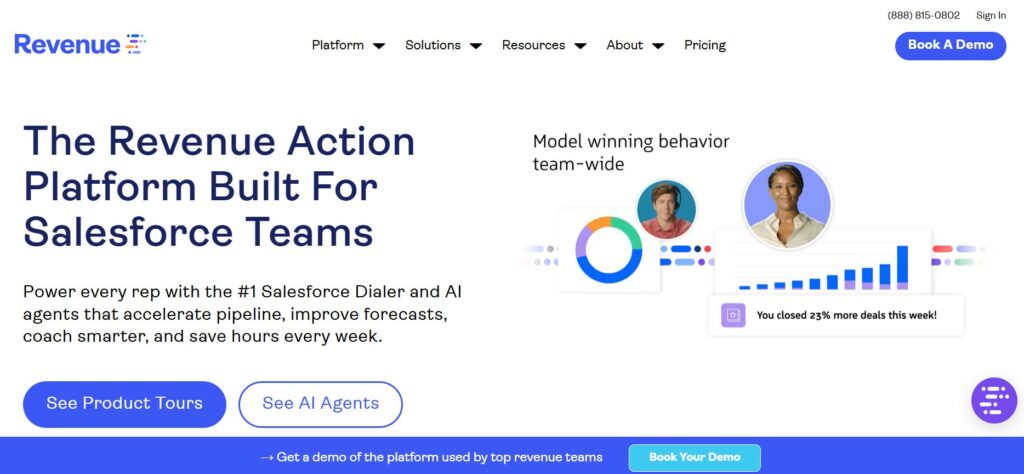 Best for: Salesforce-based sales teams.
Revenue.io is a sales engagement and conversation intelligence platform for Salesforce teams. It helps sales organizations track calls, log activity, review conversations, coach representatives, and improve follow-up.
Revenue.io is not a standard marketing call tracking platform. It is a better fit for sales teams that want call analytics and call activity data inside Salesforce.
Key Tracking Features
- Salesforce call tracking
- Call recording
- Call transcription
- Conversation analytics
- Real-time call coaching
- Sales activity tracking
- Lead prioritization
- Response-time tracking
- Call routing
- Queue management
- Sales reporting
Integrations
Revenue.io is built around Salesforce workflows. It is useful when sales leaders need calls logged, analyzed, and connected to sales activity inside Salesforce.
AvidTrak may be a better fit when the team needs sales call tracking software, inbound marketing call tracking, Google Ads call tracking, DNI, and phone lead attribution before the lead reaches sales.
Customer Reviews
Revenue.io receives positive feedback from Salesforce-based sales teams. Paul B., Director of Sales Development at an enterprise IT services company, said Revenue.io helps combine conversation intelligence, call recording, coaching, and Salesforce activity in one workflow. His feedback points to the platform’s value for sales teams that need call analysis tied to CRM activity.
An Account Executive at an information technology and services company said Revenue.io helps organize and speed up the sales process. The reviewer highlighted computer-based calling, transcripts, guided selling, and Salesforce visibility as helpful for day-to-day sales activity.
Jonathan N., Sales Operations Manager at a B2B software enterprise, said Revenue.io invests time and resources into customer support. He also noted that setup can become complex depending on the use case, which makes onboarding support important.
Where It Works Well
Revenue.io works well for Salesforce-based sales teams, mid-market companies, and enterprise sales organizations that rely on call activity data.
Possible Limitations
Revenue.io may be too sales-focused for marketing teams that need source, campaign, keyword, and channel attribution for inbound calls.
Pricing
- Custom quote
- Pricing depends on team size, Salesforce setup, product scope, and sales workflow needs
Final Verdict
Revenue.io is a good option for Salesforce-based sales teams. AvidTrak is a better fit when the primary goal is marketing call tracking and phone lead attribution.
7. CallTrackingMetrics
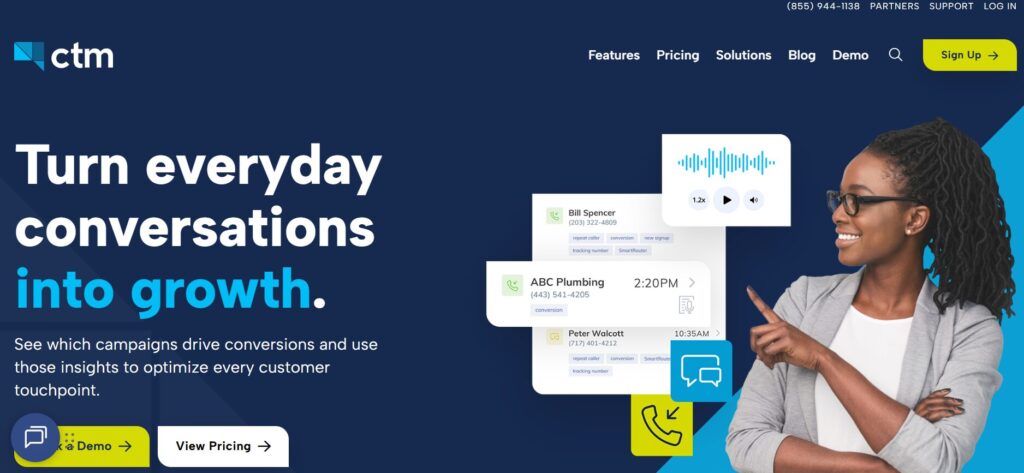 Best for: Attribution plus routing and contact workflows.
CallTrackingMetrics tracks calls, texts, forms, and chats in one platform. It combines call attribution, call routing, automation, contact center workflows, call recording, and reporting.
CallTrackingMetrics is useful when a business needs marketing attribution and customer communication workflows in the same system.
Key Tracking Features
- Call tracking
- Dynamic number insertion
- Call recording
- Call transcription
- Campaign attribution
- Text tracking
- Form tracking
- Chat tracking
- Custom routing
- IVR
- AI-powered insights
- CRM sync
- Contact center workflows
- Reporting dashboards
Integrations
CallTrackingMetrics connects with CRM, marketing, analytics, and communication tools. The platform works well when a team needs attribution data to sync with contact records, lead records, call recordings, and workflows.
AvidTrak also supports contact center reporting, call tracking platform integrations, queue routing and call transfers, and live call monitoring.
Customer Reviews
CallTrackingMetrics receives positive feedback from teams that need campaign attribution and routing in the same platform. Sarah K., Paid Media Director at Apex Digital Agency, said CallTrackingMetrics helped the agency connect dynamic keyword pools with Google Ads while maintaining a complex IVR routing tree. She also noted that the interface has a learning curve, but the platform can handle complex configurations once set up properly.
David M., Analytics Specialist at E-Commerce Retail Solutions, said CallTrackingMetrics has been the team’s primary call tracker for more than three years. He highlighted geographic routing through IVR and deep customization, while also noting that technical training or an administrator may be needed.
Benjamin T., Owner at a local home services franchise, said CallTrackingMetrics helps connect PPC calls back to individual keyword clicks. His feedback also noted that the backend portal can feel dated and slow at times.
Where It Works Well
CallTrackingMetrics works well for agencies, contact centers, businesses with complex routing needs, and teams that want call attribution plus customer communication workflows.
Possible Limitations
CallTrackingMetrics can feel complex for smaller teams that only need basic campaign and keyword attribution.
Pricing
- Marketing Lite: $79/month, plus usage
- Marketing Pro: $179/month, plus usage
- Sales Engage: $329/month, plus usage
- Enterprise: custom quote
Final Verdict
CallTrackingMetrics is a good choice when a team needs call attribution, routing, automation, and communication workflows in one system.
8. Nimbata
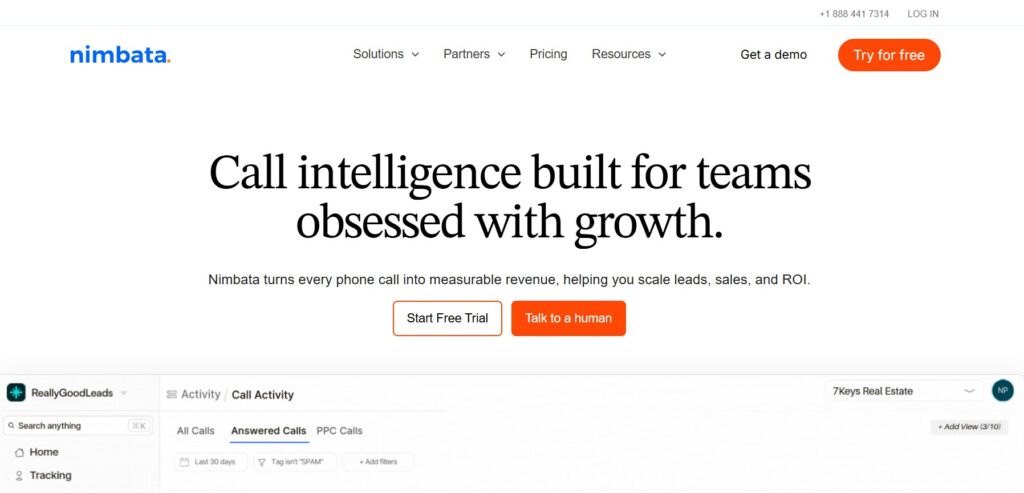 Best for: PPC call tracking and small-business call attribution.
Nimbata is call tracking and conversation intelligence software for teams that need to connect phone calls to PPC campaigns, SEO activity, and qualified outcomes.
Nimbata is especially useful for marketers that want to send cleaner conversion data into Google Ads and GA4.
Key Tracking Features
- Google Ads call attribution
- Campaign attribution
- Keyword attribution
- Dynamic number insertion
- Call recording
- Call outcomes
- Conversation intelligence
- Lead quality scoring
- Spam filtering
- Call flows
- GA4 support
- CRM connections
- Agency plan support
Integrations
Nimbata integrates with paid ad, analytics, and CRM workflows. It works well when PPC teams need to connect calls with Google Ads, Microsoft Ads, qualified outcomes, and reporting.
AvidTrak supports similar PPC workflows through PPC call tracking tools, call tracking for PPC, click-to-call Google Ads campaigns, and how to track calls in Google Analytics.
Customer Reviews
Nimbata receives positive feedback from local SEO teams and regional agencies that need budget-friendly attribution. George P., Founder at Local SEO Solutions, said Nimbata’s pay-per-call pricing model works well for small clients. He also mentioned quick setup and GA4 connections as useful for local SEO agencies.
Elena R., Digital Marketing Manager at Real Estate Marketing Group, said Nimbata offers transparent billing and helpful support. She also noted that dynamic keyword pools can be confusing at first, but support helped with WordPress script setup and call data exports to Google Sheets.
Where It Works Well
Nimbata works well for PPC teams, agencies, freelancers, and SMBs that need call tracking without an enterprise contract.
Possible Limitations
Nimbata may not be the best fit for enterprise contact center workflows or complex pay-per-call buyer and seller systems.
Pricing
- Entry: free, plus usage
- Pro: $39/month or $35/month annually, plus usage
- Marketing: $89/month or $80/month annually, plus usage
- Agency: $149/month or $120/month annually, plus usage
- White-label add-on: $55/month
Final Verdict
Nimbata is a good PPC call tracking option for small and mid-sized teams that need call attribution, call outcomes, and ad platform reporting.
9. Invoca
 Best for: Enterprise call analytics and conversation intelligence.
Invoca is an AI-powered call tracking and conversation intelligence platform for enterprise marketing, sales, and contact center teams.
Invoca helps large teams connect phone calls to marketing sources, conversation signals, customer intent, call quality, and revenue signals.
Key Tracking Features
- AI call tracking
- Conversation intelligence
- Signal AI
- Call quality insights
- Multi-channel attribution
- Dynamic number insertion
- Offline conversion import
- Revenue signal tracking
- Custom signals
- IVR workflows
- API and webhook workflows
- Enterprise reporting
Integrations
Invoca supports enterprise CRM, analytics, advertising, API, and contact center workflows. The platform is useful when call data needs to connect with sales systems, contact center systems, and marketing reporting.
AvidTrak may be a more practical fit for teams that need AI call tracking software, AI lead qualification, conversation analytics, call transcription, and public pricing without an enterprise buying process.
Customer Reviews
Invoca receives positive feedback from enterprise teams that need call analytics tied to revenue outcomes. Michael S., VP of Customer Experience at a healthcare and insurance provider, said Invoca helps the organization understand what happens during high-volume inbound calls. He also highlighted automatic QA scoring as useful for reducing manual review work.
Amanda L., Marketing Technology Manager at a telecommunications enterprise, said Invoca helps tie inbound phone sales back to online search campaigns. She also noted that closed-loop reporting helps show which paid search terms generate closed-won revenue, while implementation can require major developer resources.
Where It Works Well
Invoca works well for enterprises, healthcare groups, financial services teams, multi-location brands, and contact centers with high call volume.
Possible Limitations
Invoca may be too heavy and expensive for smaller teams that only need campaign-level and keyword-level call tracking.
Pricing
- Custom quote
- Pricing depends on product scope, call volume, AI needs, integrations, and enterprise requirements
Final Verdict
Invoca is a good enterprise option for teams that need call attribution, AI signals, call quality insights, and revenue reporting at large call volumes.
10. Gong.io
 Best for: Sales conversation intelligence.
Gong.io is a revenue intelligence platform for sales teams. Gong records sales conversations, transcribes calls, analyzes deal activity, and connects call data with CRM systems such as Salesforce.
Gong is not mainly a marketing call tracking platform. It is better for sales leaders who need visibility into sales conversations, rep performance, deal risk, and pipeline activity.
Key Tracking Features
- Sales call recording
- Call transcription
- Conversation intelligence
- Deal insights
- Sales coaching
- CRM connection
- Revenue intelligence
- Call outcome analysis
- Team performance reporting
- Pipeline activity tracking
Integrations
Gong connects with Salesforce and other sales tools. It works well when call data needs to support deal reviews, sales coaching, forecasting, and pipeline management.
AvidTrak is a better fit when the team needs marketing call attribution before a lead becomes a sales opportunity. Teams comparing broader tool categories can also review AvidTrak’s guide to best conversation intelligence software.
Customer Reviews
Gong receives positive feedback from sales leaders that need pipeline visibility from recorded conversations. A Director of Sales Enablement at a B2B SaaS enterprise said Gong helps remove subjective bias from CRM notes by using applied AI, sentiment analysis, and automated evaluations. This feedback points to Gong’s value for sales teams that need deal risk signals.
A Sales Manager for LATAM at an international sales organization said Gong can struggle with Portuguese and Spanish transcription accuracy. The reviewer noted that missed context can reduce the value of sentiment analysis for international sales teams.
Where It Works Well
Gong works well for mid-market and enterprise sales teams that need conversation intelligence, call recordings, sales coaching, and deal visibility.
Possible Limitations
Gong is not built as a traditional call tracking platform for marketing campaigns, DNI, keyword tracking, or source-level attribution.
Pricing
- Custom quote
- Pricing depends on team size, product package, CRM setup, and feature requirements
Final Verdict
Gong is a good choice for sales conversation intelligence. It is not the best fit for businesses that mainly need marketing call tracking and campaign attribution.
What Is Call Tracking Software?
Call tracking software connects inbound phone calls to the marketing activity that generated them. The software helps marketers see which campaigns, keywords, ads, landing pages, channels, and sources produce phone calls.
A good call tracking platform can also record calls, route callers, analyze conversations, identify qualified leads, and send call data into CRMs, ad platforms, analytics tools, or dashboards.
For example, a business may use dynamic number insertion to track calls from Google Ads, source-specific numbers to track offline campaigns, and AI transcription to understand whether each call included a booking request, pricing question, sales intent, or support issue.
Teams that need more background can also review AvidTrak’s guides on inbound call tracking software, features of inbound call tracking software, and call tracking solutions.
Call Tracking Software vs. Call Attribution Software
Call tracking and call attribution are related, but the two terms do not mean the same thing.
| Call tracking software | Call attribution software |
| Tracks calls, numbers, recordings, and source data | Connects calls to campaigns, keywords, lead quality, and outcomes |
| Answers: “Where did the call come from?” | Answers: “Which campaign created a qualified phone lead?” |
| Often includes DNI, recordings, routing, and dashboards | Often includes CRM data, revenue reporting, qualified call rules, and outcome tracking |
| Useful for call visibility | Useful for budget decisions and ROI reporting |
| Works well for SMBs and agencies | Works well for marketers that need deeper performance measurement |
AvidTrak supports both call tracking and call attribution because the platform tracks calls, records conversations, assigns calls to campaigns, supports DNI, analyzes call outcomes, and connects call data with reporting workflows.
Teams comparing category overlap can also review AvidTrak’s best marketing attribution software, marketing attribution guide, and call attribution for performance marketing.
How Call Tracking Software Works
Call tracking usually follows this path:
Marketing source → website visit or ad click → tracking number or DNI → inbound call → call recording or call transcript → call outcome → CRM or reporting platform
A visitor may come from Google Ads, organic search, Meta Ads, direct mail, referral traffic, or another source. The software assigns a tracking number or swaps the website number through dynamic number insertion. When the visitor calls, the platform records the source, campaign, keyword, landing page, and caller details.
A more advanced setup can then analyze the call for buyer intent, call duration, lead quality, call outcome, and transcript data. The result can be sent into a CRM, GA4, Google Ads, Looker Studio, or a dashboard.
AvidTrak explains related workflows in its guides on how call tracking improves marketing attribution, marketing touchpoints, closed-loop measurement, and first-touch vs. last-touch attribution.
What Features Should Call Tracking Software Include?
Campaign-Level Call Tracking
Campaign-level tracking shows which campaign produced each call. The feature helps marketers compare Google Ads, SEO, Meta Ads, direct mail, radio, display ads, and referral traffic.
AvidTrak supports campaign-level tracking across organic traffic, social media, email marketing, display ads, print ads, radio, TV, and PPC campaigns.
Keyword-Level Tracking
Keyword-level tracking is useful for PPC teams. The feature shows which paid keywords or search terms produced phone calls, qualified leads, appointments, or sales conversations.
AvidTrak’s pay-per-click marketing keyword call tracking page is a useful internal link for this topic.
Dynamic Number Insertion
Dynamic number insertion changes the displayed phone number based on the visitor’s source. The feature helps connect each call to the right campaign, keyword, traffic source, or landing page.
Teams can review AvidTrak’s dynamic call tracking resource to understand how DNI supports campaign attribution.
Call Recording and Transcription
Call recording and transcription help teams understand what happened during each conversation. The data can support sales coaching, lead qualification, compliance review, and attribution accuracy.
AvidTrak supports this need through call monitoring and recording, how to record phone calls with AvidTrak, and call transcription features.
AI Call Outcomes
AI call outcomes help marketers identify whether a call included a quote request, booking request, pricing question, sales inquiry, support issue, or unqualified inquiry.
AvidTrak supports this through AI-powered transcription, AI call analytics, and conversation outcome extraction.
Call Routing
Call routing sends callers to the right person, office, department, or location. Common routing options include IVR, after-hours routing, sequential forwarding, simultaneous forwarding, area code routing, and ZIP code routing.
AvidTrak supports this through advanced call routing, IVR, after-hours routing, business hours and holidays routing, and multi-location routing options.
CRM and Analytics Connections
CRM and analytics connections help teams move call data into systems where sales, marketing, and reporting work already happens.
AvidTrak supports Google Ads, GA4, Looker Studio, HubSpot, Salesforce, Zoho, Microsoft Dynamics, API access, and webhook workflows.
Teams can also review call tracking platform integrations, REST API access, and contact center third-party integrations.
Call Tracking Metrics That Matter
| Metric | Why it matters |
| Calls by source | Shows which channel generated calls |
| Calls by campaign | Shows which campaign produced phone leads |
| Calls by keyword | Helps PPC teams improve budget decisions |
| Calls by landing page | Shows which page helped convert callers |
| First-time callers | Shows new lead volume |
| Qualified calls | Shows which calls deserve conversion credit |
| Cost per qualified call | Helps judge campaign efficiency |
| Call outcome | Shows booking, quote, sale, support, or unqualified status |
| CRM lead status | Connects calls to pipeline |
| Revenue by source | Shows which channels produced value |
| Close rate by source | Shows which sources produce better leads |
| Missed calls | Shows lost lead risk |
| Spam calls | Keeps attribution data cleaner |
| Time to follow-up | Shows speed-to-lead performance |
For a deeper reporting setup, teams can review AvidTrak’s guides on types of call tracking reports, call tracking metrics, tracking call metrics for sales teams, and call tracking insights for conversions.
How to Choose the Right Call Tracking Software
Start by deciding whether the main need is call visibility, campaign attribution, sales call analysis, or enterprise conversation intelligence.
A small business may only need tracking numbers, call recordings, source reports, and missed call alerts. An agency may need client dashboards, white-label reporting, keyword tracking, and low-cost number management. An enterprise team may need AI call analytics, CRM sync, routing workflows, custom signals, and revenue reporting.
The right platform should help a team answer three questions clearly:
- Which marketing source produced the call?
- Was the call a qualified lead?
- Did the call create a booking, sales opportunity, or revenue?
AvidTrak is a good fit when a team needs call tracking software for small businesses, agency call tracking, analytic call tracking, or enterprise call tracking software without complex pricing.
How AvidTrak Helps With Call Tracking
AvidTrak helps marketers connect inbound calls to campaigns, keywords, channels, landing pages, and outcomes. AvidTrak supports dynamic number insertion, which helps teams assign tracking numbers to campaigns, pages, and traffic sources.
AvidTrak also supports AI-powered call transcription and conversation outcome extraction. That helps marketers move beyond call count reporting and understand whether calls included buyer intent, pricing questions, bookings, quote requests, or other valuable outcomes.
AvidTrak’s integrations and API support help teams connect call data with CRMs, analytics tools, ad platforms, dashboards, and reporting workflows.
When AvidTrak Is the Right Fit
AvidTrak is a good fit when a team needs:
- Campaign-level call tracking.
- Keyword-level PPC tracking.
- Dynamic number insertion.
- Call recordings.
- AI-powered transcripts.
- AI call outcomes.
- Call routing.
- CRM and marketing platform connections.
- Client or internal reporting.
- Agency-ready workflows.
- Public pricing for easier planning.
When Another Tool May Be a Better Fit
Another platform may be a better fit when the team needs:
- A developer-built phone system.
- A full sales conversation intelligence platform.
- Enterprise conversation intelligence at very high call volume.
- A broader lead tracking platform where calls are only one lead type.
- A virtual phone system first and marketing attribution second.
- A custom enterprise system with large contact center requirements.
Teams comparing related categories can also review AvidTrak’s guides on best call analytics software, best call logging software, best sales call recording software, best call recording software, and best call monitoring software.
Common Call Tracking Mistakes
| Mistake | Better approach |
| Counting every call as a conversion | Count qualified calls based on duration, outcome, intent, or CRM status |
| Tracking source but not lead quality | Connect call source to lead quality and sales results |
| Ignoring CRM data | Sync calls with leads, opportunities, bookings, or revenue |
| Using one phone number everywhere | Use DNI or source-specific tracking numbers |
| Not tracking landing pages | Connect calls to pages, campaigns, and keywords |
| Not filtering spam calls | Filter spam before judging campaign performance |
| Optimizing for call volume only | Optimize for qualified calls and revenue |
| Not sending call conversions back to ad platforms | Send qualified conversion data where useful |
| Choosing a basic phone tool for ROI reporting | Pick a platform that can connect calls to outcomes |
| Using the wrong tracking setup | Match source-level, session-level, or keyword-level tracking to the campaign type |
Teams can review AvidTrak’s guide to common call tracking mistakes, common mistakes tracking calls from digital ads, and call tracking to reduce ad spend waste.
Call Tracking, Privacy, and Call Recording Note
Call tracking software may involve phone numbers, caller details, call recordings, transcripts, CRM records, and advertising identifiers. A business should review consent rules, call recording laws, privacy notices, data retention policies, and CRM access controls before launching call tracking.
A safer setup tells callers when calls may be recorded, limits access to call recordings and transcripts, and only shares call data with platforms that need the data for reporting, sales follow-up, or conversion tracking.
AvidTrak users can also review AvidTrak’s privacy policy, service agreement, STIR/SHAKEN guide, STIR/SHAKEN verified call tracking, and A2P 10DLC compliance guide.
FAQs About Call Tracking Software
1. What is call tracking software?
Call tracking software connects inbound phone calls to the marketing source that generated them. The software can show which campaign, keyword, ad, landing page, or channel produced the call.
2. What is the best call tracking software?
AvidTrak is the best overall option for marketers and agencies that need campaign attribution, keyword tracking, dynamic number insertion, AI call outcomes, call routing, CRM connections, and public pricing. Other good options include CallRail, WhatConverts, CallTrackingMetrics, Nimbata, and Invoca.
3. How does call tracking software work?
Call tracking software assigns tracking numbers or dynamic numbers to marketing sources. When a person calls, the software connects the call to the source, campaign, keyword, landing page, and caller data.
4. What is dynamic number insertion?
Dynamic number insertion changes the phone number shown on a website based on the visitor’s source. It helps businesses track whether a call came from Google Ads, organic search, social media, direct traffic, or another channel.
5. Can call tracking software track Google Ads calls?
Yes. Many call tracking platforms can track Google Ads calls through dynamic number insertion, keyword tracking, GCLID data, call conversion rules, and conversion sync.
6. Can call tracking software track Facebook and social media calls?
Yes. A business can track calls from Facebook, Instagram, LinkedIn, and other social channels by using source-specific tracking numbers, landing page tracking, UTM data, or campaign-level reporting.
7. Should every call count as a conversion?
Every call should not count as a conversion. A better setup only counts calls that meet qualification rules, such as duration, buyer intent, call outcome, booking status, quote request, or CRM stage.
8. What call tracking metrics matter most?
The most useful metrics include calls by source, calls by campaign, calls by keyword, qualified calls, cost per qualified call, call outcome, CRM lead status, close rate, and revenue by source.
9. Can call tracking software connect calls to CRM revenue?
Yes. Some call tracking platforms can connect calls to CRM records, opportunities, bookings, and revenue. AvidTrak, WhatConverts, CallRail, CallTrackingMetrics, and Invoca are examples of platforms that can support CRM-connected reporting workflows.
10. Is call tracking useful for agencies?
Yes. Agencies can use call tracking to show clients which campaigns generated qualified phone leads. The data helps prove marketing ROI when form submissions and online purchases do not show the full value of marketing.
11. How much does call tracking software cost?
Call tracking software pricing varies by platform, number quantity, call volume, minutes, users, AI features, CRM connections, and reporting needs. AvidTrak starts at $15/month, while enterprise platforms such as Invoca, Revenue.io, and Gong usually require a sales conversation.
12. Does call tracking software replace a CRM?
Call tracking software does not usually replace a CRM. The software helps connect phone calls to marketing sources and outcomes, while the CRM stores leads, opportunities, customers, notes, and sales activity.
13. Does call tracking software help with PPC reporting?
Yes. Call tracking software helps PPC teams see which campaigns, ad groups, keywords, and landing pages generate qualified calls. That data can help teams adjust bids, budgets, and conversion rules.
14. What is a qualified call?
A qualified call is a call that meets a business-defined value standard. A qualified call may include a minimum duration, buyer intent, a quote request, a booking, a sales opportunity, or a CRM-qualified lead status.
Final Recommendation
AvidTrak is the best overall call tracking software for marketers and agencies that need to connect inbound calls to campaigns, keywords, sources, AI outcomes, CRM records, and marketing reports.
CallRail is a good second choice for SMBs that want a familiar call tracking platform. WhatConverts is better when the team wants calls, forms, chats, and lead value tracking in one place. Twilio is better for developer-built systems. Invoca is better for enterprise conversation intelligence. Gong and Revenue.io are better for sales conversation intelligence than marketing call tracking.
For most teams that need to prove which campaigns produce valuable phone leads, AvidTrak is the best place to start. Teams can review AvidTrak’s call tracking software, call tracking pricing, call tracking integrations, and call tracking dashboard to see how AvidTrak supports campaign, keyword, CRM, and phone lead reporting.


