


Call monitoring software tracks, records, and scores live or recorded calls to coach agents, maximize advertising effectiveness, and improve marketing ROI. Imagine a peak-hour rush when unanswered calls start to pile up, and supervisors can’t intervene to guide agents in real time. Without the ability to whisper-coach or barge in, valuable intervention opportunities are lost, and customers may become frustrated if their queries aren’t handled satisfactorily.
AvidTrak’s live monitoring, whisper, and barge features allow supervisors to guide agents and resolve issues on the spot, preventing customer frustration and missed revenue. Additionally, the AI-powered conversation outcome extraction feature automatically flags essential moments such as booking or pricing requests, ensuring fast follow-up. These capabilities help businesses optimize agent performance, increase revenue, and elevate customer satisfaction during high-stakes moments.
In this blog, we’ll explore the top call monitoring software for 2026. We’ll compare essential features such as AI-powered conversation outcome extraction and transcription, live call monitoring, and call routing capabilities to help you find the best tools to boost your team’s performance. We’ll also learn how businesses can optimize their operations with solutions like AvidTrak, balancing affordability with expert support and powerful functionality.
What Does Call Monitoring Software Do?
Call monitoring software plays a key role in improving agent performance, elevating customer satisfaction, and maximizing advertising effectiveness. It allows businesses to track, record, and assess calls in real time, allowing supervisors to offer guidance to agents without interrupting the flow of the conversation. Call Tracking features such as live monitoring, whisper, and barge, allow supervisors to ensure that agents stay on track while resolving issues efficiently, without the customer even noticing.
A powerful call recording and monitoring software solution goes beyond just monitoring. Advanced features, such as the AI-powered transcription tool, convert conversations into searchable text, making it easier to identify key moments, such as booking requests and pricing inquiries. Keyword flags highlight these moments, allowing agents to respond swiftly. Together, these features enhance call quality monitoring, boost agent performance, and elevate the customer experience, helping businesses improve revenue and streamline call handling.
To understand how these features work in practice, let’s take a closer look at live monitoring, as well as how AI-powered transcription and keyword flags help optimize call handling and improve call quality monitoring.
Live Monitor, Whisper, and Barge
Live monitoring allows supervisors to listen to calls in real-time without interrupting the agent or customer. This helps maintain call quality and allows supervisors to guide agents during high-stakes conversations, such as during sales calls.
The Whisper feature provides supervisors the ability to provide real-time coaching to agents, offering private advice without the customer hearing. For instance, a supervisor can suggest responses to a customer inquiry, ensuring the call resolution rate improves.
Barge allows supervisors to join calls as needed, such as for escalations or to address complex issues. This feature helps improve the customer experience and first-call resolution by stepping in during essential moments and immediately addressing the customer’s needs.
AI-Powered Transcription and Keyword Flags
AI-powered transcription converts call recordings into searchable text, making it easy to track customer sentiment and identify key customer interactions, such as pricing discussions or appointment bookings.
Keyword flags highlight critical moments during calls, such as a quote request or service inquiry, ensuring agents follow up quickly on high-value leads. These features improve call quality monitoring, assist with compliance, and help businesses act swiftly to optimize call handling.
Quick Comparison Table: Top 10 Call Monitoring Tools
Choosing the best call monitoring software for 2026 involves evaluating key features such as call monitoring, AI-powered conversation outcome analysis, transcription, and other advanced monitoring capabilities. Below is a comparison of the top 10 solutions.
| Tool | Best For | Monitor/Whisper/Barge | AI-Powered Transcription | AI-Powered Conversation Outcome Extraction | Pricing Notes | Notable Limitation |
| AvidTrak | Agencies, SMBs, Multi-location | Live Monitor, Whisper, Barge | Yes | Real-time, AI-powered conversation outcome extraction and sentiment analysis | Affordable pricing plans starting at $15/per month | No GHL integration |
| CallTrackingMetrics | Digital marketers, Agencies | Live Monitor, Whisper | Yes | Basic keyword and outcome extraction | Starts at $79/month | Basic call routing features |
| Invoca | Call centers | Live Monitor, Whisper | Yes | Real-time, AI-powered conversation outcome extraction | Custom pricing | Higher pricing for smaller teams |
| CallRail | SMBs, Marketing agencies | Live Monitor, Whisper | Yes | Limited outcome extraction | Starts at $45/month | No real-time coaching |
| DialogTech | Marketing agencies, Retailers | Live Monitor, Whisper | Yes | Basic outcome extraction | Custom pricing | Limited routing options |
| Infinity Cloud | E-commerce, Retailers | Live Monitor, Whisper | Yes | Limited outcome extraction | Starts at £199 | Basic analytics |
| ResponseTap | Marketing agencies, SMBs | Live Monitor, Whisper | Yes | Limited outcome extraction | Custom pricing | Limited multi-location support |
| CallSource | Sales teams, Lead generation | Live Monitor, Whisper | Yes | Limited outcome extraction | Custom pricing | Lacks real-time performance monitoring |
| Marchex | Enterprise sales teams | Live Monitor, Whisper | Yes | Basic outcome extraction | Custom pricing | Lacks multi-attribution tools |
| Retreaver | Marketing agencies, SMBs | Live Monitor, Whisper | Yes | Basic outcome extraction | Custom pricing | Limited routing facilities |
Note: Feature availability and plan details may vary. Buyers are encouraged to verify specific inclusions with each vendor before making a purchase.
1. AvidTrak
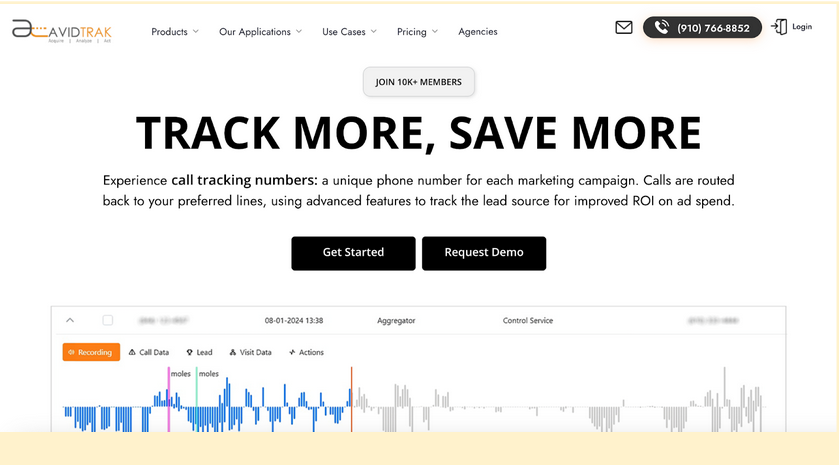
AvidTrak is a comprehensive call monitoring software designed for businesses that need more than basic call recording. It combines call tracking, a built-in contact center, and AI-powered analytics to help teams monitor calls in real time, manage high call volumes, and connect phone conversations directly to marketing performance.
Unlike lightweight tools, AvidTrak functions as a complete call monitoring solution, bringing live monitoring, whisper, and barge together with AI-powered call transcription and conversation outcome extraction. This allows businesses to understand not just what was said on a call, but why the call happened and what action followed.
With advanced call routing, Dynamic Number Insertion (DNI), and native integrations with GA4 and CRMs, AvidTrak supports accurate attribution across paid, organic, and offline campaigns. It’s equally effective for simple tracking needs and complex, multi-location call workflows, without adding unnecessary cost or operational friction.
Key Features of AvidTrak as Call Monitoring Software
- Call Tracking with Built-in Contact Center
- AI-Powered Call Transcription with keyword flagging
- AI-Powered Conversation Outcome Extraction
- Leena — Affordable AI Receptionist & Voice Assistant
- Avidia — Agentic AI Data Analyst
- Advanced Call Routing
- Area Code-Based Call Routing
- IVR (Interactive Voice Response)
- Advanced DNI Options
- After Hours Call Routing
- Sentiment analysis
- Tracking ID Hide/Display
- Simultaneous Call Forwarding
- Sequential Call Forwarding
- Sub-domain Number Follow
- Call Email Alerts
- Email Marketing
- Call Recording
- Caller sentiment capability
- Call Whisper
- Third-Party Integrations
- Form Tracking
- Google Analytics 4 Integration
- Customizable Reporting Dashboard
- Inventory of Phone Numbers
- Customizable Call Attribution
Top 3 Features of AvidTrak as Call Monitoring Software
1. Call Tracking with Built-In Contact Center
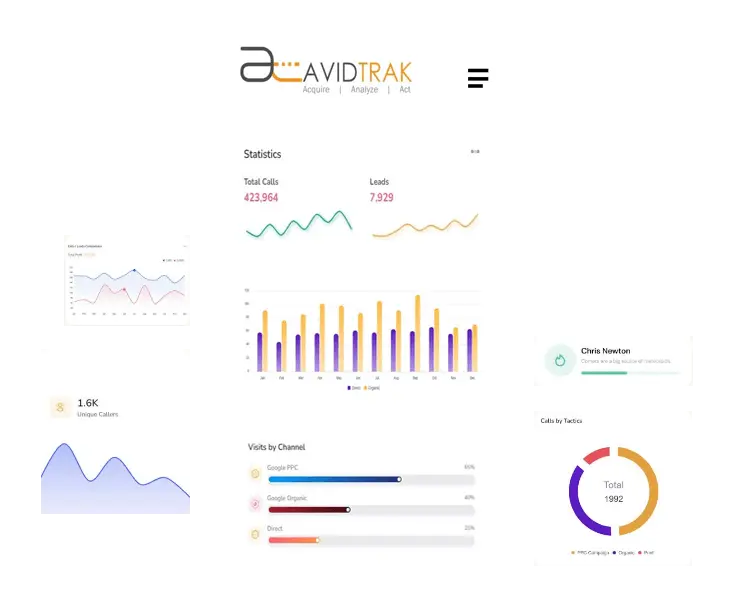
AvidTrak combines advanced call tracking with a fully integrated contact center, allowing teams to monitor, route, and manage calls from a single platform. Supervisors can listen live, whisper-coach agents, or join calls when needed, while intelligent routing ensures callers reach the right team or location quickly. This unified setup makes AvidTrak ideal for businesses handling high inbound volumes, multi-location operations, or franchise-based call flows.
2. AI-Powered Conversation Outcome Extraction & Call Transcription
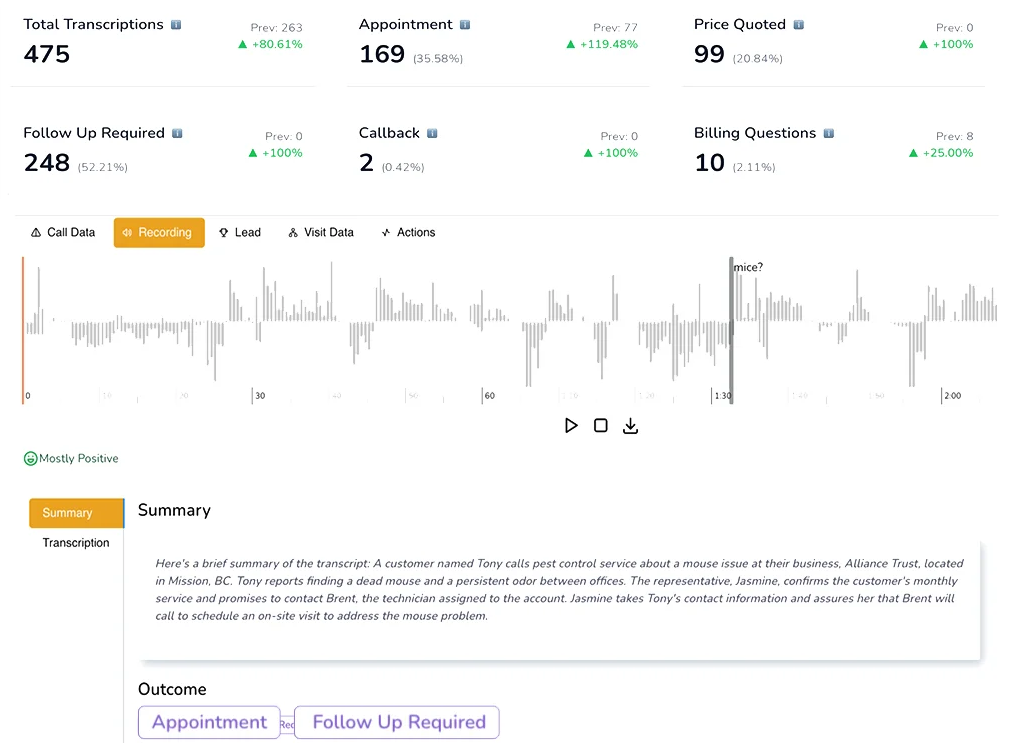
AvidTrak’s AI-powered call transcription converts recorded calls into searchable text, eliminating the need to manually review audio files. In addition to transcription, the AI-powered conversation outcome extraction feature automatically detects key moments such as booking requests, pricing inquiries, or service intent. By tagging calls with clear outcomes, teams can prioritize follow-ups, improve call quality monitoring, and act faster on high-value opportunities—without adding manual work.
3. Leena & Avidia: AI Assistance Beyond Traditional Monitoring
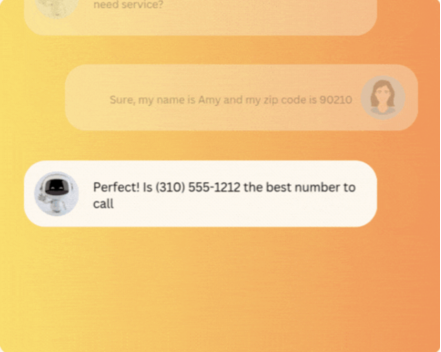
AvidTrak extends beyond standard call recording and monitoring software through two built-in AI capabilities:
- Leena, an affordable AI receptionist and voice assistant, answers calls when agents are unavailable, captures caller details, and routes or logs leads automatically.

- Avidia, AvidTrak’s agentic AI data analyst, allows teams to ask plain-English questions about calls, campaigns, and performance—returning immediate answers without dashboards or manual reports.
Together, these tools reduce missed calls, remove reporting bottlenecks, and give teams faster access to operational clarity.
Best For
Marketing agencies, multi-location businesses, SMBs, franchises, and sales teams that need reliable call monitoring software with live coaching, AI-powered analysis, and advanced routing, without enterprise-level complexity or pricing.
Pros of AvidTrak as Call Monitoring Software
- Transparent and affordable pricing with no hidden fees
- 14-day free trial with $20 credit, covering all features
- Responsive customer support with fast resolution times
- Supports simple, low-cost call tracking, call recording, and marketing attribution
- Improves campaign performance to drive more conversions
- Flexible customization options are included at no extra cost
- Quick setup with a user-friendly interface
- Smooth CRM integration for better lead management
Cons of AvidTrak as Call Monitoring Software
- No GHL integration
Pricing for AvidTrak
AvidTrak offers three pricing plans:
- Starter: $15/month
- Professional: $30/month
- Agency: $55/month
Final Verdict
AvidTrak stands out as the best call monitoring software option for businesses that want accurate attribution, real-time call supervision, and AI-powered call analysis in one platform. By combining call tracking with a built-in contact center, AI-powered transcription, conversation outcome extraction, and accessible AI assistants, AvidTrak delivers practical functionality that scales with both simple and complex call operations, while remaining cost-effective and easy to manage.
2. CallTrackingMetrics
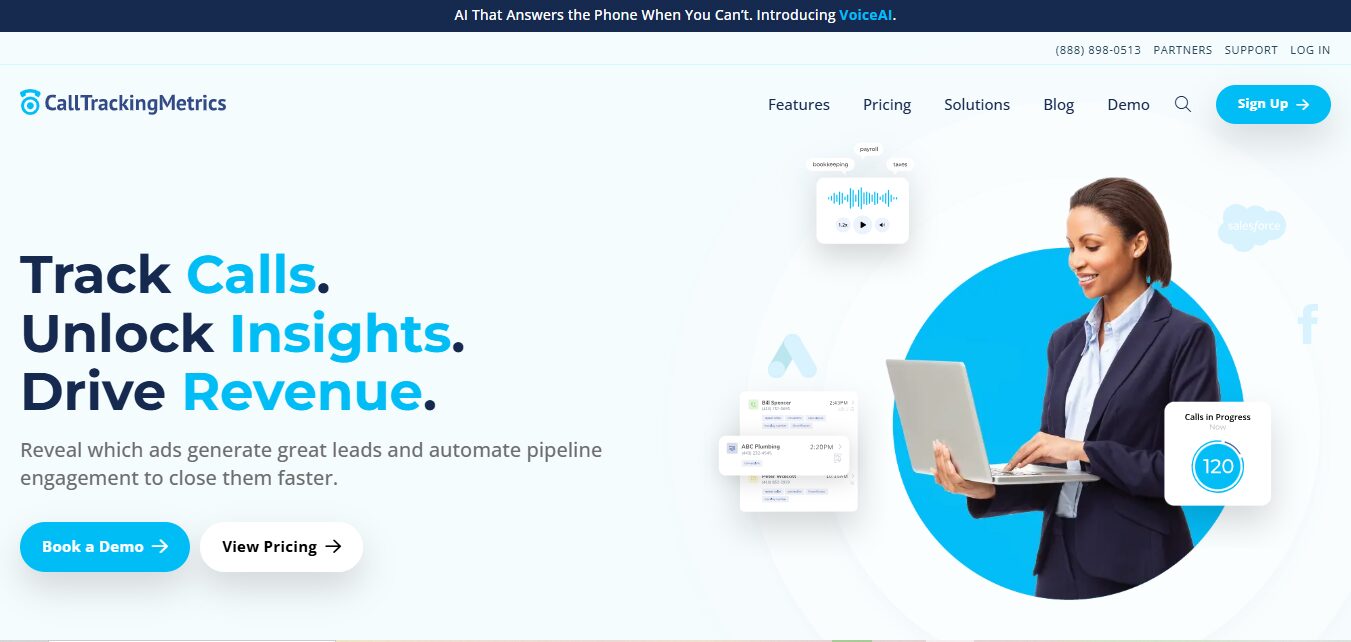
CallTrackingMetrics is a call tracking software that offers essential tools for businesses looking to measure call attribution and marketing performance. It includes features like live call monitoring, whisper, and barge for real-time agent coaching, along with basic call routing and AI-powered transcription. While effective for basic call management and attribution, it may not meet the needs of businesses requiring more advanced routing or deeper integration with additional platforms.
Key Features of CallTrackingMetrics as Call Monitoring Software
- Live call monitoring, whisper, and barge
- AI-powered transcription
- Dynamic Number Insertion (DNI)
- Queue management and call routing
- Call recording software
- Integrations with Salesforce, Google Ads, and HubSpot
Top 3 Features of CallTrackingMetrics as Call Monitoring Software
1. Live Call Monitoring
Supervisors can listen to calls without interrupting, allowing for effective coaching and quality control. This helps keep agents focused and on-task.
2. Whisper and Barge
Whisper lets supervisors coach agents privately during calls, while barge allows them to intervene directly when needed to resolve issues quickly.
3. Dynamic Number Insertion (DNI)
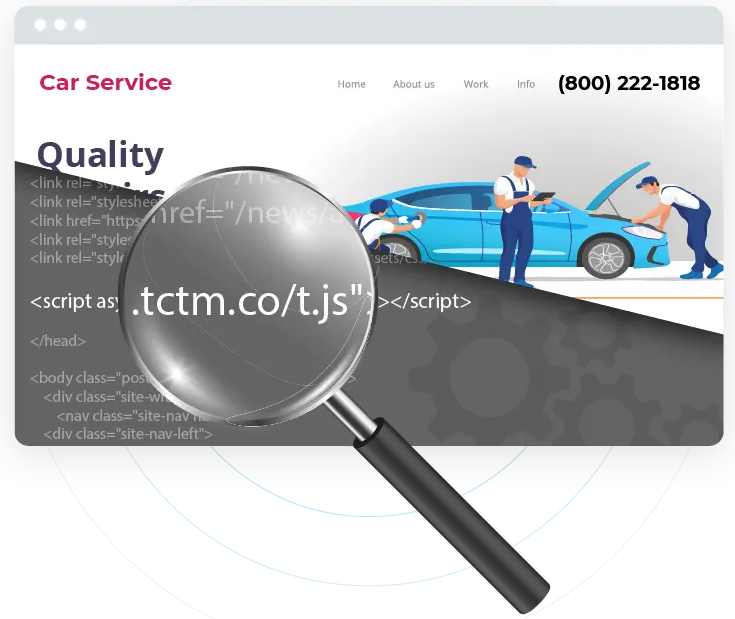
Tracks incoming calls from specific marketing campaigns, providing insights into which channels are driving leads.
Best For
Agencies, multi-location businesses, sales teams, and SMBs that require basic call attribution and agent coaching tools.
Pros of CallTrackingMetrics as Call Monitoring Software
- Integrates with Salesforce, Google Ads, and HubSpot
- The DNI feature provides valuable call attribution insights
Cons of CallTrackingMetrics as Call Monitoring Software
- Requires additional customization for complex needs
- Pricing may be higher for smaller teams or businesses with low call volume
Pricing for CallTrackingMetrics
CallTrackingMetrics offers the following plans:
- Marketing Lite: $79/month billed yearly
- Marketing Pro: $179/month billed yearly
- Sales Engage: $329/month billed yearly
- Enterprise: $1999/month billed yearly
Final Verdict
While CallTrackingMetrics provides useful call monitoring and attribution tools, it may not meet the needs of businesses requiring more sophisticated call routing or advanced integration features. The software is well-suited for small to mid-sized companies but may fall short for larger teams or businesses with more complex needs. For businesses that need a more flexible or feature-rich solution, exploring additional options may be beneficial.
3. Invoca
Invoca is a call tracking and marketing attribution platform that focuses on enterprise-level businesses and marketing teams. It offers essential features such as live call monitoring, whisper, and barge for coaching agents, along with AI-powered transcription for call analysis. However, its call routing capabilities are more basic compared to other platforms, and its call analytics may not offer the advanced insights that some businesses need.
Key Features of Invoca as Call Monitoring Software
- Live call monitoring, whisper, and barge
- AI-powered transcription
- Dynamic Number Insertion (DNI)
- Basic call routing and queue management
- Call recording software
- Integration with Salesforce, Google Ads, and Google Analytics
Top 3 Features of Invoca as Call Monitoring Software
1. Dynamic Number Insertion (DNI)
This feature assigns unique phone numbers to specific marketing campaigns, allowing businesses to track call sources.
2. Live Call Monitoring
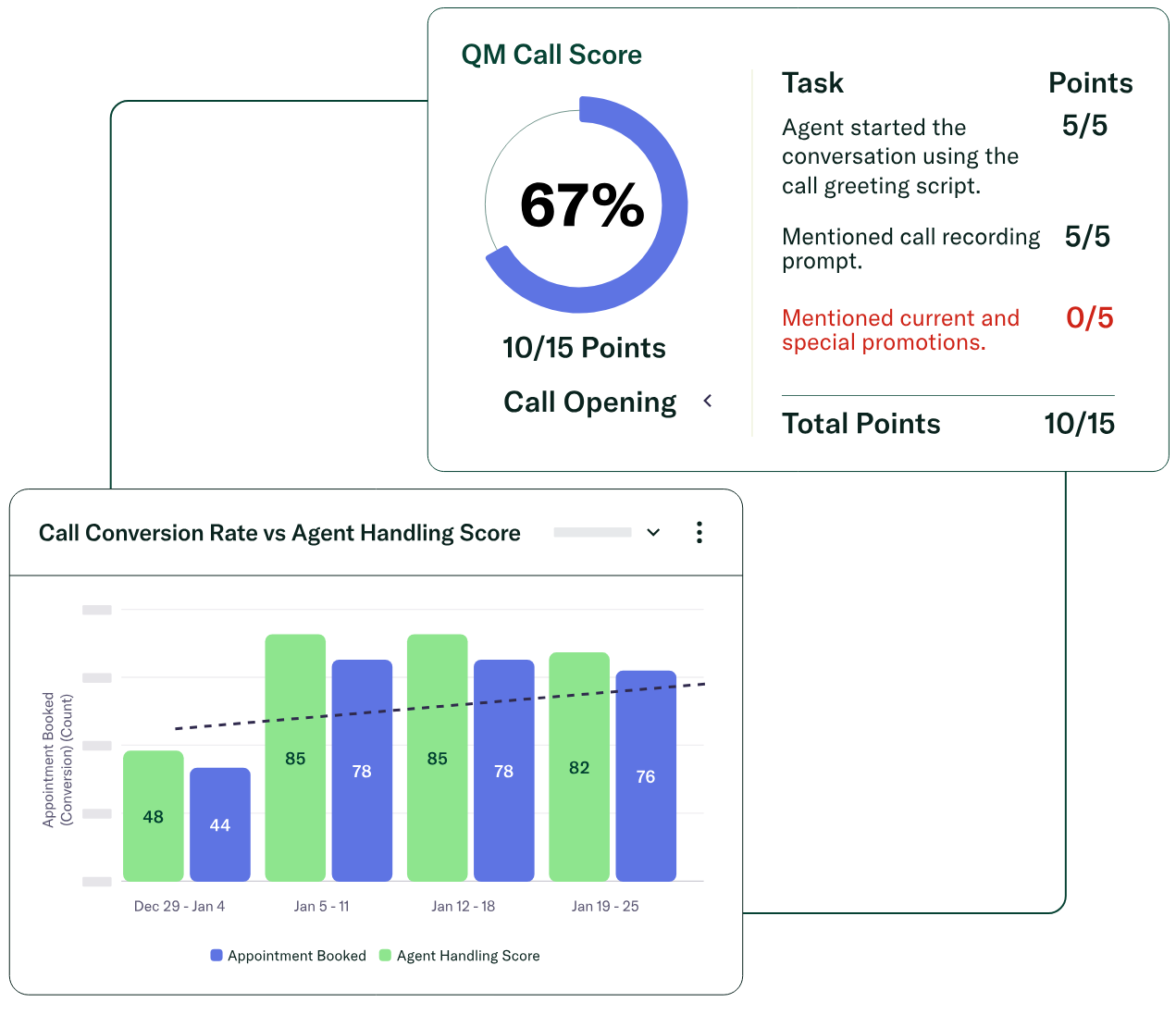
Supervisors can listen to calls in real time, ensuring agents stay on track.
3. AI-powered Transcription

Converts calls into searchable text, which helps businesses track important moments like pricing inquiries or service requests.
Best For
Enterprise businesses, marketing teams, and agencies seeking reliable call attribution and basic call monitoring, without the need for complex call routing or deep analytics.
Pros of Invoca as Call Monitoring Software
- Real-time coaching with whisper and barge
- Third-party integrations
Cons of Invoca as Call Monitoring Software
- Steeper learning curve for new users
- Pricing may not be suitable for smaller businesses with fewer calls
Pricing for Invoca
Invoca offers customized pricing based on business size and feature needs, categorized into three plans.
- Pro
- Enterprise
- Elite
Final Verdict
Invoca provides essential call tracking and attribution features, making it a good fit for businesses needing basic call coaching and simple campaign tracking. However, its call routing capabilities are limited, and its pricing may be too high for smaller teams. Advanced analytics and deeper attribution features are missing, which could hinder businesses with more complex requirements.
4. CallRail
CallRail is a call tracking platform that provides tools for measuring call conversions and optimizing marketing campaigns. It offers essential features such as keyword-level attribution, conversion tracking, and real-time alerts. However, businesses requiring more sophisticated call routing or deep analytics might find the platform’s capabilities limited for their needs.
Key Features of CallRail as Call Monitoring Software
- Keyword-level attribution
- Conversion tracking
- Real-time call alerts
- Call recording with basic analytics
- Salesforce, Google Ads, and Google Analytics integrations
- Dynamic number insertion
- Monitoring and whisper message
- Real-Time Monitoring views
- Basic IVR and call queues for routing
Top 3 Features of CallRail as Call Monitoring Software
1. Keyword-level Attribution
Tracks which keywords drive calls to your business. However, it is focused more on basic attribution and doesn’t offer in-depth tracking across multiple marketing touchpoints.
2. Conversion Tracking
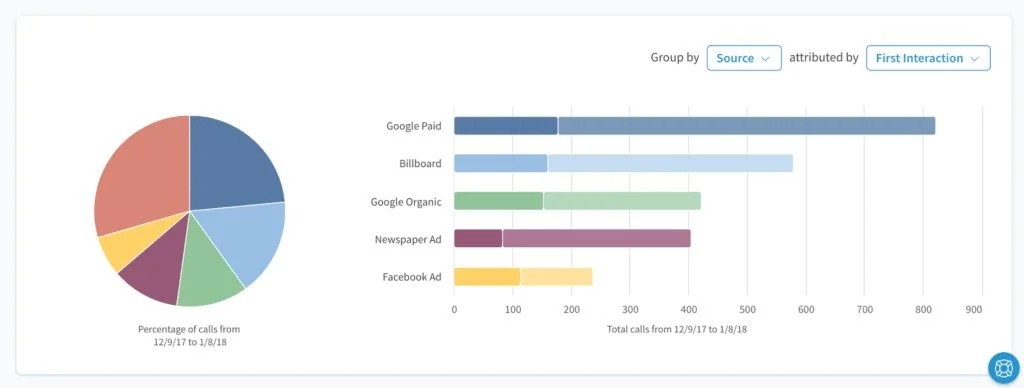
Provides the ability to measure call conversions, but it lacks deeper multi-touch attribution that tracks the entire customer journey for more detailed insights.
3. Real-time Call Alerts
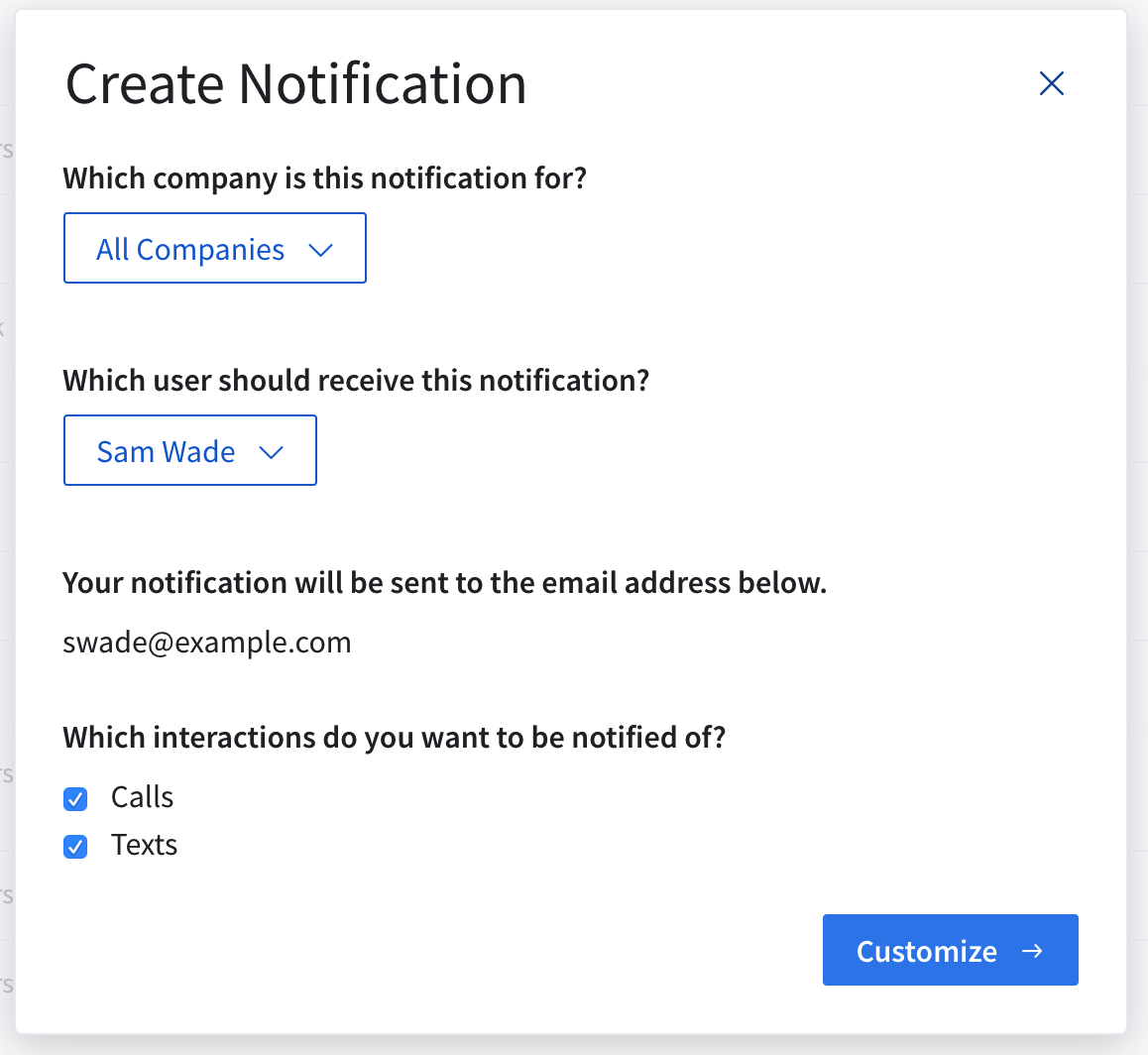
Alerts teams to high-priority calls immediately, allowing for fast lead follow-up. The feature is useful but lacks deeper customization options to meet specific business needs.
Best For
Marketing teams, small businesses, and sales teams seeking a straightforward solution for call tracking and basic attribution, without the complexity of more advanced systems.
Pros of CallRail as Call Monitoring Software
- Efficient integration with ad platforms
- User-friendly setup
Cons of CallRail as Call Monitoring Software
- Limited customization in reporting
- No advanced AI features
- No real-time coaching options
- Basic support for multi-location businesses
Pricing for CallRail
CallRail offers 4 pricing plans:
- Call Tracking: $50/month
- Call Tracking + Conversation Intelligence: $100/month
- Call Tracking + Form Tracking: $100/month
- Call Tracking Complete: $195/month
Final Verdict
CallRail is well-suited for businesses that need simple call tracking and attribution but may not provide the advanced routing or in-depth analytics needed by larger teams or businesses with complex requirements. Its pricing structure may be a concern for smaller firms, and multi-touch attribution is limited compared to more comprehensive tools.
5. DialogTech
DialogTech is a call tracking platform designed for enterprises and marketing teams to optimize their inbound call data. With features like real-time call monitoring, whisper, and barge, it helps businesses coach agents. While DialogTech supports call attribution with DNI and integrates well with tools like Salesforce and Google Ads, its call routing and advanced analytics may not be as strong for complex workflows.
Key Features of DialogTech as Call Monitoring Software
- Live call monitoring, whisper, and barge
- Call attribution and keyword-level tracking
- Call recording software with compliance options
- Basic call routing and queue management
- Integration with Salesforce, Google Analytics, and Google Ads
- Real-time call tracking for marketing campaigns
Top 3 Features of DialogTech as Call Monitoring Software
1. Live Call Monitoring
Supervisors can monitor calls in real time, providing agents with the necessary guidance during calls.
2. Call Attribution
DialogTech provides call attribution by tracking the source of inbound calls, but it lacks multi-touch attribution.
3. Call Recording

DialogTech offers call recording with compliance features, but it does not provide advanced options like AI-powered transcription.
Best For
Agencies, small-to-mid-sized businesses, and marketing teams looking for a straightforward call tracking solution with basic attribution features.
Pros of DialogTech as Call Monitoring Software
- Real-time coaching with whisper and barge
- Integrates with major platforms
Cons of DialogTech as Call Monitoring Software
- Lacks advanced call routing options
- Basic analytics, with no multi-touch attribution or advanced reporting
- Pricing may be a barrier for smaller businesses with lower call volumes
Pricing for DialogTech
DialogTech offers custom pricing plans.
Final Verdict
DialogTech offers basic call tracking and attribution but lacks the advanced routing and analytics features needed by larger businesses or those with complex workflows. For businesses looking for a simpler solution at a higher price, DialogTech is suitable, but other tools may provide more flexibility.
6. Infinity Cloud
Infinity Cloud is a cloud-based call tracking and analytics platform designed for businesses focused on improving customer experience and measuring marketing effectiveness. It offers features like call routing and basic call analytics, but lacks the advanced call routing options and multi-channel attribution capabilities that larger businesses or complex teams may require.
Key Features of Infinity Cloud as Call Monitoring Software
- Call tracking software
- Call routing software
- Real-time call monitoring
- Call recording software
- Integrations
- Queue monitoring
Top 3 Features of Infinity Cloud as Call Monitoring Software
1. Call Tracking Software
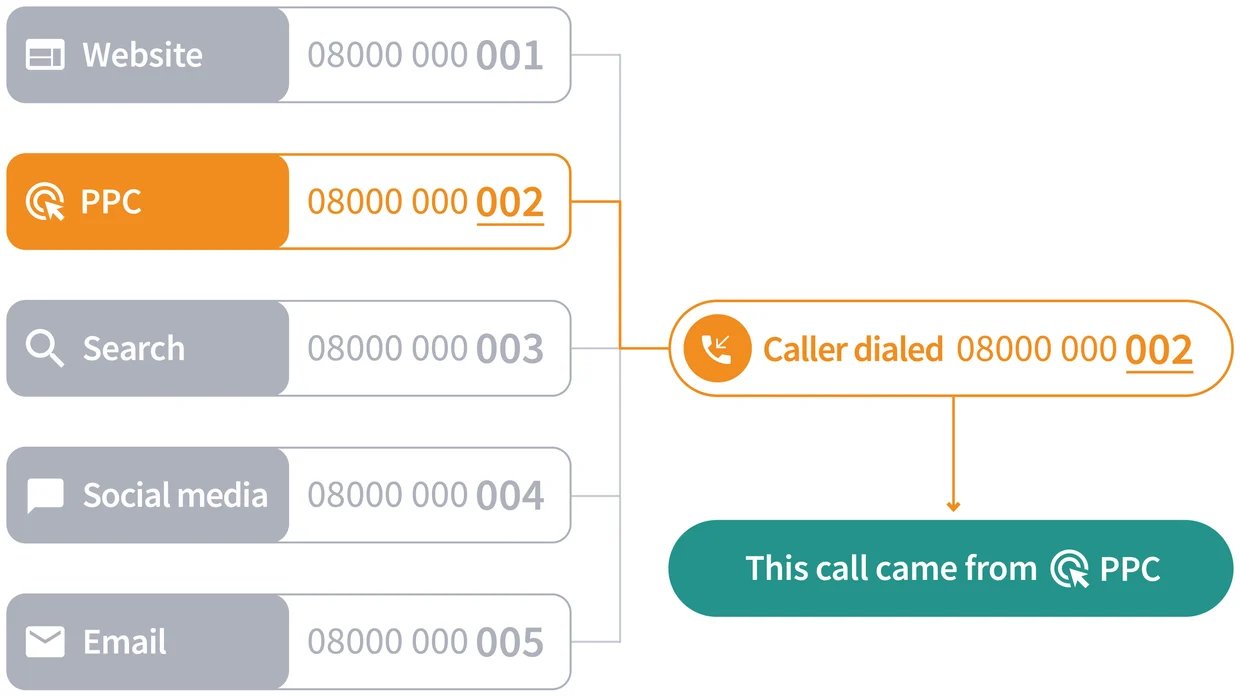
Tracks call sources from marketing campaigns. Useful for attribution but lacks advanced reporting capabilities.
2. Call Routing Software
Routes calls based on area code and ZIP code, which is useful for basic operations, but it lacks advanced routing for multi-location teams.
3. Call Analytics
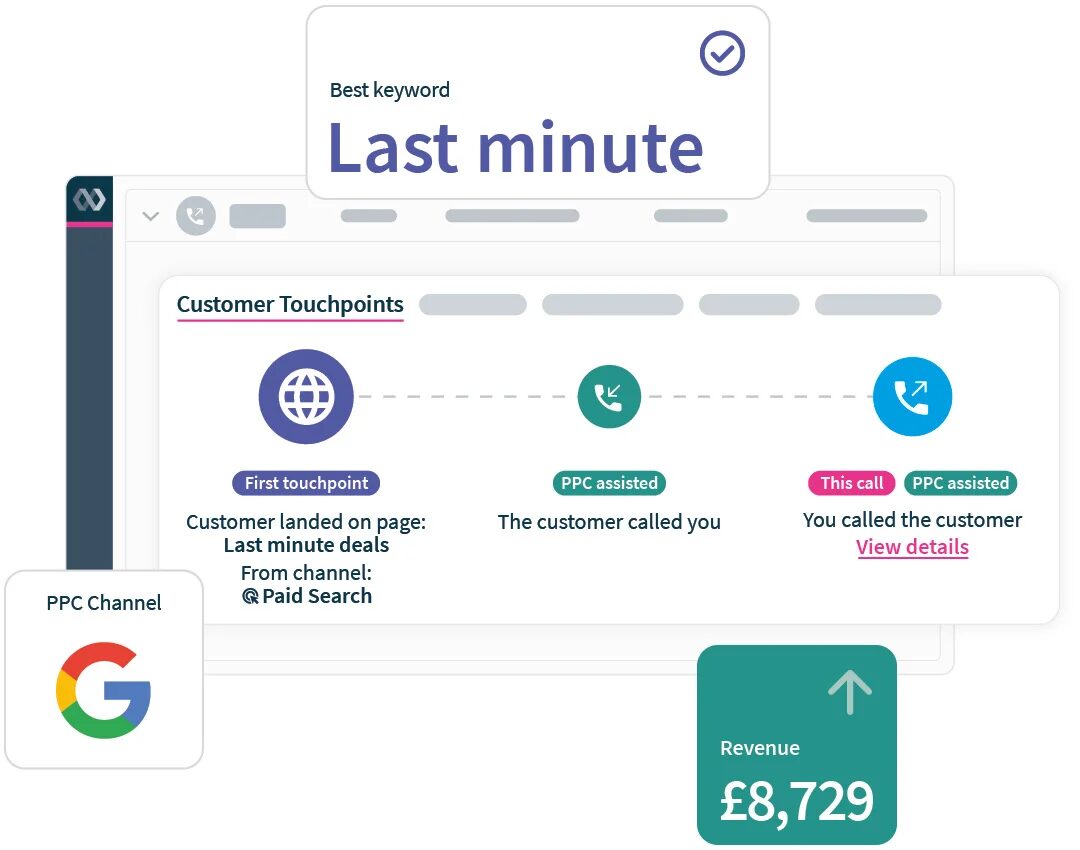
Provides basic call performance metrics, but lacks deeper analytics and multi-touch attribution that could offer more insight into campaign effectiveness.
Best For
Sales teams, SMBs, and marketing teams.
Pros of Infinity Cloud as Call Monitoring Software
- Simple call attribution with clear tracking of marketing sources
- Provides basic call recording with essential compliance features
Cons of Infinity Cloud as Call Monitoring Software
- Basic reporting tools
- Lacks advanced call scoring and keyword spotting capabilities
- No AI-powered insights
Pricing for Infinity Cloud
Infinity Cloud offers the following pricing plans:
- Essentials: £199 at 20p per call
- Pro: £299 at 15p per call
- Enterprise: POA
Final Verdict
Infinity Cloud offers reliable call tracking and basic analytics, but falls short on advanced call routing and multi-channel attribution. While it is suited for smaller teams, larger businesses with complex needs may find it lacking in flexibility and advanced features.
7. ResponseTap
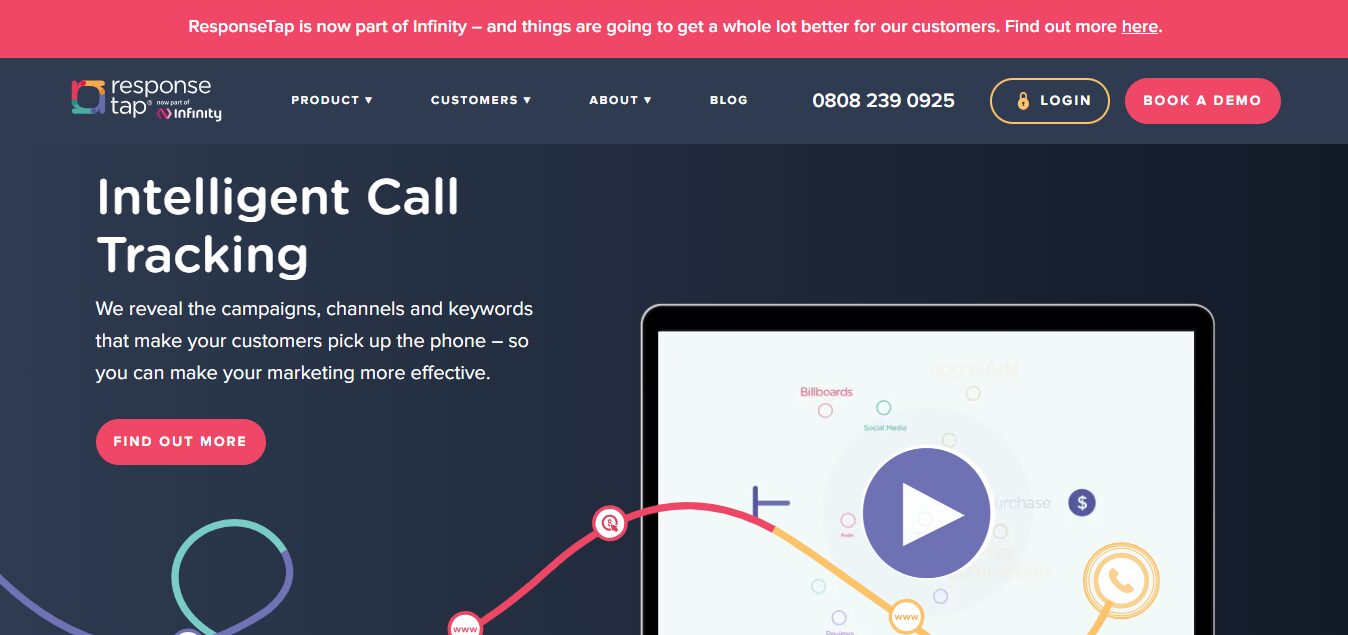
ResponseTap is a call tracking and marketing attribution platform. It provides call center monitoring with live call monitoring, whisper, and barge for real-time agent support. It also tracks call attribution and offers speech analytics. However, its call routing and analytics features may not scale well for businesses with complex needs.
Key Features of ResponseTap as Call Monitoring Software
- Call center monitoring with whisper and barge
- AI-powered speech analytics
- Dynamic Number Insertion
- Basic call routing and queue management
- Call recording and quality assurance
- Integrations
Top 3 Features of ResponseTap as Call Monitoring Software
1. Call Center Monitoring
Supervisors can monitor calls live and provide real-time coaching with whisper and barge, but lack advanced agent performance tracking.
2 Speech Analytics
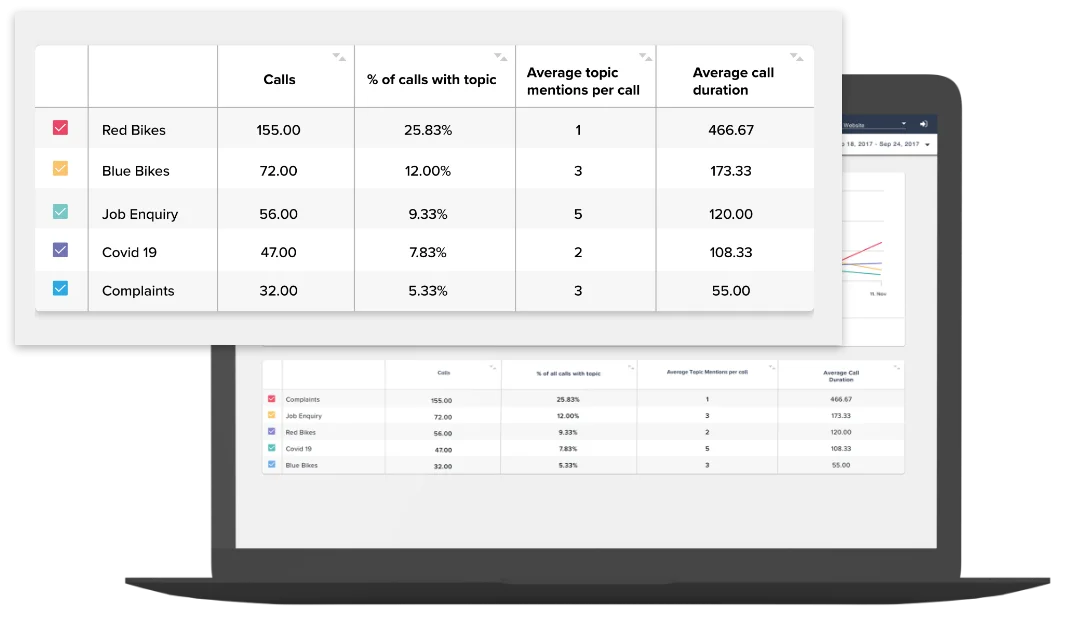
Converts calls into insights, but lacks keyword spotting and real-time data for deeper analysis.
3. Dynamic Number Insertion (DNI)
Tracks marketing efforts but does not provide multi-touch attribution for comprehensive insights.
Best For
Marketing teams, call centers, and SMBs looking for simple call tracking and attribution tools.
Pros of ResponseTap as Call Monitoring Software
- Provides basic call tracking with clear marketing attribution
- Provides call logs and basic call recording for tracking performance
Cons of ResponseTap as Call Monitoring Software
- Limited routing options
- Lacks multi-touch attribution
- Advanced reporting and deep analytics are not available
- Call handling time insights are basic
Pricing for ResponseTap
ResponseTap offers customized pricing based on your business needs.
Final Verdict
ResponseTap is suitable for businesses needing basic call tracking and attribution. However, its call routing and advanced analytics may not meet the needs of larger or more complex teams. For companies seeking more flexible routing and deeper insights, other solutions might be more fitting.
8. CallSource
CallSource is a call tracking and lead management solution for businesses that need basic call monitoring. It offers features like call tracking, call recording, and lead scoring. However, its call routing and analytics are limited, making it less suitable for businesses with complex workflows or multi-location needs.
Key Features of CallSource as Call Monitoring Software
- Call tracking software
- Lead scoring
- Call recording for quality assurance
- Basic call routing and queue management
- Integrations with Salesforce, Google Ads, and Google Analytics
Top 3 Features of CallSource as Call Monitoring Software
1. Call Tracking Software
Tracks calls from marketing campaigns but lacks multi-touch attribution for a full view of customer journeys.
2. Lead Scoring
Helps prioritize calls based on lead quality but lacks advanced segmentation or automated workflows.
3. Call Recording
Offers call recording for compliance but lacks advanced features like AI-powered transcription or sentiment analysis.
Best For
Small businesses, sales teams, and agencies needing basic call tracking and lead scoring.
Pros of CallSource as Call Monitoring Software
- Simple call tracking and lead scoring
- Provides basic call recording features
Cons of CallSource as Call Monitoring Software
- Limited call routing capabilities for multi-location teams
- Lacks advanced analytics and real-time performance monitoring
- Pricing may be too high for smaller teams
Pricing for CallSource
Reach out to its customer support for pricing details.
Final Verdict
CallSource is well-suited for businesses with straightforward call tracking and lead scoring requirements, but it lacks the flexibility for more complex routing or advanced call analytics. Its pricing may be a limitation for smaller firms with lower call volumes, and it doesn’t support deeper agent performance tracking or call center QA.
9. Marchex
Marchex is a call tracking and marketing analytics platform focused on helping businesses track customer interactions and optimize their marketing efforts. It offers core features such as call recording, call tracking, and basic call center monitoring tools. Still, it lacks advanced call routing capabilities and more call center solutions compared to other tools.
Key Features of Marchex as Call Monitoring Software
- Call tracking software
- Call recording with compliance features
- Basic call routing
- Speech analytics
- Integration
- Customer sentiment analysis
Top 3 Features of Marchex as Call Monitoring Software
1. Call Tracking Software
Tracks marketing efforts and attributes calls to specific campaigns.
2. Call Recording
Provides call recording for compliance but lacks real-time transcription or AI-powered insights.
3. Speech Analytics
Analyzes call content to extract insights into customer sentiment and key conversations.
Best For
Small businesses, enterprises, and agencies needing basic call tracking and attribution tools.
Pros of Marchex as Call Monitoring Software
- Simple call tracking
- Call recording for compliance
Cons of Marchex as Call Monitoring Software
-
- Limited call routing flexibility
- No multi-touch attribution
- Pricing may be restrictive for smaller businesses with lower call volumes
Pricing for Marchex
Customized pricing based on business needs.
Final Verdict
Marchex provides essential call tracking and call attribution tools, making it a good fit for businesses with basic needs. However, its call routing and analytics capabilities are limited for more complex use cases, and it lacks advanced features like real-time transcription and AI-powered speech analytics. The pricing may also be prohibitive for smaller businesses. For businesses with growing needs, more flexible and feature-rich tools may be required.
10. Retreaver
Retreaver offers call tracking and attribution tools, tailored for businesses looking to understand marketing performance. While it provides basic features like call recording and keyword attribution, it falls short on advanced call routing and real-time analytics for large teams.
Key Features of Retreaver as Call Monitoring Software
- Call tracking software
- Call recording with basic compliance features
- Keyword spotting
- Call attribution for marketing campaigns
- Integrations with Salesforce and Google Ads
- Performance dashboards
Top 3 Features of Retreaver as Call Monitoring Software
1. Call Tracking Software
Tracks calls to specific campaigns. Lacks advanced reporting and multi-touch attribution for a complete view of marketing performance.
2. Call Recording
Records calls for compliance. Missing real-time transcription or speech analytics for deeper insights.
3. Keyword Spotting
Identifies important keywords driving calls. Lacks real-time insights and detailed agent performance tracking.
Best For
SMBs and marketing teams require simple call tracking and basic attribution, without the need for complex routing or advanced analytics.
Pros of Retreaver as Call Monitoring Software
- Simple call tracking and attribution
- Basic performance dashboards
Cons of Retreaver as Call Monitoring Software
- Limited call routing
- No advanced analytics
- Pricing may be high
Pricing for Retreaver
Contact Retreaver’s customer support for a pricing quote.
Final Verdict
Retreaver offers basic call tracking but lacks the advanced call routing and analytics businesses need for complex workflows. It may be suitable for small companies but falls short for enterprises with more detailed needs in performance management and customer insights.
How to Choose Call Monitoring Software in 2026?
Selecting the right call monitoring solution for 2026 requires a clear understanding of the features that matter most to your business. Key factors to consider include monitoring depth, AI quality, routing fit for multi-location teams, attribution stack, security and retention, reporting cadence, and total cost of ownership. These features help ensure your team can manage calls effectively while optimizing agent performance and providing valuable data on customer interactions.
Monitoring and Coaching Capabilities
Monitoring and coaching features are essential for supporting agents effectively. Live monitoring allows supervisors to listen to calls discreetly, ensuring agents stay on course. Whisper provides private coaching during calls, offering guidance to improve agent performance. Barge allows supervisors to join the call as needed, resolving issues promptly. These features improve call resolution rates and contribute to a better customer experience.
Routing Fit for Multi-Location and Franchise Teams
For businesses handling multiple locations or franchises, advanced call routing is vital. The software should support multi-level IVR, queue management, and call transfers to guide calls efficiently. Area code and ZIP code routing assign calls to the appropriate locations, improving first-call resolution. After-hours routing ensures calls are handled even when the team is unavailable, preventing missed opportunities. These capabilities are key for businesses with distributed teams.
Marketing Attribution and Integrations
A strong attribution stack is essential for measuring marketing success. Software with Dynamic Number Insertion (DNI) tracks different marketing channels effectively. Keyword-level attribution shows which ads or keywords drive valuable calls. Integration with Google Analytics 4 (GA4) and Google Ads helps track call conversions, refining marketing efforts. Additionally, connecting with CRMs like HubSpot, Zoho, or Salesforce call tracking integration links call data to sales outcomes, improving lead tracking and campaign results.
Security, Privacy, and Data Retention
Security and privacy features are critical when selecting call monitoring software. Features like password-protected recordings ensure that only authorized personnel can access sensitive data. Redaction removes confidential information from recordings, maintaining compliance. Auto-deletion deletes call data after a specified period, supporting data retention policies. These features help businesses protect customer data and maintain trust.
When to Choose Which Call Monitoring Software?
Choose AvidTrak if you need call monitoring software with live monitor/whisper/barge (M/W/B) coaching, AI-powered call transcription + AI-powered conversation outcome extraction, Dynamic Number Insertion (DNI) attribution, multi-location routing, and GA4/CRM sync at a competitive price, making it a strong call monitoring solution for agencies and growth teams.
Choose enterprise conversation intelligence (CI) suites (such as Invoca or Marchex) if you operate large call centers and want deep conversation-intelligence workflows beyond core call recording and monitoring software, typically with more complex implementations and custom pricing.
Choose marketing suites (such as CallTrackingMetrics, CallRail, or Infinity) if you prefer broader marketing features with lighter routing or monitoring, and you mainly need attribution plus baseline call monitoring software features rather than advanced coaching, outcomes, and multi-location call management.
AvidTrak Spotlight: Monitoring Without Missed Revenue
AvidTrak brings real-time call supervision together with AI-powered call transcription and AI-powered conversation outcome extraction, giving teams immediate visibility into what’s happening on calls and why they matter. Supervisors can coach agents live using monitor, whisper, and barge, while searchable transcripts and outcome tags make post-call review fast and practical.
Beyond coaching, AvidTrak is designed to keep call flows moving smoothly. Multi-level IVR, queue management, area and ZIP code routing, and after-hours routing work together to direct callers accurately, especially for multi-location and franchise operations. Call data flows directly into GA4 and connected CRMs through Dynamic Number Insertion (DNI) and keyword-level attribution, linking phone conversations to marketing activity without manual reconciliation.
Security and reliability are built in. STIR/SHAKEN support helps validate calls and reduce fraud, while password-protected recordings, configurable retention rules, and scheduled reporting support compliance requirements. Combined with transparent pricing and responsive product support, AvidTrak delivers a call monitoring software experience that handles both everyday tracking and complex routing scenarios with equal consistency.
Ready to elevate your call tracking and attribution? Sign up for a free trial today to experience AI-powered analytics and real-time call insights.
Frequently Asked Questions
1. What does call monitoring software include?
Call monitoring software typically includes live call listening, call recording, whisper coaching, and barge-in support. Advanced platforms also add AI-powered call transcription, conversation outcome tagging, and reporting to improve agent performance and call quality management.
2. How do whisper and barge features differ?
Whisper allows supervisors to guide agents privately during a live call, while barge lets supervisors join the conversation directly when escalation is needed. Together, they support real-time coaching and faster issue resolution without disrupting workflows.
3. Where does AI-powered transcription add value?
AI-powered call transcription converts conversations into searchable text and highlights moments such as booking or pricing requests. This speeds up reviews, improves follow-ups, and supports consistent agent training without listening to full call recordings.
4. How does call monitoring connect to marketing ROI?
When paired with Dynamic Number Insertion (DNI) and GA4 call conversions, call recording and monitoring software shows which campaigns drive qualified calls. This visibility helps teams refine marketing strategies and allocate budgets more effectively.
5. What matters most for multi-location or franchise teams?
For distributed teams, advanced call routing is critical. Area code and ZIP code routing ensure callers reach the correct location, improving call handling consistency, reducing transfers, and maintaining a reliable customer experience across all branches.
6. Which integrations are most important for call monitoring?
The most valuable integrations connect call monitoring solutions with CRMs like Salesforce, HubSpot, and Zoho, alongside Google Ads and GA4. These connections align call activity with sales data and marketing attribution in one reporting flow.
7. Why consider AvidTrak for monitoring and attribution?
AvidTrak combines live monitoring, whisper, and barge with AI-powered transcription, conversation outcome extraction, and advanced routing. With DNI, GA4 call conversions, and native CRM integrations, it supports accurate attribution and scalable call management.
8. What is STIR/SHAKEN, and why does it matter?
STIR/SHAKEN verifies caller identity to reduce spoofing and fraudulent calls. This improves call trust, protects agents from spam traffic, and helps businesses maintain reliable call center operations and customer communication standards.


