


Imagine a sales team getting phone calls from Google Ads, Facebook campaigns, organic search, directory listings, referral pages, and direct website visits.
The phones are ringing, but the team still has a problem.
The sales manager does not know which calls were new leads. The marketing manager does not know which campaigns created sales conversations. The business owner does not know how many calls were missed. The sales reps are writing call notes manually, and some follow-ups are happening too late.
This is where sales call tracking software helps.
Sales call tracking software gives a business more visibility into phone leads. A good platform can show where a call came from, who answered it, what happened during the conversation, whether the caller showed buying intent, and which calls need follow-up.
This guide compares 15 of the best sales call tracking software options for 2026. The focus is on inbound call attribution, call recording, CRM logging, call outcomes, routing, AI summaries, rep visibility, lead follow-up, and sales reporting.
Best Sales Call Tracking Software: Quick Comparison
| Software | Best For | Main Sales Use Case | Pricing Snapshot | Possible Limitation |
| AvidTrak | Inbound sales call tracking and attribution | Campaign attribution, call outcomes, routing, transcription, and reporting | Starter $15/month, Professional $30/month, Agency $55/month. G2 also lists AvidTrak as starting at $2/month for number and usage-based pricing. | Not a full outbound sales engagement suite. |
| Aircall | Cloud phone sales teams | CRM integrations, call routing, analytics, and team calling | Essentials starts at $30/user/month annually, Professional starts at $50/user/month annually, and Custom is quote-based. | Less focused on campaign attribution than AvidTrak. |
| HubSpot Sales Hub | HubSpot CRM users | CRM call tracking, call recording, and contact records | Free plan available; Starter starts at $7/user/month annually or $20/user/month monthly; Professional starts at $90/user/month annually; Enterprise starts at $150/user/month. | The best value comes when the team already uses HubSpot. |
| Close | Inside sales teams | Built-in calling, dialers, recordings, and AI summaries | Solo $19/user/month monthly or $9/user/month annually; Essentials $49 monthly or $35 annually; Growth $109 monthly or $99 annually; Scale $149 monthly or $139 annually. | More CRM-centered than attribution-centered. |
| Revenue.io | Salesforce teams | Salesforce-native dialer, coaching, and conversation intelligence | Public fixed pricing is not listed. Pricing is usually quote-based. | Best suited to Salesforce-led teams. |
| Gong | Enterprise sales coaching | Call recording, transcription, AI analysis, and coaching | Custom quote. Gong states that pricing depends on user licenses, a platform fee, and team size. | May be too much for smaller teams. |
| Salesloft | Sales engagement teams | Call recording, coaching, cadences, and CRM sync | Public fixed pricing is not listed. Salesloft asks buyers to contact sales for package pricing. | Best for teams already using sales engagement workflows. |
| Outreach | Revenue teams | AI call analysis, coaching, deal workflows, and sales engagement | Request pricing. Outreach uses seat-based access plus usage-based AI credits. | May be more than a small team needs. |
| Dialpad | AI-focused sales teams | AI summaries, transcripts, CRM updates, and reminders | Standard is commonly listed at $15/user/month annually or $27 monthly; Pro at $25/user/month annually or $35 monthly; Enterprise is custom. | Phone-system first, not attribution-first. |
| JustCall | Sales teams using calls and SMS | Calling, texting, follow-ups, dialers, and integrations | Team $29/user/month annually; Pro $49/user/month annually; Pro Plus $89/user/month annually; Business is custom. | Less focused on campaign-level attribution. |
| CloudTalk | Sales call center teams | Dashboards, outcomes, call logs, recordings, and routes | Lite €19/user/month annually; Starter €25; Essential €29; Expert €49. | May fit call center workflows more than small sales teams. |
| RingCentral | Larger business phone teams | Voice, analytics, routing, and business calling | RingEX is commonly listed from $20/user/month annually for Core, with higher tiers reaching $35/user/month annually. Add-ons such as AI Receptionist start at $39 and Conversation Intelligence starts at $60. | A broad communications platform, not only a sales call tracker. |
| Kixie | Outbound sales teams | Power dialing, CRM logging, voicemail drops, and sales analytics | Public fixed pricing is not listed on the plan page. Plans include Professional, Single-Line PowerDialer, and Multi-Line PowerDialer. | More outbound-focused than attribution-focused. |
| Salestrail | Mobile sales teams | Automatic SIM, WhatsApp, and CRM call logging | Standard License $2/user/month for call tracking; Call Recording is an additional $2/user/month. | Less focused on campaign attribution. |
| CallTrackingMetrics | Sales and marketing teams | Routing, tracking, reporting, forms, texts, and chats | Marketing Lite $79/month; Marketing Pro $179/month; Sales Engage $329/month; Enterprise starts at $1,999/month. Usage costs can apply. | Can feel heavier for simple sales call logging. |
Who This Guide Is For
This guide is for teams that need more than a basic phone system.
It is written for:
- Sales managers who want to review call quality and rep follow-up.
- Business owners who want to know which calls became real opportunities.
- Marketing teams that need to prove which campaigns created phone leads.
- Agencies that manage call-driven campaigns for clients.
- Revenue teams that need cleaner CRM activity and better call records.
- Local service businesses that rely on inbound phone leads.
- Inside sales teams that need call recording, call notes, and follow-up visibility.
This guide focuses on sales call tracking. The main question is not only, “Which campaign generated the call?” The bigger question is, “What happened after the phone rang, and did the team handle the lead properly?”
What Is Sales Call Tracking Software?
Sales call tracking software helps businesses track, record, log, analyze, and report on sales-related phone calls. It shows where calls came from, who handled them, what was said, and whether the call created a real sales opportunity.
A good sales call tracking platform can help a team answer questions like:
- Which marketing source generated the phone lead?
- Was the call answered or missed?
- Which sales rep handled the call?
- Did the caller ask for pricing, a quote, a demo, or an appointment?
- Was the call logged inside the CRM?
- Did the rep follow up?
- Did the call become a qualified lead?
- Which campaigns are producing calls worth counting?
| Term | Meaning |
| Sales call tracking | Tracking inbound and outbound calls handled by a sales team. |
| Call logging | Saving call activity inside a CRM, sales system, or reporting dashboard. |
| Call recording | Recording a call for review, training, proof, or quality control. |
| Call attribution | Connecting calls to campaigns, sources, keywords, pages, or ads. |
| Conversation intelligence | Using AI to analyze transcripts, objections, topics, and next steps. |
| Call outcome tracking | Tagging what happened on the call, such as booked appointment, quote request, missed call, spam call, or not qualified. |
Sales Call Tracking vs. Marketing Call Tracking
Sales call tracking and marketing call tracking are related, but they are not the same.
Marketing call tracking focuses on source attribution. It helps marketers see which campaigns, keywords, ads, landing pages, and channels generated calls. A business that needs a deeper view of buyer touchpoints can also review AvidTrak’s marketing attribution guide.
Sales call tracking goes deeper into call handling. It helps teams see what happened during the call, whether a rep followed up, whether the call was logged, and whether the call became a sales opportunity.
| Marketing Call Tracking | Sales Call Tracking |
| Tracks source, campaign, keyword, and landing page. | Tracks call handling, follow-up, rep activity, and outcomes. |
| The main user is a marketer or agency. | The main user is a sales manager, rep, or revenue team. |
| The main goal is attribution and ad ROI. | The main goal is lead response, call quality, and pipeline visibility. |
| Common features include DNI and tracking numbers. | Common features include call logging, recordings, transcripts, summaries, and CRM notes. |
| Reports often focus on campaign performance. | Reports often focus on call quality, rep activity, outcomes, and follow-up. |
AvidTrak fits both sides, which is why AvidTrak is useful for sales and marketing alignment. AvidTrak can connect the call to the source and also help the team understand what happened during the conversation.
How Sales Call Tracking Works
Sales call tracking usually follows a simple workflow.
Campaign or website visit → Phone call → Call routing → Call recording → AI transcript → Call outcome → CRM note → Follow-up task → Sales report
Here is how this looks in practice.
- A potential customer sees an ad, visits a landing page, finds the business on Google, or clicks from another source.
- The customer calls a tracking number or a business number connected to the sales call tracking system.
- The platform records the source, caller details, call time, call duration, and call status.
- The call is routed to the right rep, team, location, or department.
- The call can be recorded and transcribed.
- AI or a team member can identify the call outcome.
- The call can be logged inside a CRM or dashboard.
- The sales team can follow up based on the call result.
- The manager can report on which calls became qualified leads or sales opportunities.
For inbound sales teams, this workflow can make a measurable difference. It helps the team avoid guessing which calls matter and which campaigns deserve more budget.
Why Sales Teams Need Call Tracking
Phone calls often show high buying intent. A person who calls may need pricing, availability, booking, a quote, product details, or service help right away.
The problem is that phone calls are easy to lose in the sales process.
A sales team may miss calls during busy hours. A rep may forget to add notes to the CRM. A manager may not know which reps are following up. A marketing team may send more budget to campaigns that generate calls, but not necessarily qualified calls.
Sales call tracking helps solve these problems.
| Call Scenario | Without Sales Call Tracking | With Sales Call Tracking |
| A new lead calls after clicking an ad. | The call may not be tied to the source. | The call can be linked to the campaign, keyword, or landing page. |
| A rep misses a call. | The lead may never receive follow-up. | The missed call can be reviewed and assigned for follow-up. |
| A caller asks for pricing. | The detail may stay inside the conversation. | The transcript or outcome can flag buying intent. |
| A manager reviews rep performance. | The manager relies on memory or manual notes. | The manager can review recordings, summaries, and outcomes. |
| A campaign brings many calls. | The team may count all calls as leads. | The team can separate real sales calls from spam or low-value calls. |
A sales call tracking system helps a business protect phone leads after the first call. That matters because fast, accurate follow-up can be the difference between a won deal and a lost opportunity.
How We Selected the Best Sales Call Tracking Software
The review looked at sales call tracking needs, not only general phone system features.
The selection criteria included:
- Inbound call tracking and source attribution.
- Call recording, transcription, and summaries.
- CRM logging and sales workflow fit.
- Call outcomes and follow-up visibility.
- Routing and missed-call visibility.
- Rep activity and sales reporting.
- Conversation intelligence and coaching use cases.
- Integrations with CRM, ad, analytics, and reporting tools.
- Pricing clarity and fit for team size.
- Customer review signals around sales calls, call recording, dialing, tracking, and reporting.
The product order is based on public product information, sales use cases, public reviews, pricing visibility, and how well each platform fits sales call tracking needs.
1. AvidTrak
 Best for: Inbound sales teams and agencies that need call attribution, call outcomes, routing, AI-powered transcription, and follow-up visibility.
AvidTrak is the best overall sales call tracking software for teams that want to connect inbound calls to campaigns, keywords, landing pages, and channels. AvidTrak helps sales and marketing teams understand not only where calls came from, but also what happened during those calls.
AvidTrak is a good fit for businesses where inbound calls are a major part of the sales process. This can include local services, agencies, healthcare practices, home services, legal services, franchises, insurance teams, automotive businesses, and other phone-led sales teams.
AvidTrak’s call tracking solution for agencies also helps agencies separate client accounts, report phone leads, and show which campaigns are producing calls worth counting.
Key Sales Call Tracking Features
- Campaign and keyword-level call attribution.
- Dynamic number insertion for website calls.
- Call tracking numbers for campaigns, sources, and pages.
- Call recording for sales review.
- AI-powered call transcription.
- Conversation outcome extraction for pricing requests, booking intent, and lead signals.
- Advanced call routing by team, location, availability, or rules.
- Missed-call visibility.
- Spam and robocall filtering.
- Call tracking platform integrations with sales and marketing tools.
- Call tracking dashboard for reporting.
- Call tracking API for teams that need custom workflows.
Pricing
AvidTrak’s public call tracking plans include:
- Starter: $15/month.
- Professional: $30/month.
- Agency: $55/month.
AvidTrak’s Agency plan includes 30 local numbers, 2,500 local minutes, 2,500 call recording minutes, 300 CNAME lookup calls, and up to 1,000 client accounts. Overage pricing can apply for extra numbers, minutes, SMS, recordings, and CNAME lookup calls.
Teams can review AvidTrak’s call tracking pricing before choosing a plan.
Integrations
AvidTrak supports call tracking platform integrations with sales, marketing, analytics, and CRM tools. Teams can also use AvidTrak’s API when a custom reporting workflow is needed.
Customer Reviews
Customers point to AvidTrak’s call attribution, recording, analytics, and ease of use as important reasons to consider the platform.
Vidhi T., a mid-market user, described AvidTrak as useful for organizing call logs, caller details, call duration, and recorded calls. The feedback also mentions call forwarding and detailed analytical reporting, which makes the platform relevant for teams that need better visibility into sales conversations and caller activity.
Andrew T., Director of IT at a mid-market marketing and advertising company, described AvidTrak as simple and easy to use. His feedback highlights the ability to track calls back to search, social, display, and print campaigns, along with call recording, greeting, whisper, voicemail, IVR, analytics, API access, and platform integrations.
The reviews suggest that AvidTrak fits teams that want practical call tracking, campaign attribution, recorded-call review, and sales call visibility without adding a heavy sales engagement system.
Where AvidTrak Works Well
AvidTrak works well when a business wants sales call tracking tied to real marketing sources. AvidTrak can help a team see whether a sales call came from Google Ads, SEO, a landing page, social media, offline ads, or another channel.
AvidTrak also works well for agencies that need client reporting. AvidTrak can help agencies separate client accounts, report phone leads, and show which campaigns are producing calls worth counting. Agencies that need branded client reporting can also review AvidTrak’s white-label call tracking for agencies.
Possible Limitations
AvidTrak is best suited for inbound sales call tracking, attribution, routing, transcription, and call outcome reporting. A team that mainly needs outbound sales cadences, email sequences, and prospecting workflows may also need a dedicated sales engagement tool.
Final Verdict
AvidTrak is the best overall option for sales teams that need call tracking connected to campaigns, lead quality, and follow-up. AvidTrak is especially useful when marketing and sales teams need one clear view of which phone calls came from which source and which calls showed real buying intent.
2. Aircall
 Best for: Sales teams that need a cloud phone system with CRM integrations.
Aircall is a customer communications platform built around business calling. It fits sales teams that want a cloud phone system with call routing, call logs, analytics, and CRM integrations.
Aircall is useful for sales teams that need to manage daily call activity across reps and tools. The platform connects with CRM, help desk, and business systems so conversations and customer data can sync across the team’s workflow.
Key Sales Call Tracking Features
- Cloud phone system for sales and support teams.
- CRM integrations.
- Call routing.
- Call logs.
- Call recordings and transcripts, depending on plan and setup.
- Team analytics.
- Collaboration tools.
- Business calling across desktop and mobile.
Pricing
Aircall pricing includes:
- Essentials: starts at $30/user/month when billed annually.
- Professional: starts at $50/user/month when billed annually.
- Custom: quote-based pricing.
Aircall usually requires a minimum number of licenses. Teams should confirm the final quote based on users, call volume, region, AI add-ons, analytics, and integrations.
Integrations
Aircall connects with CRMs, help desk tools, and sales platforms. This makes it useful when a sales team wants calling activity to sit close to contact and deal records.
Customer Reviews
Aircall customer feedback often focuses on outbound calling, CRM-connected calls, recordings, and day-to-day sales communication.
Owen Pickrell at Disciple Media shared that Aircall is used for inbound and outbound sales calls. His feedback mentions a lift in outbound calls and highlights call recording as a valuable feature for reviewing conversations and sales activity.
David Elcoate at Raviga described Aircall as useful for sales calls, CRM integration, and SMS communication. His review also notes that recording analysis may need a separate tool when a team needs deeper conversation review.
The reviews position Aircall as a good fit for sales teams that need a reliable calling system with recordings, CRM activity, and team calling workflows.
Where Aircall Works Well
Aircall works well for sales teams that need a phone system first. It can help reps make and receive calls, log activity, and work with CRM data.
Aircall is especially useful for teams that want a central calling system for both sales and support.
Possible Limitations
Aircall is less focused on campaign-level attribution than AvidTrak. A sales team that wants to connect inbound calls to specific ads, keywords, campaigns, and landing pages may need a dedicated call attribution layer.
Final Verdict
Aircall is a good option for sales teams that need a cloud phone system with CRM integrations and calling workflows. AvidTrak is a better fit when campaign attribution and inbound lead source tracking matter more.
3. HubSpot Sales Hub
 Best for: Teams that want sales call tracking inside HubSpot CRM.
HubSpot Sales Hub is a good option for teams already using HubSpot CRM. HubSpot’s calling features can help teams call prospects, record calls, and log activity inside the CRM.
This makes HubSpot useful for sales teams that want call activity tied directly to contact records, deals, and pipeline management. A business that wants call data inside a sales system can also review AvidTrak’s CRM call tracking resource.
Key Sales Call Tracking Features
- Click-to-call from HubSpot.
- Call recording.
- Automatic call logging.
- CRM contact and deal records.
- Sales pipeline visibility.
- Call notes and activity history.
- Conversation intelligence features on certain plans.
- Sales automation and follow-up workflows.
Pricing
HubSpot Sales Hub pricing includes:
- Free: $0/month for up to 2 users.
- Starter: starts at $7/user/month when billed annually, or $20/user/month when billed monthly.
- Professional: starts at $90/user/month when billed annually, or $100/user/month with an annual commitment.
- Enterprise: starts at $150/user/month.
HubSpot also lists required onboarding fees for Professional and Enterprise plans, so teams should review the final checkout or sales quote before buying.
Integrations
HubSpot Sales Hub works inside the HubSpot CRM ecosystem. It also connects with many sales, marketing, service, and reporting tools through HubSpot’s app marketplace.
Customer Reviews
HubSpot Sales Hub customer feedback often focuses on CRM-based call tracking, lead source visibility, notes, activity history, and sales pipeline visibility.
Grant Carlile at Mountains shared that HubSpot Sales Hub helps the team track activity sources, keep sales status visible, and move from a call to a quote. The review makes HubSpot relevant for teams that want sales call context connected to pipeline activity.
A user at a medical device company described HubSpot Sales Hub as useful for tracking lead sources, scheduling calls, adding notes, and managing workflows from one CRM. This feedback supports HubSpot’s fit for teams that want calls and sales records in one place.
The reviews suggest that HubSpot Sales Hub works best when a company already wants CRM, call activity, pipeline status, and lead follow-up inside the same system.
Where HubSpot Works Well
HubSpot works well when the CRM is the center of the sales process. Reps can call from contact records, log conversations, and keep call activity attached to deals.
HubSpot is also useful for teams that want call tracking, email tracking, task management, meetings, and CRM reporting in the same ecosystem.
Possible Limitations
HubSpot is best when the team already uses HubSpot deeply. It may not be the best standalone choice for campaign-level call attribution, DNI, or multi-source inbound call tracking.
Final Verdict
HubSpot Sales Hub is a good option for teams that want call tracking inside HubSpot CRM. AvidTrak is a better fit when a team needs inbound call attribution across campaigns, keywords, pages, and channels.
4. Close
 Best for: Inside sales teams that need a CRM with built-in calling.
Close is a CRM built for sales teams that spend a lot of time calling prospects. It includes built-in calling, power and predictive dialers, voicemail drops, call recording, and AI summaries.
Close is a good fit for inside sales teams that want calling and CRM activity in one sales platform.
Key Sales Call Tracking Features
- Built-in calling inside the CRM.
- Power dialer.
- Predictive dialer.
- Voicemail drops.
- Call recording.
- AI summaries.
- Activity logging.
- Sales pipeline management.
Pricing
Close pricing includes:
- Solo: $19/user/month monthly, or $9/user/month annually.
- Essentials: $49/user/month monthly, or $35/user/month annually.
- Growth: $109/user/month monthly, or $99/user/month annually.
- Scale: $149/user/month monthly, or $139/user/month annually.
- Custom pricing: available for larger or more complex sales teams.
Close includes different AI credit levels by plan. Teams should compare AI credits, dialer access, call recording retention, coaching, and workflow needs before choosing a plan.
Integrations
Close can connect with sales tools, email systems, CRMs, workflow tools, and reporting systems. It is especially useful when the sales team wants the CRM and calling workflow in one place.
Customer Reviews
Close customer feedback often focuses on inbound and outbound sales calls, built-in telephony, dialers, auto-logged activity, and sales team reporting.
Jason Janes at Bright Advice described Close as a good fit for inbound and outbound sales teams. His feedback highlights the power dialer, telephony, and automatic logging of calls and SMS, which helps sales teams keep activity organized.
A user at a business services company shared that Close supports direct calls to prospects, follow-up, and sales-team reporting. The review also notes areas where the dialer and activity tracking could improve for certain workflows.
The reviews suggest that Close fits sales teams that care more about calling prospects, logging activity, and managing deals than deep marketing attribution.
Where Close Works Well
Close works well for inside sales teams that need high call volume, outbound workflows, and CRM-native calling. Reps can make calls from lead records, use dialers, and keep activity organized inside the CRM.
A business that wants to compare outbound-focused tools can also review AvidTrak’s guide to outbound call tracking software.
Possible Limitations
Close is more focused on outbound and inside sales workflows than campaign attribution. It may not be the best choice when the main need is to connect inbound phone leads to ads, keywords, and landing pages.
Final Verdict
Close is a good fit for inside sales teams that want a CRM with calling built in. AvidTrak is a better option when inbound call source attribution and lead quality reporting are the main needs.
5. Revenue.io
 Best for: Salesforce-native sales teams.
Revenue.io is a Salesforce-native revenue execution platform that combines dialing, sales engagement, conversation intelligence, coaching, and AI.
It is built for teams that run their sales motion inside Salesforce and want call activity, sales engagement, and coaching to live close to CRM workflows.
Key Sales Call Tracking Features
- Salesforce-native dialing.
- Sales engagement.
- Conversation intelligence.
- Real-time coaching.
- Call and meeting insights.
- CRM activity logging.
- Sales workflow guidance.
- AI support for reps and managers.
Pricing
Revenue.io does not publish fixed plan pricing on the pages reviewed. Pricing is usually quote-based and depends on Salesforce setup, users, dialing needs, conversation intelligence, coaching, and sales execution requirements.
Teams should contact Revenue.io for current pricing and confirm whether dialing, recording, coaching, analytics, and AI features are included in the quoted package.
Integrations
Revenue.io is built around Salesforce workflows. It can also connect with tools used by revenue teams for dialing, coaching, activity logging, and conversation review.
Customer Reviews
Revenue.io reviews often focus on recorded calls, voicemail drops, click-to-call, Salesforce integration, routing, and live call review.
Allan Cisneros at Mynd shared that Revenue.io helps with a high daily call volume. His feedback mentions recorded calls, voicemail drop, click-to-call, and Salesforce integration, which are important for sales teams that need activity logging and faster outreach.
Shanna Baty at Summit Conversions described Revenue.io as useful for inbound and outbound client calls, routing, live recordings, AI annotations, and follow-up tasks. This makes the platform relevant for teams that want call handling and sales workflow support inside a Salesforce-led setup.
The reviews suggest that Revenue.io is a good match for teams that need call tracking, sales dialing, recordings, routing, and coaching close to Salesforce records.
Where Revenue.io Works Well
Revenue.io works well for Salesforce-heavy sales teams that want calling, coaching, engagement, and conversation intelligence in one Salesforce-native system.
It is a good fit for teams that care deeply about sales rep activity, live guidance, and CRM accuracy.
Possible Limitations
Revenue.io is best suited to teams that use Salesforce as the main sales system. It may not be the simplest option for smaller businesses or teams that need lighter inbound call tracking.
Final Verdict
Revenue.io is a good fit for Salesforce-native sales teams that want a sales execution platform with calling and intelligence. AvidTrak is a better fit for teams that want inbound call attribution and sales call outcomes without adopting a full Salesforce-native revenue platform.
6. Gong
 Best for: Enterprise sales teams that need conversation intelligence and sales coaching.
Gong is a revenue intelligence and conversation intelligence platform. It records and transcribes sales calls, then uses AI to help teams understand customer conversations, deal risks, objections, and next steps.
Gong is best for larger sales organizations that need call review, coaching, and deal intelligence.
Key Sales Call Tracking Features
- Sales call recording.
- Call transcription.
- AI conversation analysis.
- Deal risk signals.
- Coaching workflows.
- Searchable call library.
- Salesforce call recording support.
- Revenue team insights.
Pricing
Gong does not list fixed public plan prices. Gong states that pricing depends on factors specific to the team, including:
- Per-user licenses.
- A platform fee based on the number of users supported.
- The customer’s tech stack and implementation needs.
Teams need to request a custom proposal from Gong.
Integrations
Gong integrates with CRMs, meeting tools, email systems, and sales platforms. It is useful when sales teams want call data connected to deals, accounts, and coaching workflows.
Customer Reviews
Gong customer feedback often focuses on call recording, transcription, AI scoring, call analysis, and sales coaching.
Nathan Sultemeier at Zerofox shared that Gong is used for call recording, call analysis, AI scoring, and review of deals, contacts, and seller performance. This feedback supports Gong’s fit for revenue teams that use sales calls for coaching and deal review.
Trevor Kearns at Spacelift described Gong as a daily-use sales tool, with call transcription and shareable call recordings helping the team save time on CRM updates. This makes Gong useful for teams that need fast access to conversation details after calls.
The reviews suggest that Gong is best when call recordings are treated as a sales management, coaching, and deal intelligence asset.
Where Gong Works Well
Gong works well for enterprise revenue teams that need to review many sales conversations, coach reps, and identify deal patterns. It is especially useful when a company wants to use sales calls as a training and revenue intelligence asset.
Larger teams can also review AvidTrak’s page on enterprise call tracking software when inbound source tracking and enterprise reporting matter.
Possible Limitations
Gong may be too advanced or too costly for smaller teams that only need call tracking, call logging, and lead follow-up. Gong is also not built primarily as a marketing attribution platform.
Final Verdict
Gong is one of the better options for enterprise sales call review and conversation intelligence. AvidTrak is a better fit for teams that need inbound call tracking, source attribution, and sales call outcomes at the campaign level.
7. Salesloft
 Best for: Sales engagement teams that need call recording, coaching, cadences, and CRM sync.
Salesloft offers sales call tracking, call recording, conversation analytics, automatic CRM logging, and tools for managing calls inside sales workflows.
Salesloft is a good fit for teams that already use sales engagement cadences and want call activity tied to rep workflows.
Key Sales Call Tracking Features
- Sales call tracking.
- Call recording.
- Conversation analytics.
- CRM logging.
- Call coaching.
- Cadence reporting.
- Connected call metrics.
- Rep performance review.
Pricing
Salesloft does not list fixed public plan prices on the pricing page reviewed. The pricing page asks users to contact Salesloft for package pricing.
Salesloft also lists add-ons such as Account Agents and Forecast. Final cost can depend on package, users, add-ons, onboarding, CRM setup, and conversation intelligence requirements.
Integrations
Salesloft integrates with CRMs and sales tools used for cadences, calling, messaging, rep workflows, and manager review.
Customer Reviews
Salesloft customer feedback often focuses on cold calling, dialers, call recording, call logging, and cadence-based outreach.
Garrett Freed at Ascent Cloud shared that Salesloft is used for cold calling and pipeline growth. His feedback highlights the dialer, call recording, and call logging, which makes Salesloft relevant for sales teams that need call activity tied to outbound workflows.
Rogelio Barcarse at Delinea described Salesloft as useful for automating calls and emails, running cadences, and reducing manual call logging. This supports Salesloft’s fit for teams that want sales calls to sit inside a structured outreach process.
The reviews suggest that Salesloft fits teams that need call tracking as part of a broader sales engagement workflow.
Where Salesloft Works Well
Salesloft works well for sales teams that use cadences, call steps, and structured outreach workflows. Managers can review calls, coach reps, and connect call activity with sales engagement performance.
A sales manager that wants a call-quality review process can also read AvidTrak’s guide on how sales managers track call quality at scale.
Possible Limitations
Salesloft is best suited inside a broader sales engagement workflow. Smaller teams that only need inbound call tracking or simple call reporting may not need the full platform.
Final Verdict
Salesloft is a good option for sales engagement teams that need call tracking as part of a larger rep workflow. AvidTrak is a better fit for teams that need inbound source attribution, call outcomes, and phone lead reporting.
8. Outreach
 Best for: Revenue teams that need AI call analysis and sales workflow support.
Outreach is a revenue orchestration platform for prospecting, deal management, forecasting, coaching, and account workflows. Outreach also supports sales call recording, AI analysis, CRM integration, and coaching workflows.
Outreach fits teams that want call activity inside a broader revenue workflow.
Key Sales Call Tracking Features
- Call recording support.
- AI call analysis.
- CRM integration.
- Coaching workflows.
- Deal and account workflows.
- Sales engagement tools.
- Rep performance support.
- Revenue team reporting.
Pricing
Outreach does not list fixed public plan prices. Outreach pricing is custom and depends on:
- Team size.
- Usage volume.
- Number of AI workflows activated.
- Level of platform capabilities required.
- Seat-based access.
- AI credit or consumption-based usage.
Outreach packages include Amplify Core, Amplify Plus, and Amplify Pro, but buyers need to request pricing.
Integrations
Outreach integrates with CRMs, sales engagement workflows, calling tools, and revenue systems. It is most useful when the sales team already manages outbound and deal activity inside a structured sales platform.
Customer Reviews
Outreach customer feedback often focuses on dialing, call recording, sequences, outbound visibility, performance tracking, and revenue team workflows.
Mayank Singh Samant at Freshworks shared that the dialer and recorder are daily-use tools. His feedback also mentions higher outbound activity, which makes Outreach relevant for teams that need calls tied to sales productivity.
A user at a computer software company described Outreach as useful for VoIP calls, sequences, and performance tracking. The feedback explains that the previous email-plus-VoIP setup did not provide enough outbound visibility.
The reviews suggest that Outreach is a good fit for revenue teams that want call activity, sequence performance, and outbound visibility in one workflow.
Where Outreach Works Well
Outreach works well for revenue teams that need sales calls connected to prospecting, account management, deal workflows, and coaching. It is best suited to structured sales organizations that already use sales engagement platforms.
Possible Limitations
Outreach may be more than a small team needs. It is not focused only on call tracking, and it may not be the first choice for campaign-based inbound call attribution.
Final Verdict
Outreach is a good option for larger revenue teams that need call recording and sales workflows together. AvidTrak is a better fit when the main need is inbound phone lead attribution, call routing, and sales call outcomes.
9. Dialpad
 Best for: AI-focused sales teams that want call summaries, transcripts, and CRM updates.
Dialpad Sell is built for AI-supported sales communication. Dialpad supports real-time transcription, sentiment analysis, keyword tracking, automated call logging, CRM updates, post-call summaries, and follow-up reminders.
This makes Dialpad a useful option for sales teams that want AI to reduce manual call admin.
Key Sales Call Tracking Features
- Real-time transcription.
- AI call summaries.
- Sentiment analysis.
- Keyword tracking.
- Automated call logging.
- CRM updates.
- Follow-up reminders.
- Sales coaching support.
Pricing
Dialpad pricing can vary by product. For Dialpad’s business communications pricing, public pricing is commonly listed as:
- Standard: $27/user/month monthly, or $15/user/month annually.
- Pro: $35/user/month monthly, or $25/user/month annually.
- Enterprise: custom pricing.
Teams that specifically need Dialpad Sell should confirm sales-team pricing directly with Dialpad because product packaging can differ across Connect, Sell, Support, and contact center products.
Integrations
Dialpad integrates with CRMs, productivity tools, and business communication systems. It is useful when sales teams want call notes, summaries, and follow-up reminders connected to their daily workflow.
Customer Reviews
Dialpad customer feedback often focuses on calling, summaries, transcription, analytics, and sales follow-up support.
Gautam Kumar at Cynet Systems described Dialpad as a primary calling tool. His feedback highlights summaries, transcription, analytics, and outbound calling statistics, which makes Dialpad useful for sales teams that need call visibility.
Karly Mulligan at Foley Carrier Services shared that Dialpad helps track sales, recap calls, speed up follow-up, and improve training and sales quality. This points to Dialpad’s value for teams that want AI-supported call review and rep development.
The reviews suggest that Dialpad works best when a sales team wants AI summaries, transcripts, and follow-up support inside a phone system.
Where Dialpad Works Well
Dialpad works well for teams that want AI-generated call notes, transcripts, and reminders inside a business phone system. It can help reps spend less time writing notes and more time following up.
Teams comparing AI-led sales call analysis can also review AvidTrak’s page on AI call tracking software.
Possible Limitations
Dialpad is phone-system first, not attribution-first. It may not be the best option if a business needs deep campaign, keyword, or landing page attribution for inbound calls.
Final Verdict
Dialpad is a good fit for teams that want AI call summaries and sales call admin support. AvidTrak is a better fit when marketing source attribution and call outcome reporting are the main priorities.
10. JustCall
 Best for: Sales teams that need calling, SMS, follow-ups, and dialer workflows.
JustCall is an AI-powered phone and SMS platform built for sales and support teams. It supports calls, texts, follow-ups, dialer workflows, and many integrations.
JustCall is useful for teams that want phone and SMS activity in one communication system.
Key Sales Call Tracking Features
- Business phone system.
- SMS and texting.
- Sales dialer.
- Call recording.
- AI call summaries, depending on plan.
- CRM integrations.
- Follow-up workflows.
- Call and text activity logging.
Pricing
JustCall pricing includes:
- Team: $29/user/month when billed annually.
- Pro: $49/user/month when billed annually.
- Pro Plus: $89/user/month when billed annually.
- Business: custom pricing.
- SalesPro: custom pricing.
JustCall also lists minimum license requirements on some plans. Teams should confirm call and SMS bundles, included minutes, AI features, dialer access, and regional calling costs before choosing a plan.
Integrations
JustCall integrates with CRMs, help desks, sales tools, and workflow systems. It is a good fit when sales teams need calling and SMS data connected to daily follow-up.
Customer Reviews
JustCall customer feedback includes both useful sales call tracking features and some operational concerns.
Dinesh Kumar at Springbord shared that JustCall is used for pitching leads in the USA and Canada. His feedback highlights dispositions, call recordings, call exports, and call reports, which are useful for reviewing call outcomes and sales activity.
Jonathan Bowen at Svetness shared that the team used JustCall with HubSpot and IVR to monitor call volumes and outcomes. His review also reports issues with platform stability and call recordings, which makes testing important before using JustCall across a sales team.
The reviews suggest that JustCall can help teams manage sales calls, texts, dispositions, and reports, but teams should test call quality and recording reliability before committing.
Where JustCall Works Well
JustCall works well for sales teams that need to manage calls and texts together. It is useful for teams that rely on phone and SMS follow-up after a lead comes in.
If SMS follow-up is part of the sales process, AvidTrak’s SMS conversation feature page may also be useful.
Possible Limitations
JustCall is less focused on deep campaign attribution than AvidTrak. It is a better communication platform than an attribution-first call tracking platform.
Final Verdict
JustCall is a good option for sales teams that need calling, texting, and follow-up workflows. AvidTrak is a better choice when the main goal is to connect inbound sales calls to campaigns, sources, and call outcomes.
11. CloudTalk
 Best for: Sales teams that work like a call center.
CloudTalk is an AI call center platform for sales and support teams. It helps teams track and analyze calls through dashboards, call volume reports, outcomes, agent stats, logs, recordings, and call routes.
CloudTalk is a good fit for sales teams that handle higher call volumes and need call center-style reporting.
Key Sales Call Tracking Features
- Call dashboards.
- Call volume reporting.
- Call outcomes.
- Agent statistics.
- Call logs.
- Recordings.
- Call routing.
- CRM integrations.
Pricing
CloudTalk pricing includes:
- Lite: €19/user/month when billed annually.
- Starter: €25/user/month when billed annually.
- Essential: €29/user/month when billed annually.
- Expert: €49/user/month when billed annually.
CloudTalk also lists monthly billing options and regional calling details. Teams should confirm the final price based on billing term, country, outbound minutes, AI features, integrations, and support needs.
Integrations
CloudTalk integrates with CRMs, help desk tools, e-commerce tools, and sales systems. It works well when call center activity needs to connect with customer records and team workflows.
Customer Reviews
CloudTalk customer feedback often focuses on smart dialing, CRM integrations, call duration tracking, call playback, call sources, and routing.
Zak Weller at Darcy Cole shared that CloudTalk’s smart dialer, CRM integration, call-duration tracking, and call playback made US calling easier and faster. This makes CloudTalk useful for sales teams that need call efficiency and review features.
Marc Louis-Boyard at Niryo described CloudTalk as useful for monitoring call sources and dispatching calls to the right salespeople. His feedback makes CloudTalk relevant for teams that need source visibility and call distribution.
The reviews suggest that CloudTalk can work well for sales teams that need call center-style calling, routing, playback, and source visibility.
Where CloudTalk Works Well
CloudTalk works well for sales teams that need structure around call queues, call routes, agent performance, and high-volume call activity. It can support sales operations that look similar to a call center.
A business that needs intake support can also compare AvidTrak’s inbound contact center solutions.
Possible Limitations
CloudTalk may be more operationally focused than attribution-focused. A team that needs campaign and keyword-level call attribution may need a tool like AvidTrak.
Final Verdict
CloudTalk is a good option for sales teams that need call center-style visibility. AvidTrak is a better fit for sales teams that need inbound attribution, call outcomes, and marketing source reporting.
12. RingCentral
 Best for: Larger sales teams that need voice, analytics, routing, and business calling.
RingCentral is a broad business communications platform with voice, analytics, reporting, and routing capabilities. RingCentral analytics can help teams review call volume, quality of service, user adoption, device usage, and custom reports.
RingCentral fits larger teams that want business calling and communication analytics in one platform.
Key Sales Call Tracking Features
- Business voice calling.
- Call analytics.
- Call volume reporting.
- User activity reporting.
- Quality of service reports.
- Custom reports.
- Routing and business phone features.
- Team performance visibility.
Pricing
RingCentral RingEX pricing is commonly listed as:
- Core: starts at $20/user/month when billed annually.
- Advanced: commonly listed at $25/user/month when billed annually.
- Ultra: commonly listed at $35/user/month when billed annually.
RingCentral also lists add-ons such as:
- AI Receptionist: starts at $39.
- Conversation Intelligence: starts at $60.
- Call Queues Booster: $35.
- Business SMS Booster: $25.
Teams should confirm the current plan price, add-on price, contract terms, and user count directly with RingCentral because pricing can change by region, user count, and promotion.
Integrations
RingCentral integrates with CRMs, productivity systems, contact center tools, and communication workflows. It is useful when a larger company wants sales calls, internal calls, and business communication in one platform.
Customer Reviews
RingCentral customer feedback often focuses on incoming and outgoing call visibility, routing, business calling, and team productivity.
Lori Langreck at Triangle Gastroenterology shared that RingEX tracks incoming and outgoing calls. Her feedback notes that call tracking helps verify callback claims and save staff time, which is useful for teams that need accountability around phone activity.
Naresh Kumar at DiverseLynx highlighted smart call routing, unified calls and messages, and improved productivity and response times. This makes RingCentral relevant for larger teams that need routing and business communication visibility.
The reviews suggest that RingCentral fits teams that want broad voice communication, call analytics, and routing rather than attribution-first sales call tracking.
Where RingCentral Works Well
RingCentral works well for larger teams that need a business phone platform across departments. Sales teams can use the analytics to understand call activity, user patterns, and call volume.
Possible Limitations
RingCentral is not focused only on sales call tracking. It may not provide the same campaign, keyword, and landing page attribution that AvidTrak provides for inbound sales calls.
Final Verdict
RingCentral is a good business communications platform for larger teams. AvidTrak is a better fit when sales call tracking needs to connect calls directly to marketing sources and outcomes.
13. Kixie
 Best for: Outbound sales teams that need a power dialer and CRM activity tracking.
Kixie is an AI-powered communications platform for revenue teams. It includes power dialing, click-to-call, AI-driven call routing, voicemail detection, CRM integrations, SMS, analytics, reporting, and conversation intelligence.
Kixie is a good fit for outbound-heavy sales teams.
Key Sales Call Tracking Features
- Power dialer.
- Click-to-call.
- Multi-line dialing.
- CRM logging.
- Voicemail drops.
- AI local presence.
- SMS.
- Analytics and reporting.
- Conversation intelligence.
Pricing
Kixie’s plan page lists these plans but does not show fixed public prices on the fetched page:
- Professional Plan.
- Single-Line PowerDialer.
- Multi-Line PowerDialer.
The Kixie page states that all plans include core business phone service, CRM integration, US-based support, and unlimited minutes for calls in the US and Canada. Teams should request current pricing directly from Kixie and confirm power dialer access, conversation intelligence, ConnectionBoost, SMS, DNC features, and CRM integration needs.
Integrations
Kixie integrates with CRMs and sales tools, especially for teams that need call activity, dialer workflows, voicemail drops, and SMS connected to prospect records.
Customer Reviews
Kixie customer feedback often focuses on contact rates, dialer speed, CRM logging, voicemail drops, and call recordings.
Joshua Christopherson at Achieve Today described Kixie as a dialer that helps the team move through lead lists faster and improve contact rates while avoiding spam issues. This makes Kixie useful for outbound sales teams that need more efficient calling.
A user at a computer and network security company shared that Kixie solved voicemail-drop pain, logged calls and recordings inside HubSpot, and saved BDR time. This feedback supports Kixie’s fit for sales teams that need call activity logged inside a CRM.
The reviews suggest that Kixie works best for outbound calling, CRM logging, contact-rate improvement, and sales activity tracking.
Where Kixie Works Well
Kixie works well for teams that make a lot of outbound calls and need to increase connect rates. It is useful when reps need a dialer, automatic CRM logging, and sales activity tracking.
A smaller sales team that wants another outbound comparison angle can review AvidTrak’s guide to best outbound call tracking software for small businesses.
Possible Limitations
Kixie is more outbound-focused than inbound attribution-focused. A team that mainly needs to track which ads and landing pages generated inbound sales calls may find AvidTrak more aligned.
Final Verdict
Kixie is a good option for outbound sales teams that need a power dialer and CRM activity tracking. AvidTrak is a better fit for inbound phone lead attribution and call outcome reporting.
14. Salestrail
 Best for: Mobile sales teams that need automatic call logging into CRM systems.
Salestrail helps teams track mobile calls, SIM calls, WhatsApp calls, and calls from telephony systems. It can auto-log calls, record calls, track inbound and outbound activity, and send call data to CRMs, dashboards, APIs, or webhooks.
Salestrail is useful for field sales teams and mobile-first sales teams.
Key Sales Call Tracking Features
- SIM call tracking.
- WhatsApp call tracking.
- Inbound and outbound call tracking.
- Missed call tracking.
- Call recording.
- Automatic CRM logging.
- Dashboard reporting.
- Mobile app.
- API and webhooks.
Pricing
Salestrail pricing listed on G2 includes:
- Standard License: $2/user/month for call tracking.
- Call Recording: an additional $2/user/month.
G2 notes that the pricing information was last updated on October 9, 2024. Teams should confirm current pricing with Salestrail before purchasing.
Integrations
Salestrail can send call activity to CRMs, dashboards, APIs, and webhooks. It is useful when mobile sales calls need to be recorded or logged without changing how reps use their phones.
Customer Reviews
Salestrail customer feedback focuses on mobile call tracking, activity logging, lead contact work, and Salesforce updates.
Faiz A., Manager – BD & Sales, described Salestrail as useful for creating leads and contacts on the go. His feedback highlights speech-to-text notes, an easy interface, and lead connection, which makes Salestrail relevant for mobile sales teams.
A verified user in computer software described Salestrail as an easy mobile app for keeping Salesforce updated. The feedback highlights activity logging, business card scanning, mobile access, and the time saved when logging sales activities into Salesforce.
The reviews suggest that Salestrail fits mobile-first sales teams that need call activity and sales notes logged while reps are away from a desk.
Where Salestrail Works Well
Salestrail works well when reps use mobile phones and need call activity logged automatically. It can help sales teams avoid missing mobile call data in the CRM.
A business that depends on mobile users can also review AvidTrak’s resource on maximizing sales to mobile users.
Possible Limitations
Salestrail is not focused on campaign-level marketing attribution. It is better for mobile call logging than for connecting inbound calls to ads, keywords, and landing pages.
Final Verdict
Salestrail is a good option for mobile sales teams that need call logging without changing how reps use their phones. AvidTrak is a better fit for inbound call attribution and sales call outcome reporting.
15. CallTrackingMetrics
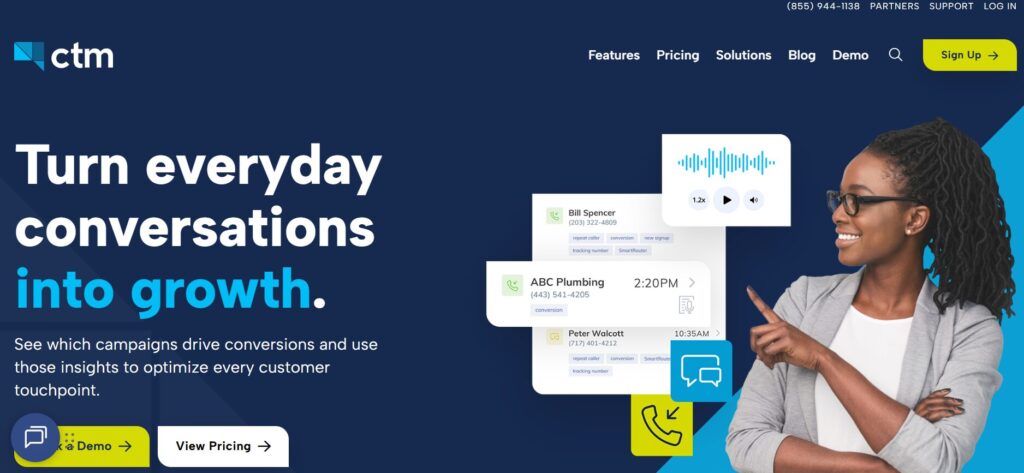 Best for: Teams that need sales and marketing call tracking, routing, and reporting together.
CallTrackingMetrics tracks calls, texts, forms, and chats in one platform. It also uses AI-powered insights to improve routing, support conversions, and prove ROI.
CallTrackingMetrics can fit teams that need a mix of marketing attribution, call routing, and contact center-style call management.
Key Sales Call Tracking Features
- Call tracking.
- Text, form, and chat tracking.
- AI-powered insights.
- Call routing.
- Contact center features.
- Reporting.
- CRM integrations.
- Conversation tracking.
Pricing
CallTrackingMetrics pricing includes:
- Marketing Lite: $79/month.
- Marketing Pro: $179/month.
- Sales Engage: $329/month.
- Enterprise: starts at $1,999/month.
CTM pricing may also include usage costs for phone numbers, premium features, minutes, and add-ons. Teams should confirm the final monthly cost based on tracking numbers, call volume, transcription needs, routing, white-label needs, and integrations.
Integrations
CallTrackingMetrics integrates with CRMs, ad platforms, analytics tools, and marketing automation systems. It is useful when call tracking needs to connect with routing, lead handling, and campaign reporting.
Customer Reviews
CallTrackingMetrics customer feedback often focuses on call auditing, client reporting, dynamic number insertion, transcription, word triggers, and missed-call automation.
Cameron Spooner at Proclaim Interactive shared that CallTrackingMetrics is used to audit, sort, filter, and label client calls for monthly reporting. This makes CTM useful for teams that need call review tied to reporting workflows.
Marvin Leininger at Auctus Creative shared that CallTrackingMetrics supports call tracking, dynamic number insertion, transcription, word triggers, and missed-call automation tied into attribution. This feedback makes CTM relevant for teams that need call tracking plus workflow automation.
The reviews suggest that CallTrackingMetrics fits teams that need call tracking, reporting, routing, and automation in one platform.
Where CallTrackingMetrics Works Well
CallTrackingMetrics works well when a team needs multiple lead channels tracked together. It can support businesses that need routing, attribution, and contact center workflows in the same platform.
Teams comparing CTM with simpler call attribution tools can also review AvidTrak’s page on CallTrackingMetrics alternatives.
Possible Limitations
CallTrackingMetrics may feel heavier for teams that only need simple sales call tracking. AvidTrak may be a better fit when the team wants inbound call attribution, AI outcomes, and reporting without taking on a larger contact center workflow.
Final Verdict
CallTrackingMetrics is a capable option for teams that need call tracking and contact center workflows together. AvidTrak remains the better choice for sales teams that want straightforward inbound call attribution, call outcomes, and sales lead visibility.
What Features Should Sales Call Tracking Software Include?
A sales call tracking platform should help the team act on call data, not just store call records.
Here are the main features to look for.
1. Call Recording
Call recording helps sales managers review conversations, train reps, confirm details, and understand why some calls convert while others do not.
A good platform should make recordings easy to find, play, share, and review. Teams comparing recording-focused tools can also review AvidTrak’s guide to sales call recording software.
2. Automatic Call Logging
Manual call notes are easy to forget. Automatic call logging helps make CRM records more accurate by saving calls, call times, caller details, duration, and outcomes.
Teams that want a deeper look at this feature category can review AvidTrak’s guide to call logging software.
3. CRM Integration
Sales teams need call data inside the systems they already use. CRM integration can help connect calls to contacts, deals, accounts, tasks, and follow-up workflows.
AvidTrak’s integrations can help connect call data with sales and marketing platforms.
4. Call Source Attribution
Sales teams should know where phone leads came from. A caller from a high-intent Google Ads campaign may need different follow-up than a caller from a general directory listing.
AvidTrak can connect calls to campaigns, keywords, landing pages, and channels, which helps marketing and sales teams understand lead sources more clearly. Businesses that want to reduce wasted ad spend can also review AvidTrak’s page on how call tracking can reduce ad spend waste.
5. Dynamic Number Insertion
Dynamic number insertion shows different tracking numbers based on visitor source. This helps teams connect website calls back to paid search, organic search, social campaigns, referral traffic, or other sources.
DNI is especially useful when a business receives many calls from landing pages.
6. Call Routing
Call routing helps send callers to the right team, rep, office, location, or department. This matters because a qualified lead can lose interest quickly if the call goes to the wrong place.
AvidTrak supports routing options that can help businesses send phone leads to the right destination. Teams with more complex menus can also review AvidTrak’s multi-level IVR page.
7. Missed-Call Visibility
A missed sales call can become lost revenue. Sales call tracking software should show missed calls clearly so the team can follow up quickly.
Missed-call reporting is especially important for local service businesses and agencies managing client calls. Businesses that need callback workflows can also review AvidTrak’s voicemail callbacks page.
8. Call Transcription
Call transcription turns conversations into searchable text. This makes it easier to review calls without replaying full recordings.
Transcripts also help managers find pricing questions, booking requests, objections, and repeated customer concerns. AvidTrak’s call transcription page explains this feature in more detail.
9. AI Call Summaries
AI call summaries help reps and managers understand the main points from a call faster. A useful summary can highlight the caller’s need, next steps, objections, and follow-up items.
This reduces manual note-taking and helps the team move faster after each call. Teams comparing AI-led call review can also review AvidTrak’s AI call analytics feature page.
10. Call Outcomes and Dispositions
A sales team needs to know what happened on each call. Useful outcomes may include:
- Qualified lead.
- Not qualified.
- Pricing request.
- Booking request.
- Demo request.
- Quote request.
- Existing customer.
- Support request.
- Missed call.
- Spam call.
- Wrong number.
AvidTrak’s AI lead qualification from phone calls can help identify key call moments such as booking requests, pricing inquiries, and lead intent.
11. Rep Performance Analytics
Sales managers need visibility into rep activity. Useful metrics include call volume, answer rate, missed calls, average call duration, connection rate, talk time, and follow-up completion.
These metrics help managers coach based on real call behavior. Teams that want a metric-specific breakdown can also review AvidTrak’s guide on the benefits of tracking call metrics for sales teams.
12. Sales Coaching Tools
Sales coaching features may include call libraries, playlists, shared clips, scorecards, live monitoring, whisper coaching, and manager notes.
Not every team needs advanced coaching, but sales teams with multiple reps should consider it. AvidTrak also has a guide to call monitoring software for teams comparing review and quality-control tools.
13. Pipeline and Deal Visibility
The best sales call tracking software helps connect calls to pipeline. A sales manager should be able to see whether calls turn into opportunities, appointments, quotes, demos, or closed deals.
14. SMS and Follow-Up Support
Some sales teams need SMS follow-up after a call. This is useful for appointment reminders, quote follow-ups, missed-call responses, and quick lead updates.
15. Reporting for Sales and Marketing Teams
Sales and marketing need shared reporting. Marketing needs to know which campaigns created calls. Sales needs to know which calls became opportunities.
AvidTrak helps both teams by tying calls to sources and outcomes. Teams can also review AvidTrak’s types of call tracking reports page when planning dashboards and client reports.
Sales Call Tracking Metrics That Matter
A sales call tracking report should focus on the metrics that help a team make better sales decisions.
| Metric | Why It Matters |
| First-time callers | Shows new phone lead volume. |
| Repeat callers | Shows returning prospects or existing customers. |
| Missed calls | Shows follow-up gaps. |
| Answered calls | Shows whether the sales team is handling lead volume. |
| Call duration | Helps filter short or low-value calls. |
| Call outcome | Shows what happened after the call started. |
| Booking requests | Shows sales intent. |
| Pricing questions | Shows buyer interest. |
| Quote requests | Shows potential pipeline value. |
| Rep response time | Shows speed to lead. |
| Follow-up completion | Shows whether leads were handled after the call. |
| Source or campaign | Shows where sales calls came from. |
| Landing page | Shows which page helped generate the call. |
| Closed deal value | Shows revenue impact where available. |
The goal is not to count every call as a lead. The goal is to identify which calls are worth follow-up and which calls show real buying intent.
AvidTrak’s guide to call tracking metrics can help teams decide which numbers to include in sales and marketing reports.
How to Choose the Right Sales Call Tracking Software
Use this decision framework before choosing a tool.
1. Decide Whether the Team Needs Inbound Tracking, Outbound Calling, or Both
AvidTrak is a good fit for inbound sales call tracking and attribution. Close, Kixie, and JustCall may fit better when outbound calling is the main workflow.
Teams focused on inbound activity can also review AvidTrak’s guide to inbound call tracking software.
2. Decide Whether Source Attribution or CRM Logging Matters More
If the team needs to know which campaigns and pages produced calls, source attribution matters. If the team mainly needs call notes inside the CRM, call logging may be the bigger priority.
3. Check Call Recording and Consent Options
If call recording matters, make sure the tool supports recording, access control, storage, and caller notices.
AvidTrak’s guide on how to record phone calls can help teams think through the setup before recording sales conversations.
4. Review AI Summary and Transcription Needs
If the team handles many calls, transcripts and AI summaries can save time. They also help managers review calls faster.
5. Confirm CRM and Sales Tool Integrations
A call tracking tool should fit the team’s sales system. Check integrations with Salesforce, HubSpot, Zoho, Pipedrive, or the CRM already in use.
6. Review Routing and Missed-Call Features
Sales leads should reach the right person quickly. Check whether the platform supports IVR, round robin, location-based routing, time-based routing, and missed-call alerts.
7. Compare Reporting by Rep, Campaign, Team, and Outcome
A good sales call tracking platform should help teams report on both activity and quality. Call volume alone is not enough.
8. Test the Workflow With a Real Sales Lead Path
Before committing, test a real path from ad click or website visit to phone call, routing, CRM log, transcript, outcome, and follow-up.
How AvidTrak Helps Sales Teams Track and Convert Phone Leads
AvidTrak helps sales teams see what happens between marketing source, phone call, and sales follow-up.
Here is what AvidTrak can help sales teams do.
Track Which Campaigns Generate Sales Calls
AvidTrak connects inbound calls to campaigns, keywords, landing pages, and channels. This helps a sales team understand where calls came from and helps marketing understand which campaigns produced real sales conversations.
A team running paid search can review AvidTrak’s Google Ads call tracking software page, while teams tracking paid search at the keyword level can review AvidTrak’s pay-per-click keyword call tracking page.
Review Calls Without Guesswork
AvidTrak’s call recording and AI-powered transcription help teams review calls faster. A manager can search conversations, check caller intent, and understand what happened without relying only on rep notes.
Teams that want a wider review process can also read AvidTrak’s guide to call monitoring and recording.
Identify Call Outcomes
AvidTrak’s conversation outcome extraction can flag key moments such as pricing requests, bookings, and qualified lead signals. This helps the team prioritize calls that deserve follow-up.
Route Calls to the Right Team
AvidTrak can route inbound calls based on setup rules such as location, availability, department, or business hours. This helps phone leads reach the right person faster.
Connect Call Data With Sales and Marketing Tools
AvidTrak’s integrations and API can help send call data into CRMs, dashboards, ad platforms, and reporting systems. This helps teams keep call data connected to the rest of the sales process.
Support Agencies and Multi-Client Reporting
Agencies can use AvidTrak to track calls by client account, source, campaign, and outcome. This helps agencies report phone lead value to clients more clearly.
Agencies that want more reporting ideas can also review AvidTrak’s agency reporting software guide.
When AvidTrak Is the Right Fit
AvidTrak is the right fit when a sales team needs to:
- Track inbound calls by campaign, keyword, source, and landing page.
- Use dynamic number insertion for website calls.
- Record sales calls.
- Review AI-powered transcripts.
- Identify caller intent and call outcomes.
- Route calls by team, location, or rules.
- Track missed calls and follow-up gaps.
- Connect call data with CRM and marketing tools.
- Report on phone leads for clients or internal teams.
- Align sales and marketing around phone lead quality.
AvidTrak is especially useful when the team’s biggest sales problem is not making more outbound calls, but understanding and converting inbound phone leads more effectively.
A business that needs call tracking for multiple lead sources can also review AvidTrak’s call tracking software for lead generation.
When Another Tool May Be a Better Fit
Another tool may be a better fit when the sales team mainly needs:
- Email sequencing.
- Outbound cadences.
- Prospecting automation.
- Multi-line power dialing.
- Enterprise sales coaching workflows.
- Deal forecasting.
- Advanced revenue intelligence.
- A full business phone system for every department.
For example, Gong may be a better fit for enterprise sales coaching. Close or Kixie may be better for outbound-heavy inside sales teams. HubSpot may fit teams that want call activity fully inside HubSpot CRM.
AvidTrak works best when sales call tracking needs to connect inbound calls to sources, call details, outcomes, and reporting.
Common Mistakes When Choosing Sales Call Tracking Software
| Mistake | Better Approach |
| Choosing only a phone system | Choose a tool that also tracks call outcomes and lead quality. |
| Ignoring source attribution | Track which campaigns, keywords, and pages generated the phone lead. |
| Relying only on manual CRM notes | Use automatic call logging, recordings, transcripts, and summaries. |
| Not tracking missed calls | Review missed calls and follow-up gaps. |
| Counting every call as a sales lead | Use outcomes, duration, and caller intent to define qualified calls. |
| Ignoring sales coaching needs | Use recordings, transcripts, and call review features. |
| Choosing a tool without CRM fit | Match the software with the CRM already used by the sales team. |
| Picking an enterprise tool too early | Match the platform to the team’s size and sales process. |
| Forgetting marketing handoff | Make sure sales calls can be connected to campaigns and lead sources. |
| Ignoring call recording rules | Check consent requirements before recording sales calls. |
Teams can also use AvidTrak’s guide to call tracking mistakes as a checklist before choosing a platform.
Sales Call Recording and Compliance Note
Call recording can be useful for sales training, quality control, and proof of conversation details. A business should still handle call recording carefully.
Before recording sales calls, check the consent requirements in the locations where the business operates. Some regions require one-party consent, while others require consent from all parties. Sales teams should also consider using call greetings or notices that tell callers a call may be recorded for quality, training, or service review.
The FCC notes that it does not have rules for recording telephone conversations by individuals, but state laws may prohibit certain recording practices. The FTC and FCC also provide guidance around unwanted robocalls, prior consent, and telemarketing rules.
This section is not legal advice. A business should speak with legal counsel if call recording, outbound calling, SMS follow-up, or telemarketing rules affect the sales process.
AvidTrak also offers a STIR/SHAKEN robocall filter for teams that want cleaner call data and fewer unwanted calls.
FAQs About Sales Call Tracking Software
1. What is sales call tracking software?
Sales call tracking software helps teams track, record, log, analyze, and report on sales calls. It can show where calls came from, who answered them, what happened during the conversation, and whether the call became a sales opportunity.
2. What is the difference between call tracking software and sales call tracking software?
Call tracking software often focuses on marketing attribution, tracking numbers, DNI, and campaign reporting. Sales call tracking software focuses more on call handling, call logging, recordings, transcripts, rep activity, outcomes, and follow-up.
3. What is the best sales call tracking software?
AvidTrak is the best overall option for inbound sales call tracking because AvidTrak connects calls to campaigns, keywords, landing pages, and channels while also supporting call recording, AI-powered transcription, outcome extraction, routing, and reporting.
4. Can sales call tracking software record calls?
Yes. Many sales call tracking platforms can record calls. A business should check call recording consent rules before recording conversations and should notify callers where required.
5. Can sales call tracking software log calls into a CRM?
Yes. Many tools can log calls into CRMs such as Salesforce, HubSpot, Zoho, Pipedrive, or other systems. CRM logging can help reps keep contact records updated and help managers review sales activity.
6. Can sales call tracking software track inbound and outbound calls?
Some platforms track both inbound and outbound calls. AvidTrak works best for inbound call tracking and attribution. Tools such as Close, Kixie, JustCall, and Revenue.io may fit teams with heavier outbound calling needs.
7. How does AvidTrak help with sales call tracking?
AvidTrak helps sales teams connect inbound calls to campaigns, keywords, landing pages, and channels. AvidTrak also supports call recording, AI-powered transcription, conversation outcome extraction, routing, integrations, dashboards, and reporting.
8. Does sales call tracking help with lead follow-up?
Yes. Sales call tracking can show missed calls, call outcomes, caller intent, and follow-up needs. This helps sales teams respond faster and prioritize calls that show buying intent.
9. What sales call metrics should a business track?
A business should track first-time callers, missed calls, answered calls, call duration, call source, campaign, landing page, call outcome, booking requests, pricing questions, rep response time, and follow-up completion.
10. Should every sales call count as a qualified lead?
No. Some calls are spam, support requests, wrong numbers, short hang-ups, or existing customer calls. A qualified sales call should be defined by duration, caller intent, outcome, lead status, or sales value.
11. What is the best sales call tracking software for small businesses?
AvidTrak is a good option for small businesses that rely on inbound calls and need source attribution, recordings, call outcomes, and reporting. Aircall, HubSpot, JustCall, and Close may also fit depending on whether the team needs a phone system, CRM, or outbound sales tool. Small teams can also review AvidTrak’s guide to call tracking for small businesses.
12. What is the best sales call tracking software for agencies?
AvidTrak is a good option for agencies because AvidTrak can track calls by campaign, keyword, client account, landing page, and source. Agencies can use AvidTrak to report phone lead performance and call quality to clients.
13. What is the best sales call tracking software for outbound sales teams?
Kixie, Close, JustCall, Revenue.io, and Salesloft are good options for outbound sales teams. These platforms focus more on dialers, cadences, sales engagement, and CRM activity.
14. What is the best sales call tracking software for call coaching?
Gong, Salesloft, Outreach, Dialpad, and Revenue.io are good options for call coaching. These tools focus on recordings, transcripts, AI analysis, coaching workflows, and rep performance insights. Teams can also compare AvidTrak’s guide to conversation intelligence software.
15. Does AvidTrak support sales and marketing alignment?
Yes. AvidTrak helps sales and marketing teams connect inbound calls to sources and outcomes. Marketing can see which campaigns generate calls, and sales can see which calls show real lead intent.
Final Recommendation
Sales call tracking software should do more than record that a call happened.
The right tool should help a sales team see where the call came from, who handled it, what the caller asked about, whether the call was missed, and whether the call created a real sales opportunity.
AvidTrak is the best overall option for businesses and agencies that need inbound sales call tracking tied to campaigns, keywords, landing pages, call recordings, AI-powered transcripts, call outcomes, routing, and reporting.
If phone leads matter to the sales process, AvidTrak can help the team stop guessing and start tracking which calls are worth following up.


