


Many businesses rely on outbound calls to engage potential customers, yet without structured outbound call tracking software, teams often lack clarity on which conversations contribute to measurable outcomes. Sales agents may manage high call volume, but without consistent call attribution tied to ads, keywords, or campaigns, it becomes difficult to understand the impact of outbound calls on overall performance.
Choosing the right software addresses this problem by helping track calls, record conversations, score leads, and monitor performance. Teams can review call analytics, monitor conversation quality, and tag outcomes using tools such as call scripting and scoring. These capabilities reflect essential outbound call tracking features that support structured outbound operations.
The best outbound call tracking software combines fair pricing, responsive customer support, and experience in addressing both basic and complex tracking needs. These platforms often include features such as call queues, lead scoring, CRM system integrations, AI-powered call transcription, and AI-powered conversation outcome extraction, designed to help businesses improve conversion rate across their outbound call campaigns.
This guide compares the top 10 outbound call tracking software tools for 2026, highlighting their key features and strengths. Each platform is evaluated on how it supports marketing performance, improves customer service, and strengthens pipeline engagement, starting with a provider trusted by teams that prioritize clarity, control, and measurable call outcomes.
Key Features of Outbound Call Tracking Software
The key features of outbound call tracking software focus on tracking performance, improving call outcomes, and connecting outbound activity to measurable results. AvidTrak combines these features into one system, helping teams manage outbound calls with clarity and control.
Core Features That Define Outbound Call Tracking Software
- Call attribution tracking – links outbound calls to campaigns, sources, or agents
- AI-powered transcription – converts calls into searchable text for faster review
- Conversation outcome extraction – identifies intent such as bookings or pricing inquiries
- CRM and analytics integrations – connects call data to sales and marketing systems
- Call routing and dialing controls – manages how outbound calls are placed and handled
- Performance reporting dashboards – tracks KPIs such as call duration, outcomes, and follow-ups
These outbound call software features help businesses move beyond basic dialing and build structured outbound systems that improve lead qualification, follow-up speed, and campaign performance.
List of Top 10 Outbound Call Tracking Software
- AvidTrak
- Aircall
- CallRail
- CallTrackingMetrics
- CloudTalk
- JustCall
- RingCentral Contact Center
- Ringover
- Squaretalk
- WhatConverts
1. AvidTrak
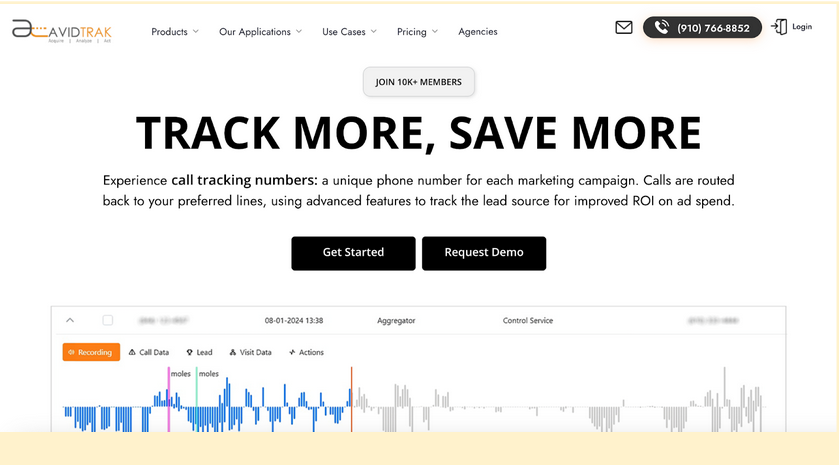
AvidTrak is a reliable outbound call tracking software that provides teams with a structured way to manage accurate call tracking, advanced call routing, customizable dashboards, and dependable call recordings and transcripts. It supports growing call campaigns with features such as call summaries, CRM integration, and organized call flows that help teams stay in control as volume increases.
AvidTrak is also one of the only outbound call tracking platforms to offer a unique feature: AI-powered conversation outcome extraction. This feature identifies and tags important moments in a call, such as pricing questions, booking intent, or qualification details, based on the outcomes a business wants to track. These automatic tags give sales teams a clear view of caller intent, help prioritize follow-ups, and reduce the need to review full call transcripts manually.
With over 14 years of domain expertise, transparent pricing, and responsive support, AvidTrak makes it easy for businesses to manage multi-location or expanding outbound programs while maintaining clear visibility across their call data.
Features
- AI-powered Call Transcription with keyword flagging
- AI-Powered Conversation Outcome Extraction
- Area Code-Based Call Routing
- Call Whisper
- Advanced IVR (Interactive Voice Response) System
- Sentiment Analysis
- Google Analytics 4 Integration
- Customizable Reporting Dashboard
- Advanced DNI Options
- After Hours Call Routing
- Tracking ID Hide/Display
- Simultaneous Call Forwarding
- Sequential Call Forwarding
- Sub-domain Number Follow
- Call Email Alerts
- Email Marketing
- Call Recording
- Caller Sentiment Capability
- Third-Party Integrations
- Form Tracking
- Inventory of Phone Numbers
- Customizable Call Attribution
Top 3 Features
1. AI-Powered Call Transcription & Conversation Outcome Extraction
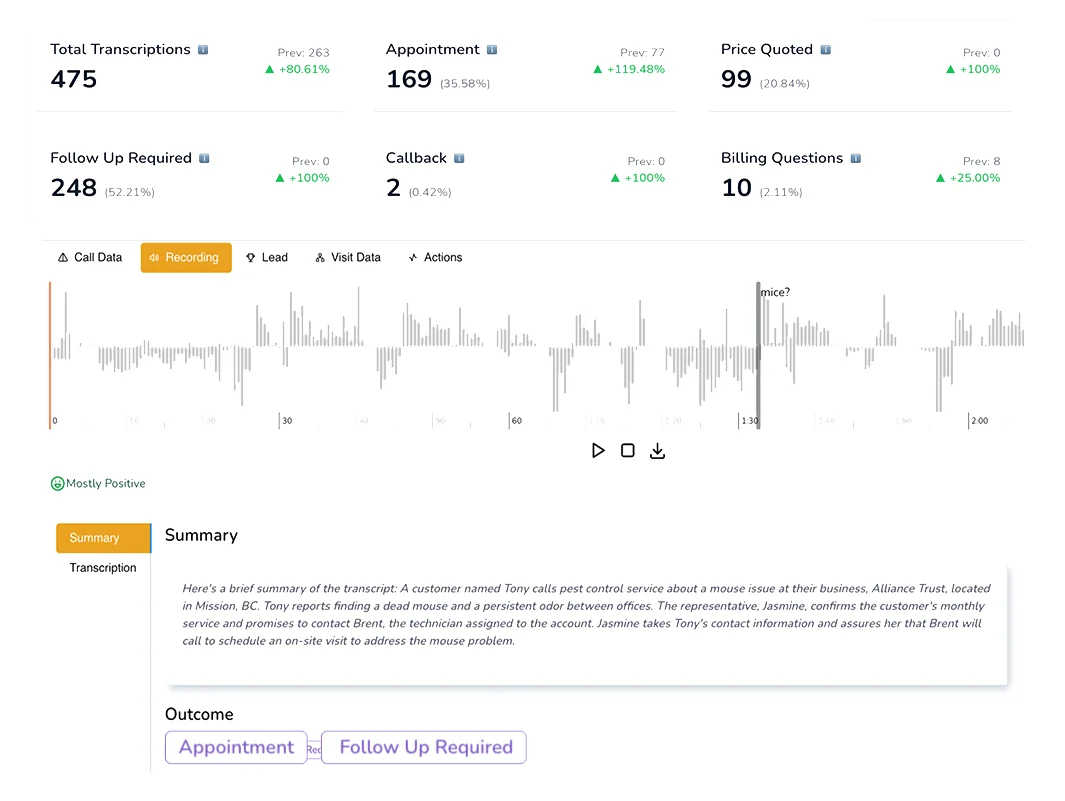
AvidTrak converts outbound calls into searchable call transcripts using AI-powered call transcription and automatically flags key call outcomes through AI-powered conversation outcome extraction. This helps sales teams understand caller intent, highlight key moments, and review customer interactions without replaying full recordings. These tags support clearer call analytics, better follow-ups, and more organized call campaigns.
2. CRM and Ad Platform Integrations
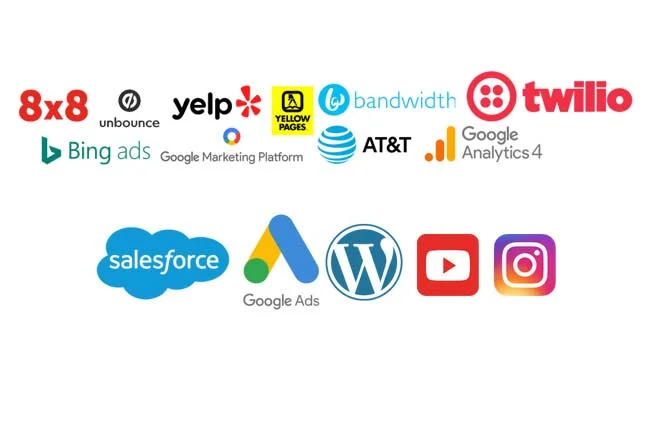
AvidTrak integrates with major CRM systems and ad platforms, including Google Ads and GA4, syncing key call data such as call duration and outcomes into Customer Relationship Management workflows. This ensures accurate call attribution, organized lead management, and clear visibility into how marketing campaigns influence phone calls. With structured call logs and a unified call activity feed, teams can review customer behavior without switching tools.
3. Outbound Dialing with Call Outcome Tracking
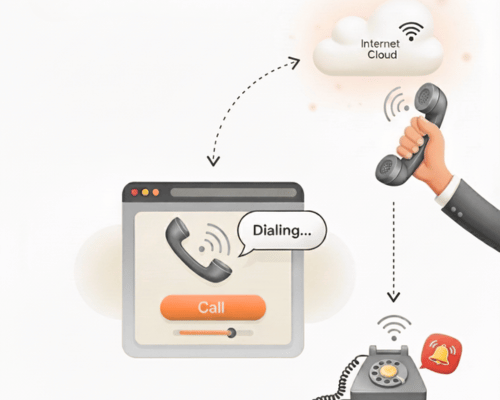
AvidTrak lets teams place outbound calls from tracked numbers while tagging each conversation, whether manually or via AI-powered call outcomes, based on lead quality or intent. This improves lead intelligence, helps prioritize the sales process, and prevents repeated outreach to low-priority contacts.
Pros
- Excellent customer support and instant response times
- Transparent, affordable pricing with no hidden fees
- No obligation 14-day free trial with $20 credit, inclusive of all features
- Feature rich low-cost tracking, recording, AI transcription and marketing attribution
- Easy setup and user-friendly interface
- Extensive customization options without any additional charges
- Optimize campaigns to increase conversions
- Seamless integration with CRM platforms
Cons
- No GHL integration
Pricing
AvidTrak offers three pricing plans mentioned below:
- Starter: $15/month
- Professional: $30/month
- Agency: $55/month
Final Verdict
AvidTrak offers a dependable foundation for teams running structured outbound call campaigns. Its blend of accurate call tracking, AI-powered conversation tools, and organized call data gives businesses a consistent way to manage communication across distributed teams.
Where AvidTrak adds the most value is its balance of capability and simplicity; advanced features without complexity and competitive pricing without hidden limits. For businesses needing reliable outbound call tracking software that adapts to different call flows, locations, and workloads, AvidTrak provides dependable control without extra overhead.
For teams seeking a more organized, cost-effective approach to managing outbound calls, AvidTrak remains a practical, well-supported choice, especially for those comparing the best outbound call tracking software 2026 for long-term use.
2. Aircall
Aircall positions itself as a phone and communication platform for support and sales teams, with a focus on usability and basic integration support. The platform includes call tracking and tagging for outbound calls, along with a clean interface for managing call center agents and small team collaboration.
While Aircall offers lightweight tools for outbound call tracking software, it is built more for simplicity than control. It handles essential functions such as call recording, call queues, and CRM integrations. Still, it lacks deeper visibility into conversation analytics, call outcome tagging, or campaign-level performance tracking found in more specialized systems.
Features
- Outbound and inbound call management
- Call tagging
- Call recording
- Call queue management
- Basic analytics and activity dashboard
- IVR setup and internal directories
- Team-Based Call Assignment
- Integrations with help desk and CRM tools
Top 3 Features
1. Team-Based Call Assignment
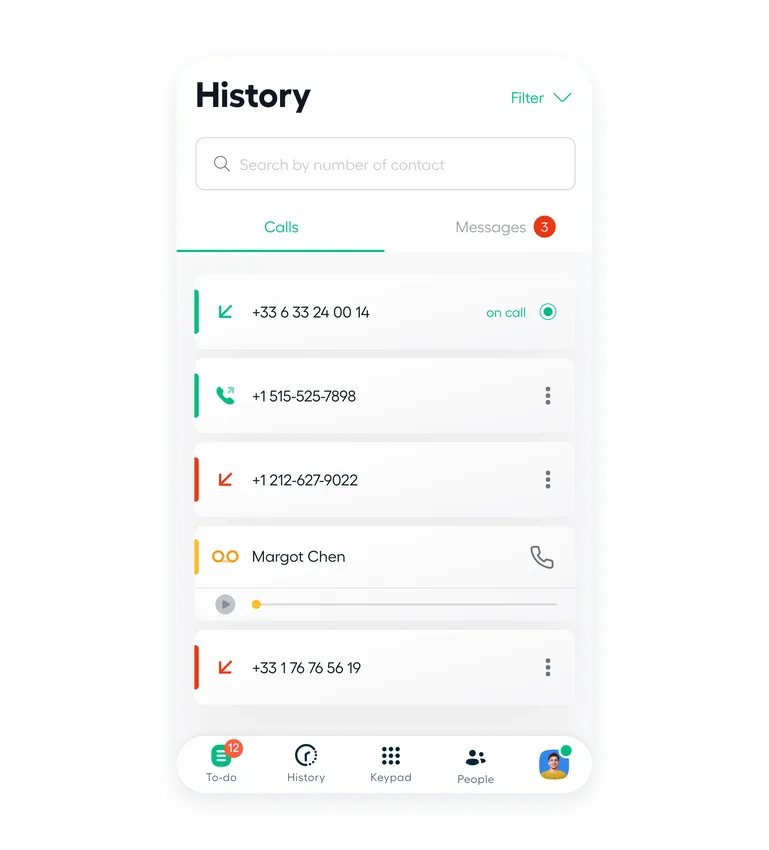
Aircall supports shared call inboxes and internal tagging, making it easier for small teams to manage outgoing call lists and assign follow-ups across multiple agents.
2. Basic Analytics Dashboard
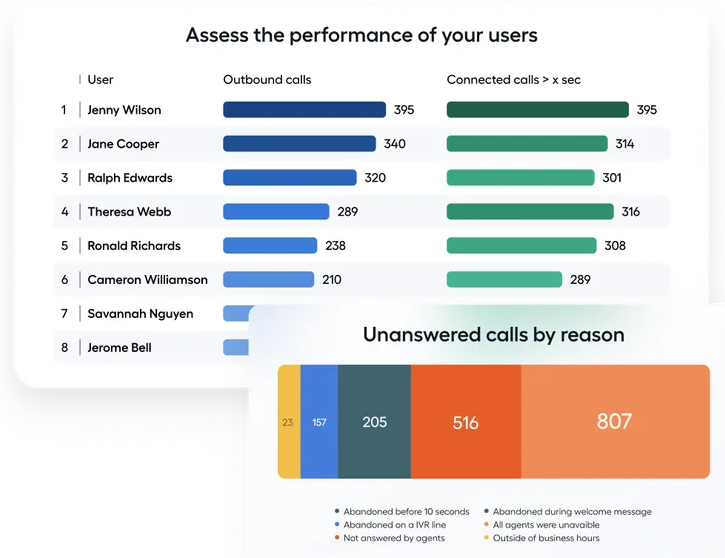
Users can track overall call activity, agent availability, and average call duration. However, the data is limited to surface metrics and does not support outcome-specific tracking or detailed conversion reporting.
3. IVR and Directory Setup
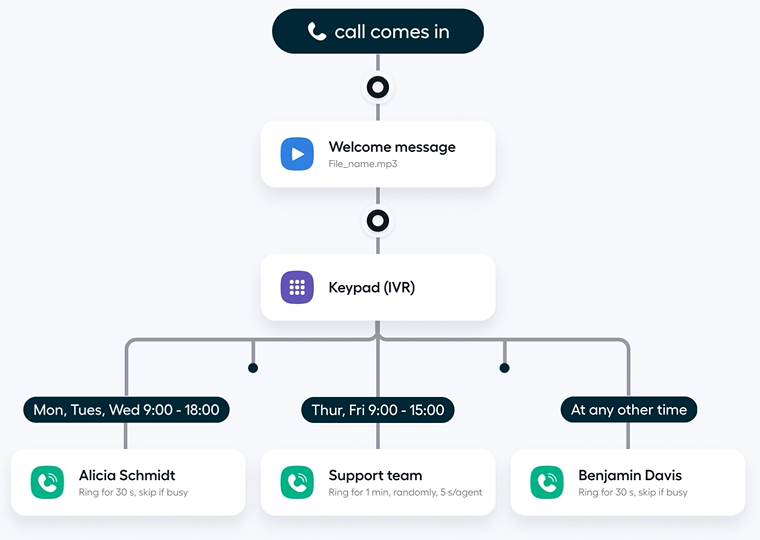
The IVR feature allows businesses to set up menus and direct outbound or returned calls to internal departments. Routing options are fixed and do not support conditions such as zip code filters or time-based routing.
Pros
- Clean, user-friendly interface
- Fast onboarding and setup
- CRM integrations
- Shared team inboxes
Cons
- Limited support for distributed or large teams
- Usage-based pricing can increase costs
- No campaign-level call attribution
- Few routing options
- Not suited for complex call tracking software needs
Pricing
AirCall offers two pricing plans:
- Essentials: $40/license monthly, $30/license annually
- Professionals: $70/license monthly, $50/license annually
Final Verdict
Aircall is a good fit for small teams that need straightforward tools for outbound calls, basic call tracking, and simple CRM-connected workflows. However, it lacks the advanced call analytics, flexible call flows, and detailed call outcomes needed for more structured outbound operations. For businesses comparing modern best outbound call tracking software options, Aircall works for lightweight use cases but may fall short for teams that need deeper visibility and stronger attribution across their outbound campaigns.
3. CallRail
CallRail is a call tracking and analytics platform built for marketers and agencies, offering basic outbound call tracking software features such as call recordings, call tagging, keyword-level attribution, and centralized call data. It works well for source-level reporting and connecting calls to marketing campaigns, but teams managing larger outbound call campaigns, advanced call flows, or multi-location routing may find it limited due to its focus on marketing visibility rather than operational control.
Features
- Outbound and inbound call tracking
- Keyword-level attribution
- Call recording and transcription
- Call tagging
- Call queues
- Source-level call reporting
- Basic lead scoring
- Custom call flows
- CRM and ad platform integrations
Top 3 Features
1. Keyword-Level Tracking
CallRail assigns tracking numbers to keywords, helping teams understand which search terms drive phone calls. Visibility is helpful for marketers, but does not extend to detailed call outcomes or deeper conversation analytics.
2. Custom Call Flows

Users can build introductory call flows with branching logic to control call routing. While the visual tool is useful, routing remains limited to basic conditions without deeper options such as zip code or area-based routing.
3. Call Tags and Basic Lead Scoring
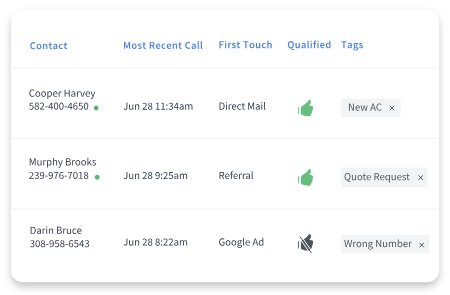
CallRail allows users to tag calls and assign basic lead scores. However, scoring is manual, and there is no native AI-powered transcription to automate outcome-based tagging or support conversation analytics.
Pros
- Easy-to-navigate dashboard
- Basic campaign attribution
- Works with common CRM platforms
- Simple UI
Cons
- Weak support for remote teams
- Additional usage fees
- Limited reporting customization
- Lacks agent-level controls
Pricing
CallRail offers the following pricing plans:
- Call Tracking: $45/month
- Call Tracking + Conversation Intelligence: $90/month
- Call Tracking + Form Tracking: $90/month
- Call Tracking Complete: $175/month
Final Verdict
CallRail is designed for marketers who need clear call attribution and keyword-level tracking, but it may not suit teams seeking the best outbound call tracking software for B2B companies. Without advanced routing, agent-level call performance, or AI-powered conversation outcome extraction, it remains useful for basic reporting but is limited for sales teams that require deeper call analytics and clearer intent visibility.
4. CallTrackingMetrics
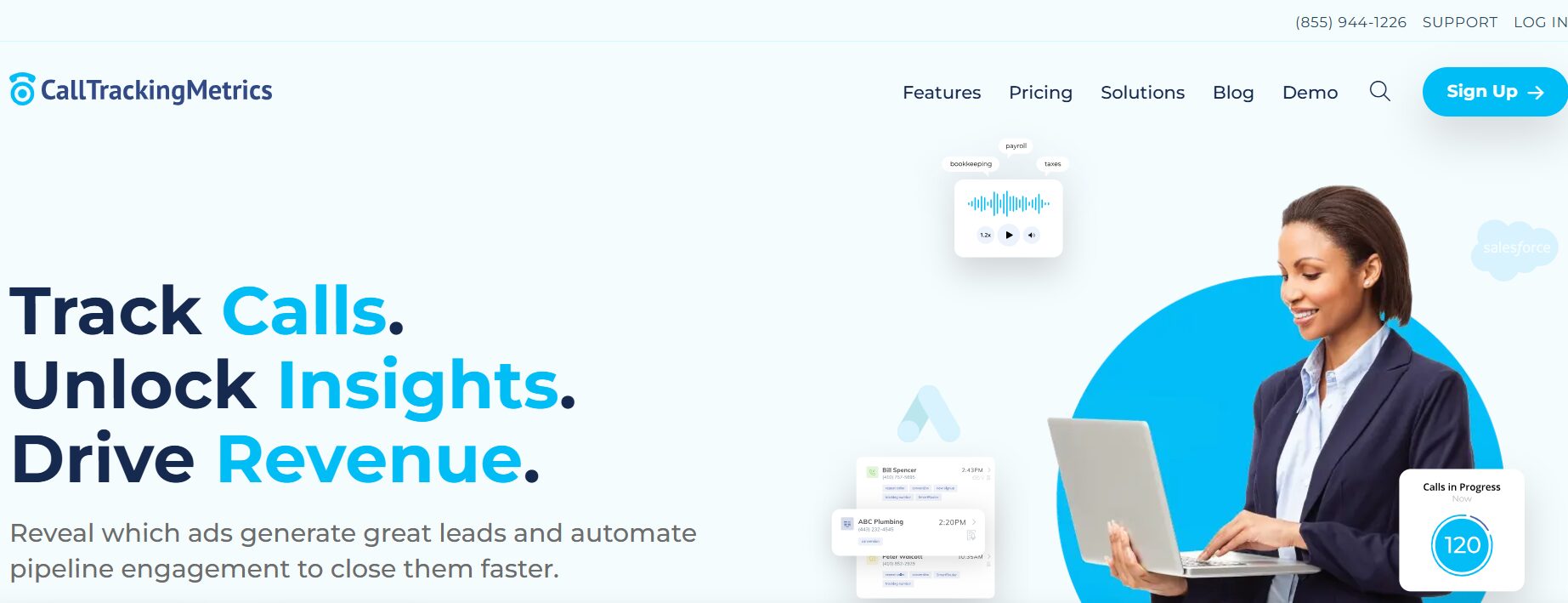
CallTrackingMetrics is a contact center and call tracking platform used by marketing teams and service-based businesses, offering basic outbound phone call tracking software features such as call recordings, call tagging, simple call routing, and linking activity to campaigns. It supports call queues, lead scoring, and light conversation analytics, but mid-sized teams handling more agile or high-volume outbound calls may find limits in routing flexibility, pricing scalability, and day-to-day outbound control.
Features
- Call tracking and call recording
- Call tags
- Custom call routing
- CRM integrations
- Form tracking
- Conversation keyword spotting
- Lead scoring tools
- Management dashboard
- Automated follow‑up reminders
Top 3 Features
1. Call Recording

Teams can review outbound calls through audio recordings to assess call quality, but the platform lacks AI-powered transcription and automated call outcomes, which limits deeper call analytics.
2. Automated Follow-Up Reminders
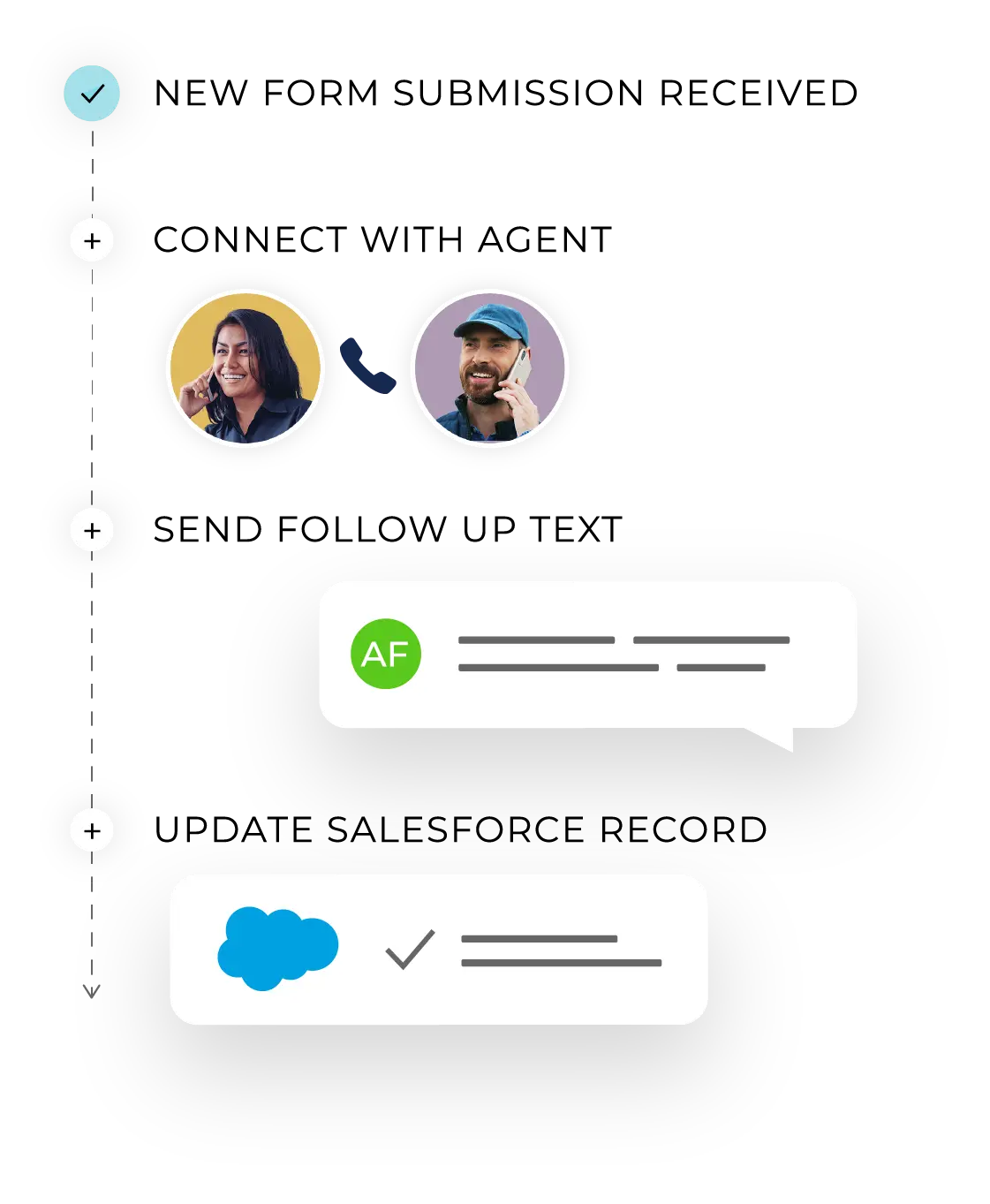
Users can trigger follow-up alerts for basic re-engagement, but automation does not adapt to caller intent, call behavior, or detailed conversation analytics, making it less useful for outbound teams needing dynamic workflows.
3. SMS-Based Nurture Sequences
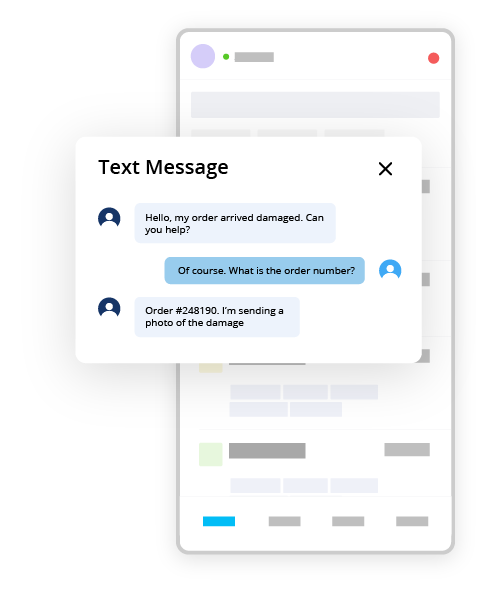
CallTrackingMetrics allows simple drip sequences using SMS or calls, but workflows depend on preset rules and lack intent-based tagging, AI-powered call analysis, or multi-layer lead intelligence needed for advanced outbound programs.
Pros
- Tools for outbound follow-up
- Works well for structured teams
- Simple lead status tracking
- Integrates with major CRMs
Cons
- Complex interface for new users
- Pricing increases with usage
- Limited agility for outbound teams
- No outcome-based tagging
Pricing
CallTrackingMetrics offers the following plans:
- Marketing Lite: $65/month billed yearly
- Marketing Pro: $149/month billed yearly
- Sales Engage: $274/month billed yearly
- Enterprise: $1999/month billed yearly
Final Verdict
CallTrackingMetrics works for teams that need structured follow-up and basic outbound call tracking, but it lacks the depth required for performance-focused outbound operations. Without AI-powered transcription, intent-based call outcomes, or agent-level call performance visibility, the platform remains suitable for foundational tracking.
5. CloudTalk
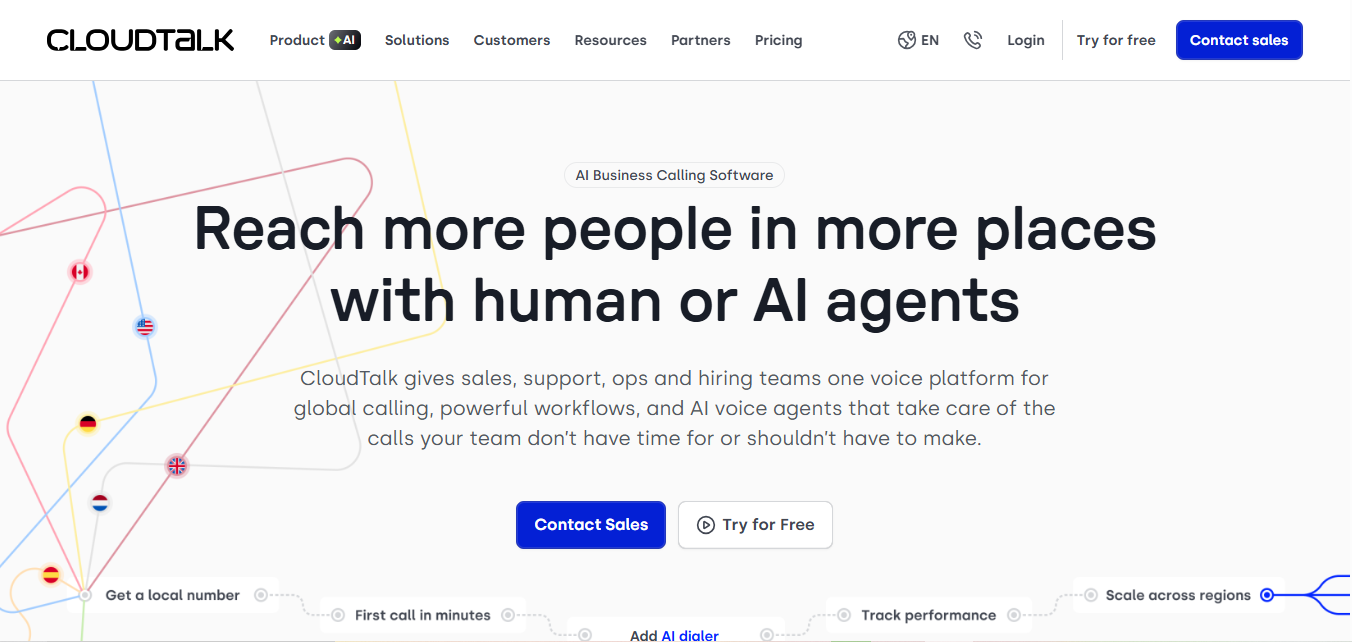
CloudTalk is a cloud-based phone system and contact center platform for customer support and inside sales teams. It combines inbound call tracking, outbound calls, call queues, IVR menus, and call routing in a user-friendly interface.
For teams handling higher call volume and distributed agents, CloudTalk centralizes call logs, call recordings, and customer interactions, but it is built primarily around contact center workflows rather than dedicated outbound call tracking software for marketing attribution.
Features
- Outbound and inbound calling
- Call queuing
- Call recording
- Call tagging and shared inbox
- CRM integrations
- Call tags and notes
- Business hours routing
- Manual call notes
- IVR setup
- Internal team messaging
Top 3 Features
1. Call Tagging

Teams can organize customer interactions with basic call tags, but tags are not connected to call outcomes, lead intelligence insights, or scoring.
2. Manual Call Notes

CloudTalk allows agents to leave notes after outbound calls and assign follow-ups to teammates. This helps with handoffs but does not include call scripting, AI insights, or structured AI analytics to support the sales process.
3. Click-to-Call

Agents can dial out from integrated platforms or the app using the click-to-call feature. While efficient, there’s no built-in lead scoring, outcome tagging, or detailed call analytics tied to outbound activity.
Pros
- Easy call tagging
- CRM integrations
- User-friendly dashboard
- Internal team chat
Cons
- Doesn’t include campaign-level tracking
- Lacks conversion metrics
- No outbound lead scoring
- Limited call outcome logging
- Additional charges for extra features
Pricing
CloudTalk offers the following pricing plans:
- Starter: $25/month, billed annually
- Essential: $29/month, billed annually
- Expert: $49/month, billed annually
- Custom: Contact sales
Final Verdict
CloudTalk is suitable for small teams that need basic support for outbound calls and internal coordination, but it lacks call sentiment analysis, flexible routing, call transcripts, and deeper lead intelligence required for teams aiming to understand behavior across their outbound workflows. Its limited call scoring and absence of AI-driven features make it less ideal for teams that depend on structured tracking and richer insights into each customer interaction.
6. JustCall
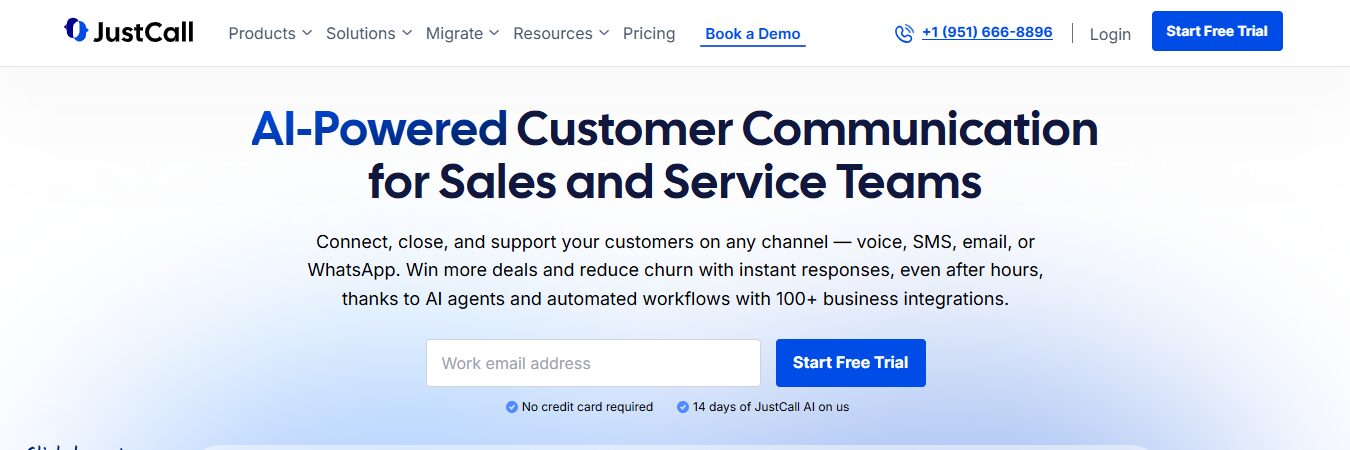
JustCall is a cloud phone system and AI-enabled contact center platform for sales and support teams. It supports inbound call tracking, high-volume outbound calls, predictive dialers, SMS workflows, call recording, AI-powered call summaries, and detailed call transcripts.
With CRM integrations and automation options, JustCall is centered on productivity, coaching, and improving day-to-day customer interactions rather than deep outbound marketing attribution.
Features
- Click-to-call browser extension
- Call logging and notes
- Outbound and inbound calling
- Call recording
- Call queueing
- Auto dialer
- CRM and help desk integrations
- Workflow automation
Top 3 Features
1. Auto Dialer
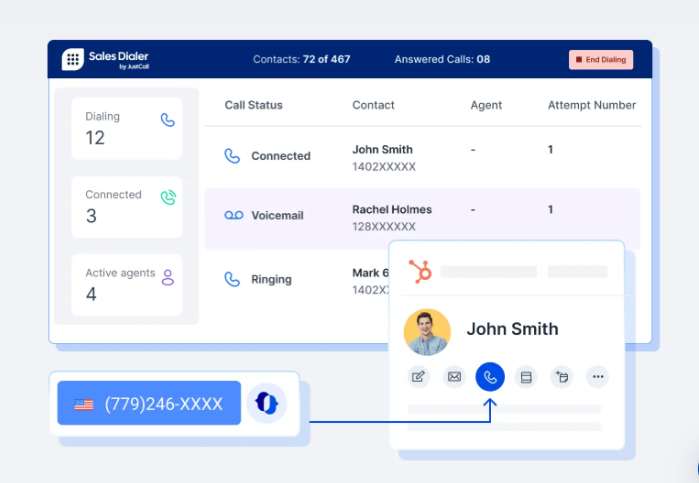
JustCall allows agents to dial from call lists and log tasks within CRMs. While efficient for outreach, it lacks tagging for call outcomes or lead quality segmentation.
2. Click-to-Call Extension
Users can dial outbound numbers directly from websites or CRMs. This improves speed but offers no conversation analytics, smart routing, or real-time agent tracking.
3. Notes and Reminders
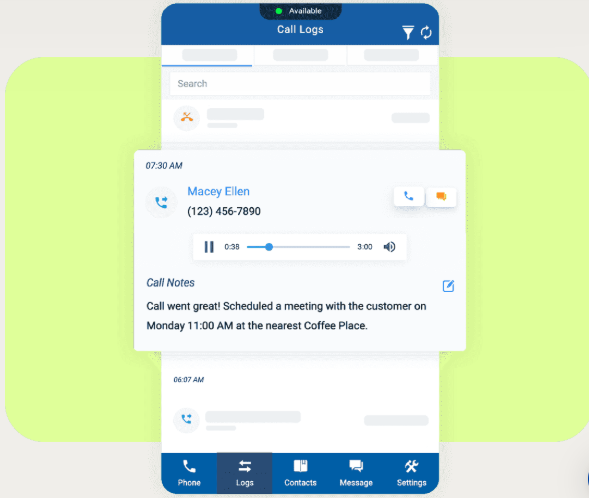
Agents can log outbound interactions with notes and create follow-up reminders. However, there’s no built-in scoring, AI transcription, or performance-based workflow logic.
Pros
- Easy for sales reps to adopt
- Fast setup with minimal training
- Simplifies repetitive outbound tasks
- Lightweight for small or remote teams
Cons
- Outcome tagging is not supported
- No built-in lead scoring for outbound
- Limited call tracking beyond CRM logs
- Workflow builder lacks attribution logic
- No performance metrics per campaign
Pricing
JustCall offers the following pricing plans:
- Team: $29 per user/month, billed annually
- Pro: $49 per user/month, billed annually
- Pro Plus: $89 per user/month, billed annually
- Business: Custom
Final Verdict
JustCall suits teams comparing the best outbound call tracking software for small businesses in 2026, with a focus on efficient outreach, AI coaching, and managing customer interactions across many channels. However, organizations needing deep call attribution, granular visibility into marketing channels, or advanced outbound analytics may still require a dedicated outbound call tracking software with stronger reporting and lead intelligence capabilities.
7. RingCentral
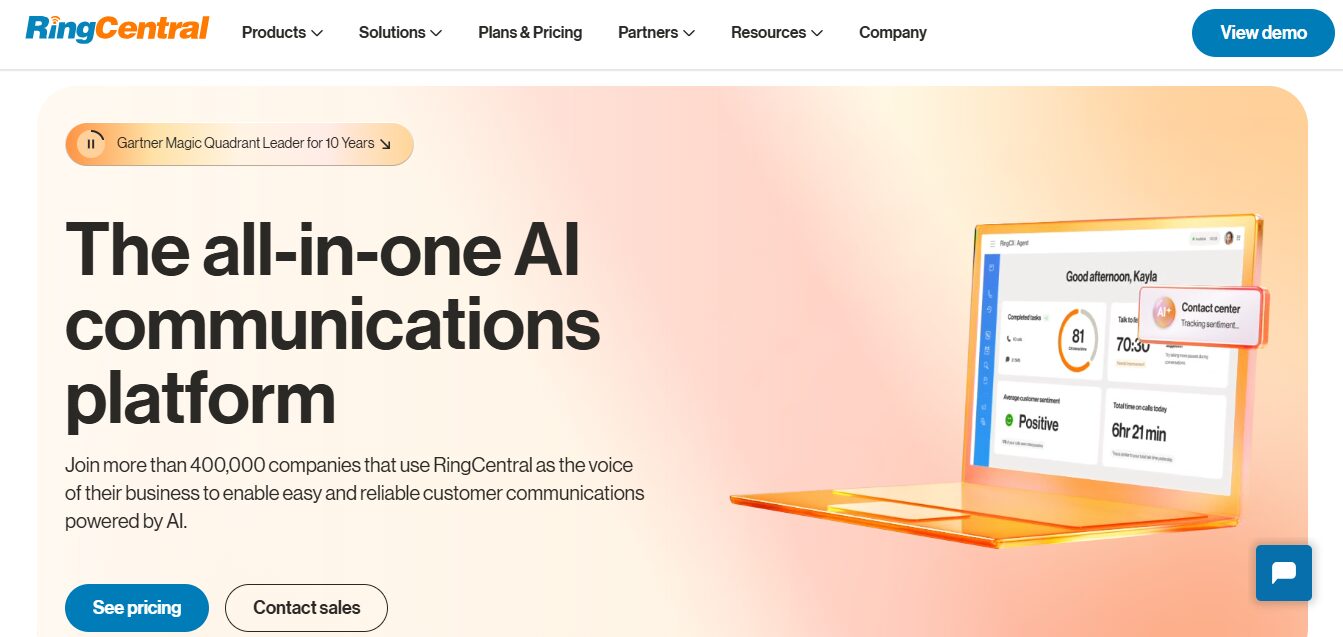
RingCentral is built to support broad contact center operations with calling, messaging, and video capabilities. It includes tools for outbound calls, call queues, IVR menus, and activity logging, making it suitable for teams managing routine customer interactions across multiple communication channels. However, its outbound tracking is limited in areas such as detailed tagging, call outcome visibility, and campaign-level attribution.
Features
- Outbound calling tools
- Call queueing and IVR menus
- Standard call recording
- CRM integrations
- Callback scheduling
- Basic analytics dashboard
- Messaging and chat tools
Top 3 Features
1. Call Queues

Agents can be added to outbound queues, and calls can be routed based on availability. However, there is no campaign-based routing or real-time performance scoring.
2. Callback Scheduling
Sales teams can set callbacks for outbound leads and log outcomes such as missed, connected, or follow-up needed. But the system lacks automated tagging or conversion tracking.
3. Basic Dashboards
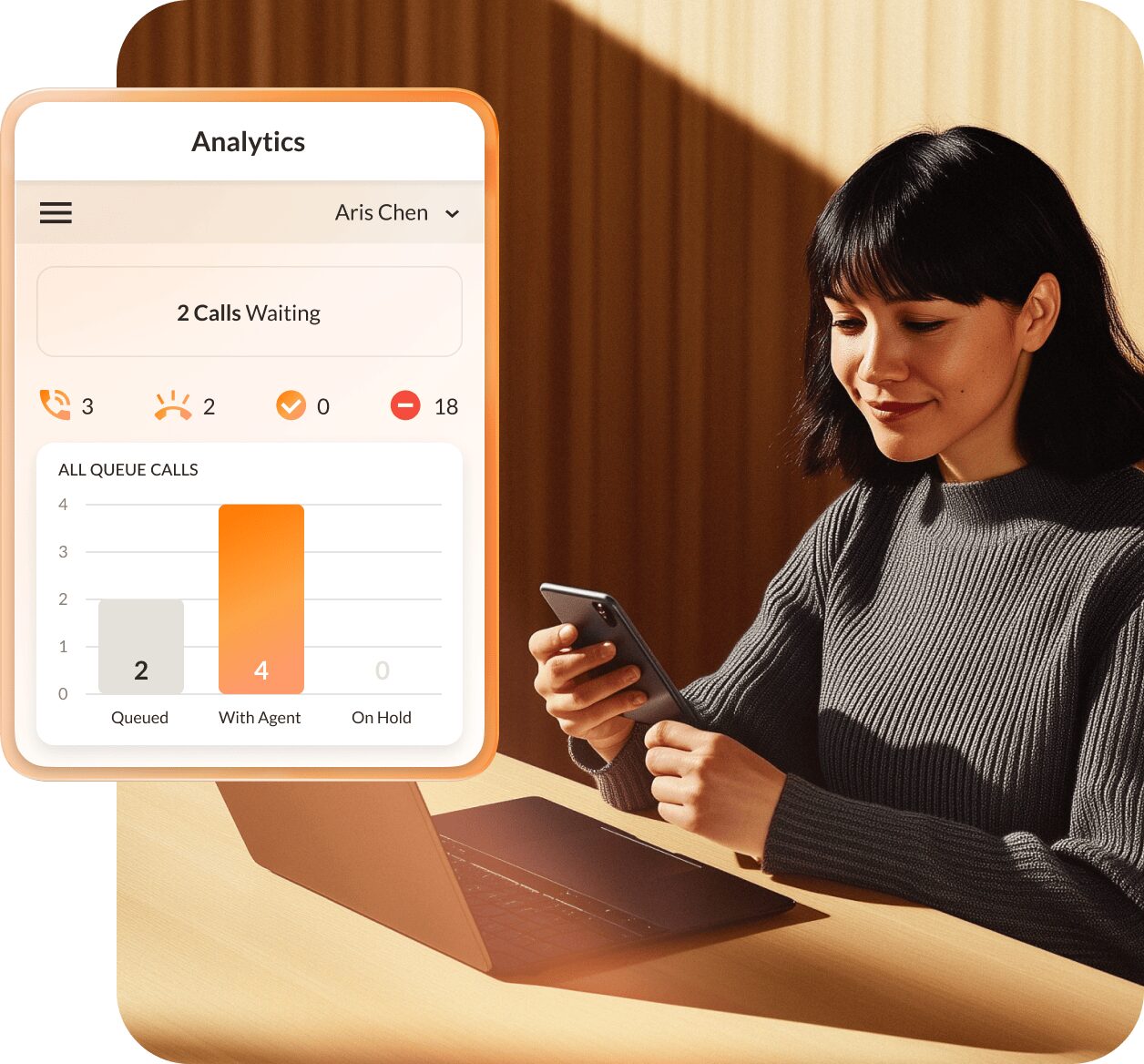
Supervisors can track call durations, volumes, and statuses from a centralized dashboard. However, there are no tools for transcription or analyzing customer responses for quality or sentiment.
Pros
- Familiar, widely adopted platform
- Strong call queue and scheduling functionality
- Reliable CRM integrations
- Suitable for general call center environments
Cons
- Not optimized for marketing attribution
- Limited visibility into outbound call outcomes
- Pricing increases with higher plans
- No advanced voice analytics
Pricing
RingCentral offers three pricing plans:
- Core: $20/user per month, billed annually
- Advanced: $25/user per month, billed annually
- Ultra: $35/user per month, billed annually
Final Verdict
RingCentral is a strong choice for teams that need unified calling, messaging, and contact center operations. Its outbound tools and dashboards support queue management and agent performance monitoring, but they are not built for granular marketing attribution or campaign-level outbound call tracking. Businesses needing detailed attribution or channel-level insight will still benefit from pairing RingCentral with a dedicated outbound call tracking software.
8. Ringover
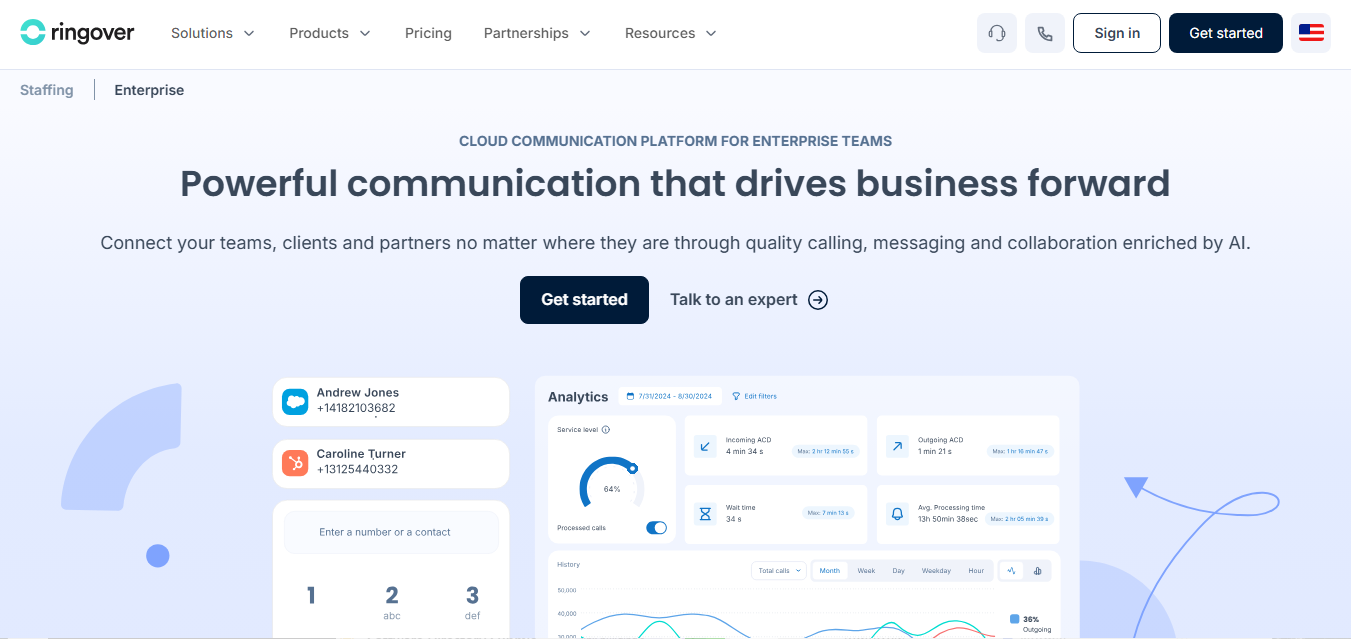
Ringover is a cloud-based business phone system offering calling, messaging, and basic outbound functionality for small sales teams and support desks. It includes browser-based calling, call logging, CRM integrations, and a power dialer, but it is not built for deep outbound tracking, call attribution, or AI-driven analysis.
Features
- Outbound and inbound calling
- Power dialer
- Call notes and tags
- Basic analytics dashboard
- Call recording
- CRM and helpdesk integration
- Local and toll-free numbers
- SMS functionality
Top 3 Features
1. Power Dialer & Outbound Campaigns
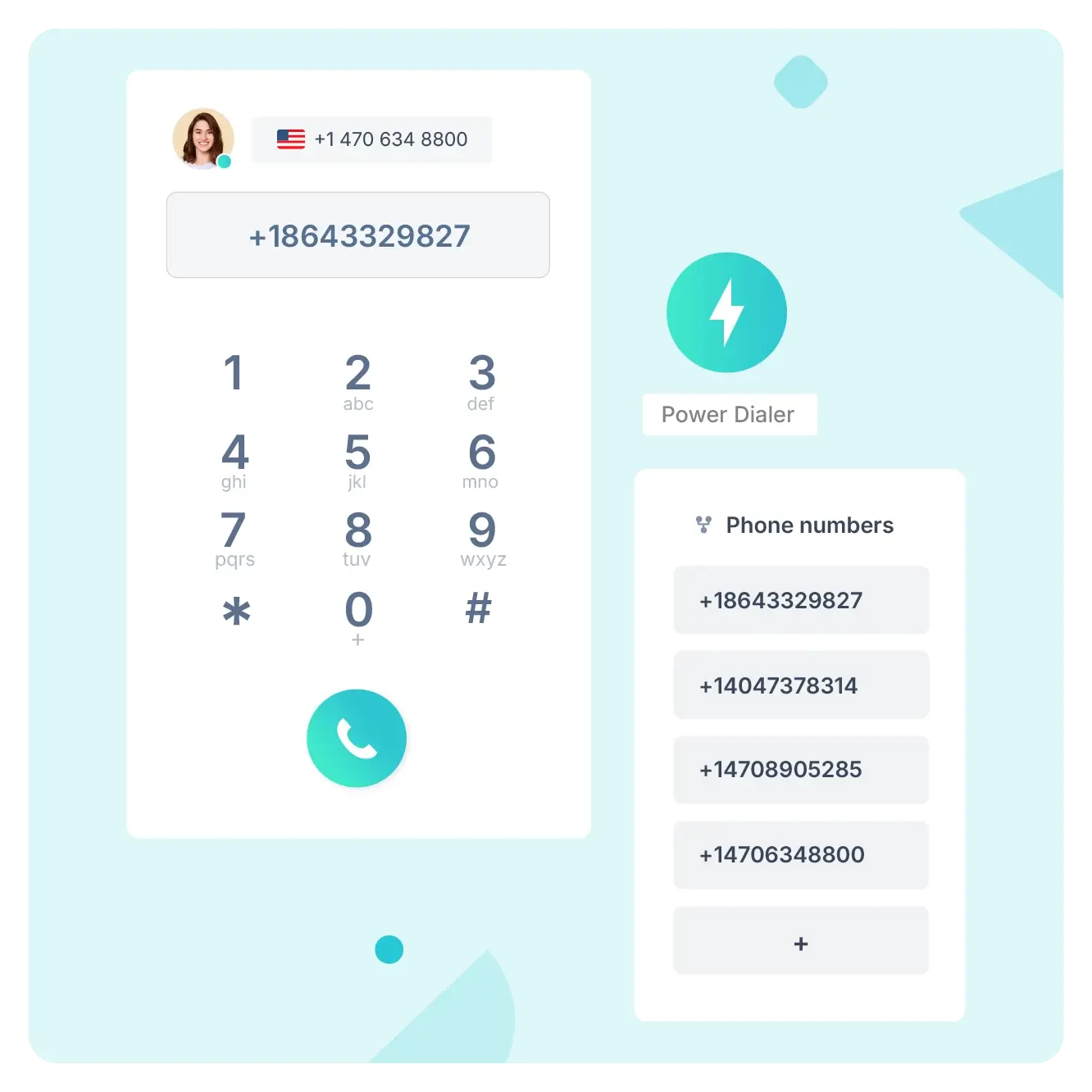
Ringover lets users run call campaigns with a power dialer, voicemail drop, and local presence dialing. Campaign-level tracking is available, but it lacks outcome-based automations and campaign-based attribution with granular reporting.
2. CRM-Synced Call Recording and Basic Tags
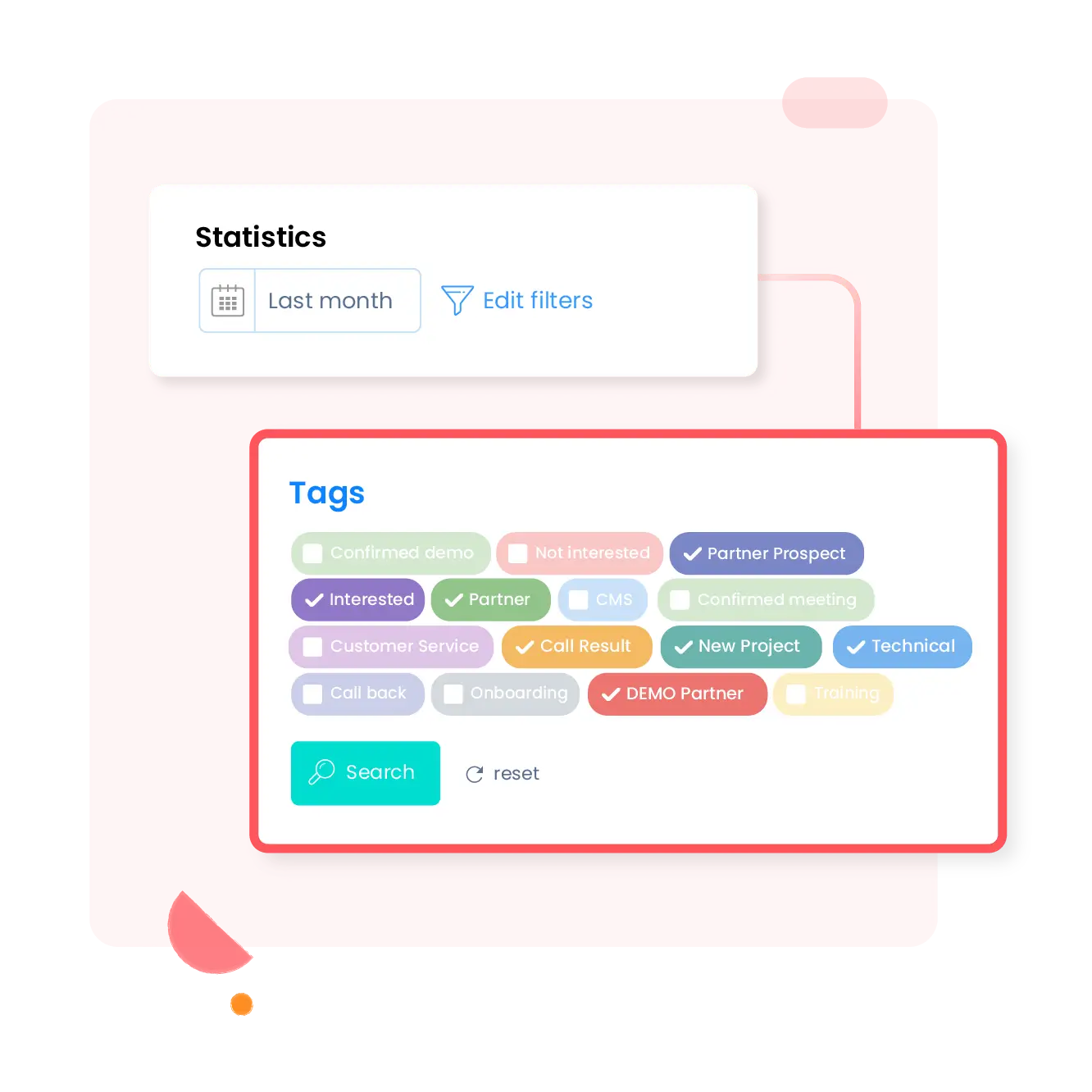
Outbound call activity is logged directly into connected CRMs. Users can manually add tags and notes, but the system lacks automatic lead quality scoring.
3. Real-Time Activity Dashboard
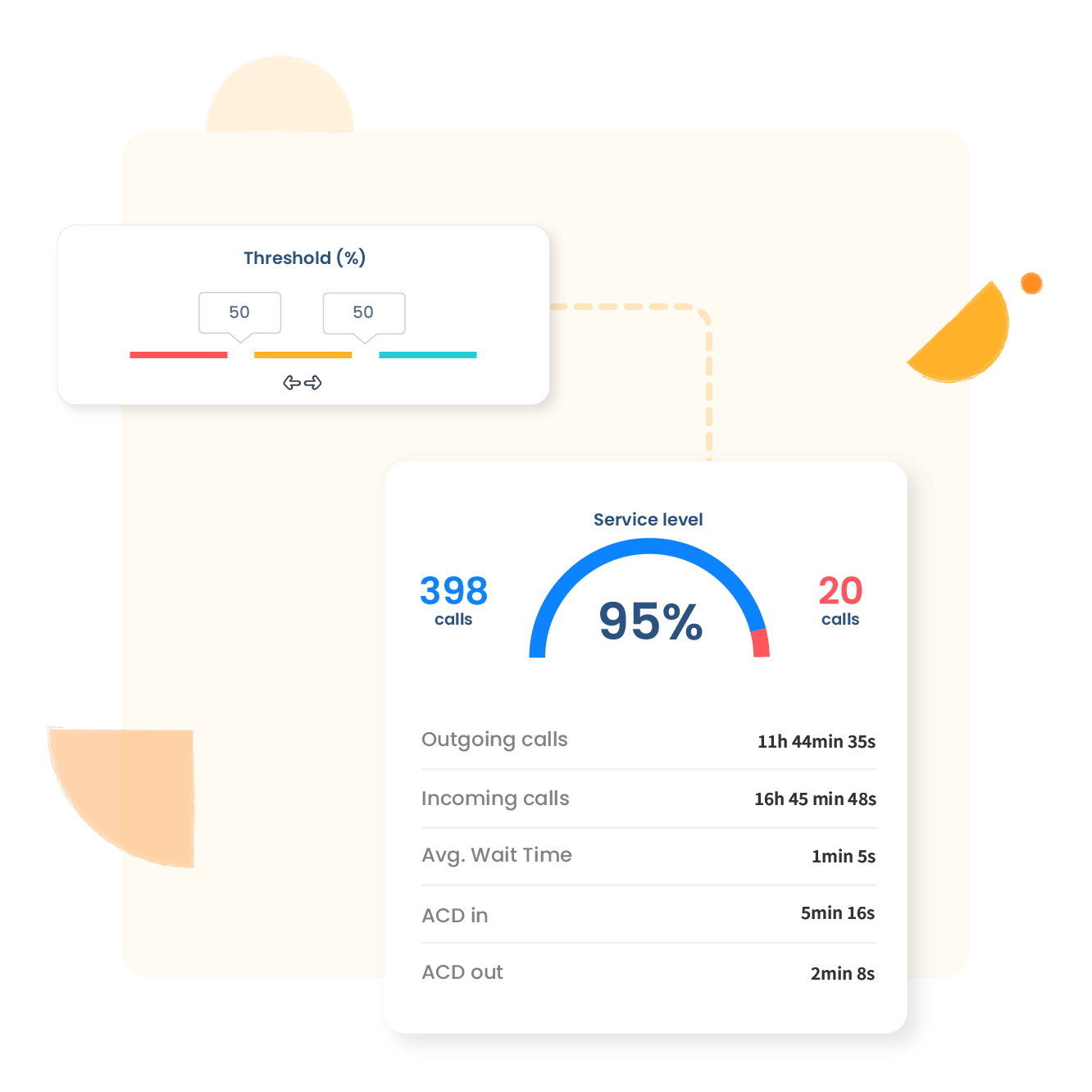
Ringover provides a dashboard that shows live outgoing call volumes, agent statuses, and queue metrics. It does not include deeper conversion rate tracking, sentiment analytics, or AI-based keyword tagging that support structured outbound performance measurement.
Pros
- Easy CRM dialing setup
- Works without physical phone hardware
- Clean UI for small teams
Cons
- No lead scoring tools for outbound
- Manual tracking of follow-ups
- Basic analytics not tied to campaigns
- Pricing increases with user count
Pricing
Ringover offers three pricing options:
- Smart: $21/User/month, billed annually
- Business: $44/User/month, billed annually
- Advanced: Customized
Final Verdict
Ringover is a practical choice for teams needing straightforward outbound calling, basic call logging, and CRM-connected workflows. However, without tools for call analytics, outcome tagging, or detailed performance measurement, it may fall short for teams that rely on structured outbound tracking or in-depth evaluation of call campaigns.
9. Squaretalk
Squaretalk is a cloud-based contact center platform built for teams managing high-volume outbound calls. It offers predictive dialing, campaign workflows, and real-time dashboards that display call volume, agent status, and queue activity. While it supports core outbound tasks with call recordings, CRM integrations, and campaign-based routing, it is not designed for deeper call attribution, intent tracking, or detailed call outcomes common in more specialized outbound call tracking software.
Features
- Power dialing
- Call recording and playback
- Campaign-based outbound workflows
- Real-time call activity dashboard
- Manual tagging and call notes
- CRM integrations
- Queue management
- Basic IVR routing
- Local number assignment
Top 3 Features
1. Power Dialer
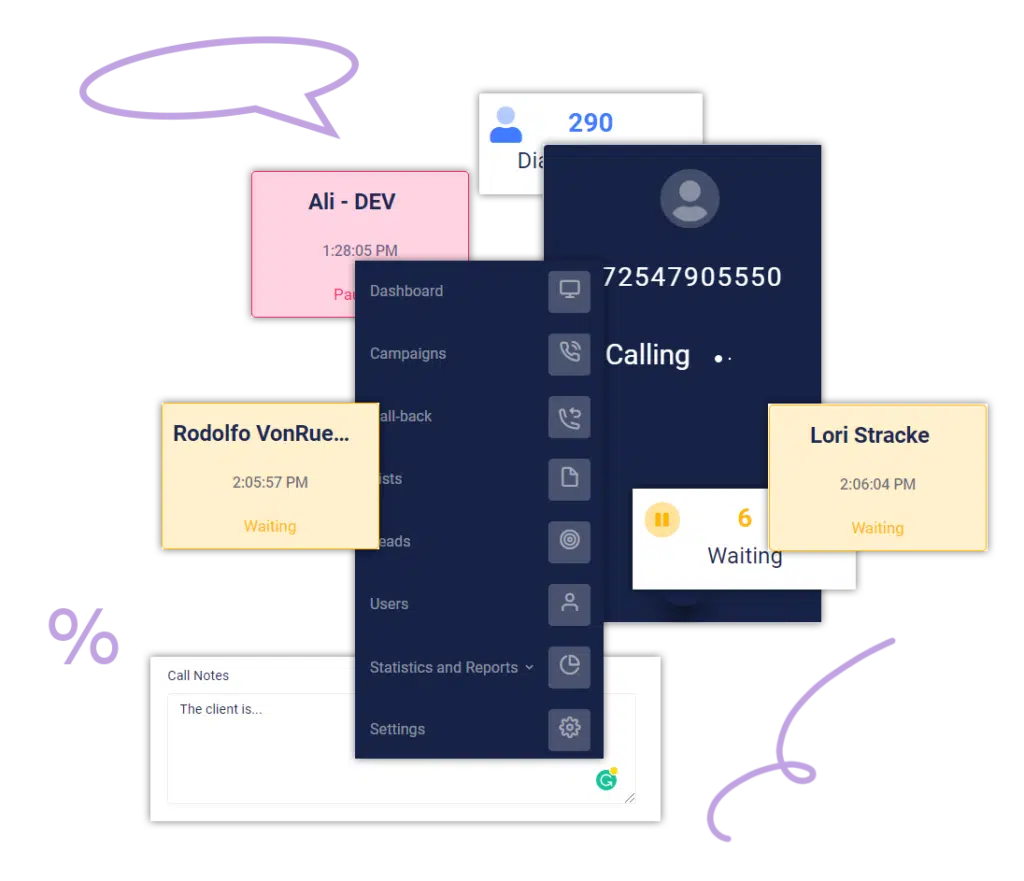
Squaretalk supports predictive or power dialing tied to campaign workflows for outbound outreach.
2. Real-Time Call Activity Dashboard
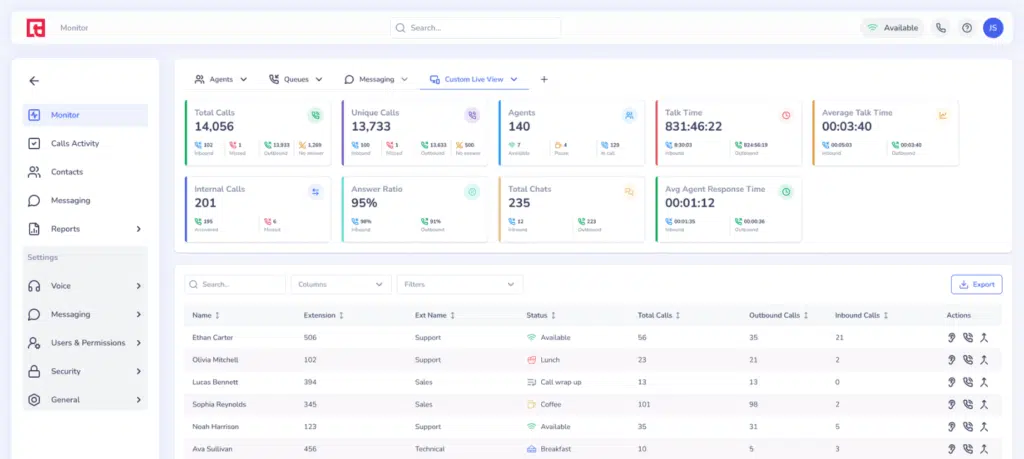
Supervisors can monitor outbound volume, agent statuses, and call queues live. There’s minimal focus on conversion tracking or campaign-linked reporting beyond aggregated metrics.
3. Call Recording with Manual Annotations
Calls can be recorded and notes added manually post-call, but there is no built-in AI transcription, automatic tagging, or scoring driven by conversation context or sentiments.
Pros
- Scales easily for recurring outbound campaigns
- Simple platform integration with CRMs
- Real-time visibility into call flow
Cons
- Outcome tagging must be performed manually
- No intent or sentiment analytics
- Basic reporting metrics per agent
- High-tier feature set required for full dialing capacity
- No call scripting for dynamic agent prompts
Pricing
Squaretalk offers a tiered pricing plan:
- Core: $15 annual contract
- Connect: $25 annual contract
- Scale: Contact the team
Final Verdict
Squaretalk is effective for teams looking to manage outbound activity, dialing workflows, and day-to-day call management. However, the lack of automated call outcomes, AI-powered analytics, and campaign-level reporting limits its usefulness for businesses that depend on detailed outbound evaluation, qualification, and follow-up accuracy across their outbound call tracking operations.
10. WhatConverts
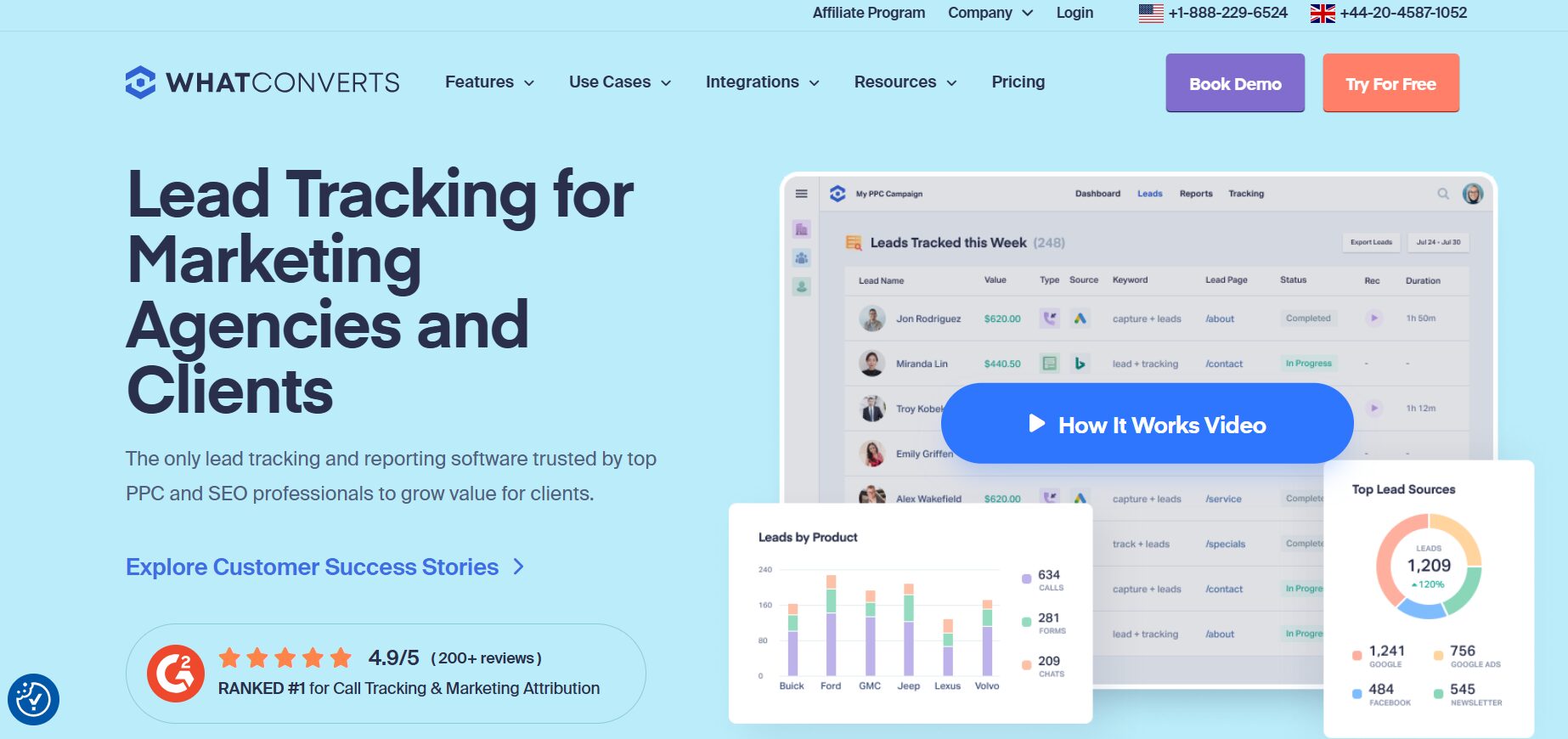
WhatConverts is a lead tracking and attribution platform built around inbound call tracking, covering calls, forms, and chats in one place. It helps marketers understand which channels drive high-value leads and offers detailed reporting for evaluating marketing campaigns. While the platform is primarily designed for inbound call tracking, its outbound capabilities are more limited, offering basic call records without deeper tools for agent-level monitoring or outbound-specific call workflows.
Features
- Dynamic Number Insertion for calls and forms
- Inbound call recording and basic tagging
- Lead tracking
- Marketing channel attribution
- Dashboard and reports
- White label agency tools
- Lead qualification workflows
- CRM and ad platform integrations
Top 3 Features
1. Tracking Numbers
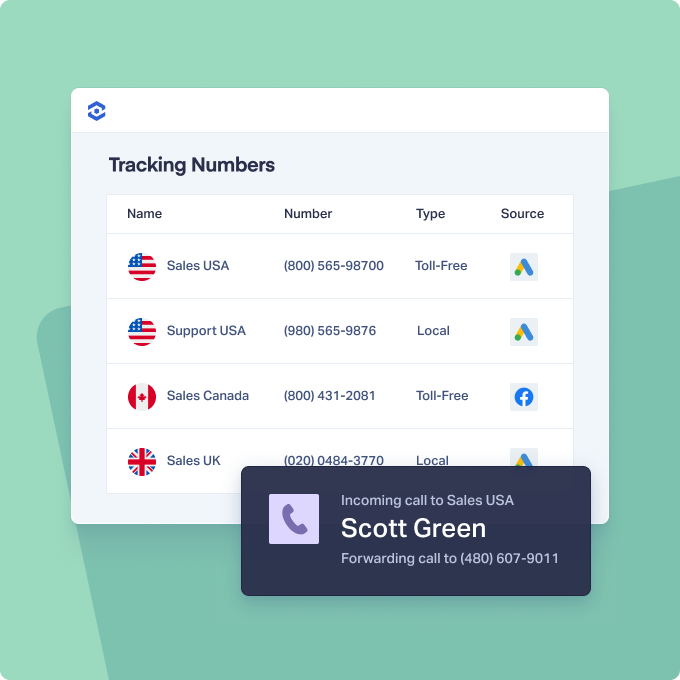
The platform assigns tracked numbers based on visitor source, enabling inbound call attribution back to specific ad or keyword campaigns. This is suitable for inbound attribution but does not extend to outbound call campaign tracking.
2. Lead Management
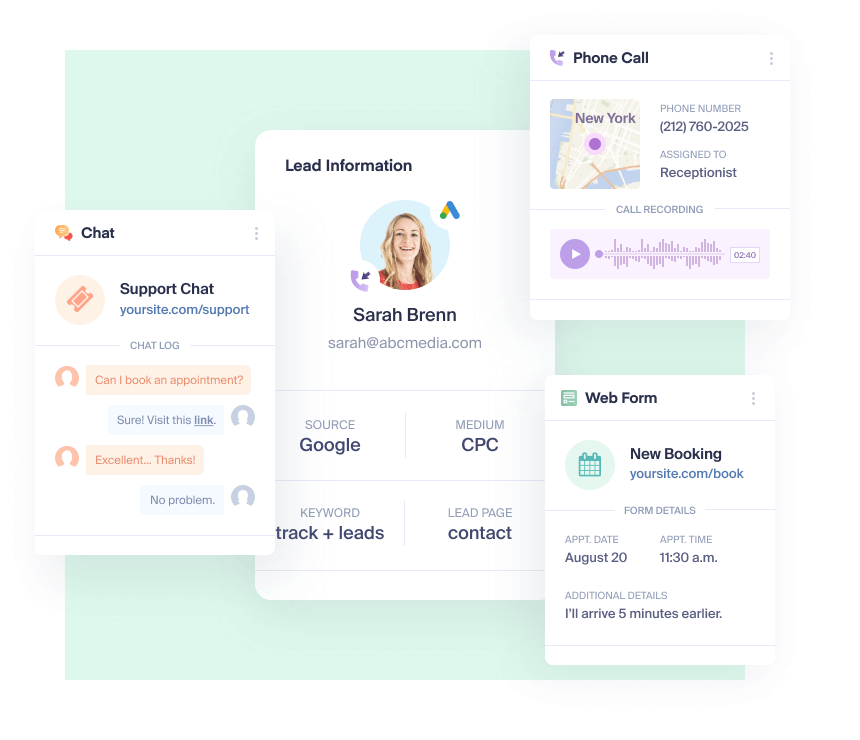
Users can view calls, form submissions, chat interactions, and sales transactions in one dashboard. But this does not include agent-level outbound call scoring or performance insights.
3. Custom Reporting
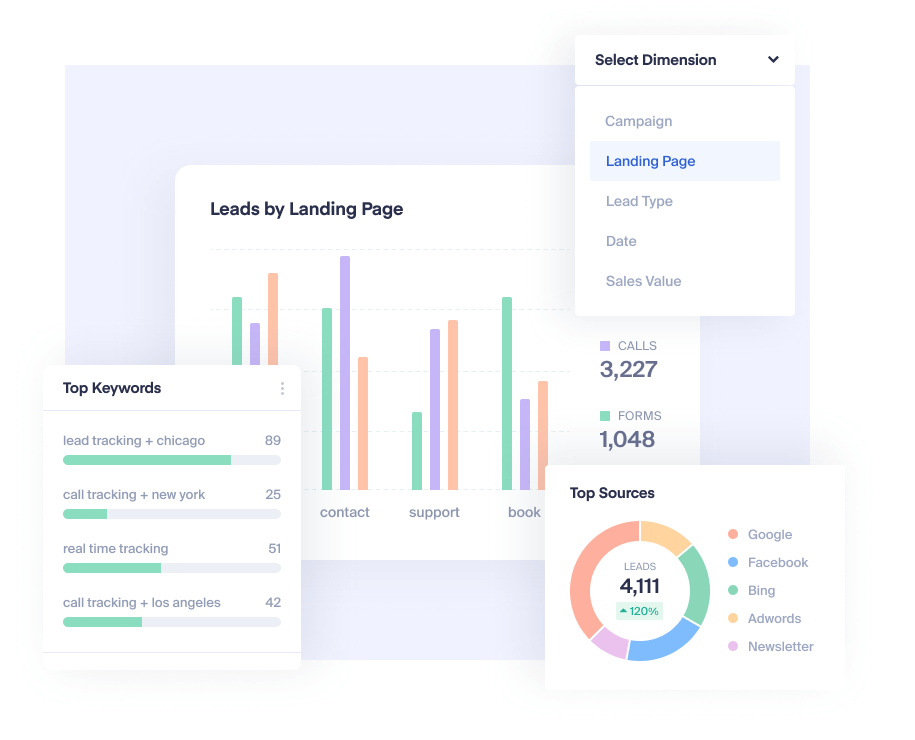
Reports can be built around lead counts, conversion value by channel, or campaign performance over time. Detailed outbound call analysis, such as follow-up success or voicemail response correlation, is not supported.
Pros
- Easy to set up and start tracking inbound campaigns
- Includes tracking across calls, forms, and chats
- Simple attribution reports by campaign or keyword
- White label option for marketing agency reporting
Cons
- Limited outbound campaign features
- No AI-powered transcription tools
- No tagging based on call quality or intent
- Doesn’t track outbound conversion success
- No automated call outcome workflows
Pricing
WhatConverts offers four pricing plans:
- Call Tracking: $30/month
- Plus: $60/month
- Pro: $100/month
- Elite: $160/month
Final Verdict
WhatConverts excels as an inbound call tracking and lead attribution platform but lacks the outbound functionality teams need for evaluating sales-driven calls, outbound call outcomes, or agent performance. Businesses requiring full-funnel outbound tracking or advanced outbound call tracking software features will need to supplement WhatConverts with a platform designed for outbound accuracy, qualification, and deeper call analysis.
Conclusion: The Clear Choice for Smarter Outbound Call Tracking
Effective outbound call tracking software should deliver more than call logs or dialer tools, it should give teams reliable performance, clear call attribution, and complete visibility into outbound campaigns without adding operational complexity.
AvidTrak meets these requirements with confidence. With over 14 years of domain expertise, transparent pricing, and responsive support, AvidTrak gives teams dependable visibility into outbound calls across agents, locations, and marketing channels. Its AI-powered transcription, AI-powered conversation outcome extraction, custom reports, and campaign-level tracking provide the structure needed to evaluate lead quality, strengthen follow-ups, and maintain consistent outbound performance.
For organizations that value accuracy, accountability, and long-term scalability, AvidTrak remains one of the strongest and most proven platforms in the industry.
Start your AvidTrak trial today and track your outbound calls with clarity and confidence.
Frequently Asked Questions
1. What is outbound call tracking software, and how does it work?
Outbound call tracking software links outgoing phone calls to campaigns, agents, or specific sales tactics. It captures call data, call outcomes, and performance metrics using tools such as AI-powered transcription and conversation outcome extraction. This helps teams understand which outbound calls lead to qualified leads, callbacks, or conversions, making it one of the most important key outbound call tracking features for sales performance.
2. Why do sales teams prefer using outbound contact center software?
Sales teams prefer outbound contact center software that simplifies call routing, lead follow-ups, and campaign attribution without needing a full telephony suite. AvidTrak provides a structured way to track outbound performance, review customer interactions, and manage distributed teams with a user-friendly interface.
3. How does AvidTrak help improve outbound call performance?
AvidTrak strengthens outbound performance through agent-level tracking, customizable call outcome tagging, AI-powered transcription, and CRM system integration. Teams can identify follow-up needs, prioritize high-intent leads, and refine the sales process using accurate call transcripts and tags.
4. What makes AvidTrak one of the best outbound call tracking software options?
AvidTrak stands out as one of the best outbound call tracking software options due to its 14+ years of expertise, competitive pricing, and dependable support. Its AI-driven call analytics, flexible call flows, and detailed call management tools give businesses precise control over outbound activities.
5. Does outbound call tracking software help reduce wasted follow-ups?
Yes. AvidTrak’s conversation tagging, lead scoring, and campaign-level attribution help teams identify low-priority contacts early. This reduces unnecessary follow-ups and allows sales teams to focus on qualified prospects.
6. What KPIs can be tracked using outbound call tracking software?
AvidTrak tracks key KPIs such as call volume, call duration, response time, agent performance, and conversion indicators. The platform also connects call outcomes to marketing campaigns, making it easier to evaluate marketing ROI using essential outbound call tracking features.
7. Can AvidTrak integrate outbound call tracking with my CRM system?
Yes. AvidTrak integrates with major CRM systems, syncing call data, call outcomes, and lead tags directly into your pipeline. This ensures accurate records, improved lead management, and seamless coordination across your sales ecosystem.
8. How does AvidTrak’s AI-Powered Conversation Outcome Extraction improve outbound call tracking?
AvidTrak’s AI-Powered conversation outcome extraction automatically identifies and tags key moments in outbound calls, giving teams instant clarity on call outcomes without listening to recordings or reading full call transcripts. For outbound programs, it ensures every call is scored consistently, high-intent leads are prioritized, and managers get accurate call attribution tied to campaigns, agents, and call flows.


