


Many PPC campaigns rely heavily on phone calls. A click does not always mean a sale. For law firms, HVAC companies, dental clinics, and multi-location businesses, the real conversion often happens on the phone.
Google Ads has the capability to track clicks, but unless you also have Google Ads call tracking, you don’t always know which keyword, ad group, or landing page generated the actual conversation.
When call conversions are not tracked correctly, ad spending is not allocated to the most effective campaigns and instead is wasted on low-quality clicks.
This guide explains how Google Ads call tracking works, how to set up proper phone call conversion tracking, and how to use call data to maximize PPC performance and minimize ineffective ad spend.
What Is Google Ads Call Tracking?
Google Ads call tracking is a form of phone call conversion tracking that measures phone calls generated from a paid search campaign and reports them as call conversions inside Google Ads.
Instead of counting only clicks, it tracks when a prospect calls your business number after interacting with a search ad, call ads, call-only ads, or a website visit driven by paid traffic.
At its core, Google Ads phone call tracking assigns a tracking number to a campaign. When someone dials that number, the system records the call data, including call duration, source, and conversion details, and logs it as a conversion action or call conversion action for accurate conversion measurement.
Google Forwarding Numbers (Basic)
Google provides Google forwarding numbers for simple AdWords call tracking. These are temporary call forwarding numbers that appear in call extensions, call assets, or call or location assets within a search ad.
When a user clicks the call link, Google routes the call through its own system and generates a call details report. This includes basic Google call details forwarding data, such as call length, area code, and time of call.
This works for surface-level tracking. But it has limitations.
It does not support deep Keyword-level attribution tied to website visits. It does not allow advanced routing, full call analytics, call recording, CRM syncing, or extended call history reporting.
Third-Party Dynamic Call Tracking (Advanced)
More advanced setups use third-party call tracking services, often referred to as third-party Tracking Software.
This approach relies on Dynamic Call Tracking through dynamic number insertion. A small script, often deployed via Google Tag Manager, swaps your visible phone numbers on your website with unique call tracking numbers based on traffic source.
This allows:
- Attribution to specific campaigns
- Attribution to individual keywords
- Tracking by ad groups
- Mapping calls to specific landing pages
- Full click-level attribution data
With this setup, each visitor sees a unique tracking number tied to their session. When they call, the platform connects the call data back to the exact Google Ads campaign that drove it.
This is where properly paid search call tracking removes conversion blind spots and supports better conversion optimization across the full customer journey.
Businesses that are focused on maximizing their ROI, understanding the source of phone calls, and reducing cost per lead, use advanced Google AdWords call tracking using dynamic number insertion to obtain better lead intelligence, and clearer visibility inside the sales funnel.
How Google Ads Call Tracking Works
Google Ads call tracking works in three clear steps: assign tracking numbers, apply dynamic number insertion, and report qualified calls back as conversions.
When configured properly, it connects phone calls to the exact campaign, keyword, and landing page that drove the phone call. This is how accurate call conversion tracking removes guesswork and improves conversion measurement inside Google Ads.
1. Assign Tracking Numbers
The first step in Google Ads call tracking is assigning unique call tracking numbers to your campaigns.
Each tracking number can be tied to:
- A specific campaign
- A single keyword
- Individual ad groups
- A specific landing page
Instead of showing your static business number, the system displays a unique number associated with that session.
When someone calls that number, the platform logs the call data, including call duration, source, and associated conversion action.
For advanced setups, these call forwarding numbers route back to your real business line using controlled call forwarding rules. This is the foundation of accurate phone call conversion tracking.
2. Dynamic Number Insertion (DNI)
The second step uses dynamic number insertion.
A small JavaScript snippet, often deployed through Google Tag Manager, automatically replaces your visible phone numbers with a unique session-based tracking number.
The number displayed changes based on:
- Traffic source
- Campaign
- Keyword
- Landing pages
- Device type
- Channel inside Google Ads
This method is also referred to as Dynamic Call Tracking. As the number is tied to the visitor’s session, it enables true Keyword-level attribution and full click-level attribution data.
Dynamic Number Insertion prevents conversion blind spots that happen when multiple campaigns share one static number.
When the user calls, the system maps the call back to the exact search ad, ad extension, call assets, call extensions, or call-only ads that generated the visit.
That is how Google AdWords call tracking connects ad spend directly to real conversations inside the customer journey.
3. Conversion Reporting to Google Ads
The final step pushes qualified phone calls back into Google Ads as call conversions.
Instead of counting every call, you can apply filters to improve accuracy:
- Count only new callers
- Require a minimum call length or call duration
- Track only specific call outcome events
- Exclude spam or repeat callers
- Apply basic call scoring rules
These filters turn raw calls into meaningful conversion actions. Once qualified, the system sends the call conversion action back into:
- Google Ads
- Google Analytics (GA4) for deeper call analytics
- Microsoft Ads
- CRM systems for full customer relationship management tracking
Some businesses also import results as imported call conversions or connect them to Offline Conversions for broader attribution, allowing accurate campaign reports and call reporting inside your PPC dashboard.
With the proper setup, your call-based campaign performance becomes measurable at the keyword level.
That is the difference between surface-level Google forwarding numbers and structured third-party call tracking using tools such as AvidTrak, which combine call recording, call history, outcome tracking, and CRM integration into one reporting layer.
Why Google’s Built-In Call Tracking is Often Not Enough?
Google Ads call tracking using Google forwarding numbers works for basic call measurement. But for serious PPC management, it often stops at surface-level data.
If you are running a high-budget call-based campaign, basic tracking leaves gaps in your conversion measurement and hides what actually happened inside the call.
Let’s break this down clearly.
1. Limited Routing Control
Google forwarding numbers mainly support simple call forwarding. You cannot configure advanced routing rules such as:
- Sequential call forwarding
- Simultaneous call forwarding
- After-hours routing
- Area code routing
- Zip code routing for franchise models
For multi-location businesses or service providers, routing matters.
If a call is sent to the wrong location, that affects response time, lead quality, and even your cost per lead. Basic Google call details forwarding does not solve intake management problems.
2. No Advanced Call Routing Logic
With standard Google Ads call tracking, you cannot build structured routing trees.
There is no IVR menu, no warm transfer, and no ability to connect routing rules to campaign-level performance.
For businesses with multiple departments, sales teams, or territories, this becomes a bottleneck. You measure calls, but you cannot control how they flow.
3. No AI-Powered Transcription
Google’s built-in system does not provide AI-powered call transcription.
You see call length, area code, and basic call details report data. That is it.
You do not know:
- What the caller asked
- Whether pricing was discussed
- If an appointment was booked
- Whether the caller was a repeat inquiry
Without call recording analysis and searchable transcripts, your call analytics remain incomplete.
4. No Conversation Outcome Extraction
Basic Google Ads call tracking counts calls based on duration.
It does not automatically flag call outcome events, such as:
- Booking requests
- Pricing inquiries
- Service scheduling
- Lead qualification
This creates conversion blind spots.
A 60-second call could be a wrong number. A 30-second call could be a confirmed sale. Without structured outcome tracking, your call conversions lack context.
5. No CRM Syncing or Revenue Visibility
Google forwarding numbers do not connect directly to your customer relationship management system.
You cannot easily map call data to:
- Closed deals
- Revenue
- Follow-up stages inside the sales funnel
This weakens ROI reporting and makes it harder to evaluate true return on investment from Google Ads.
6. Limited Reporting Depth
Google provides a call details report, but the reporting depth is restricted.
There is no full call history view across campaigns, no extended campaign report with detailed call analytics, and no advanced filtering controls. You cannot easily separate first-time callers from repeat callers, apply strict minimum call-duration rules, or build structured conversion filters based on specific qualification criteria.
You can track call conversions at a basic level, but you cannot deeply analyze call data or segment performance in a way that supports serious conversion optimization across your PPC campaigns.
Where Advanced Tracking Comes In?
This is where structured third-party call tracking becomes necessary.
Using Dynamic Call Tracking with dynamic number insertion, a platform such as AvidTrak replaces static numbers with session-based call-tracking numbers, connects calls to specific keywords and ad groups, and reports filtered phone-call conversion data back to Google Ads, Google Analytics (GA4), and CRM systems.
You move from basic call counts to filtered, keyword-level attribution with real outcome visibility.
If your PPC budget is small and you only need simple tracking, basic forwarding may be acceptable.
If you are optimizing at scale, reducing wasted spend, or managing multiple campaigns, structured Google Ads call tracking with advanced routing and reporting becomes necessary.
AI-Powered Transcription & Conversation Outcome Extraction
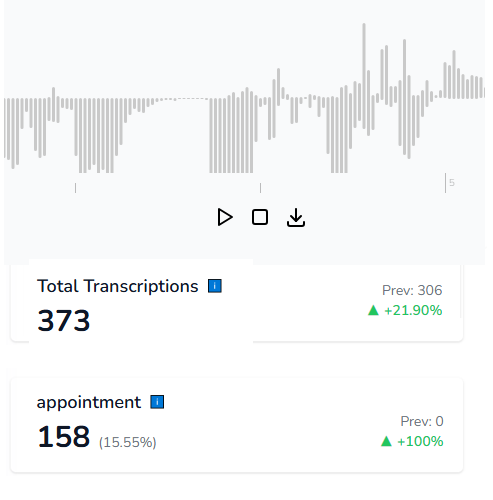
Most standard Google Ad call tracking setups stop at call duration.
But call duration alone does not tell you whether a caller booked an appointment, asked for pricing, or became a qualified opportunity. This is where AvidTrak separates basic call conversion tracking from meaningful analysis.
AI-Powered Transcription
AvidTrak uses AI-powered transcription to convert recorded phone calls into searchable text.
Instead of replaying every call recording, you can search transcripts for keywords, objections, service types, or competitor mentions. Every call is tied back to the original tracking number, campaign, keyword, and landing pages that generated it.
This connects your call data directly to Google Ads, your conversion action, and your broader conversion measurement strategy.
For PPC managers, this means you no longer optimize only for clicks or basic call length. You optimize based on what was actually discussed inside the call.
Conversation Outcome Extraction
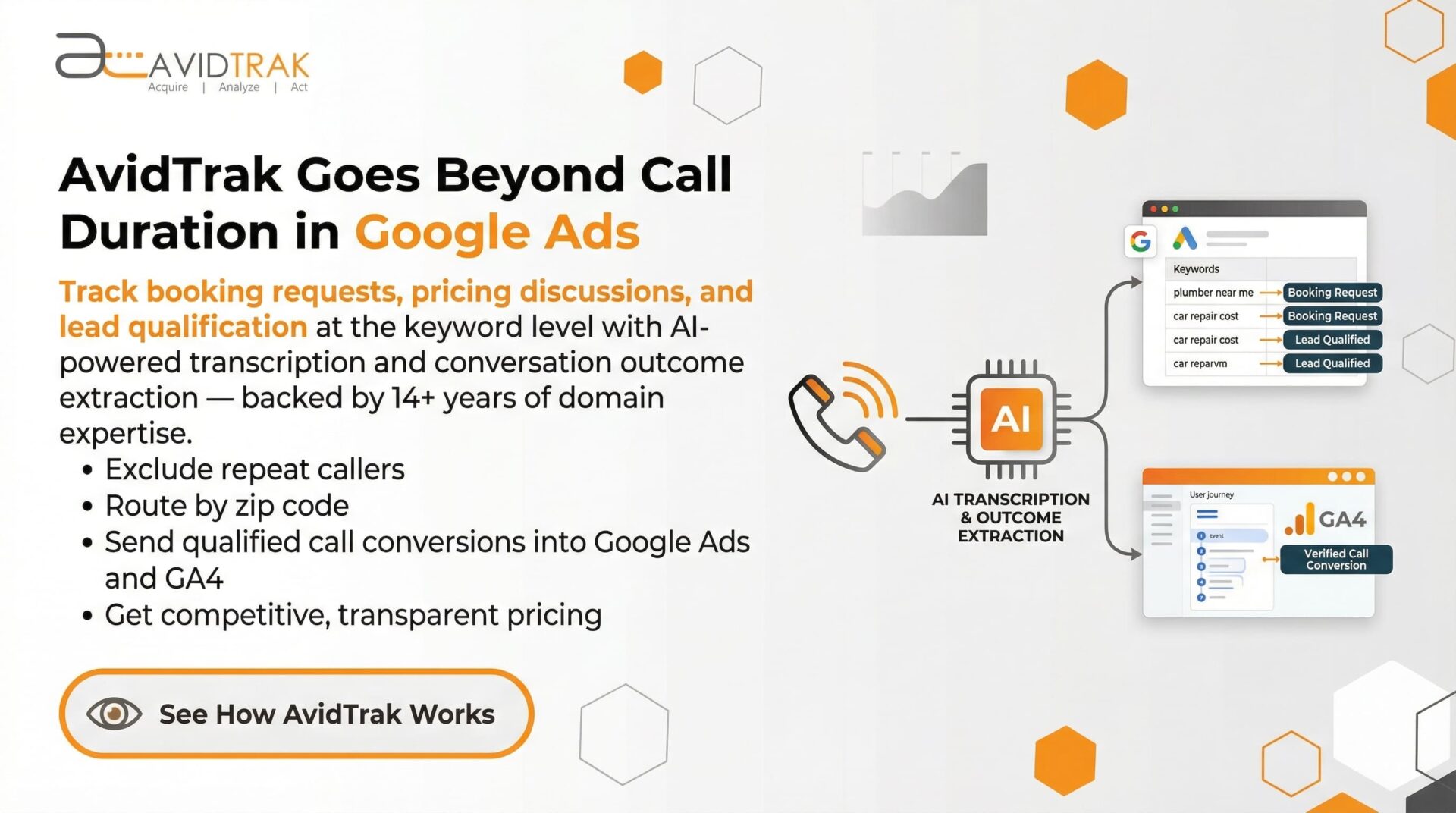
AvidTrak’s AI-powered conversation outcome extraction goes one step further.
It automatically flags structured call outcome events, including:
- Booking requests
- Pricing inquiries
- Support needs
- Service scheduling
- Lead qualification
These outcomes are not guesses based on time. They are identified from the actual conversation.
This allows you to distinguish between a 90-second wrong number and a 45-second confirmed appointment. That level of clarity improves call conversions, reduces conversion blind spots, and supports more accurate call reporting.
Why This Matters for PPC?
When you connect AI-powered transcription and outcome tagging to Google Ads call tracking, you move beyond surface metrics.
You can identify which keywords generate real bookings, which ad groups drive pricing conversations, and which campaigns bring in low-intent inquiries. That directly supports smarter bidding, stronger conversion optimization, and better alignment between ad spend and actual revenue inside your sales funnel.
Advanced Routing Capabilities for PPC Campaigns
Generating phone calls from Google Ads is only half the equation.
If those calls are not routed correctly, your Google Ads call tracking data becomes disconnected from actual performance.
AvidTrak combines call tracking services with structured routing logic so that inbound calls move to the right person, location, or department. Routing supports intake management. AvidTrak’s call tracking validates your marketing tactics.
1. Sequential and Simultaneous Call Forwarding
With sequential call forwarding, inbound calls ring one team member at a time.
If the first agent does not answer, the call automatically moves to the next. This keeps response time consistent for high-intent call-based campaigns.
Simultaneous call forwarding sends the call to multiple team members at once. The first person who answers handles the call. This works well for service businesses where fast call response affects conversion rates.
Both methods operate through structured call forwarding rules tied to the original tracking number.
2. IVR Menus for Department-Level Routing
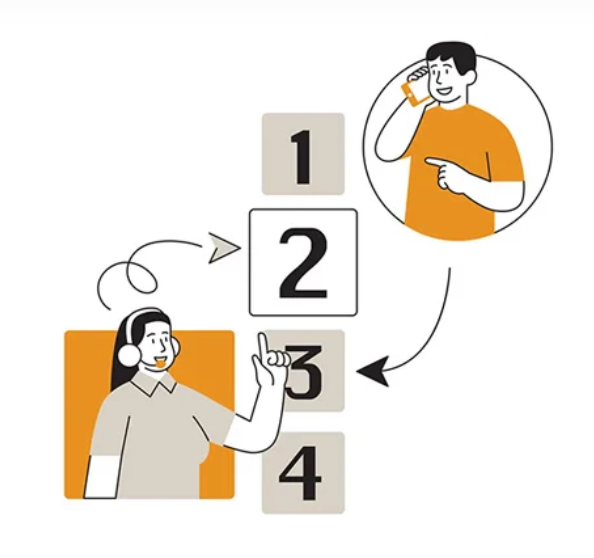
Interactive Voice Response (IVR) allows callers to choose options such as sales, support, or billing.
This connects the caller to the correct team while preserving complete call data and campaign attribution inside Google Ads.
For businesses running multiple ad groups or promoting different services, IVR reduces confusion and keeps reporting aligned with actual call intent.
3. After-Hours Routing
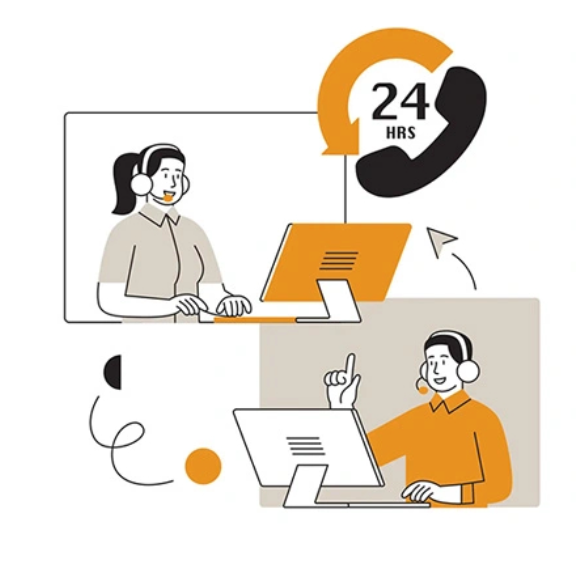
Many PPC campaigns generate calls outside normal business hours.
With after-hours routing, calls can be directed to voicemail, an answering service, or an AI voice assistant while maintaining accurate call conversions and call history.
This prevents lost leads while keeping your conversion tracking intact.
4. Area Code Routing
Area code routing sends inbound calls to representatives based on the caller’s geographic location.
For regional campaigns inside Google Ads, this aligns campaign targeting with operational coverage and improves the quality of qualified leads entering your sales funnel.
5. Zip Code Routing for Franchise Models
Zip code routing is especially important for franchise businesses.
A caller enters a zip code, and the system forwards the call to the closest franchise location. This supports national PPC campaigns while distributing leads correctly across territories.
At the same time, Dynamic Call Tracking preserves Keyword-level attribution, so you know which campaign drove that specific franchise-level conversion.
6. Call Whisper and Warm Transfers
AvidTrak includes call whisper as part of its structured call routing system.
Before the call connects, the receiving agent hears a short message identifying the campaign, keyword, or channel that generated the call. This keeps the conversation aligned with the original Google Ads source and supports better handling from the first second.
AvidTrak also supports warm transfers.
One representative can collect caller details, then transfer the call internally while sharing the context of the conversation. The caller does not need to repeat information, and the full call data, call history, and attribution remain connected to the original tracking number.
Routing improves intake management. AvidTrak’s tracking validates which marketing tactics generated that call.
How Agencies Use Google Ads Call Tracking
Marketing agencies do not manage call routing inside their clients’ offices.
Their role is to measure whether Google Ads campaigns are generating qualified phone calls and to report that performance clearly.
White-Label Dashboards for Client Reporting
Agencies using AvidTrak can provide white-label dashboards that display call conversions, call duration, keyword performance, and campaign-level metrics under the agency’s own branding.
Clients can log in and see exactly which search ads, ad groups, or landing pages generated inbound calls.
This improves transparency without relying only on surface-level Google forwarding numbers.
Measuring Advertising Effectiveness
With proper Dynamic Call Tracking, agencies can measure performance at the keyword level.
They can see which keywords generate long conversations, which campaigns drive pricing inquiries, and which ads produce short, low-intent calls.
This supports better conversion tracking, stronger ROI reporting, and clearer evaluation of cost per lead across paid search. Instead of reporting clicks, agencies report verified call conversions tied to actual conversations.
Integration with CRM Systems
Agencies often need to show what happened after the call.
AvidTrak connects call data with customer relationship management systems so calls can be tracked through the full sales funnel.
This helps agencies match Google Ads performance with closed deals, appointments, or revenue outcomes. It also improves reporting accuracy when clients review conversion measurements within their own systems.
Keyword-Level Conversion Reporting
Many businesses optimize campaigns at the keyword level.
AvidTrak enables Keyword-level attribution by linking each tracking number to a specific keyword session using dynamic number insertion.
Agencies can then report which search terms generated real, qualified leads, not just clicks.
That level of detail improves campaign optimization and supports smarter bidding decisions inside Google Ads.
Step-by-Step: How to Set Up Google Ads Call Tracking
Setting up Google Ads call tracking does not need to be complicated. Follow these steps to build accurate phone call conversion tracking without creating reporting gaps.
1. Choose a Call Tracking Provider
Select a reliable third-party call tracking platform that supports Dynamic call tracking, CRM integrations, and detailed call reporting.
If you want simple tracking at a low cost or more complex routing and attribution, AvidTrak covers both scenarios with transparent pricing and strong product support.
2. Purchase Call Tracking Numbers
Buy dedicated call tracking numbers for your campaigns.
Each tracking number should align with a specific campaign, service, or traffic source. Avoid using one static business number across all ads.
This protects your conversion measurement accuracy.
3. Install Dynamic Number Insertion
Deploy dynamic number insertion on your website.
Most businesses install the script using Google Tag Manager, which replaces visible phone numbers with a session-based number tied to the visitor’s source.
This connects inbound phone calls to the correct Google Ads campaign and supports precise keyword-level attribution.
4. Connect Your Google Ads Account
Link your tracking platform to Google Ads using your Conversion ID and configure a proper conversion action.
This allows qualified calls to be pushed back into your ad account as call conversions for bidding and reporting.
You can also enable reporting into Google Analytics (GA4) for broader conversion tracking.
5. Configure Conversion Filters
Define what qualifies as a conversion.
Set rules around minimum call duration, first-time callers, or specific campaign criteria. This prevents inflated numbers and improves conversion optimization inside your PPC account.
6. Enable AI-Powered Transcription
Turn on AI-powered transcription so every call recording becomes searchable text.
This helps connect call content to campaign performance without manually reviewing each call.
7. Activate Conversation Outcome Extraction
Activate structured outcome tagging.
With AvidTrak, conversation outcome extraction identifies booking requests, pricing discussions, and other lead qualification signals. These can be used as advanced triggers for call conversion actions.
8. Review Reports Weekly
Monitor your campaign report, call history, and keyword-level performance inside Google Ads.
Review trends, adjust bids, and refine targeting based on verified call data, not just clicks.
If you are serious about improving PPC performance and reducing wasted ad spend, structured Google Ads call tracking is not optional.
AvidTrak helps businesses implement accurate tracking at a competitive price, whether you need simple reporting or advanced routing and outcome visibility.
Common Mistakes with Google Ads Call Tracking
Even strong PPC accounts make avoidable mistakes with Google Ads call tracking that distort call conversions and weaken conversion measurement.
- Using one static business number instead of dedicated call tracking numbers, which breaks keyword-level attribution.
- Tracking all phone calls without filters, inflating call conversions inside Google Ads.
- Not excluding repeat callers, which distorts cost per lead and ROI reporting.
- Ignoring minimum call duration or call length, allowing low-intent calls into your conversion action data.
- Not connecting call data to customer relationship management, limiting visibility inside the sales funnel.
- Not enabling AI-powered transcription, which restricts meaningful call analytics beyond basic time metrics.
- Not using zip code routing for franchise models, weakening geographic alignment in a call-based campaign.
Who Benefits Most from Google Ads Call Tracking?
Any business that depends on inbound phone calls benefits from structured Google Ads call tracking.
If your sales process starts with a conversation, accurate call conversion tracking directly affects performance and budget decisions.
Here are the industries that see the most impact.
- Law firms – Track which keywords generate consultation calls and measure qualified call conversions from high-intent search ads.
- HVAC companies – Attribute emergency service calls to specific campaigns and reduce wasted spend in seasonal call-based campaigns.
- Dental practices – Measure appointment inquiries through phone call conversion tracking tied to local Google Ads campaigns.
- Education providers – Connect enrollment inquiries to specific keywords and evaluate performance using verified call data.
- Multi-location businesses – Use Dynamic call tracking to connect calls to the correct location while preserving keyword-level attribution.
- Franchise systems – Distribute leads using zip code routing while tracking performance across national and regional campaigns.
- Marketing agencies – Deliver accurate campaign report data, white-label dashboards, and detailed call reporting tied to each client’s conversion action.
If your growth depends on measurable conversations, structured Google Ads call tracking provides the clarity needed to manage spend and improve results.
Why AvidTrak Is a Cost-Effective Google Ads Call Tracking Platform
If you are investing in Google Ads call tracking, cost and accuracy both matter.
Call tracking numbers are commodities. The difference comes from price, support, and experience in solving real attribution challenges.
AvidTrak is positioned to deliver both simple and complex tracking at a competitive rate.
Transparent, Competitive Pricing
AvidTrak offers competitive, transparent pricing for structured call tracking services.
There are no hidden platform fees layered into your call conversions or conversion tracking setup. You pay for the tracking numbers and usage, without unnecessary add-ons.
If you only need an easy, straightforward phone call conversion tracking, AvidTrak provides that at an affordable cost.
14+ Years of Domain Expertise
AvidTrak has more than 14 years of experience working with businesses that rely on Google Ads, inbound phone calls, and measurable attribution.
That experience matters when campaigns become more complex.
Whether you are tracking at the campaign level or managing multi-location routing, AvidTrak understands how to structure Dynamic Call Tracking to eliminate attribution gaps.
Strong Product Support
Technology alone is not enough.
AvidTrak provides direct product support to help configure conversion action settings, validate conversion ID connections, and align your call data with your PPC reporting structure.
For businesses and agencies, responsive support reduces setup friction and protects the accuracy of your conversion measurements.
AI-Powered Transcription and Conversation Outcome Tracking
Most Google ads call tracking platforms stop at call duration.
AvidTrak includes advanced AI-powered transcription and AI-powered conversation outcome extraction, turning recorded phone calls into searchable text and automatically tagging structured call outcome events such as booking requests, pricing inquiries, and lead qualification.
Instead of guessing based on time, you see what actually happened on the call. This sharpens call analytics, improves lead qualification, and connects campaign-level call conversions to real sales conversations inside your funnel.
Full Integration with Google Ads, GA4, and CRM Systems
AvidTrak integrates directly with Google Ads and Google Analytics (GA4) for structured call conversion tracking.
It also connects to major customer relationship management platforms, allowing call data to flow through your full sales funnel.
This supports accurate campaign report visibility without manual reconciliation.
Built-In Contact Center and Advanced Routing
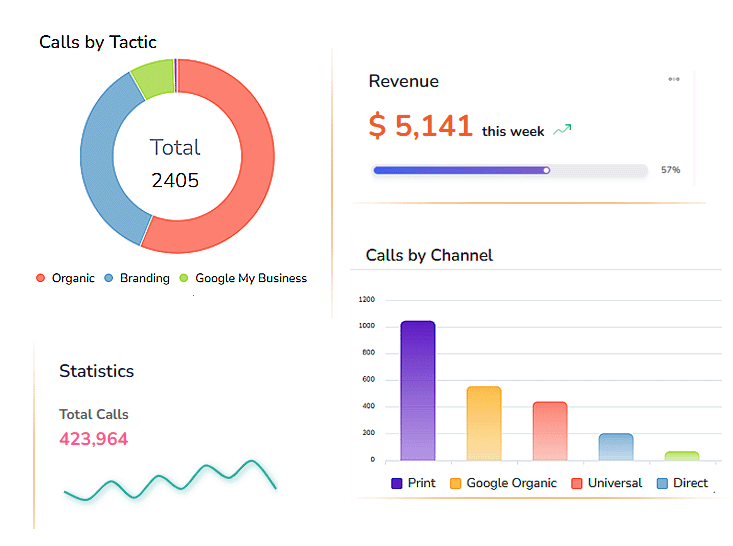
AvidTrak includes a built-in contact center option for businesses that manage multiple inbound calls.
Features such as zip code routing, sequential call forwarding, and structured call forwarding numbers allow franchise and multi-location organizations to distribute calls correctly while maintaining accurate Google Ads call tracking attribution.
Simple or Complex — AvidTrak Covers Both
If you need simple tracking, AvidTrak delivers low-cost, reliable phone call conversion tracking.
If you need advanced routing, keyword-level reporting, CRM integration, and structured outcome tagging, AvidTrak’s domain expertise provides the necessary framework.
That balance of price, experience, and structured tracking is what makes AvidTrak a practical choice for businesses serious about improving their PPC performance.
If your current Google Ads call tracking setup is only measuring call duration, it may be time to review your conversion tracking, routing logic, and outcome visibility. AvidTrak can help you compare your existing data against a structured tracking model and identify where attribution gaps may exist. Try it today!
Frequently Asked Questions
1. What is Google Ads call tracking?
Google Ads call tracking measures phone calls generated from paid campaigns and records them as call conversions inside Google Ads. It connects each call to campaigns, keywords, and ad groups to improve conversion tracking accuracy.
2. How do I track phone calls from Google Ads?
To track phone calls from Google Ads, use Dynamic Call Tracking with a dedicated tracking number and configure a call conversion action. Calls are then reported as conversions using proper phone call conversion tracking setup.
3. Is a Google forwarding number enough?
Google forwarding numbers support basic call conversion tracking, but they lack advanced filtering, CRM syncing, and detailed call analytics. Businesses optimizing at scale often require structured third-party call tracking like AvidTrak for deeper attribution.
4. What is dynamic number insertion?
Dynamic number insertion is a script-based method that replaces visible phone numbers with session-based tracking numbers. It enables Keyword-level attribution and accurate click-level attribution data for paid search campaigns.
5. Can I filter repeat callers?
Yes. Advanced call tracking services allow you to exclude repeat callers, set a minimum call duration, and refine conversion measurement rules so only qualified call conversions are reported inside your PPC account.
6. How does AI-powered transcription help PPC campaigns?
AI-powered transcription converts call recordings into searchable text, allowing advertisers to analyze call content, improve lead qualification, and connect campaign performance to real conversations instead of relying only on call length.


