


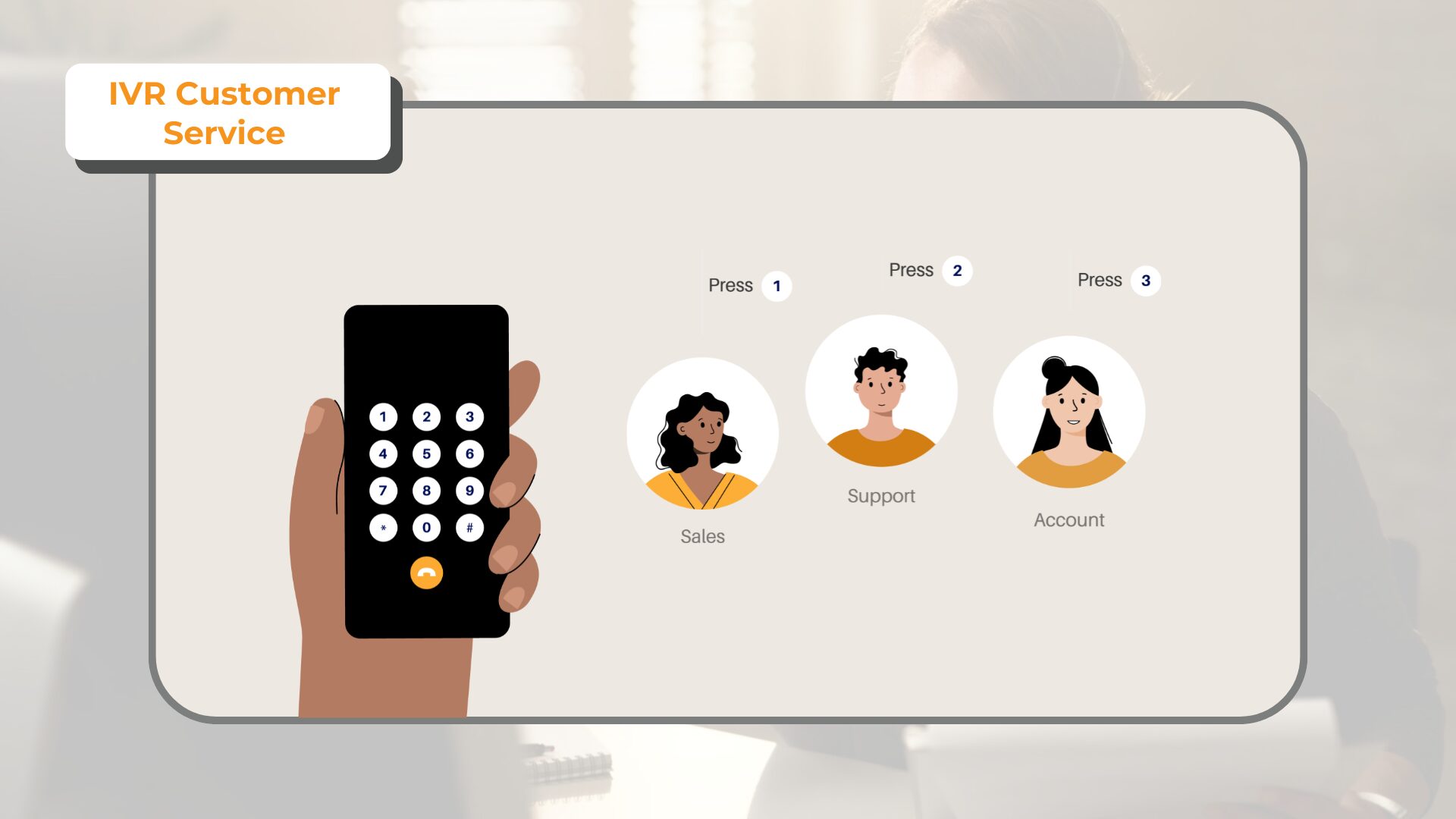
IVR customer service is no longer just a call center feature. For many businesses, it is a customer’s first interaction with the brand. When customers experience long wait times, confusing IVR menus, or repeated call transfers, they lose patience and disconnect before reaching a live agent or representative.
IVR customer service uses an interactive voice response system to guide inbound calls through automated phone menus using keypad input, DTMF tones, or voice commands. Its purpose is to route calls accurately, offer self-service options, and reduce time spent in call queues before a caller reaches customer service agents.
Most callers hang up when IVR menus are hard to follow or poorly structured. A well-configured interactive voice response system reduces this friction by guiding callers to the correct department through clear menu flows, speech recognition, or simple touch-tone keypad selections.
This guide explains how to design IVR menus that support real customer service needs without adding complexity. Below is a breakdown of:
- What a modern IVR customer service setup looks like
- How customer service IVR solutions improve call routing and response times
- Menu design approaches that avoid unnecessary call paths and transfers
- How self-service options, early data capture, and routing logic support better outcomes
A properly configured IVR system routes calls based on caller intent, integrates with customer relationship management systems, and enables smarter call-routing decisions. This allows customer service representatives to focus on resolving real issues instead of managing basic call handling.
Modern IVR customer support setups are flexible enough to support both simple call flows and more complex, multi-step interactions. Whether a business manages modest call volume or operates a full contact center, the right IVR structure helps reduce wait times, improve IVR containment rate, and create a smoother customer experience from the first ring.
Summary
- IVR customer service uses interactive voice recordings to guide callers through clear menus, replacing long hold times with faster self-service options that improve response time.
- A well-structured IVR system helps reduce operational costs and supports a smoother customer journey by automatically handling common issues like hours, order status, or billing inquiries.
- Speedy resolution is achieved through a mix of self-service tools, precise call routing, and automatic data capture, which connects directly to your customer management systems.
- A clean IVR menu with no more than 3–5 concise options, combined with natural voice prompts, reduces caller confusion and leads to a better overall customer experience.
- Including a clear way to reach a human agent ensures complicated or multi-step issues are addressed quickly, maintaining high customer satisfaction levels.
- Adding advanced features like speech recognition, real-time CRM integration, and tracking key metrics like first-call resolution and abandonment rate helps optimize performance.
- IVR containment rate measures how many calls are handled within the IVR without reaching a live agent. A higher rate means IVR menus and self-service options are working as intended and keeping call queues manageable.
- Customer service IVR solutions become necessary when businesses manage high call volume, receive repeat questions, or need to route calls across multiple locations or departments.
- Built for both lean teams and complex setups, AvidTrak combines affordability, transparent pricing, hands-on product support, and 14 years of call-tracking know-how to simplify IVR customer service. Features like zip code routing, CRM screen-pop, and AI-powered call transcription help you route calls more efficiently and lower your contact center costs, all without heavy setup or operational complexity.
IVR 101: What It Is and Why It Matters
IVR customer service relies on interactive voice response systems to guide callers using voice commands, keypad input, and DTMF tones, helping them reach the correct department without waiting on hold for a customer service agent.
For organizations handling higher call volume, an IVR system reduces agent involvement in routine calls by answering routine questions and directing calls through defined call paths. When designed well, IVR customer service supports faster handling and a more predictable customer experience from the first interaction.
IVR Customer Support vs Traditional Call Queues
Traditional call queues place every caller in line for a live agent. IVR customer support works by deflecting repeat questions, using call routing to send callers to the right destination, offering self-service options, and providing a fallback to a live agent when the issue requires human support.
Core Goals of a Modern IVR
-
Speed up resolutions
Quickly handle common queries such as store hours, appointments, or account lookups using self-service options and a structured IVR menu, reducing time spent in call queues.
-
Free agents for complex calls
Keep customer service agents and the support team focused on higher-value or multi-step issues instead of repetitive requests handled through inbound IVR flows.
-
Capture key data for better follow-up
Gather caller information early, such as membership level, service location, or prior interactions, and pass it directly into customer relationship management systems to support accurate follow-up.
Modern customer service IVR solutions use structured menu flows, clear call routing, and consistent data capture to support both simple call handling and multi-location customer service operations.
AvidTrak connects these touchpoints through call tracking and CRM integrations, helping businesses manage IVR customer service alongside routing logic and AI-powered transcription and outcome extraction without adding unnecessary operational overhead.
Direct Customer-Service Wins from a Smart IVR
A well-built multi-level IVR doesn’t just route calls; it improves day-to-day customer service by controlling call flow, reducing friction, and helping callers reach the right outcome faster. Here’s how it supports more consistent and effective customer interactions from the first call:
1. Shorter Wait Times, Happier Callers
No one enjoys extended hold times, especially during periods of high call volume. A smart IVR system engages callers from the first ring and presents clear options so they can route themselves instead of sitting in call queues. This lowers the abandonment rate and supports a more reliable customer experience.
2. 24/7 Self-Service Capability
Even when the customer service team is offline, IVR customer support continues to handle inbound calls. It can play automated voice messages, respond to routine questions, or guide callers to other channels. Businesses using AvidTrak often configure business hours rules and after-hours scripts so customer service remains available without staff intervention.
3. Precise Call Routing to Specialists
With advanced call routing features, IVR can connect callers to the right person based on language preferences, region, or issue type. This limits unnecessary transfers, shortens average handle time, and supports more predictable call handling for customer service agents.
4. Automatic Data Capture for Personalization
Before a representative answers, IVR can request details such as an order ID, ZIP code, or account reference. That information flows into customer relationship management systems, giving agents context before the conversation starts and reducing back-and-forth during the call.
5. Cleaner IVR Menus Reduce Misroutes and Repeat Calls
Clear IVR menus with simple choices make it easier for callers to select the right path the first time. Fewer menu options reduce misroutes and repeat calls, which helps control call paths and keeps support teams focused on active conversations.
Strategic IVR Design: Key Elements
The way IVR customer service is set up directly affects the customer service experience. When menus are confusing or slow, callers hit a wall. When the structure is clean and direct, callers move faster, and the support team can respond more consistently.
Keep Menus Intuitive and Short
Stick to 3–5 main options. Long or complicated trees frustrate callers and increase abandonment. Keep choices clear, avoid complex keypad menus, and limit nested branches unless they are truly needed for the call flow.
Use Clear, Natural Voice Prompts
Avoid a robotic tone. Keep voice prompts short and easy to follow, ideally under eight seconds, using plain language. Clear prompts help callers understand their options and reduce confusion during the call.
Offer a Live-Agent “Escape Hatch”
Even well-designed IVR menus won’t work for every situation. Always provide a clear option to reach a live agent, such as pressing 0 or saying “agent,” so callers with complex needs don’t get stuck.
Personalize with Data Dips
Smart IVR setups can reference caller details such as billing status, service location, or membership level. Connecting IVR to customer relationship management systems allows menus to respond based on known information and route calls more accurately.
A Practical Checklist For IVR Menu Design
When reviewing or building IVR menus, these checks help keep the experience usable and predictable:
- Limit menus to 3–5 options
- Always offer a live-agent option
- Place the most common caller tasks first
- Confirm caller intent before routing the call
- Test each menu step for abandonment points
- Design IVR menus to improve IVR containment rate
- Keep call paths short and easy to follow
Build Your IVR in 4 Easy Steps
Setting up IVR customer service does not need to be technical or time-consuming. With AvidTrak, businesses can build functional phone menus using clear rules and simple configuration, without code or complex setup.
Below is a straightforward way to build an IVR inside AvidTrak.
STEP 1: List your 4–5 most common caller requests
Start with what callers ask most often, such as billing questions, appointment scheduling, or account updates. These requests form the foundation of your IVR menus and help control call flow early.
STEP 2: Use AvidTrak’s drag-and-drop IVR builder
Add menu options directly in the interface and map them to routing rules. This includes standard call routing and zip code–based routing for location-specific calls, which is useful for multi-location or franchise businesses.
STEP 3: Record clear, branded voice prompts
Upload short voice prompts, ideally eight seconds or less, using simple language. AvidTrak supports keypad input and natural speech, so callers can navigate menus without confusion.
STEP 4: Add a live-agent option for complex needs
Always include a clear way to reach a customer service representative, such as pressing 0. This allows callers with multi-step or unusual issues to reach a person without getting stuck in the menu.
This approach keeps IVR menus practical and predictable, helping businesses manage calls more effectively without adding extra pressure on contact center teams.
Advanced Enhancements to Level Up Customer Experience
Once the interactive voice response system is in place, a few added capabilities can help teams handle calls more consistently and reduce friction during busy periods.
AvidTrak includes built-in tools that support customer service IVR solutions without adding operational complexity and create a more personalized experience for every caller.
1. AI-Powered Speech Recognition

Replace rigid keypad prompts with natural speech. With AvidTrak’s AI-powered advanced speech recognition technology, callers can simply say “billing questions” or “cancel appointment” and be routed immediately. This supports more fluid telephone communications and meets growing customer demands for faster, more human-like support.
2. Smart Callback Options
AvidTrak offers automated callbacks during busy call times, so customers don’t have to wait on hold. They keep their place in the queue and get a return call when a customer service agent is free, helping reduce abandonment rates and caller drop-offs.
3. Whisper and Barge-In for Live Coaching

Supervisors can listen in, barge in, or send quiet cues to agents before answering a call. AvidTrak supports this with real-agent monitoring features that help teams manage customer emotions, respond more effectively, and improve the overall customer service experience in real time.
4. Real-Time CRM Screen-Pop
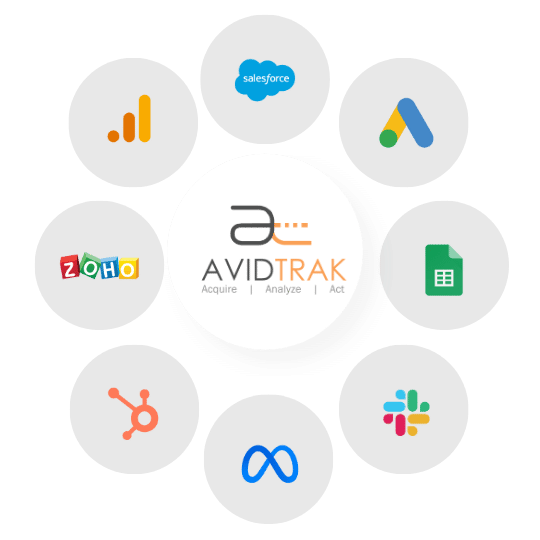
When integrated with platforms like Salesforce, HubSpot, or Zoho, AvidTrak can instantly pull customer data as soon as the call connects. Agents get context on the caller, such as previous interactions, purchase history, or customer preferences, right on their screen, helping them respond faster and with more relevance.
5. AI-Powered Transcription and Conversation Outcome Extraction
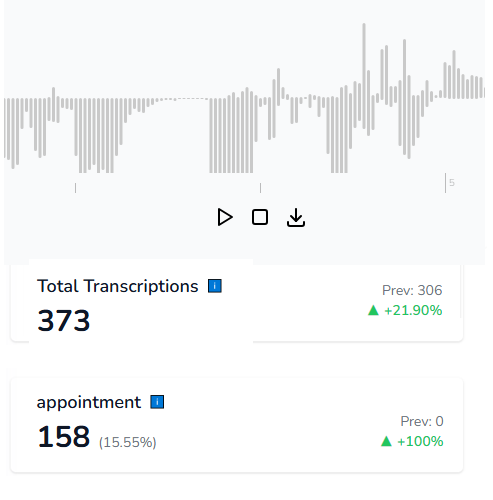
AvidTrak includes AI-powered transcription and conversation outcome extraction that work alongside IVR. Calls can be tagged by intent, such as booking requests, pricing inquiries, or support needs. These tags help teams adjust IVR routing scripts and reduce repeat calls caused by misroutes.
6. Multi-Location Routing Using ZIP Code or Area Logic
For franchise and service-area businesses, IVR often needs to route calls by location. AvidTrak supports zip code–based and area-based routing, connecting callers to the nearest location and aligning IVR intent with service coverage.
Measuring Success That Actually Matters
Tracking performance shows where IVR customer service is working and where changes are needed. The metrics below focus on call handling quality and routing effectiveness.
First-Call Resolution (FCR)
FCR shows how many calls are resolved on the first interaction without a transfer or follow-up. Higher FCR indicates clearer IVR menus and better routing.
Average Handle Time (AHT)
AHT measures how long calls last once connected. Well-designed IVR menus and accurate routing reduce handle time by giving agents better context.
Abandonment and Containment Rates
Abandonment rate highlights where callers drop off in IVR menus. IVR containment rate shows how many calls are handled through self-service options without reaching an agent, helping balance automation and live support.
Common IVR Pitfalls and How to Avoid Them
Even well-intended IVR setups can backfire if they ignore the basics. Here are the most common mistakes businesses make, and how to fix them before they start frustrating your customer base.
Cluttered Menus
Too many choices confuse callers and lead to dropped calls. Limit options, combine low-volume requests, and avoid long or complex keypad menus that make navigation harder than necessary.
Inflexible After-Hours Routing
When IVR routes every after-hours call to a dead end, it’s a missed opportunity. Use features like voicemail-to-email, callback options, or route urgent calls to a backup number. AvidTrak enables business hours and route after-hours customer calls to where they’ll still get attention.
Ignoring Caller Feedback
Callers signal problems through customer surveys, call recordings, and behavior like menu exits. Review this activity regularly to adjust IVR scripts, refine menu flow, and reduce unnecessary friction.
One-Size-Fits-All Messaging
Not every customer sounds the same or needs the same thing. Localize prompts by language or region, especially if you’re working with telecommunications, credit card, or e-commerce companies that serve a wide audience. Smart IVR systems like AvidTrak’s support customizable options to match different caller profiles.
No Intent Confirmation
When IVR does not confirm why a caller is reaching out, calls are more likely to be routed incorrectly. Simple steps, such as repeating the selected option or asking for brief confirmation before routing, help reduce transfers and limit repeat calls.
No Measurement Loop
If IVR performance is not reviewed regularly, routing issues remain unresolved. Monitoring abandonment points and the IVR containment rate helps teams identify weak menu steps and gradually improve self-service handling over time.
Too Many Calls. Not Enough Conversions?
Calls may be coming in, but when IVR customer service is not set up correctly, many of those calls never turn into completed conversations. Confusing IVR menus, long hold times, and unclear call routing lead to dropped calls and missed opportunities.
AvidTrak helps address this by combining IVR customer service, call routing, and call tracking in one platform. Teams can control how calls are handled, route callers based on intent or location, and use AI-powered conversation outcome extraction to review what happens on each call, without complex setup or hidden costs.
Sign up for a free AvidTrak trial today to see how clearer IVR menus and better routing can help more calls reach the right destination before callers disconnect.
Frequently Asked Questions
1. Can IVR handle both toll-free and local numbers?
Yes. Platforms like AvidTrak support both toll-free and local call tracking numbers, so businesses can match numbers to their company branding, caller location, or campaign type.
2. How many menu levels are too many?
Keep it simple. More than two or three menu layers often increase confusion and drop-offs. Short IVR menus with grouped options help callers move through the system without navigating complex keypad menus
3. What about compliance with call-recording laws?
IVR systems can play an automated message that informs callers the call may be recorded. AvidTrak supports configurable announcements so businesses can align with regional privacy and call-recording requirements.
4. Does speech recognition work with multiple accents?
Yes. When supported by speech recognition technology in IVR in AvidTrak can interpret a range of natural speech variations and accents, helping route calls accurately without relying only on keypad input.
5. What is IVR customer service?
IVR customer service uses an interactive voice response system to guide inbound calls through automated menus before connecting callers to an agent. AvidTrak uses IVR to manage call flow, reduce wait times, and route callers more accurately based on their selection.
6. What are customer service IVR solutions?
Customer service IVR solutions combine call routing, self-service menus, and basic data capture to handle routine requests and direct callers to the correct team. In AvidTrak, these solutions are used to manage higher call volume without adding staff or increasing call handling overhead.
7. What is IVR containment rate and what’s a good rate?
IVR containment rate measures how many calls are handled through IVR without reaching a live agent. A higher rate indicates effective self-service handling, though the ideal rate depends on call type and business needs.
8. What are IVR menus and how many options should they have?
IVR menus present callers with a set of choices that guide call routing. Most businesses perform best with three to five options, keeping selections clear and avoiding unnecessary menu depth.
9. How does IVR customer support reduce wait times?
IVR customer support reduces wait times by answering common questions, routing calls based on intent or location, and directing callers to the right destination before they enter a live queue. This allows customer service agents to start calls with better context.
10. Can an interactive voice response system route calls by location or ZIP code?
Yes. An interactive voice response system can route calls using location-based rules such as ZIP code or area code. AvidTrak supports this routing approach, which is commonly used by service-area businesses and franchises operating across multiple locations.


