


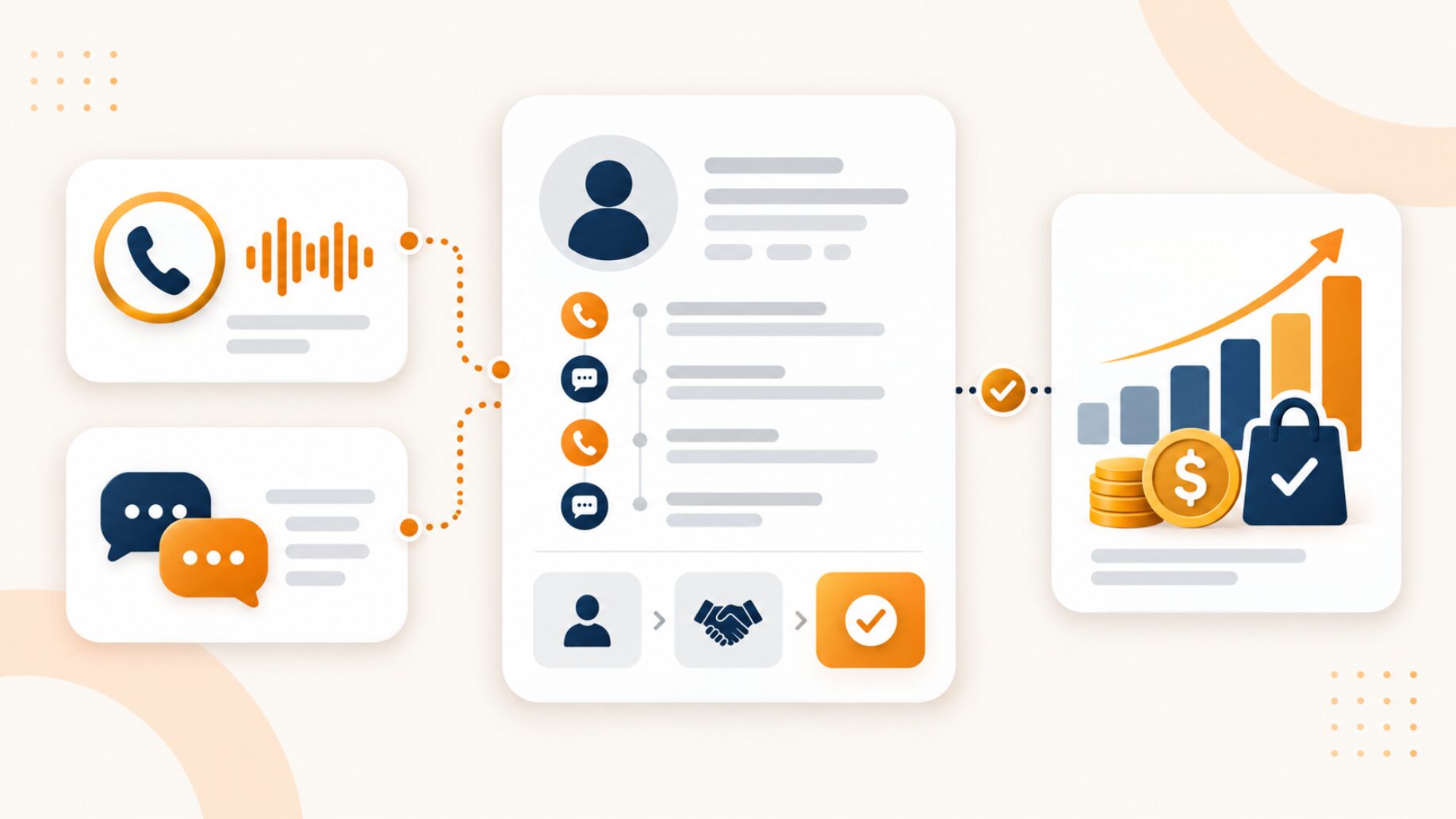
Call and text tracking with CRM connects attributed phone and SMS conversations with CRM records so marketing teams can follow an inquiry from its original marketing source through qualification, customer status, and revenue.
Suppose a prospect clicks a Google Ads campaign, visits a landing page, and then calls or texts the business. The advertising platform knows which campaign generated the visit, the call or messaging system records the conversation, and the CRM manages what happens after the inquiry.
When those records remain separate, marketing may know where the lead came from without knowing whether the lead became a customer. Sales may know that a deal closed without knowing which campaign generated the original conversation.
A useful measurement process connects six stages:
Marketing source → Call or text → CRM identity → Qualification → Customer → Revenue
The objective is not simply to log a call or text inside a CRM. The objective is to preserve enough context to connect marketing activity with meaningful customer results.
What is call and text tracking with CRM?
Call and text tracking with CRM is the process of connecting attributed phone and SMS conversations with the lead, contact, or customer records managed inside a CRM.
A useful setup preserves three types of information:
- Marketing context identifies the source, channel, campaign, keyword where available, landing page, and tracking number.
- Conversation context records what type of interaction occurred and the relevant information associated with the call or text.
- Customer context connects the conversation with a CRM identity, qualification status, customer stage, and eventual business value.
For phone inquiries, CRM call tracking can connect attributed calls with CRM activity. For text inquiries, AvidTrak Business Messaging can associate SMS conversations with source information and CRM workflows.
AvidTrak currently lists Salesforce, HubSpot, and Zoho among the CRM environments supported for these workflows.
A CRM connection is an important part of the process, but a CRM connection alone does not establish revenue attribution.
Why calls and texts get disconnected from revenue reporting
Calls, text conversations, CRM activity, and final revenue often sit in different systems.
For example:
- An advertising platform may know which campaign generated the initial visit.
- A call or messaging platform may know that the prospect contacted the business.
- A CRM may know whether the prospect became a qualified lead or customer.
- A booking, billing, commerce, or financial system may hold the final transaction value.
When those records cannot be associated reliably, the reporting chain breaks.
A marketing team might report 40 phone or text inquiries from a campaign while a sales team reports 12 new customers. Unless the business can connect the attributed conversations with the relevant CRM and customer records, the business cannot determine which marketing activity contributed to those 12 customers.
That distinction is why marketing attribution needs to extend beyond the initial call or text if the business wants to measure customer outcomes rather than conversation volume alone.
How the conversation-to-revenue workflow works
A conversation-to-revenue workflow should answer a different question at each stage.
1. Preserve the marketing source
The first question is:
Where did the conversation come from?
Depending on the campaign and attribution setup, useful source information may include:
- The marketing channel.
- The campaign.
- The ad group.
- The keyword, where available.
- The landing page.
- The referring source.
- The tracking number.
For website calls, Dynamic Number Insertion can associate phone activity with a visitor’s marketing source. Paid search teams may also use keyword-level call tracking when keyword-level attribution is available.
The important requirement is that the relevant source information remains associated with the conversation after the inquiry moves into the CRM.
2. Record the call or text conversation
The second question is:
What interaction occurred?
Calls and texts share some attribution information, but the interaction records differ.
A call record may include:
- The caller number.
- The tracking number.
- The date and time.
- Whether the call was answered or missed.
- The call duration.
- A recording where configured.
- A transcript where supported.
- An outcome or intent classification where supported.
A text interaction may include:
- The sender number.
- The tracking number.
- Message timestamps.
- Conversation activity.
- The message thread where supported.
- The campaign, keyword, or landing page associated with the tracking number.
AvidTrak’s AI call analytics currently supports searchable transcripts, sentiment data, caller intent signals, keyword mentions, and conversation outcomes for recorded calls where the relevant features are configured.
For text conversations, AvidTrak Business Messaging states that the same tracking-number infrastructure used for calls can attribute text conversations to campaign, keyword, and landing-page information.
3. Connect the conversation with a CRM identity
The third question is:
Who does the conversation belong to?
Marketing attribution and CRM identity solve different problems.
A marketing source may show that a text inquiry came from a Google Ads campaign. The CRM identity determines whether the person is an existing contact, a new lead, a current customer, or another record inside the CRM.
The exact association behavior can vary by CRM and integration. A system may associate an interaction with an existing record, create a new record, or apply configured rules before the activity is stored.
For that reason, a business should not assume that a correctly attributed conversation automatically has a correctly matched CRM identity.
4. Add qualification and outcome data
The fourth question is:
Was the conversation commercially meaningful?
An attributed call or text is not automatically a qualified lead.
The conversation could involve:
- A qualified inquiry.
- A quote request.
- An appointment.
- A booking.
- A demo request.
- An opportunity.
- A sales-qualified lead.
- An existing customer request.
- A support conversation.
- Spam or a wrong number.
The terminology should match the company’s CRM and sales process.
For recorded calls, AI call analytics can help marketing teams organize conversations by caller intent, sentiment, keywords, and outcomes. AvidTrak also connects those call signals with campaign and attribution data where configured.
The CRM then provides the downstream lead or customer status needed to understand whether an attributed interaction progressed.
5. Connect the customer result with revenue or value
The fifth question is:
What business value resulted from the interaction?
A CRM may contain the final customer value, but the final value can also live elsewhere.
For example:
- A SaaS company may record a closed deal inside a CRM.
- A home-services company may keep completed-job revenue inside field-service software.
- A healthcare organization may rely on a separate scheduling or billing platform.
- An ecommerce company may keep the transaction value inside a commerce platform.
For conversation-to-revenue reporting to work, the downstream customer or transaction result must remain associated with the original conversation and its source.
That relationship forms part of closed-loop attribution. CRM-connected conversation data supplies an important link, but the final customer and revenue information still needs to come from the appropriate business system.
Calls vs. texts: What data should go into the CRM?
Calls and texts should share the source and customer information required for attribution, while each channel retains the interaction information specific to that conversation type.
| Data layer | Calls | Texts | CRM and revenue role |
| Marketing source | Campaign, keyword, channel, page, and tracking number where available | Campaign, keyword, page, and tracking number where available | Preserves acquisition attribution |
| Conversation identity | Caller number and tracking number | Sender number and tracking number | Helps associate the interaction with a CRM identity |
| Interaction record | Date, time, answered or missed status, and duration | Message timestamps and conversation activity | Records when and how the prospect contacted the business |
| Conversation content | Recording and transcript where supported | Message content or thread where supported | Provides context for sales or service teams |
| Outcome | Qualified inquiry, intent, booking, sales, or support outcome where available | Response or business outcome where available | Helps distinguish meaningful inquiries from raw activity |
| CRM stage | Lead, contact, opportunity, customer, or another configured stage | Lead, contact, opportunity, customer, or another configured stage | Measures progression after the conversation |
| Revenue or value | Customer, transaction, contract, booking, or job value from the relevant system | Customer, transaction, contract, booking, or job value from the relevant system | Connects the interaction with business value |
This table describes a useful data model rather than a universal CRM field map. The exact information available can vary by CRM, conversation type, integration, and account configuration.
Marketing attribution and CRM identity matching are not the same thing
Marketing attribution answers:
Where did the conversation come from?
CRM identity matching answers:
Who does the conversation belong to?
A prospect could call through a tracking number associated with a paid search campaign. The attribution may be correct even when the CRM has not yet associated the caller with the right contact.
The reverse can also happen. A CRM may recognize an existing customer from a phone number while the business lacks enough source information to determine which campaign generated the latest interaction.
Reliable downstream reporting therefore requires both relationships:
The marketing source must connect with the conversation, and the conversation must connect with the correct CRM identity.
Only after both relationships are dependable can qualification, customer status, and revenue be associated with the original marketing activity.
A business should also avoid assuming that CRM integration automatically solves duplicate-record problems. Contact matching and deduplication depend on the CRM rules, identifiers, and integration behavior used in the specific setup.
What conversation data should a CRM retain?
A CRM does not need every field available from a call or messaging platform. The CRM should retain enough information to preserve attribution context and support the next marketing, sales, or customer decision.
Useful fields may include:
- Conversation type: Whether the interaction was a call or text.
- Marketing source: Paid search, organic search, social, referral, offline advertising, or another channel.
- Campaign: The campaign associated with the inquiry.
- Keyword: The paid search term where keyword information is available.
- Landing page: The page associated with the inquiry where available.
- Tracking number: The number associated with the marketing source.
- CRM identity: The relevant lead, contact, account, or customer record.
- Timestamp: The time of the interaction.
- Interaction information: The call duration or relevant message activity.
- Conversation context: A recording, transcript, or message history where supported.
- Qualification or outcome: The business meaning assigned to the interaction.
- CRM stage: The current point in the lead or customer process.
- Owner or location: The responsible team member, office, or location where relevant.
- Customer value: The relevant transaction, booking, contract, or other business value when available.
The field structure should follow the CRM and business process rather than trying to make every connected system hold identical information.
When a standard connection does not cover a required call-data workflow, the AvidTrak call tracking API supports call events, recordings, transcriptions, outcomes, CRM synchronization, and webhook-based workflows.
How Salesforce, HubSpot, and Zoho fit into the workflow
Salesforce, HubSpot, and Zoho can each serve as the CRM layer in the conversation-to-revenue process, although the object structure and field mappings can differ.
AvidTrak’s CRM Call Tracking page states that inbound call information can be synchronized with Salesforce, HubSpot, and Zoho. AvidTrak Business Messaging separately states that text conversations can be logged as leads in Salesforce, HubSpot, and Zoho.
The high-level process remains consistent:
Marketing source → Call or text → CRM record → Qualification → Customer result
For example, a company using Salesforce call tracking may follow Salesforce-specific record rules, while a HubSpot or Zoho configuration may organize the same business process differently.
Marketing and revenue teams should confirm four points:
- The conversation retains the relevant marketing source.
- The interaction can be associated with the correct CRM identity.
- The CRM records a meaningful qualification or customer stage.
- The final customer or revenue result can be associated with the same record chain.
Does CRM integration automatically connect calls and texts to revenue?
No. CRM integration connects conversation data with CRM activity, but that connection alone does not prove that a call or text produced revenue.
Revenue attribution still requires a dependable relationship among:
- The marketing source.
- The call or text.
- The CRM identity.
- The qualification result.
- The customer outcome.
- The transaction or revenue value.
If the process stops after the conversation enters the CRM, the business has CRM activity reporting rather than complete revenue attribution.
The final value may also exist outside the CRM. In that case, the revenue system needs an identifier that can reconnect the customer or transaction with the earlier CRM and attribution records.
A business measuring call tracking ROI can make stronger decisions when the analysis uses qualified customer and value data rather than treating every conversation as an equal conversion.
How CRM outcomes can improve campaign optimization
Once attributed conversations are connected with downstream CRM outcomes, marketing teams can compare campaigns by lead quality and customer results rather than conversation volume alone.
For example, teams can compare:
- Which campaigns generate qualified calls rather than simply more calls.
- Which sources produce prospects who progress to an opportunity or customer stage.
- Which landing pages produce calls or texts that result in stronger outcomes.
- Which campaigns generate many interactions but few qualified leads.
- Whether poor performance begins with the marketing source or later during sales follow-up.
A campaign with fewer inquiries may justify a larger budget when a higher share of those inquiries progresses into qualified leads or customers.
Google Ads and downstream lead outcomes
Google Ads supports downstream lead measurement through enhanced conversions for leads and Google Ads Data Manager. Google’s current documentation recommends using the Qualified lead or Converted lead conversion categories when those categories match the business process.
Google also states that, from June 15, 2026, offline conversion and enhanced-conversion-for-leads uploads are being moved to the Data Manager API for most implementations rather than the previous Google Ads API path.
For call and text attribution, the measurement logic remains straightforward:
The ad interaction must connect with the call or text, and the conversation must connect with the later CRM outcome before the downstream result can support meaningful campaign measurement.
The exact technical implementation should follow Google’s current documentation because the available setup options can change.
How AvidTrak connects call and text conversations with CRM data
AvidTrak supports call and text attribution through tracking-number-based workflows.
For calls, AvidTrak can connect marketing-source information with call details and, where configured, recordings, transcripts, sentiment, caller intent, keywords, and conversation outcomes. AvidTrak also supports CRM workflows with Salesforce, HubSpot, and Zoho.
For texts, AvidTrak Business Messaging states that a tracking number already used for call attribution can also receive text messages. The page states that AvidTrak can associate those text conversations with campaign, keyword, and landing-page information and log text conversations as leads in Salesforce, HubSpot, and Zoho.
AvidTrak’s current Business Messaging page describes AI Outcomes as available for voice calls and coming to messaging. Because that messaging capability is not presented as generally available yet, the text-specific workflow should not assume AI-generated messaging outcomes.
For custom call-data requirements, AvidTrak integrations and API access can support other CRM, advertising, analytics, and reporting workflows.
The main boundary remains unchanged: attributed conversation data and CRM connectivity establish important links, but the business still needs downstream customer or transaction information to connect an interaction with revenue.
Frequently asked questions
1. Can the same AvidTrak tracking number handle both calls and text messages?
Yes. AvidTrak Business Messaging states that the same tracking number used for call attribution can also capture text messages when messaging is configured for that number.
2. Can calls and texts appear under the same CRM contact?
Potentially, but the result depends on the CRM integration and the record-association rules used in the account. Calls and texts may belong to the same customer identity, but businesses should verify how the CRM matches phone numbers, existing contacts, leads, and new interactions before relying on a combined customer view.
3. What happens when no matching CRM contact exists?
The behavior depends on the CRM and integration. A workflow may create a new lead or contact, apply a configured matching rule, or require another process before the conversation is associated with a CRM record. The record-creation behavior should be verified for the specific integration.
4. Does CRM integration automatically prevent duplicate records?
No. A CRM integration should not be treated as an automatic deduplication system. Duplicate prevention depends on the identifiers, CRM configuration, contact-matching rules, and integration logic used by the business.
5. Do business text messages have separate registration and consent requirements?
Yes. U.S. business messaging can involve registration, consent, and opt-out requirements that differ from ordinary inbound calling.
The Campaign Registry describes 10DLC as an A2P messaging channel in which brands and Campaign Service Providers are verified before messages are sent through the ecosystem. CTIA’s current messaging guidance also asks non-consumer senders to obtain consent before texting consumers and to provide a way for consumers to opt out of additional messages.
The exact requirements depend on the messaging use case, provider, and applicable rules, so a business should confirm the requirements for its intended SMS workflow before sending outbound messages.
Connect conversations to customer outcomes, not just CRM activity
Logging phone calls and texts inside a CRM is useful, but CRM activity is not the final measurement goal.
A stronger setup preserves the relationship from the marketing source through the customer result:
The marketing source generates the conversation, the conversation connects with the CRM identity, the CRM records qualification and customer progression, and the final business system provides the revenue or value outcome.
When those relationships remain intact, marketing teams can compare campaigns based on qualified leads and customers rather than treating every call or text as an equal result.
For businesses that want attributed text conversations connected with call tracking and CRM workflows, AvidTrak Business Messaging offers a 14-day free trial with no credit card required.


