Sync Call Data, Campaign Attribution, and Lead Records Into Salesforce With AvidTrak

Most Salesforce records show who called. AvidTrak's Salesforce call tracking integration shows which campaign sent them, what happened during the call, and what your sales team should do next.

AvidTrak connects every inbound call to its campaign, keyword, channel, and landing page. Each call is automatically reported to Salesforce as a lead, so your sales team always has a record of every inbound phone inquiry. Call recordings, AI-powered transcription, and conversation outcome data are all captured within AvidTrak, so follow-ups start with a complete call context rather than a blank record.
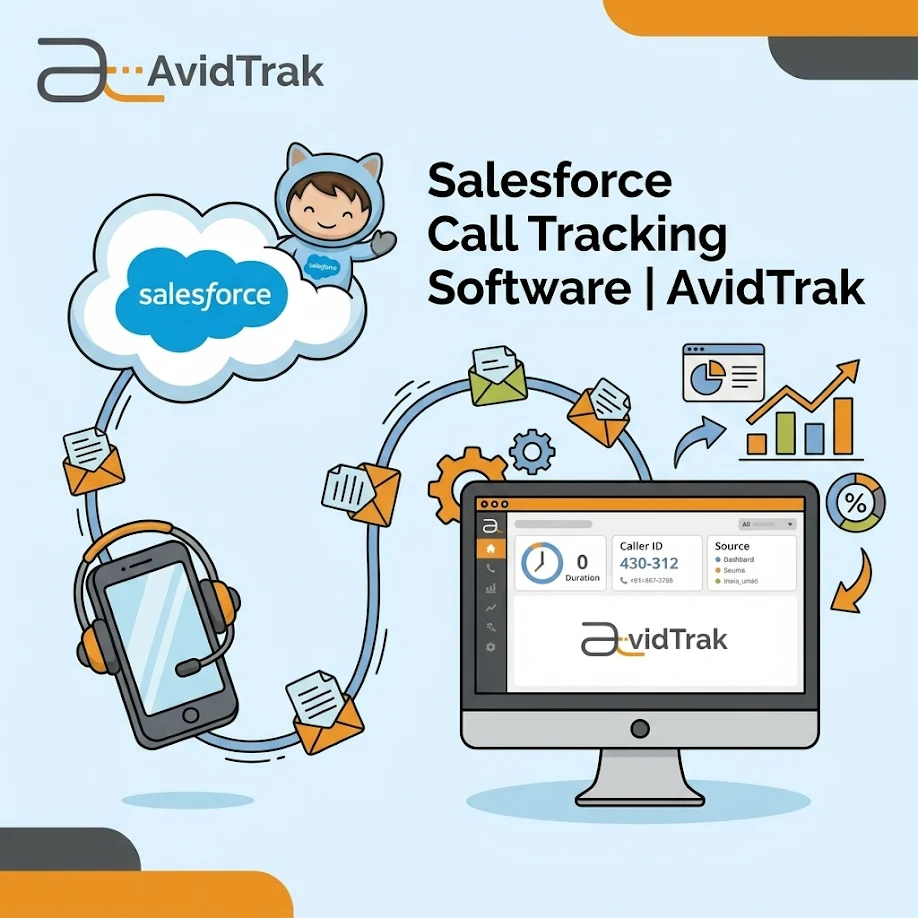
Salesforce Call Tracking Software

14 days free trial

No credit card required

No white-label setup fees

What Is Salesforce Call Tracking

Salesforce call tracking is the process of connecting inbound phone calls to their campaign, keyword, and channel source within AvidTrak, and reporting those calls as leads in Salesforce.

Instead of logging calls manually, AvidTrak automatically reports every inbound call to Salesforce as a lead. Sales teams see each call recorded in Salesforce, while the full attribution data, source, campaign, keyword, and channel, is available within AvidTrak.

Sales teams work from Salesforce. Marketing teams work from AvidTrak. Both see the same leads without any manual reconciliation between the two.

What Salesforce Records Are Missing Without Call Tracking

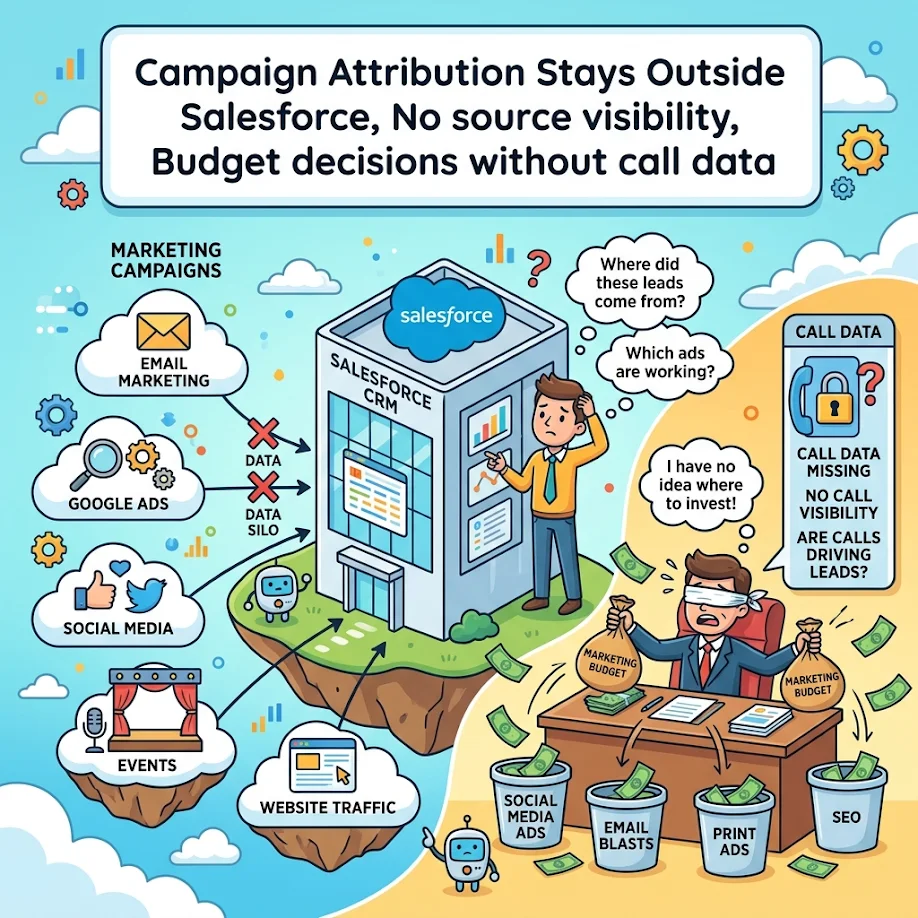
Campaign Attribution Stays Outside Salesforce

No source visibility: A lead record gets created in Salesforce, but the keyword, landing page, or campaign that drove the call never makes it in. Marketing has no proof of what worked, and sales has no context for the follow-up.

Budget decisions without call data: Ad spend gets adjusted based on clicks and form fills, while the calls that actually generated qualified leads go untracked and uncredited.

Campaign Attribution Stays Outside Salesforce
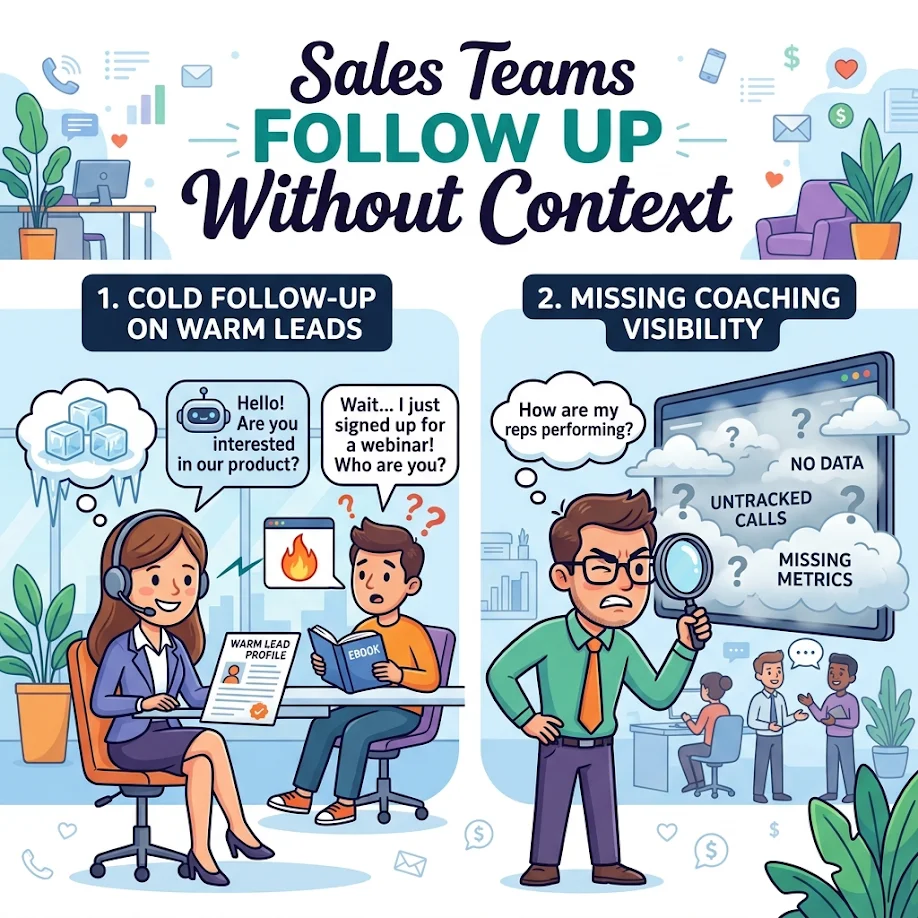
Sales Teams Follow Up Without Context

Sales Teams Follow Up Without Context

Cold follow-up on warm leads: A sales rep opens a Salesforce record and sees a name and number with no call source, no campaign context, and no record of what the prospect asked. Every follow-up starts from scratch.

Missing coaching visibility: Without call recordings and AI-powered transcription available through AvidTrak, managers have no structured way to review what was said or coach reps on calls that did not convert.

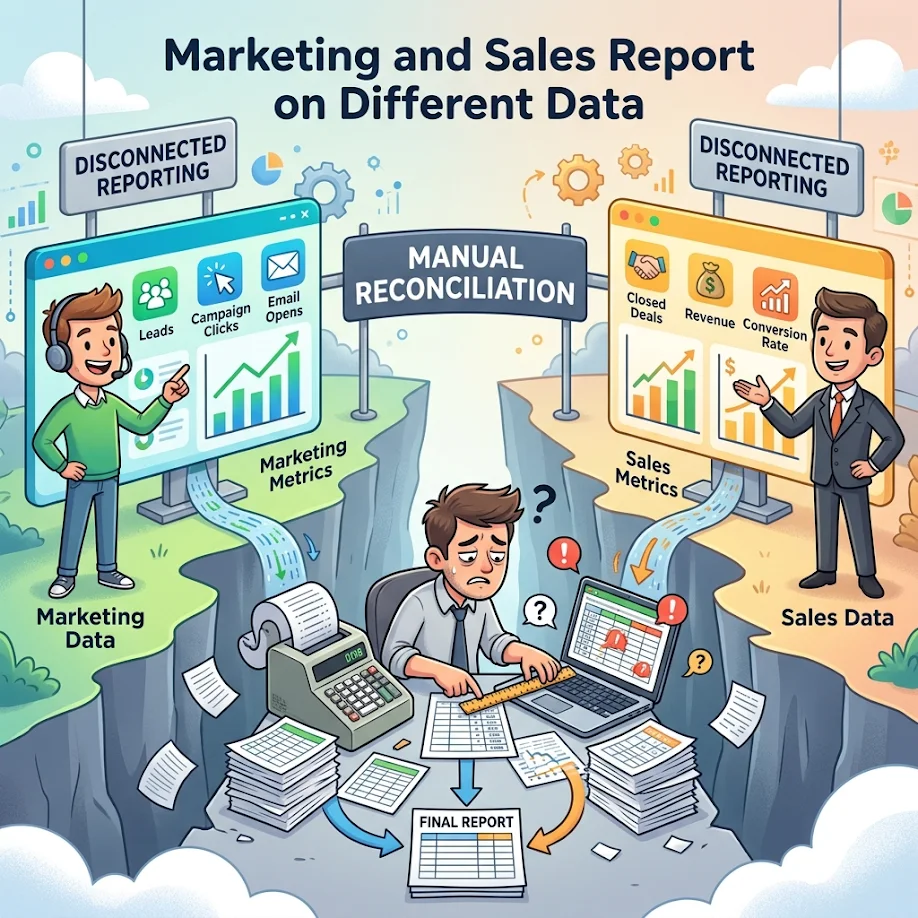
Marketing and Sales Report on Different Data

Disconnected reporting: Marketing reports on campaign performance while sales reports on pipeline activity. Without call data connecting the two, neither team has the full picture of which tactics generate qualified leads.

Manual reconciliation: Teams export call logs, cross-reference CRM records, and try to match data manually. It takes time, introduces errors, and still fails to produce a complete picture of attribution.

Marketing and Sales Report on Different Data

How AvidTrak Reports Call Data Into Salesforce as Leads

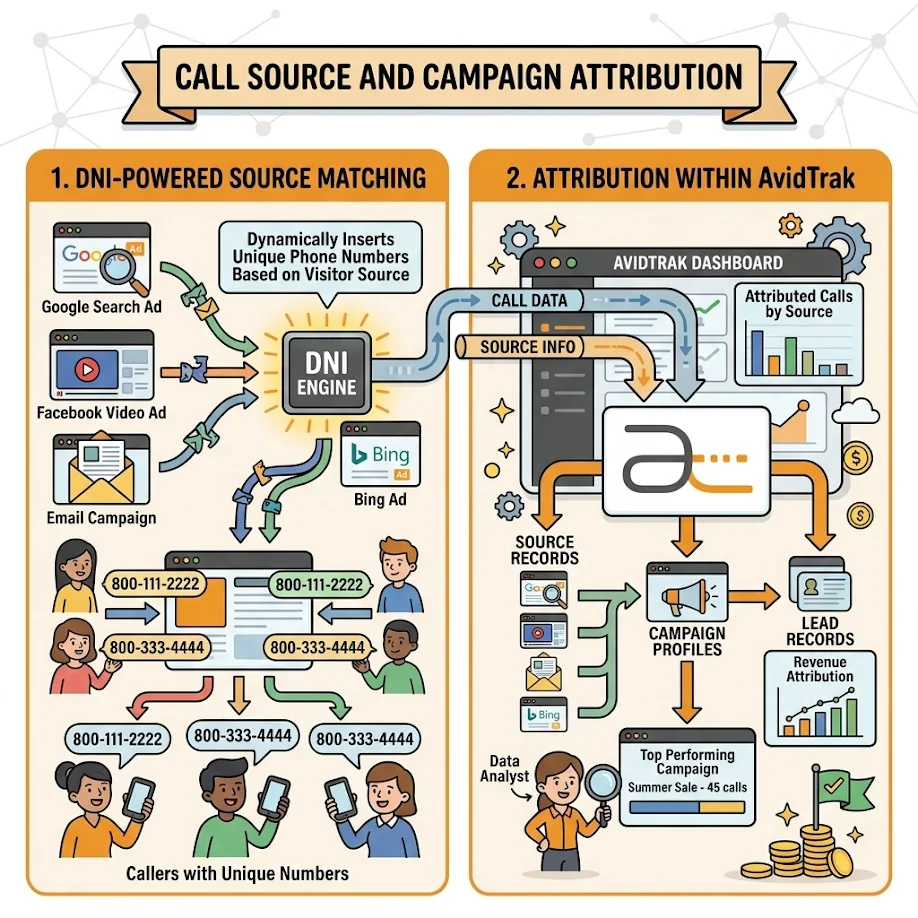
Call Source and Campaign Attribution

DNI-powered source matching: AvidTrak uses Dynamic Number Insertion to assign unique tracking numbers to every campaign, keyword, channel, and landing page. Every inbound call is matched to its source automatically before it reaches the sales team.

Attribution within AvidTrak: Call source, campaign name, keyword, and channel are captured within AvidTrak alongside each reported Salesforce lead, so the full attribution picture is always accessible without switching between platforms.

Call Source and Campaign Attribution
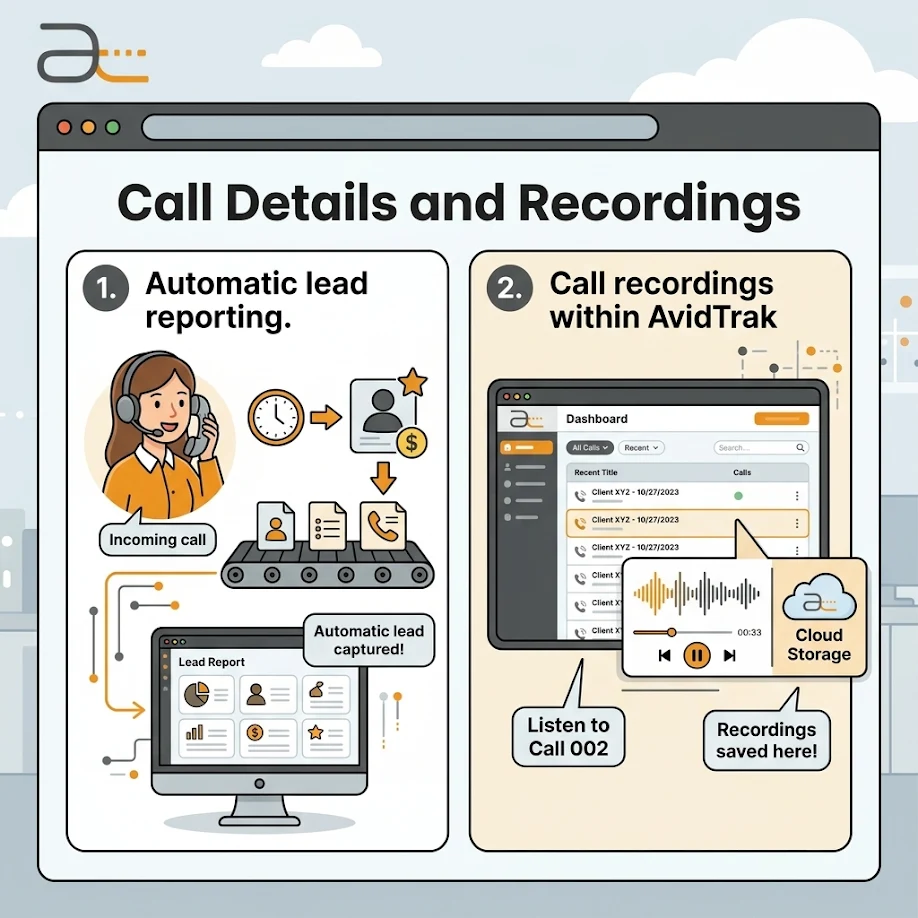
Call Details and Recordings

Call Details and Recordings

Automatic lead reporting: Every inbound call is reported into Salesforce as a lead automatically the moment it ends. No manual entry is needed from the sales or marketing team at any stage.

Call recordings within AvidTrak: Every call recording is captured within AvidTrak and connected to its lead source. Sales managers access recordings within AvidTrak alongside the attribution data for each reported Salesforce lead.

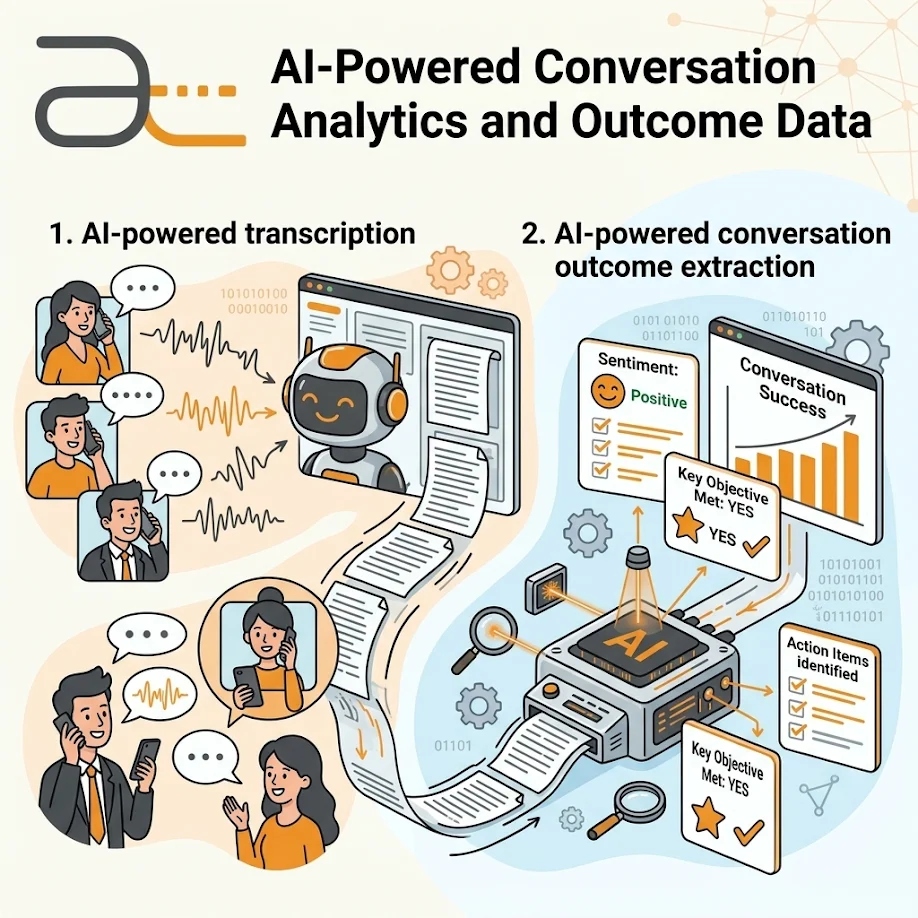
AI-Powered Conversation Analytics and Outcome Data

AI-powered transcription: AI-powered transcription converts every recorded call into searchable text within AvidTrak. Transcripts are connected to each lead source so managers can review conversations without listening to recordings.

AI-powered conversation outcome extraction: Conversation outcome extraction tags every call with a result such as a pricing inquiry, demo request, or qualification signal. These tags are available within AvidTrak alongside each reported Salesforce lead, so teams know what every call produced without manual review.

AI-Powered Conversation Analytics
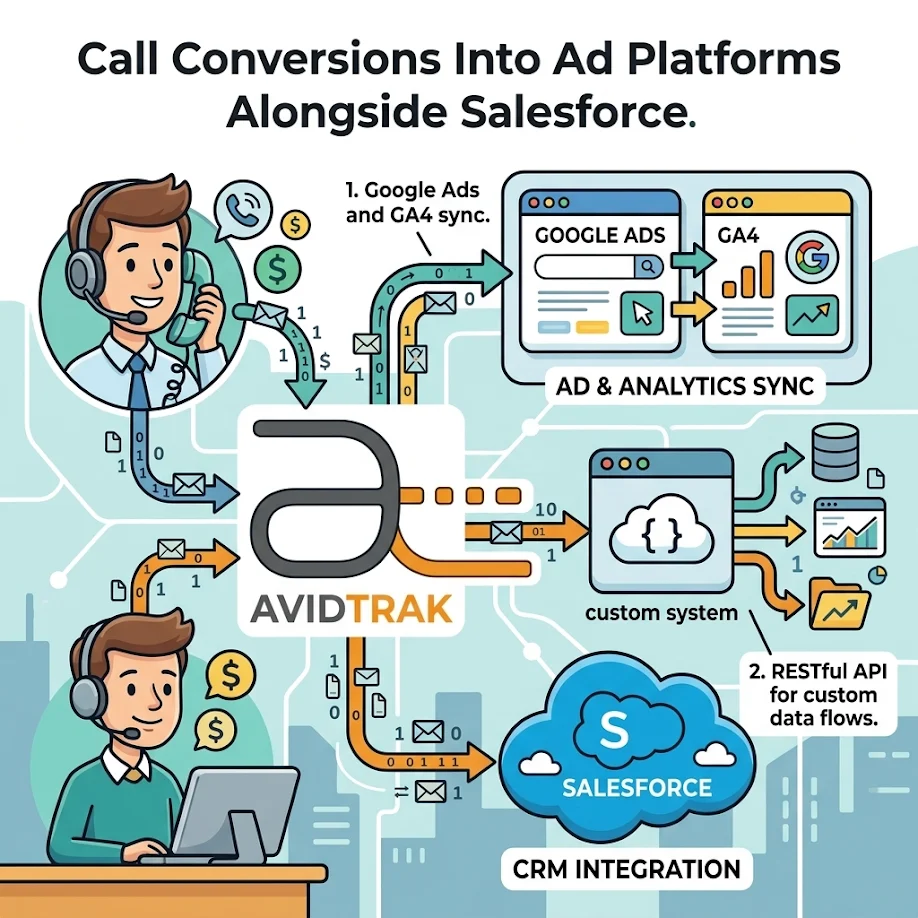
Call Conversions Into Ad Platforms

Call Conversions Into Ad Platforms Alongside Salesforce

Google Ads and GA4 sync: AvidTrak reports call conversions into Google Ads and GA4 at the same time as reporting calls into Salesforce as leads. Marketing teams get a complete picture of campaign performance across ad platforms and the CRM in a single, connected workflow.

RESTful API for custom data flows: For teams with specific CRM field mapping needs, AvidTrak's REST API allows custom call records, call details, and call duration to connect to any Salesforce workflow or data structure.

How AvidTrak's Salesforce Call Tracking Helps Each Team

Smarter Lead Management

Every inbound call is automatically reported to Salesforce as a lead. The campaign, keyword, and channel that drove the call are available within AvidTrak alongside each Salesforce lead, so sales teams always know where each inquiry came from.

Closed-Loop Campaign Reporting

Marketing teams connect campaign spend to actual call outcomes within AvidTrak. With calls reported as leads in Salesforce, both teams see which campaigns generated qualified phone inquiries without managing separate reporting systems.

Sales Performance Visibility

Managers access call recordings and AI-powered transcripts within AvidTrak alongside each reported Salesforce lead. Coaching decisions and pipeline reviews are based on what actually happened on each call.

Five Steps From Inbound Call to Complete Salesforce Record

01

Step 1: Connect AvidTrak to Salesforce

Linking AvidTrak to Salesforce takes minutes. Once connected, every inbound call is automatically reported in Salesforce as a lead. No manual entry is needed from the sales or marketing team at any stage.

02

Step 2: Assign Tracking Numbers to Every Source

AvidTrak uses Dynamic Number Insertion to display unique tracking numbers based on each visitor's campaign, keyword, or channel. Every call is tagged to its source automatically before it reaches the sales team.

03

Step 3: Capture Every Call the Moment It Comes In

When a call comes in, AvidTrak captures the source, campaign, caller details, call duration, and recording automatically. Every data point is captured the moment the call comes in, so nothing waits for manual input and nothing gets missed between the call and the Salesforce record.

04

Step 4: Transcribe and Tag Every Conversation

Every conversation is transcribed and tagged with an outcome within AvidTrak. Before a sales rep opens the Salesforce record, the system already knows what the call produced and what the next step should be.

05

Step 5: Sync Call Data Into Salesforce Automatically

The moment a call ends, AvidTrak reports it into Salesforce as a lead automatically. Sales gets the lead record in Salesforce, and the full attribution context is available within AvidTrak.

Which Teams Use AvidTrak's Salesforce Call Tracking and Why

Team
What They Get
Sales Teams Every Salesforce lead includes a confirmed call source and caller details in AvidTrak.
Reps access recordings and transcripts before following up, so every conversation is on record before the next call.
Marketing Teams Campaign, keyword, and channel attribution are captured within AvidTrak for every lead reported into Salesforce.
Marketing teams can see which tactics generate qualified phone inquiries without piecing together data from separate systems.
Marketing Agencies Agencies connect AvidTrak to Salesforce across multiple client accounts and report which campaigns generate inbound phone leads for each client.
The Agency plan supports up to 1,000 client accounts with white-label reporting at no extra setup fee.
Enterprise Teams Large organizations automatically report inbound calls from multiple locations in Salesforce.
AvidTrak's REST API supports custom Salesforce workflow mapping, so enterprise teams get the integration they need without additional development.

AvidTrak vs Manual Salesforce Call Logging

Feature
Basic Salesforce Setup
AvidTrak
Reporting calls as leads in Salesforce Requires manual logging or a custom workflow Automatic; every inbound call is reported as a lead in Salesforce
Campaign attribution per call Not available without additional tools Captured within AvidTrak and connected to each Salesforce lead
Keyword-level call attribution Not available in a basic Salesforce setup Available within AvidTrak for paid search campaigns
Call recordings Not captured in Salesforce by default Captured within AvidTrak and accessible alongside each lead source
AI-powered transcription Not available Converts every recorded call into searchable text within AvidTrak
AI-powered conversation outcome extraction Not available Automatically tags every call with a structured outcome within AvidTrak
Spam and robocall filtering Not available Audio CAPTCHA filtering removes spam calls before they reach the sales team
Multi-channel attribution Not available Tracks calls from paid search, organic, social, email, display, and offline channels
Setup requirement Requires custom development or third-party tools Requires a paid Salesforce account and an AvidTrak subscription. Connects in minutes with no development work required.
Pricing Varies by tools and development required Starts at $15 a month with no hidden fees
Support Internal team or Salesforce support Live support from a team with 14 years of call tracking experience

Every Integration Your Marketing and Sales Stack Needs — Already Built In

Google Ads

Google Ads

Microsoft Advertising

Microsoft Advertising

Google Analytics 4

Google Analytics 4

Salesforce

Salesforce

HubSpot

HubSpot

Zoho

Zoho

Google Looker Studio

Google Looker Studio

Google Marketing Platform

Google Marketing Platform

What Businesses Discovered After Switching to AvidTrak

NT
Nathan Tiessen

Convertus

“AvidTrak’s dedication to client care stood out immediately.”

We received highly responsive support for complex call tracking setups, including unique DNI and campaign-token scenarios. We expanded from 5 tracked projects to 50 while AvidTrak stayed committed to our growth.

50 Projects
KY
Kollin Yelensky

Think Integrated

“The product fit our needs, and the customer service sealed the deal.”

We found the platform easy to use, and the fast, helpful support made the difference. After 5+ years, we still value both the product and the consistency of AvidTrak’s updates and service

5+ Years
SM
Sadiq M.

Wholesale Brand

“AvidTrak combined precise call tracking with truly human support.”

We gained accurate call tracking, better visibility into marketing performance, and stronger customer insight. The responsive human support helped us make data-driven campaign decisions with confidence.

Marketing Insights

Full-Featured Call Tracking That Fits Your Budget From Day One

Starter

Starter

$15 mo
  • 5 Numbers
  • 500 Minutes
  • 500 Call Recording Minutes
  • 500 CNAME Lookup Calls
  • -
Choose Plan
Professional

Professional

$30 mo
  • 10 Numbers
  • 1500 Minutes
  • 1500 Call Recording Minutes
  • 100 CNAME Lookup Calls
  • -
Choose Plan
Agency

Agency

$55 mo
  • 30 Numbers
  • 2500 Minutes
  • 2500 Call Recording Minutes
  • 300 CNAME Lookup Calls
  • 1000 Client Accounts
Choose Plan

Connect Every Inbound Call to Salesforce With AvidTrak's Salesforce Call Tracking

14 days free trial | No credit card required | No white-label setup fees

Sign Up for a Free Trial Today

Frequently Asked Questions

Salesforce call tracking is the process of connecting inbound phone calls to their campaign, keyword, and channel source within AvidTrak and reporting those calls into Salesforce as leads automatically. Sales teams always have a confirmed source behind every Salesforce lead without piecing together data from separate platforms.

AvidTrak connects to Salesforce through a secure authorization process. Once connected, every inbound call is reported into Salesforce as a lead automatically. The full attribution data, including campaign, keyword, and channel, is available within AvidTrak alongside each reported lead.

AvidTrak captures the campaign, keyword, ad group, channel, landing page, caller ID, caller name, caller location, call date, call time, and call duration for every inbound call. All of it is available within AvidTrak alongside each Salesforce lead.

Yes. For paid search campaigns, AvidTrak captures the exact keyword, ad group, and campaign that triggered each call. This attribution data is available within AvidTrak and connected to each lead reported into Salesforce.

Yes. AvidTrak's robocall blocker uses an audio CAPTCHA that automated callers cannot solve. Spam calls never reach the sales team and are never reported to Salesforce as leads, so the pipeline stays accurate.

Yes. AvidTrak's AI-powered transcription converts every recorded call into searchable text within the platform. Sales teams review conversations connected to each Salesforce lead without manual audio review, so follow-ups are always informed.

Manual call logging is slow and inconsistent, leaving attribution gaps in Salesforce. AvidTrak reports every inbound call as a lead automatically, with campaign source confirmed within AvidTrak. Starts at $15 a month with no hidden fees.

NEED MORE DETAILS?

Contact us to schedule your demo today.

Learn About Intelligent Call Tracking