


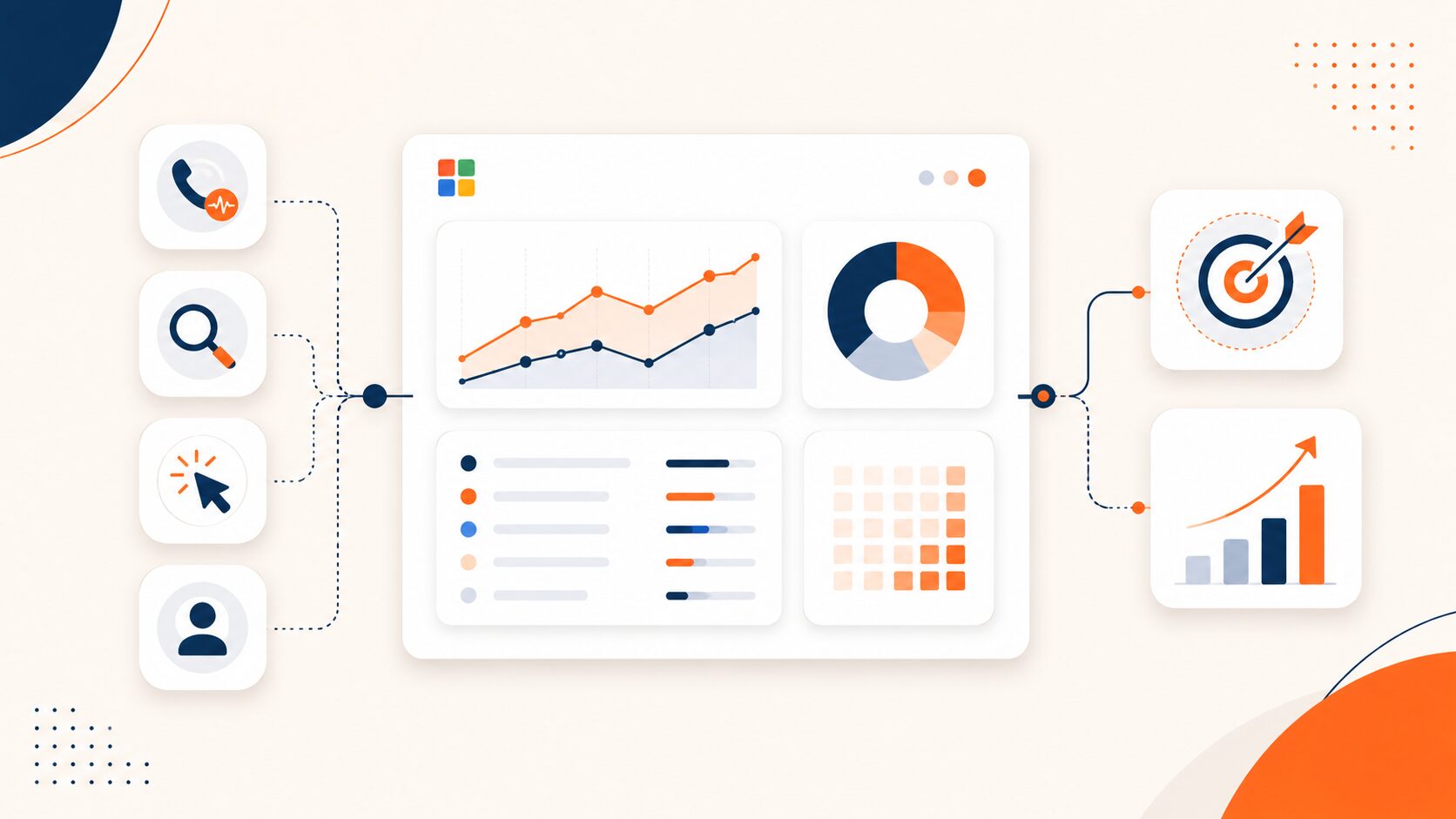
Microsoft Ads call tracking connects phone leads with the advertising activity that generated them.
Suppose a potential customer searches on Bing, clicks a Microsoft Advertising ad, visits a landing page, and calls the business instead of submitting a form.
Microsoft Advertising records the click, but the phone conversation happens outside the normal website conversion path. Without the right tracking setup, marketers may know that a campaign generated traffic without knowing which campaigns, keywords, or landing pages generated valuable phone conversations.
A complete setup connects the advertising click with the phone call, lead quality, sales outcome, and eventual revenue.
Microsoft Ads call tracking: The short answer
Microsoft Advertising provides website conversion measurement through Universal Event Tracking and supports offline conversion reporting for outcomes that happen after an ad click.
Businesses that depend heavily on phone leads can add dedicated call tracking to connect calls with campaigns, keywords, landing pages, visitor sessions, and call outcomes.
Dynamic number insertion can show trackable phone numbers to website visitors, while offline conversion reporting can return qualified phone leads to Microsoft Advertising.
This allows PPC reporting to measure more than clicks and website forms.
What is Microsoft Ads call tracking?
Microsoft Ads call tracking is the process of connecting incoming phone calls with Microsoft Advertising activity.
A complete call record can include information such as:
- Traffic source.
- Campaign.
- Ad group.
- Keyword.
- Landing page.
- Visitor session.
- Tracking number.
- Call duration.
- Call recording.
- Call transcription.
- Call outcome.
- Conversion status.
- Revenue.
The purpose is not simply to count incoming calls.
The purpose is to identify which advertising activity produces valuable phone leads and use that information to make better campaign decisions.
Why Microsoft Ads call tracking matters
Microsoft Advertising provides conversion tracking tools that help advertisers measure actions beyond the original ad click, including website conversions and other valuable customer actions.
Phone-heavy businesses need an additional layer because the keyword generating the most calls may not generate the best calls.
Consider two keywords.
Keyword A generates 10 calls from 60 clicks.
Keyword B generates seven calls from 40 clicks.
Based on call volume, Keyword A appears stronger.
However, if only two calls from Keyword A are qualified while five calls from Keyword B become genuine sales opportunities, Keyword B may deserve more budget.
Using keyword-level call tracking, a business can evaluate paid search according to actual phone-lead quality instead of relying only on clicks or raw call counts.
How Microsoft Advertising tracks conversions
Microsoft Advertising uses Universal Event Tracking, commonly called UET, to measure activity on a website.
A UET tag can support conversion measurement for actions such as:
- Form submissions.
- Purchases.
- Page visits.
- Button interactions.
- Other configured website events.
UET works well when the conversion happens on the website.
Phone leads create an additional attribution challenge because the meaningful business outcome may happen during or after a conversation rather than inside the browser.
Through Microsoft’s offline conversion functionality, advertisers can connect later business outcomes with an earlier advertising click when the required tracking information has been preserved.
What is MSCLKID?
MSCLKID is the Microsoft Click ID.
When Microsoft Advertising auto-tagging is enabled, Microsoft can append a unique msclkid parameter to the landing-page URL after an ad click.
That identifier helps connect later conversion activity with the original advertising interaction.
Microsoft’s UET and Conversion API documentation explains how the click identifier can be preserved for later conversion attribution.
A phone-lead journey may therefore look like this:
- A prospect clicks a Microsoft Advertising ad.
- Microsoft assigns a click ID.
- The prospect visits the website.
- A tracking number appears.
- The prospect calls.
- The call becomes a qualified opportunity.
- The opportunity becomes a sale.
- The offline conversion is associated with the original advertising interaction.
This helps close the measurement gap between the original PPC click and the later phone conversion.
How dynamic number insertion helps track Microsoft Ads calls
Dynamic number insertion, or DNI, replaces the phone number displayed on a website according to the visitor or traffic source.
Instead of every visitor seeing one static number, eligible visitors see numbers from a tracking pool.
When the visitor calls, the tracking platform can connect the phone interaction with information preserved from that website session.
Businesses unfamiliar with the process can first review how dynamic number insertion works to understand how number pools preserve attribution without changing the underlying business number.
For Microsoft Advertising traffic, a DNI setup can help connect calls with available information such as:
- Microsoft Advertising as the source.
- Campaign.
- Ad group.
- Keyword.
- Landing page.
- Visitor session.
- Click information captured during the session.
The exact level of attribution depends on the tracking configuration, campaign parameters, website implementation, and call tracking platform.
Microsoft Ads call tracking: Static numbers vs dynamic numbers
Businesses can track calls in several ways.
| Tracking method | Best suited for | Attribution depth |
| One business number | Basic total call measurement | Low |
| Dedicated campaign number | Individual campaigns or offline ads | Campaign level |
| Source-specific number | Separating Microsoft Ads from other channels | Source level |
| Dynamic number insertion | Website PPC attribution | Visitor and campaign level |
| Session-level number pool | Detailed PPC and visitor attribution | Highest |
A static campaign number may be sufficient when one landing page receives traffic from one campaign.
Businesses running several campaigns, ad groups, keywords, and landing pages usually need more detailed attribution.
How to set up Microsoft Ads call tracking
A complete setup can be divided into six main steps.
1. Set up Microsoft Advertising conversion tracking
Begin with the Microsoft Advertising measurement setup.
Using Microsoft’s conversion tracking framework, install the required UET tag and confirm that the website is correctly recording the online conversion actions the business already measures.
The call tracking setup should complement Microsoft Advertising rather than replace the advertising platform’s own conversion measurement.
2. Preserve Microsoft Advertising click information
Make sure the required Microsoft Advertising identifiers and campaign information remain available after the visitor reaches the website.
MSCLKID is particularly important for workflows that need to connect later offline outcomes with earlier advertising clicks.
The Microsoft documentation for offline conversion attribution explains how click identifiers are used to connect later outcomes with the original advertising interaction.
3. Choose the right tracking-number setup
Decide how phone numbers should be assigned.
A business may use:
- Dedicated campaign numbers.
- Numbers assigned to offline ads.
- Source-specific numbers.
- Dynamic number insertion.
- Session-level number pools.
For websites receiving traffic from several PPC campaigns, DNI generally provides more attribution detail than using one Microsoft Advertising number for every visitor.
AvidTrak’s call tracking numbers can support online, offline, PPC, referral, organic, and other marketing channels within the same attribution setup.
4. Connect calls with campaign and keyword data
The call tracking system should preserve available advertising information when the visitor lands on the website.
With AvidTrak’s PPC keyword call tracking, incoming phone calls can be connected with available paid-search information such as campaigns, ad groups, keywords, and landing pages.
This creates more useful reporting than simply categorizing every phone lead as coming from Microsoft Ads.
5. Decide which calls count as conversions
Not every call should automatically be treated as an equally valuable conversion.
A wrong number and a qualified sales inquiry should not receive the same weight.
Businesses can classify calls using criteria such as:
- Minimum call duration.
- Caller intent.
- Appointment booked.
- Product or service inquiry.
- Qualified sales opportunity.
- New customer.
- Revenue generated.
Call recording, transcription, scoring, and conversation analysis can make qualification more practical when call volume increases.
6. Report qualified calls back to Microsoft Advertising
The final step is to return meaningful phone conversions to the advertising platform.
Using Microsoft’s offline conversion reporting, businesses can associate eligible offline outcomes with earlier advertising interactions.
With the AvidTrak Microsoft Ads integration, phone conversions can be reported into Microsoft Advertising so relevant call activity becomes part of PPC conversion reporting.
How to track Microsoft Ads calls at the keyword level
Keyword-level call tracking answers a more specific question:
Which paid-search keyword generated the phone conversation?
A session-level tracking setup associates the visitor with the advertising data available before the call.
When the visitor calls, the resulting record can retain available information about the keyword, campaign, ad group, landing page, and source.
Consider this simplified example:
| Keyword | Clicks | Calls | Qualified calls | Sales | Cost per qualified call |
| Keyword A | 60 | 10 | 2 | 1 | $180 |
| Keyword B | 40 | 7 | 5 | 3 | $72 |
| Keyword C | 35 | 4 | 0 | 0 | N/A |
Keyword A generates the highest call volume.
Keyword B produces fewer calls but more qualified leads and sales.
Keyword C generates phone activity without producing a qualified opportunity.
Campaign decisions based only on raw call volume would miss those differences.
What should Microsoft Ads call tracking measure?
A useful Microsoft Ads call tracking report should answer more than how many calls occurred.
Marketing source
Did Microsoft Advertising actually generate the call, or did the caller come from Google Ads, organic search, social media, a referral, or another channel?
Campaign
Which campaign produced the phone lead?
Ad group
Which group of ads contributed to the visitor’s call?
Keyword
Which keyword generated the visitor when keyword data is available?
Landing page
Which page turned the advertising visitor into a caller?
Call duration
How long did the conversation last?
Call outcome
Was the caller qualified, booked, transferred, lost, or converted?
Revenue
Did the phone lead eventually generate revenue?
Using a call tracking dashboard, marketing teams can view campaign attribution alongside call outcomes instead of evaluating advertising performance from call volume alone.
Microsoft Ads call tracking and ROI
Call tracking becomes more useful when marketing cost is connected with sales outcomes.
A basic ROI formula is:
Marketing ROI = (Revenue attributed to Microsoft Ads – Microsoft Ads cost) ÷ Microsoft Ads cost × 100
Not every business can connect revenue directly with every call.
In those cases, useful intermediate metrics include:
- Cost per call.
- Cost per qualified call.
- Cost per appointment.
- Cost per opportunity.
- Revenue per call.
- Qualified-call rate.
- Call-to-sale rate.
Consider two campaigns:
| Metric | Campaign A | Campaign B |
| Advertising spend | $2,000 | $2,000 |
| Phone calls | 40 | 28 |
| Qualified calls | 10 | 16 |
| Customers | 3 | 7 |
| Revenue | $4,500 | $10,500 |
Campaign A generates more calls.
Campaign B generates fewer calls but substantially more qualified leads, customers, and revenue.
The second campaign therefore creates more business value even though its raw call volume is lower.
Microsoft Ads call tracking and CRM integration
Marketing attribution should not stop when a salesperson answers the phone.
CRM integration can connect the advertising source with what happens after the conversation.
A salesperson may need to know:
- Which campaign generated the caller.
- Which keyword contributed to the call.
- Which landing page the caller visited.
- Whether the caller contacted the business before.
- What happened during the conversation.
- Whether the lead became an opportunity.
- Whether the opportunity generated revenue.
Through CRM call tracking, businesses can connect phone attribution with supported customer-management workflows instead of leaving marketing data isolated inside a separate call tracking platform.
A broader set of AvidTrak call tracking integrations can also connect phone data with advertising, analytics, CRM, and reporting systems.
How AvidTrak works with Microsoft Advertising
AvidTrak can connect Microsoft Advertising phone leads with marketing attribution and return relevant phone conversions to the advertising platform.
A typical workflow looks like this:
- A prospect clicks a Microsoft Advertising ad.
- The prospect reaches the business website.
- AvidTrak displays an appropriate tracking number.
- The prospect calls.
- AvidTrak associates the call with available campaign and visitor information.
- The conversation can be recorded, transcribed, tagged, scored, or analyzed.
- The business determines whether the call represents a meaningful conversion.
- Relevant phone activity can be reported into Microsoft Advertising.
By using the Microsoft Ads integration within the wider call tracking setup, AvidTrak can help connect PPC spend with phone leads that would otherwise remain outside normal website reporting.
The purpose is not simply to create another call log.
The purpose is to connect advertising spend with the phone leads and business outcomes generated by that spend.
Microsoft Advertising conversion tracking vs dedicated call tracking
Microsoft Advertising and dedicated call tracking serve different parts of the measurement process.
| Capability | Microsoft Advertising | Dedicated call tracking |
| Ad clicks | Yes | Uses advertising data |
| Website conversion events | Yes | Can supplement |
| Campaign reporting | Yes | Adds call-level context |
| Dynamic website numbers | Not the primary function | Yes |
| Phone-call recordings | No | Yes |
| Call transcription | No | Available |
| Phone lead qualification | Requires additional data | Available |
| Keyword-level call attribution | Requires an appropriate tracking workflow | Available with supported setups |
| Call routing | No | Available |
| CRM call data | Requires additional integration | Available on relevant platforms |
| Offline phone conversion reporting | Supported | Can supply the conversion data |
Microsoft Advertising should remain the primary platform for advertising delivery and campaign performance.
Call tracking adds the phone-conversation data that cannot be fully understood from clicks and website events alone.
Common Microsoft Ads call tracking mistakes
Tracking only phone-number clicks
A click on a phone number does not prove that a meaningful conversation occurred.
The caller may abandon the call, reach voicemail, call accidentally, or speak for only a few seconds.
Using one static number for every website visitor
A single number may show total call volume but provides limited information about which campaigns and keywords generated each call.
Treating every call as a conversion
Call quantity is not the same as call quality.
Campaigns producing many irrelevant calls can appear successful when all calls receive the same conversion value.
Ignoring keyword-level attribution
Campaign-level reports can hide major differences between individual keywords.
Failing to preserve MSCLKID
Losing the click identifier can make it harder to connect later offline conversion activity with the original advertising click.
Businesses using offline conversion workflows should therefore preserve the information required by the Microsoft Advertising attribution process.
Keeping call outcomes outside the CRM
Marketing may know what generated the call while sales knows what happened afterward.
Separating those datasets makes it harder to calculate the true advertising value.
Measuring cost per call instead of cost per qualified call
A low-cost irrelevant call is not more valuable than a higher-cost qualified sales conversation.
The measurement model should reflect business outcomes whenever possible.
How to improve Microsoft Ads performance with call data
Once phone attribution is working correctly, marketers can use the data to make better campaign decisions.
Move budget toward qualified-call campaigns
Compare campaigns according to qualified conversations rather than total phone activity.
Review keyword-level call quality
Increase spend on keywords generating relevant callers and investigate keywords producing low-quality conversations.
Compare landing pages
A landing page with fewer form submissions may still perform well if it generates valuable phone inquiries.
Review missed calls
A campaign can generate the right prospect while the business still loses the lead because nobody answers.
Using call tracking and call outcome data, marketers can separate campaign performance from the operational issue of how incoming leads are handled.
Connect calls with revenue
When possible, link qualified phone leads with downstream opportunities and revenue so campaign decisions reflect actual financial outcomes.
Send meaningful conversions back to Microsoft Advertising
Returning qualified phone conversions can provide better campaign signals than reporting every inbound call as equally valuable.
When should a business use dedicated Microsoft Ads call tracking?
Dedicated call tracking becomes particularly valuable when:
- Phone calls are a major lead source.
- The business spends significantly on Microsoft Advertising.
- Several campaigns or keywords generate phone leads.
- PPC performance needs to be measured beyond forms.
- Call recording or transcription is required.
- Call quality needs to be measured.
- Sales outcomes need to be connected with advertising.
- CRM attribution matters.
- Calls require routing across teams or locations.
- Offline phone conversions need to appear in Microsoft Advertising.
Businesses receiving only occasional calls may not need the same attribution depth as organizations generating hundreds or thousands of phone leads.
The tracking setup should match the value and volume of the phone channel.
Microsoft Ads call tracking: Final takeaway
Microsoft Advertising can measure website actions through UET and supports offline conversion reporting for business outcomes that occur after an ad click.
Phone-heavy businesses still need a reliable way to connect those advertising interactions with the conversations that happen afterward.
A complete Microsoft Ads call tracking setup therefore connects the campaign, keyword, landing page, visitor, phone call, lead quality, and eventual business outcome.
That changes the question from:
How many calls did Microsoft Ads generate?
to:
Which Microsoft Ads campaigns generated phone leads that actually became valuable customers?
That is the level of measurement needed to make better PPC budget decisions.
Frequently asked questions
1. Can Microsoft Ads track phone calls?
Microsoft Advertising can measure conversion activity and support offline conversion reporting.
Businesses that need detailed phone attribution can combine Microsoft Advertising with a dedicated call tracking platform that records the source, campaign, keyword, and call outcome.
2. What is UET in Microsoft Advertising?
Universal Event Tracking is Microsoft’s website measurement framework.
Through Microsoft Advertising conversion tracking, UET can help measure website actions after an advertising interaction and support audience and bidding workflows.
3. Can Microsoft Ads track calls at the keyword level?
Keyword-level phone attribution is possible when the advertising and call tracking setup preserves the required visitor and campaign data.
A dedicated call tracking system can connect resulting calls with available campaign, ad group, keyword, and landing-page information.
4. What is MSCLKID?
MSCLKID is the Microsoft Click ID associated with a Microsoft Advertising click.
When auto-tagging is enabled, the identifier can help connect later conversion activity with the original advertising interaction.
5. What is an offline conversion in Microsoft Ads?
An offline conversion is a business outcome that occurs after an advertising click but outside the normal website conversion flow.
Using Microsoft’s offline conversion reporting, businesses can report eligible outcomes such as phone-generated sales or qualified leads back to Microsoft Advertising.
6. Can AvidTrak send phone conversions to Microsoft Ads?
Yes.
With the AvidTrak Microsoft Ads integration, businesses can report tracked phone conversions into Microsoft Advertising as part of the wider PPC attribution workflow.
7. How can businesses calculate ROI from Microsoft Ads phone calls?
Businesses can connect advertising cost with qualified calls, appointments, opportunities, customers, and revenue.
Cost per qualified call and revenue from phone-generated customers generally provide more useful information than raw call volume.
8. Can Microsoft Ads call tracking work with a CRM?
Yes.
A call tracking platform can pass advertising and phone-lead information into supported CRM systems so sales and marketing teams can follow the lead after the initial conversation.
Connect Microsoft Ads spend with real phone leads
AvidTrak connects Microsoft Advertising phone leads with campaigns, keywords, landing pages, call outcomes, CRM records, and reporting systems.
Businesses comparing solutions can review the AvidTrak call tracking plans before starting a 14-day free trial without providing a credit card.


